

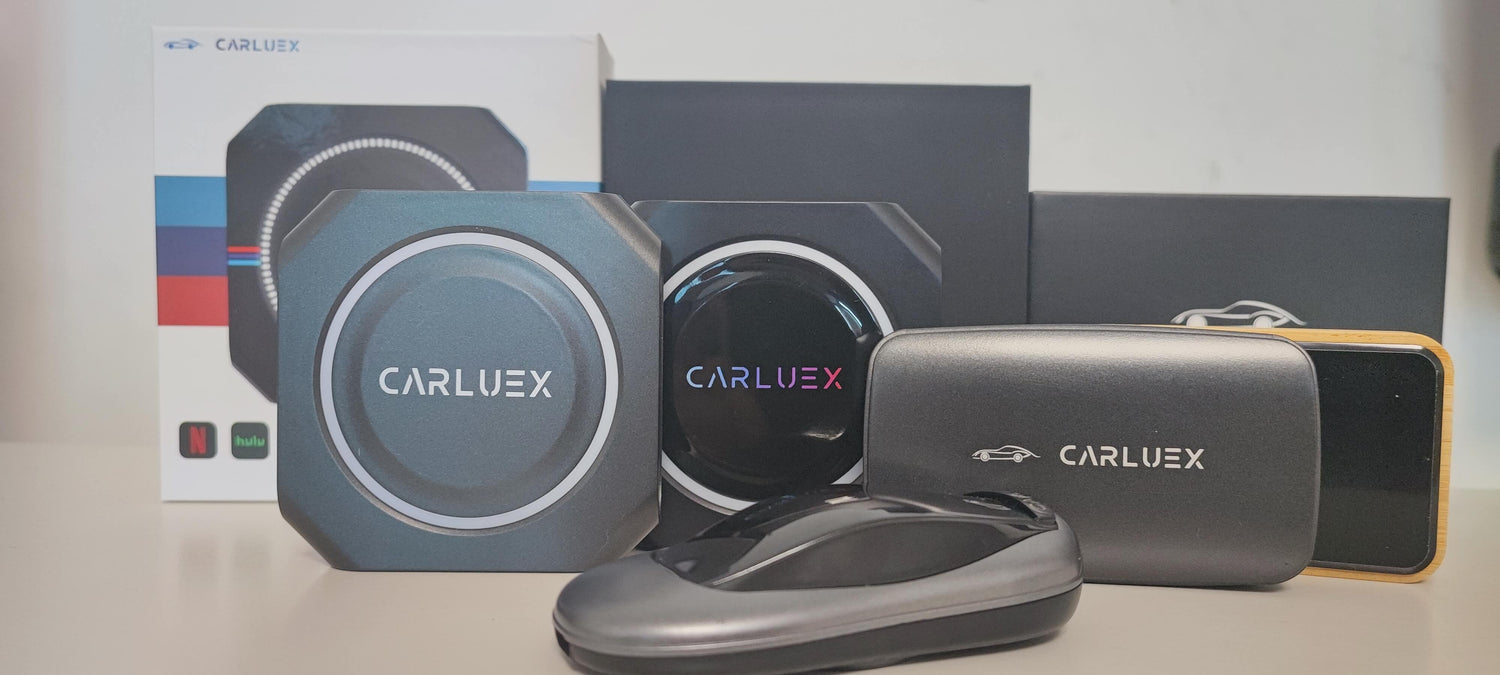
Wireless CarPlay adapters can make a compatible car setup more convenient by reducing the need to connect an iPhone with a cable every time you drive. The important word is compatible: the vehicle, infotainment system, phone, and adapter model must work together. Use this guide to check the basics, complete a safe first setup, and compare the details that matter before choosing a model.
What a Wireless CarPlay Adapter Does
Apple documents CarPlay connections through a vehicle’s USB port or wireless capability. A third-party adapter may add a wireless connection path to a vehicle system, but the exact requirements depend on the adapter and the vehicle. Do not treat a general “works with CarPlay” statement as a guarantee for every trim, year, USB port, or phone.
CARLUEX offers several adapter and in-car media products, including the CARLUEX AIR, CARLUEX GO, and CARLUEX LINK product pages. The current model page and compatibility information should be treated as the source of truth for model-specific features. This article explains how to evaluate those claims; it is not a universal ranking of every CARLUEX product.

Check Compatibility Before You Buy
Check the vehicle and head unit
Start with the vehicle owner’s manual and the manufacturer’s compatibility information. Apple maintains a list of CarPlay-compatible vehicle models, but model-year and trim differences still matter. Also check whether the USB port supports data and CarPlay rather than charging only.
Check the phone and platform
For iPhone users, confirm that Siri, Wi-Fi, and Bluetooth are available when the setup instructions require them. For Android users, Google provides separate Android Auto requirements for compatible phones and vehicles. Do not assume that a product supporting wireless CarPlay also supports Android Auto unless the exact model documentation says so.
Confirm the exact adapter model
Before ordering, verify the model’s supported platforms, vehicle requirements, firmware-update process, return terms, and support channel. If the product page does not document a claim such as a specific vehicle list, performance figure, rating, price, SIM function, or warranty period, treat that claim as unverified.

How to Set Up Wireless CarPlay
1. Prepare the car and iPhone
- Park the vehicle and turn on the infotainment system.
- Make sure Siri is enabled and the iPhone is updated.
- Read the adapter and vehicle instructions before connecting it.
- Use the vehicle’s data-capable USB port when the setup requires a wired connection for the adapter.
2. Pair the devices
Follow the exact pairing flow shown for the adapter model. Native wireless CarPlay setup can involve the vehicle’s wireless or Bluetooth mode and the iPhone’s Wi-Fi and CarPlay settings. Adapter menus may be different, so the model manual takes priority over a generic checklist.
3. Confirm the first connection
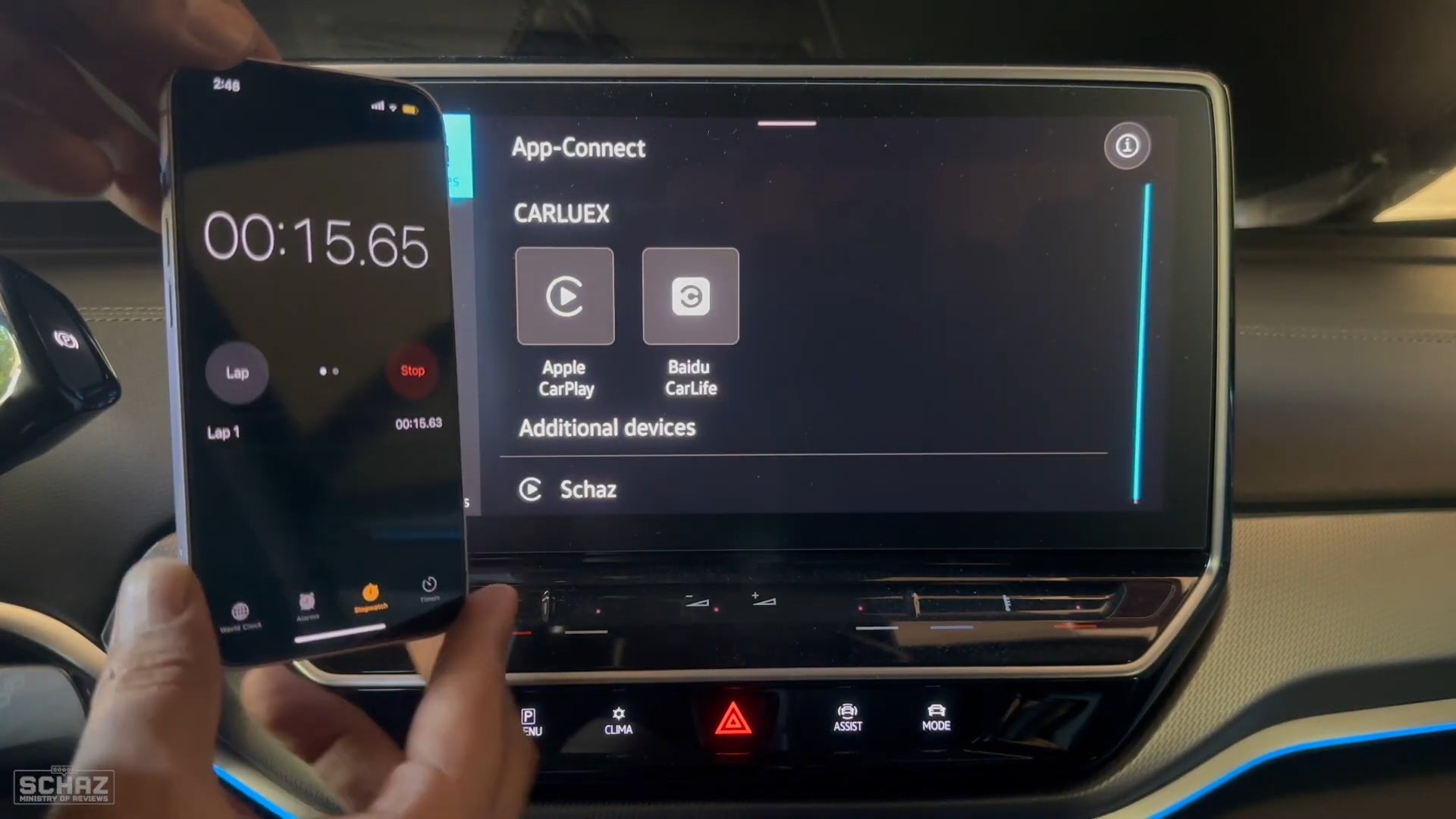
Wait until the CarPlay interface appears and test navigation, calls, and audio while the vehicle is parked. If the connection does not appear, do not start driving while troubleshooting. Check the manual, then contact the vehicle or adapter manufacturer if the compatibility requirements are unclear.

Features Worth Comparing
- Compatibility evidence: Is the vehicle, trim, phone, and operating system support documented?
- Connection method: Does the model explain whether the first connection uses USB, Bluetooth, Wi-Fi, or a combination?
- Platform support: Is Apple CarPlay, Android Auto, or both explicitly listed for this model?
- Update path: Are firmware updates and recovery steps documented?
- Support and returns: Can you get model-specific help if pairing fails?
These checks are more useful than an unsupported “best” label. Price, ratings, latency, stability, and warranty should be compared only when the current product source identifies the test method, date, model, and terms.

Troubleshooting Basics
- Confirm that the vehicle and adapter model are compatible.
- Try the vehicle’s data-capable USB port and check the cable or adapter connection.
- Restart the phone, infotainment system, and adapter if the manual allows it.
- Check for phone, vehicle, and adapter firmware updates.
- Remove the old pairing and pair again only when the vehicle is parked.
If the same issue returns, record the vehicle year and trim, phone model and operating system, adapter model, connection method, and error message before contacting support. That information is more useful than repeatedly resetting the same connection. For related troubleshooting context, see this CarPlay connectivity guide, the Waze setup guide, and the wireless adapter winter guide.
CARLUEX Product Range: Verify the Current Model Page
CARLUEX product families can change over time. Use the current product page to verify whether a specific model is a wireless CarPlay adapter, an Android Auto adapter, or a full in-car media device. Check the exact model’s compatibility and feature documentation before using it as a recommendation for a particular vehicle.

FAQ
Will a wireless CarPlay adapter work in every car?
No universal promise should be made. Check the vehicle’s CarPlay support, the data-capable USB connection, and the exact adapter model’s compatibility information.
Does every adapter support both iPhone and Android phones?
No. Apple CarPlay and Android Auto have separate platform requirements. Confirm the exact model documentation before buying.
Why does the adapter connect but CarPlay not appear?
Recheck compatibility, Wi-Fi and Bluetooth requirements, the vehicle’s USB/data connection, and the setup steps in the model manual. Test only while parked.
Should I choose by price or rating?
Use price and rating only when the source is current and identifies the model and terms. Compatibility and documented support should come first.
For official platform guidance, see Apple’s CarPlay connection instructions, Apple’s CarPlay vehicle information, and Google’s Android Auto requirements.


Lasă un comentariu
Toate comentariile sunt moderate înainte de a fi publicate.
Acest site este protejat de hCaptcha și hCaptcha. Se aplică Politica de confidențialitate și Condițiile de furnizare a serviciului.