

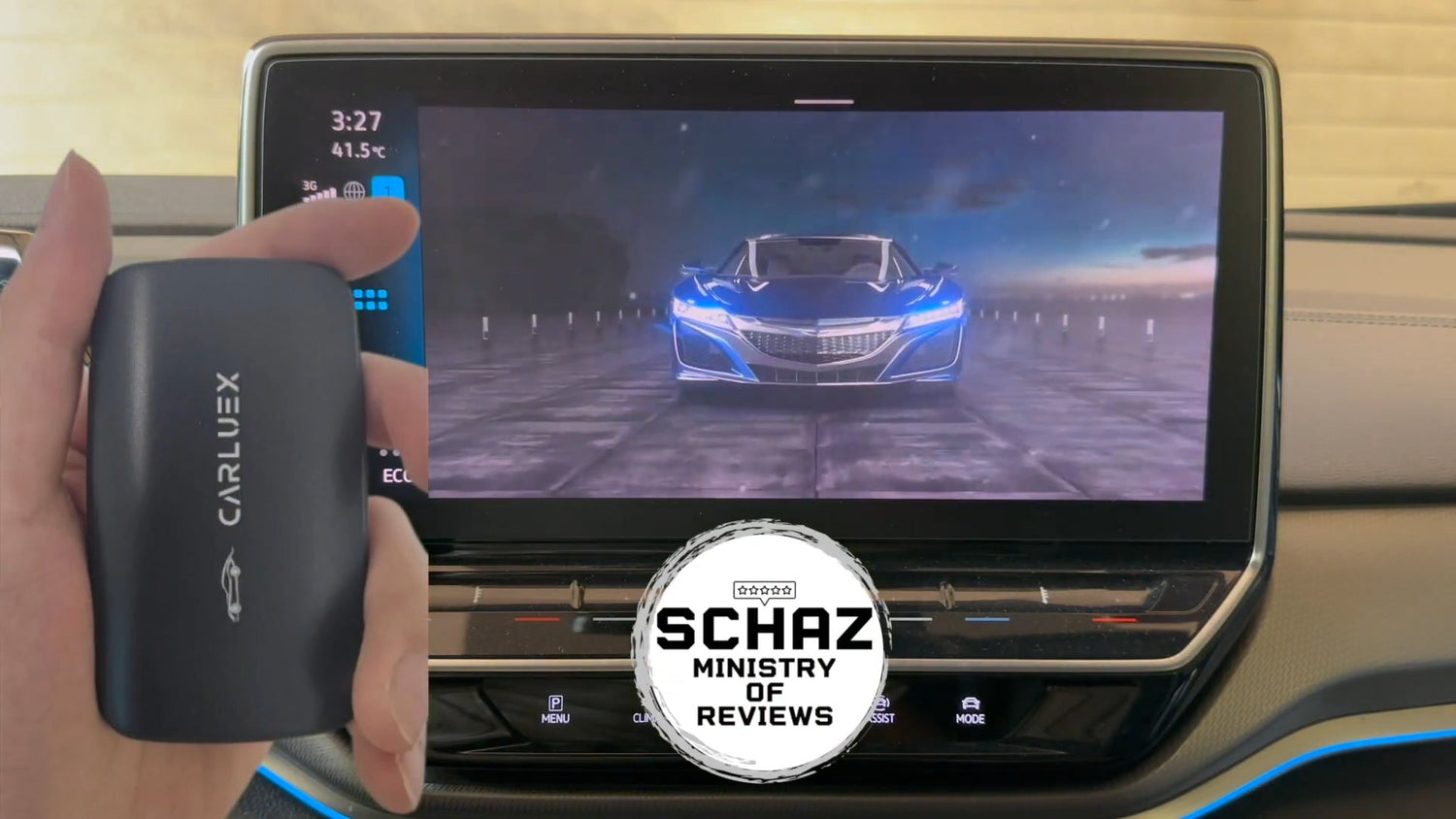
Quick answer: CARLUEX GO is a wireless CarPlay / Android Auto adapter for compatible vehicles that also supports media-focused features such as YouTube, Netflix, casting, offline media, and phone mirroring where available. It is not a universal adapter for every car. Before buying, confirm your vehicle on the CARLUEX compatible vehicles page and review the exact CARLUEX GO product page.
The original version of this article followed a video-style unboxing review. This updated version keeps the useful hands-on angle, but turns it into a clearer buyer guide: what GO does, how setup works, what to expect from app and media features, and where the compatibility limits sit.

What Is CARLUEX GO?
CARLUEX GO is positioned for drivers who want more than a simple cable-free CarPlay connection, but who still want a compact adapter-style setup. Under the current CARLUEX product fact rules, GO supports wireless CarPlay, wireless Android Auto, Siri / Google Assistant, YouTube and Netflix, casting, offline media, OTA updates, and phone mirroring.
The important condition is compatibility. CARLUEX compatibility depends on the adapter model and your vehicle's factory infotainment system. Do not assume that a USB port alone is enough. In many cases, the vehicle should already support factory wired CarPlay or wired Android Auto before an adapter becomes the right upgrade path.
Who Should Consider CARLUEX GO?
GO is worth considering if you want a media-friendly adapter for a compatible car and you care about features beyond basic wireless projection. It may be a better fit when your checklist includes phone mirroring, local media, and passenger entertainment use cases.
| Need | How GO fits | Check first |
|---|---|---|
| Wireless CarPlay | Lets a compatible wired CarPlay setup become cable-free after setup | Confirm wired CarPlay works in the vehicle first |
| Wireless Android Auto | Supports Android Auto use where the vehicle and phone meet the required conditions | Test wired Android Auto first if that is your main use case |
| Phone mirroring | GO can be considered when mirroring is part of the requirement | Confirm device, phone, app, and legal/safety limits before use |
| Local media or streaming apps | Supports YouTube, Netflix, casting, and offline media where available | Third-party app behavior may depend on the app provider, account, region, and updates |
Setup and Boot Experience
The original review showed GO being connected to the vehicle through USB. That point matters: after setup, the phone connection can become wireless, but the adapter itself still connects to the car by USB. A safer way to evaluate setup is to test the whole chain while parked:
- Confirm the vehicle can launch wired CarPlay or wired Android Auto directly from your phone.
- Connect CARLUEX GO to the same working data USB port.
- Follow the pairing prompt and keep Bluetooth and Wi-Fi available on the phone.
- Open one navigation app and one audio app while parked to confirm sound, screen response, and reconnect behavior.
- Review the GO product page and compatibility page before relying on the adapter for daily use.
Apple says CarPlay can connect through a USB port on supported cars, and that the USB port may be labeled with a CarPlay or smartphone icon. Apple also keeps a public CarPlay available models list, but final fit can still depend on vehicle year, trim, region, infotainment system, and software.

CarPlay and Android Auto: What GO Changes
CARLUEX GO can make a compatible wired CarPlay or Android Auto experience more convenient by reducing the need to plug the phone in for every drive. That does not mean it controls your phone apps, fixes vehicle software problems, or adds CarPlay to unsupported cars.
Apple describes CarPlay as a way to get directions, make calls, send and receive messages, listen to music, and more while staying focused on the road through CarPlay on iPhone. Google describes Android Auto as a way to bring apps to the car display for navigation, maps, calls, messages, and music through Android Auto setup guidance.
That distinction is useful when choosing GO. Wireless CarPlay and Android Auto are still platform-controlled experiences. The apps that appear, the labels you see, and the permissions required can vary by phone, system version, vehicle, and app.

Media Playback, Streaming, and Phone Mirroring
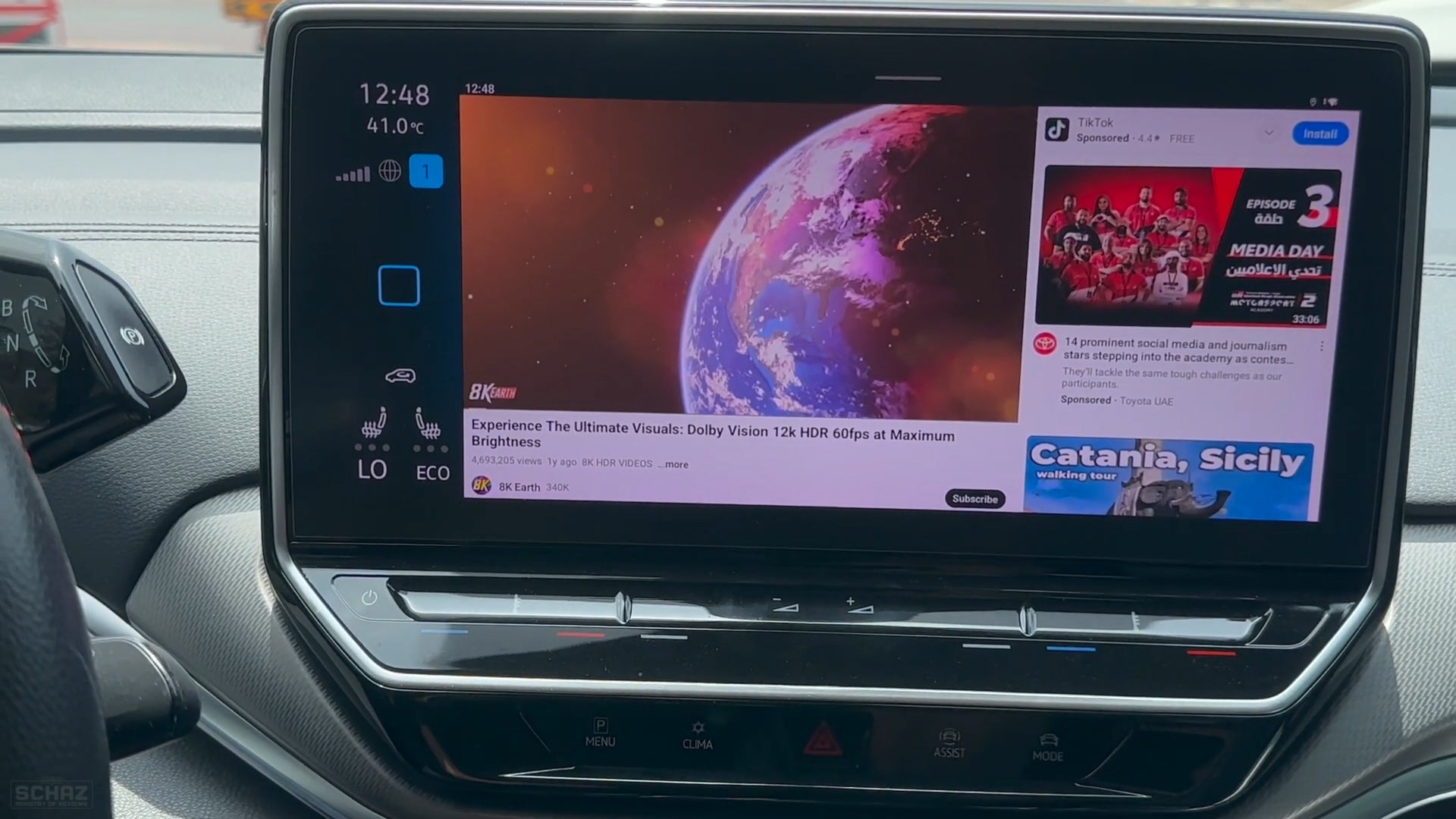
GO's bigger difference is the media side. Under the current project product notes, GO can be described with YouTube, Netflix, casting, offline media, and phone mirroring support. That should still be written conservatively: app access can depend on the app provider, account sign-in, subscription, region, network connection, app updates, and local laws.
Use entertainment features only when parked or by passengers where local law and vehicle safety allow. Do not watch video or operate distracting apps while driving.
For Android Auto media apps, Google notes that compatible media apps can play through the car speakers, but app issues may need to be checked with the app provider through its Android Auto media app guidance. That same expectation should carry into CARLUEX copy: the adapter can support media use cases where available, but third-party app behavior is not a permanent guarantee.

GO vs AIR, LINK, PRO+ 2.0, and BMW Version
Do not treat all CARLUEX devices as the same adapter. A better buying path is to match the product to the job:
| CARLUEX option | Best fit | Important limit |
|---|---|---|
| CARLUEX GO | Drivers who want wireless CarPlay / Android Auto plus media, casting, offline media, and phone mirroring support | Confirm vehicle compatibility and use entertainment features safely |
| CARLUEX AIR | Drivers comparing a compact Android-based adapter with app download and popular media-app access where available | Third-party app behavior and vehicle compatibility still need confirmation |
| CARLUEX LINK | Drivers who mainly want simple wireless CarPlay and wireless Android Auto | Wireless CarPlay requires factory wired CarPlay. Wireless Android Auto requires factory wired Android Auto. |
| CARLUEX PRO+ 2.0 | Drivers who want a higher-spec multimedia AI box with Android-system app access | For built-in wired CarPlay vehicles; not compatible with BMW models. PRO+ 2.0 should not be described as supporting phone mirroring. |
| CARLUEX for BMW | BMW owners who need the BMW-specific path | BMW users should start with the BMW version and confirm exact model compatibility |
Compatibility Checks Before You Buy
Before buying CARLUEX GO, check these points:
- Factory system: Does your vehicle support factory wired CarPlay or wired Android Auto?
- USB port: Are you using a data-capable USB port rather than a charge-only port?
- Vehicle type: If you drive a BMW, start with the CARLUEX for BMW product page.
- Aftermarket unit: Do not assume support for aftermarket head units unless CARLUEX confirms it.
- App expectations: Confirm whether your required apps, streaming accounts, and phone mirroring use case are allowed and available in your region.
If you are unsure, start with the CARLUEX compatible vehicles page and the GO product page. Compatibility should be confirmed before purchase rather than guessed from a video review alone.

What CARLUEX GO Will Not Fix
GO is an upgrade for a compatible setup, not a repair tool for every connection problem. It should not be expected to fix:
- a vehicle that does not support CarPlay or Android Auto;
- a damaged USB port;
- a charge-only cable being used for setup;
- blocked iPhone or Android permissions;
- vehicle software problems;
- apps that are not allowed by CarPlay, Android Auto, or the app provider.
Change settings only when the vehicle is parked. Do not adjust phone or infotainment settings while driving.
Related CARLUEX Guides
- CARLUEX app compatibility guide
- Wireless CarPlay adapter troubleshooting checklist
- Wireless CarPlay lag and connection guide
- How to set up Apple CarPlay
FAQ
Is CARLUEX GO only a wireless CarPlay adapter?
No. GO supports wireless CarPlay and wireless Android Auto in compatible vehicles, but it is also positioned for media use cases such as YouTube, Netflix, casting, offline media, and phone mirroring where available.
Will CARLUEX GO work if my car only has a USB port?
No. A USB port alone is not enough. The vehicle's factory infotainment system and wired CarPlay or wired Android Auto support are the first compatibility checks.
Can I use CARLUEX GO while driving?
Navigation, calls, messages, and music should follow CarPlay, Android Auto, phone, app, vehicle, and local safety rules. Video and entertainment features should only be used when parked or by passengers where local law and vehicle safety allow.
Is GO better than CARLUEX AIR or LINK?
It depends on the job. GO is the better product to compare when phone mirroring and media use are part of the requirement. LINK is simpler for wireless CarPlay / Android Auto. AIR is worth comparing for compact Android-based app access where available.
Should BMW owners buy CARLUEX GO?
BMW compatibility should be checked separately. BMW owners should start with the CARLUEX for BMW page rather than assuming the general adapter path is correct.
Bottom Line
CARLUEX GO makes the most sense for drivers who have a compatible vehicle and want a broader media-friendly adapter, not just basic wireless CarPlay. The safest buying rule is simple: confirm the car first, then choose the CARLUEX model that matches your app, media, phone mirroring, and daily driving needs.
Start with the CARLUEX GO product page and the compatible vehicles page. If your main goal is simpler wireless projection, compare LINK. If you want a compact Android-based adapter, compare AIR. If you drive a BMW, start with the BMW version.



Leave a comment
All comments are moderated before being published.
Ezt a webhelyet a hCaptcha rendszer védi, és a hCaptcha adatvédelmi szabályzata, valamint szolgáltatási feltételei vonatkoznak rá.