

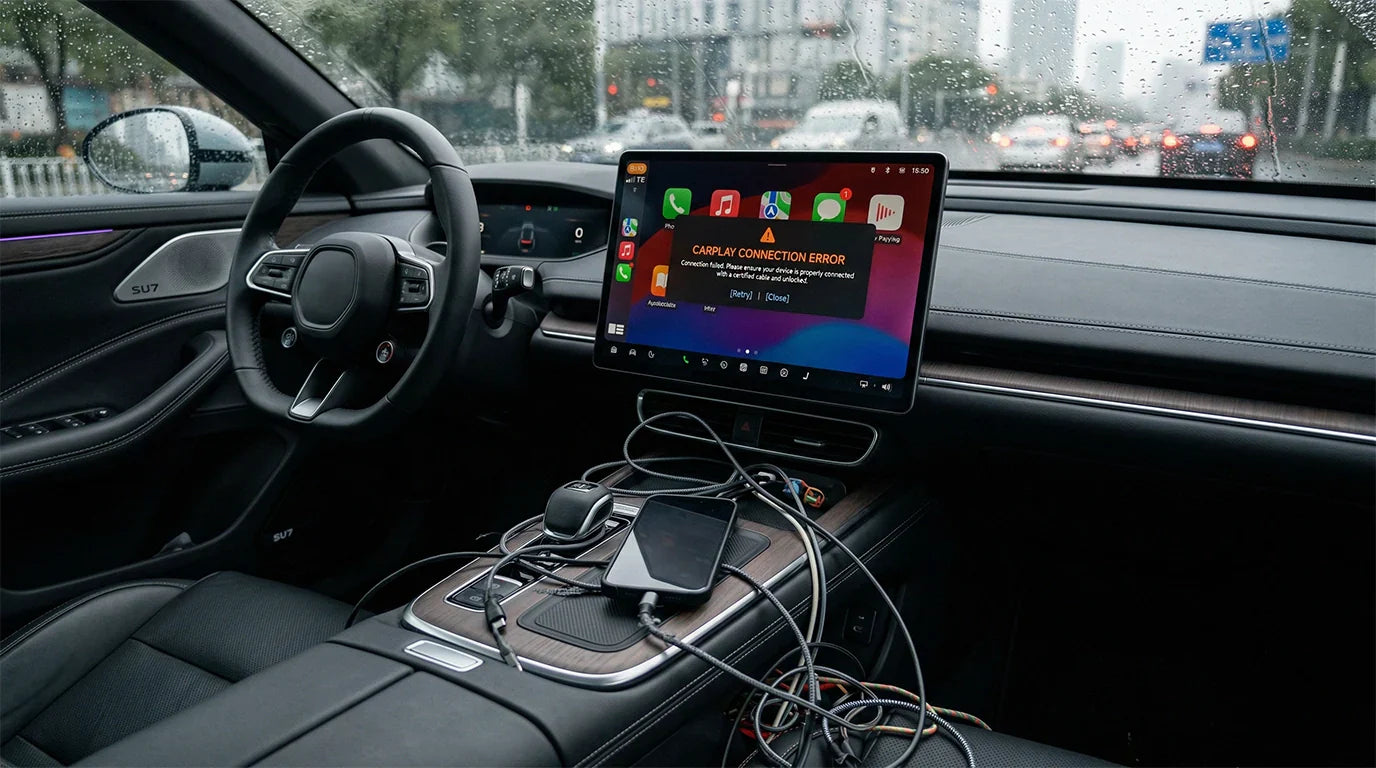
You may wonder if your apple carplay usb cable crashes in ios 26 because of an old cable, a system bug, or both. This problem happens to many drivers. You might see your carplay disconnect even with a new cable or after updating ios on your iphone. User reports show that both aging cables and ios 26 bugs can cause this issue. CARLUEX AIR makes wireless CarPlay work in any car with a USB port. CARLUEX PRO works out of the box — no wiring or tools needed. Browse CARLUEX wireless adapters to find the right fit for your car.
You do not need to feel alone if you face this problem. Many people have the same issue with apple carplay in their cars. You will find clear answers and practical help here.
What About Key Takeaways?
-
Look at your USB cable to see if it is broken. Make sure it can send data. You need a good cable for CarPlay to work well.
-
Clean your USB ports often to get rid of dirt. This easy step can stop connection problems.
-
Restart your iPhone and car system if CarPlay stops working. This can fix small problems.
-
Keep your iOS and car system updated. Updates can fix bugs that make CarPlay crash.
-
If you still have trouble, ask Apple Support and your car dealer for help.
Why Does Apple CarPlay USB Cable Disconnect in iOS 26?
Cable Issues or System Bugs?
Carplay can stop working for two main reasons. Old cables and bugs in ios 26 are common causes. Many drivers see this problem after they update their iphone. It also happens when they use the same cable for a long time. Sometimes, carplay has problems even with a new apple carplay usb cable. People talk about these issues on forums and Google. Both hardware and software can make carplay disconnect.
-
Problems with the USB can make carplay glitch.
-
You should check your cables and ports to fix it.
This issue happens in many car brands and models. Carplay can crash even if you use a good cable. Some users see weird screen bugs after updating ios. Apple Support often tells people to talk to their car company. But the problem is in many cars like Mercedes-Benz, Ford, Honda, Ram, and GMC. This means there may be a bug in ios 26.
Do not think your cable is always the problem. Many people lose connection after a software update.
How Do Disconnections Happen?

You might wonder why carplay stops working while you drive. The connection can break for a few reasons. Sometimes, the USB-C or Lightning cable is not plugged in tight. Dirt in the USB port can block the signal. If your cable is broken or has wires showing, you should get a new one. Wireless carplay can stop if there are strong signals nearby.
-
Dirt in the USB port can break the connection.
-
Broken cables can make carplay crash a lot.
-
Wireless chargers and other things can mess with carplay.
Carplay can stop if you use other devices. The problem can happen when you plug in your iphone or switch apps. You should look at your cable and port for dirt or damage. If carplay still glitches after you clean and change the cable, the problem might be with ios or your car’s system.
You can help carplay work better by cleaning your cables and getting new ones if they are broken.
Are Aging Cables the Main Cause of CarPlay Crashes?
Aging cables can cause CarPlay crashes, but they are not the only reason. You may see your connection drop because of other problems, such as faulty USB ports or issues with your car’s head unit. Many users have fixed their CarPlay problems by replacing the USB port or even the head unit, not just the cable. This shows that the apple carplay usb cable is not always the main cause.
Signs of a Failing USB Cable
You can spot a failing cable by looking for these signs:
-
The cable feels loose in the port or does not click in tightly.
-
You see lint, dirt, or dust inside the USB port.
-
The cable has visible damage, such as fraying or bent connectors.
-
CarPlay disconnects when you move the cable slightly.
To check for cable issues, try these steps:

-
Clean the cable and port gently.
-
Restart your iPhone and your car’s system.
-
Remove your car from the CarPlay list on your phone, then set it up again.
If CarPlay still drops, the problem may not be the cable.
Myths About Cable Replacement
Many people believe that any new cable will fix CarPlay. This is not always true. Here are some common myths:
-
All USB cables work with CarPlay. In fact, some cables do not support data transfer, which CarPlay needs.
-
A wireless CarPlay adapter can add CarPlay to any car. This is not correct. Your car must already support Apple CarPlay.
-
Only old cables cause problems. Sometimes, the USB port or head unit is the real issue.
You should check your cable, but also look at your car’s hardware if you keep having trouble.
Is There a System Bug in the iOS 26 Update?
User and Expert Reports
You may notice carplay disconnects even when you use a new apple carplay usb cable. Many users report this problem after installing the ios 26 update. Experts say a system bug can cause carplay to lose its connection. You might see glitches or sudden drops, even if your iphone and cable are both new. This shows that a software issue can affect apple carplay, not just old cables.
Tip: If you see carplay crash right after an ios update, you are not alone. Many drivers share the same experience online.
System bugs in ios 26 can make carplay unstable, especially in older cars or those with weak hardware. Even high-quality cables do not always solve the issue. Sometimes, poor software from car makers adds to the problem. You may find that the carplay connection drops more often after the update.
How Widespread Is the Issue?
You might wonder if this bug only affects a few people. In fact, the issue is common. Many drivers talk about carplay problems on forums and social media. Reports come from different car brands and models. You can see that the ios 26 bug does not care if you use a new cable or a top car brand.
-
Carplay can crash in both old and new vehicles.
-
The problem can happen with any iphone model.
-
Even the best cables cannot always fix the issue.
If you keep seeing carplay glitches, you are not alone. This is a known software issue, and many users hope for a fix in future updates.
Which Cars Are Most Affected by CarPlay USB Cable Issues?
Vehicle Brands and Head Units
You may notice that some cars have more carplay problems than others. This happens because not all car brands use the same head units or software. Many drivers report frequent carplay crashes in vehicles from Mercedes-Benz, Ford, Honda, Ram, and GMC. These brands often use different systems to run carplay, which can lead to more problems after an ios update.
Some head units do not work well with every iphone model. You might see the carplay connection drop if your car’s system is older or does not get regular updates.
Tip: Check your car’s manual or website to see if your head unit supports the latest ios version. This can help you avoid carplay issues.
USB Port Differences
You should know that not all USB ports in your car are the same. Some ports only charge your phone and do not support data transfer. Carplay needs a port that can send data between your iphone and the car’s head unit. If you use the wrong port, the carplay connection may not work or may drop often. Many cars have both USB-A and USB-C ports.
Sometimes, only one port supports carplay. Try each port to see which one works best. Clean the ports to remove dust or dirt, as this can also cause problems.
-
Use the main USB port for carplay.
-
Avoid using extension cables or hubs.
-
Test all ports if you have more than one.
If you still have trouble, ask your dealer or check online forums for your car model. Many users share tips about which ports work best for carplay.
Who Should Fix Apple CarPlay USB Cable Crashes?
When you face a CarPlay crash, you may wonder who should fix the problem. Both Apple and your car’s maker play a part. You need to know who to contact when your CarPlay stops working with your iPhone.
Apple’s Role
Apple creates the CarPlay system and updates it through iOS. You get new features and bug fixes when you update your iPhone. Apple makes sure CarPlay works with many cars, but it does not control every part of your car’s system. Apple has supported wireless CarPlay since 2015. Many cars still use a wired connection because automakers choose what works best for their models.
Apple does not give a special support page for USB cable issues in iOS 26. If you have a problem, you can check Apple’s support site or contact Apple Support for help with your iPhone or software.
Note: Apple can help with iOS updates and CarPlay settings, but it cannot fix hardware in your car.
Automaker Responsibilities
Your car’s maker decides how CarPlay connects in your vehicle. They pick the head unit, USB ports, and software that work with CarPlay. Many automakers still use wired CarPlay to save costs. If you have a crash or connection issue, the car’s hardware or software may be the cause. Automakers do not have official statements about USB cable problems in iOS 26.
You should check your car’s manual or contact your dealer if you think the problem comes from the car. Some automakers offer updates for the head unit or USB ports. You can ask your dealer about these updates.
-
Automakers choose the type of CarPlay connection.
-
They provide support for hardware and car software.
-
Dealers can check for updates or repairs.
If you want to solve a CarPlay issue, start by checking both your iPhone and your car. You may need help from both Apple and your car’s maker.
How to Fix or Reduce CarPlay USB Cable Crashes?
You can fix or reduce CarPlay USB cable crashes by following a few simple steps. Start with basic troubleshooting, then move to more advanced solutions if needed. These steps help you restore stable CarPlay functionality and improve your carplay experience.
Quick Troubleshooting Steps
Try these steps to solve most carplay connection problems:
-
Check your USB cable for damage. Clean both the cable and the car’s USB port.
-
Restart your iPhone and your car’s infotainment system.
-
Turn Bluetooth off and on in your iPhone settings.
-
Close any apps that are not working right, then open them again.
-
Update all apps that work with CarPlay.
Tip: Use a certified cable and avoid using USB hubs or extension cords.
When to Replace Your USB Cable
Replace your USB cable if you see fraying, bent connectors, or if the cable feels loose in the port. If carplay disconnects when you move the cable, it is time for a new one. Always choose a cable that supports data transfer, not just charging. A good cable helps keep your wired carplay connection stable.
Software Updates and Workarounds
Keep your iPhone and your car’s system updated. After each update, check your CarPlay settings. If wireless CarPlay is unstable, switch to a wired connection. You can also contact Apple Support or visit your car dealer for help with firmware updates. Using certified accessories can prevent many issues.
-
Make sure your iPhone and car system are compatible.
-
Use wired CarPlay if wireless mode fails.
-
Report ongoing problems to Apple or your dealer.
Consider Upgrading to PRO + 2.0 Device

If you want a more stable and advanced carplay experience, consider upgrading to the PRO + 2.0 device. This device supports both Apple CarPlay and Android Auto. It uses a Snapdragon 6125 chip, 8GB RAM, and 128GB storage for fast performance. You can connect with USB-C, Bluetooth, or Wi-Fi. The device lets you download apps, watch videos, and use navigation like a tablet.
It also supports 4K video and has strong after-sales support. The PRO + 2.0 device works best in cars with a touchscreen head unit and gives you smooth, reliable carplay functionality.
Will Future iOS 26 Updates Fix CarPlay USB Cable Issues?
What to Expect from Apple
Apple will try to fix carplay USB cable problems in new ios 26 updates. They often send out software patches to fix bugs that mess up your iphone and carplay. Many people saw more disconnects after the ios 26 update. Apple knows about these bugs and says so in their update notes.
This means they are working on ways to fix them. You should look at your CarPlay settings after each big ios update, especially if you have a new iPhone 17.
-
Apple pays attention to what users say and bug reports.
-
Update notes sometimes talk about carplay fixes.
-
Experts say you should check for changes after every update.
Note: Apple sends out a few updates after a big ios release to fix bugs and make things work better. Carplay might work better as these updates come out.
Staying Informed
You need to keep up with new ios updates and bug fixes. You can do this by looking at Apple’s website or their support pages. If you keep having carplay problems, tell Apple using their feedback page. This helps Apple find and fix problems faster. You can also join forums where people talk about carplay and share tips.
Here is a simple table to help you stay updated:
|
Action |
Where to Check |
|---|---|
|
Update your iphone |
Settings > General > Software Update |
|
Read update notes |
Apple’s website |
|
Report issues |
Apple Feedback page |
|
Join discussions |
Online forums |
Tip: Always update your iphone and car system when a new update comes out. This gives you the best chance to fix carplay problems fast.
You can help Apple make carplay better by telling them about problems and keeping your ios up to date. This helps your carplay connection stay strong and work well.
You might notice apple carplay usb cable crashes in ios 26. This can happen because of bad cables, loose ports, or bugs in the software. You can fix many carplay problems by updating your iphone and car system. Use good cables and clean your USB ports often. If you want carplay to work better, you can try the PRO + 2.0 device. Make sure you know about new updates and ask for help if you need it.
Doing simple checks and smart upgrades can make carplay work with fewer problems.
FAQ
What should you do if CarPlay disconnects often?
You should check your cable and USB port first. Clean both parts and try a different cable. Restart your iPhone and your car’s system. If the problem continues, update your iPhone and car software. Many users report these steps help restore a stable connection.
Can you use any USB cable for CarPlay?
No, you cannot use any USB cable. You need a cable that supports data transfer, not just charging. Many cheap cables only charge your phone. Apple and experts recommend using certified cables for the best results. This helps you avoid connection problems.
Does wireless CarPlay have the same issues as wired CarPlay?
Wireless CarPlay can have different problems. Interference from other devices or weak Wi-Fi signals can cause drops. Wired connections usually have fewer issues if you use a good cable. You should test both options to see which works best in your car.
Will a future iOS update fix CarPlay disconnects?
Yes, future iOS updates may fix these issues. Apple often releases patches to solve bugs. You should always update your iPhone when a new version comes out. Check Apple’s support page for news about fixes. Many users see improvements after updates.
How do you know if your car supports CarPlay?
You can check your car’s manual or the automaker’s website. Look for CarPlay in the list of features. Most new cars support it, but some older models do not. Dealers can also help you find out if your car is compatible.


Αφήστε ένα σχόλιο
Όλα τα σχόλια ελέγχονται πριν δημοσιευθούν.
Αυτή η τοποθεσία προστατεύεται από το hCAPTCHA και ισχύουν η Πολιτική απορρήτου και οι Όροι Παροχής Υπηρεσιών του hCaptcha.