

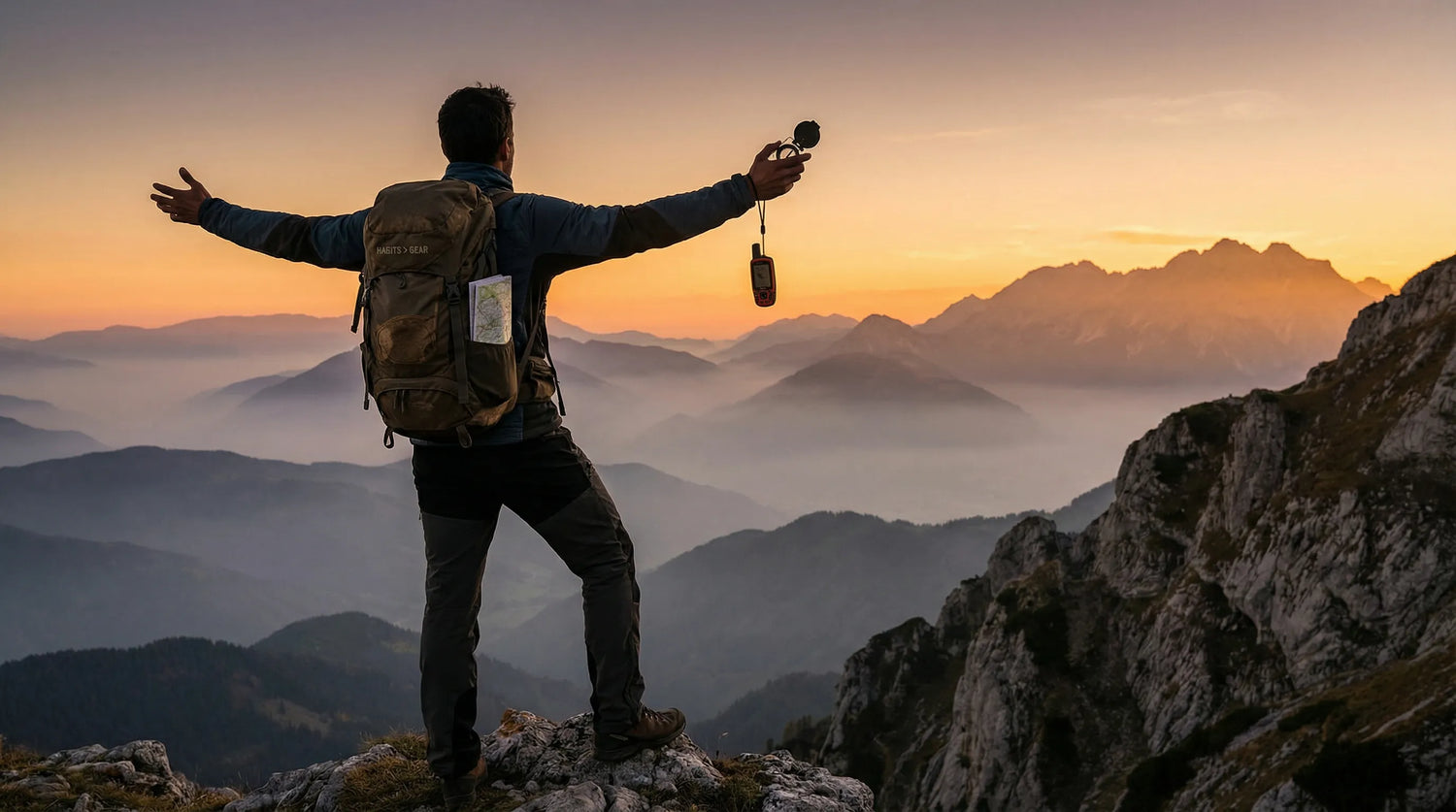
What About Quick Answer?
Your expensive GPS will fail without these 3 habits: (1) Triple redundancy - always carry 3 independent navigation methods, (2) Pre-trip digital prep - download offline maps and share your float plan, (3) Analog insurance - practice compass skills monthly to maintain spatial memory. Research shows GPS dependency reduces navigation ability by 25-30%. CARLUEX AIR is one of the easiest ways to add wireless CarPlay. Browse CARLUEX wireless adapters to find the right fit for your car.
Why expensive navigation gear fails without the right habits—and how to develop skills that actually keep you safe on off-road trails
You spent $1,000 on the best GPS money can buy. The screen is massive, the battery lasts 40 hours, and it can pinpoint your location within 3 feet. But here's the uncomfortable truth: without the right habits, that expensive device is just a very fancy paperweight.
According to a study published in Nature Scientific Reports, people who rely heavily on GPS navigation show 25-30% worse spatial memory compared to those who navigate traditionally. A 2008 Nokia survey found that 1 in 4 people cannot navigate at all without GPS assistance.
The wilderness doesn't care about your gear budget. What matters are the habits that make any navigation tool—whether it's a $50 compass or a $1,000 GPS—actually useful when you need it most.
In this guide, I'll share the 3 essential navigation habits that separate confident backcountry navigators from people who get lost with $1,000 worth of technology in their hands. These habits are backed by research, tested by experts, and simple enough to start using today.
Why Your Expensive GPS Will Fail You?

Before we dive into the solution, let's understand the problem. GPS devices fail in predictable ways—and expensive models fail just as often as cheap ones.
The GPS Dependency Epidemic
Here's what the research reveals: habitual GPS use literally changes your brain. The Nature study found that people with greater lifetime GPS experience have significantly worse spatial memory during self-guided navigation. Your brain stops building mental maps because the GPS does the work for you.
This creates a dangerous paradox: the more you rely on GPS, the less capable you become of navigating without it. And GPS always fails at the worst possible moment.
The 5 Ways GPS Devices Actually Fail
| Failure Mode | Frequency | Real-World Impact |
|---|---|---|
| Signal loss (canyons/forests) | 40% | Complete navigation blackout |
| Battery drain | 30% | Device dies mid-trip |
| User error | 20% | Wrong waypoint, outdated maps |
| Hardware failure | 7% | Water damage, screen crack |
| Software glitch | 3% | Map errors, trail outdated |
Notice something important? 70% of GPS failures have nothing to do with the device quality. Signal loss, battery drain, and user error affect $50 GPS units and $1,000 GPS units equally. The expensive screen won't help when you're in a canyon with no satellite signal.
The $1,000 Mistake

Here's the mistake that costs people their safety: believing that expensive gear compensates for poor habits. It doesn't. A $1,000 GPS with a dead battery is less useful than a $20 compass you know how to use.
The good news? The habits that make GPS useful are free. They just require intention and practice. Let's dive into the three habits that will make any navigation tool—cheap or expensive—actually useful when you're miles from the nearest road.
What About Habit #1: The "Triple Redundancy" Rule?

The first habit is simple but non-negotiable: never rely on a single navigation method. This principle, known as "triple redundancy," is standard practice among professional guides and search-and-rescue teams.
What is Triple Redundancy?
Triple redundancy means carrying three independent navigation systems that don't rely on the same technology or power source. If your primary fails, you have a backup. If your backup fails, you have a third option. This isn't paranoia—it's statistics. REI's famous "Ten Essentials" lists navigation as the #1 essential system, specifically recommending multiple backup methods.
The math is sobering: if each navigation method has a 10% chance of failure on any given trip, relying on one method gives you a 10% chance of being navigationally stranded. With two methods, that drops to 1%. With three independent methods, your chance of complete navigation failure is just 0.1%.
Your Redundancy System
Here's how to build your triple redundancy system:
| Layer | Tool | Purpose | Cost |
|---|---|---|---|
| Primary | Dedicated GPS Device | Real-time tracking, waypoints, route planning | $200-$1,000+ |
| Backup 1 | Smartphone + Offline Maps | Emergency GPS, communication, backup maps | $0 (already own) |
| Backup 2 | Compass + Paper Map | No-battery navigation, ultimate reliability | $20-$50 |
Setting Up Your Primary GPS
Your primary GPS—whether it's a dedicated handheld unit or a high-quality smartphone app—should be your workhorse. Popular options include the Garmin GPSMAP series, onX Offroad, or Gaia GPS. The key is choosing a device or app with robust offline map capabilities, since you'll often be beyond cell service.
Before each trip, download offline maps for your entire route plus a 10-mile buffer. Mark critical waypoints: trailhead, campsites, water sources, and bailout points. Test your device in airplane mode to ensure everything works without connectivity.
Your Smartphone Backup
Your smartphone is an incredibly capable backup navigation tool—if prepared correctly. The key is offline preparation. Before leaving home:
- Download offline maps in your preferred app (Gaia GPS, onX, or even Google Maps offline areas)
- Screenshot key route sections as ultra-reliable image backups
- Save GPX files to cloud storage and local device
- Enable airplane mode and test that navigation still works
- Carry a portable battery pack (10,000+ mAh recommended)
Pro tip: Put your phone in airplane mode during hiking to preserve battery. GPS works without cell service, and you'll still be able to access offline maps.
The Analog Insurance Policy
Your third layer is the ultimate reliability: compass and paper map. No batteries, no signal, no software glitches. A quality baseplate compass ($20-40) and a 7.5-minute USGS topographic map ($10-15) are nearly indestructible and work everywhere.
The key skill here is terrain association—matching what you see on the map to what you see in reality. Practice this skill regularly, because it's the one that will save you when everything electronic fails.
The 5-Minute Daily Drill
Building redundancy into your muscle memory is crucial. Practice this 5-minute drill weekly:
- Switch from your primary GPS to your smartphone backup—time how long it takes
- Verify your position using both methods—do they match?
- Practice taking a compass bearing from your map
- Walk 100 meters on that bearing, then verify with GPS
This drill builds confidence and ensures that when your primary fails (and it will, eventually), switching to backup is automatic rather than panic-inducing.
What About Habit #2: The "Pre-Trip Digital Prep" Protocol?

The second habit separates professionals from amateurs: meticulous preparation before you ever leave the house. Most GPS failures aren't device failures—they're preparation failures.
The 15-Minute Pre-Trip Routine
This routine takes just 15 minutes but prevents 90% of navigation emergencies. Do it before every trip, without exception.
Step 1: Download Offline Maps (5 minutes)
Don't just download your route—download a buffer zone around it. If you're hiking a 10-mile loop, download maps for a 20-mile radius. Why? Because if you get lost, you won't be on your planned route anymore.
Download maps in at least two different apps. If one app crashes or has a bug, you have a completely separate system. Popular options include:
- Gaia GPS: Best for topographic detail and public land boundaries
- onX Offroad: Excellent for trail-specific data and private land info
- AllTrails: Great for trail reviews and recent conditions
Step 2: Mark Critical Waypoints (5 minutes)
Waypoints are your navigation anchors. Mark these critical points in your GPS before you leave:
- Trailhead: Your start and end point
- Decision points: Every trail junction where you could go wrong
- Safety points: Water sources, bailout routes, emergency access points
- Campsites: Your planned sleep locations
- Summits/views: Key landmarks for terrain association
Use a consistent naming convention: YYYYMMDD_Location_Type. For example: 20260227_Trailhead_Start or 20260227_Water_Creek. This makes waypoints searchable and organized.
Step 3: Share Your Float Plan (3 minutes)
A "float plan" is the navigation equivalent of a flight plan. Tell someone where you're going, when you'll be back, and what to do if you don't check in.
Your float plan should include:
- Trail name and specific route
- Planned campsites and daily mileage
- Expected return date and time
- Vehicle description and license plate (at trailhead)
- Emergency contact numbers
- Check-in protocol ("I'll text by 8 PM each night")
Leave this with a trusted friend or family member. If you don't check in by your agreed time, they know to call for help—and they know exactly where to send search teams.
Step 4: Check Weather and Conditions (2 minutes)
Weather changes everything in navigation. Rain obscures landmarks. Snow covers trails. Fog eliminates visibility. Check the forecast and recent trail reports before you leave.
Pay special attention to:
- Temperature swings (affects battery life)
- Precipitation (affects trail visibility)
- Wind (affects GPS accuracy in canyons)
- Recent trip reports (trails change seasonally)
Waypoint Strategy That Saves Lives
The waypoints you mark before your trip are your lifelines. Here's the strategy that search-and-rescue teams recommend:
Mark waypoints at maximum uncertainty points. These are places where going wrong is easy: trail junctions, stream crossings, areas with multiple social trails. When you reach these points in the field, verify your location before proceeding.
Create "bailout waypoints." These are locations where you can exit the trail quickly if something goes wrong—access roads, ranger stations, or easier terrain. If conditions deteriorate, you have pre-planned escape routes.
Use the "breadcrumb" method. Turn on track logging and let your GPS record your actual path. If you need to backtrack, you have a precise record of exactly how you got there.
Upgrading Your Drive to the Trailhead
While this guide focuses on backcountry navigation, getting to the trailhead safely is part of the journey. Many remote trailheads require navigating forest service roads, unmarked turns, and areas with poor cell coverage.
If your vehicle has wired CarPlay or Android Auto, consider upgrading to a wireless system for easier navigation management. CARLUEX PRO+ converts your factory wired CarPlay to wireless, allowing you to easily switch between navigation apps, stream trail condition updates, and keep your phone charged for the actual hike.
For older vehicles without touchscreen displays, CARLUEX GO adds wireless CarPlay/Android Auto capability with remote control operation—useful when you're wearing gloves or have dirty hands from pre-hike preparations.
The key is having reliable navigation before you even step onto the trail. A lost hour driving around looking for the trailhead is an hour less daylight for your actual hike.
What About Habit #3: The "Analog Insurance" Practice?

The third habit is the one most GPS users skip—and it's the one that will save you when technology fails. Regular practice with analog navigation tools maintains your spatial memory and gives you confidence when electronics die.
Why GPS Makes You Worse at Navigating
Remember that Nature study we mentioned earlier? It found something alarming: the more you use GPS, the worse you become at navigating without it.
Here's why: traditional navigation requires your brain to build a cognitive map of your environment. You notice landmarks, estimate distances, remember turns, and develop a sense of direction. GPS navigation is passive—you follow the arrow without engaging these spatial reasoning skills.
Over time, your brain stops building these mental maps. When your GPS fails, you don't just lack a tool—you lack the underlying skills that the tool was replacing. It's like using a calculator for years and then forgetting how to do basic math.
The research is clear: GPS-dependent users show 25-30% worse spatial memory and struggle significantly with self-guided navigation tasks. This isn't just inconvenient—it's dangerous in the backcountry.
The Monthly "GPS-Free" Challenge
The solution is simple but requires discipline: navigate without GPS at least once per month. This monthly practice maintains your analog skills and keeps your spatial memory sharp.
Here's how to structure your GPS-free practice:
Level 1: Familiar Trail (Month 1-2)
Start on a trail you know well, but navigate it using only map and compass. Keep your GPS in your pack as a safety net, but don't look at it. Focus on:
- Matching terrain features to your map
- Taking and following compass bearings
- Estimating distance by pacing
- Identifying landmarks and remembering them
Level 2: New Trail (Month 3-4)
Once you're comfortable on familiar terrain, try a new trail using only map and compass. This is where the real learning happens. You'll make mistakes—and that's the point. Better to make them on a day hike than on a week-long expedition.
Level 3: Off-Trail Navigation (Month 5+)
Advanced practice involves navigating cross-country without trails. This requires sophisticated terrain association and precise compass work. Only attempt this after mastering Levels 1 and 2, and always carry your GPS as backup.
3 Compass Skills Every GPS Owner Needs
You don't need to become a land navigation expert. But you do need these three fundamental compass skills:
Skill 1: Taking a Bearing
A "bearing" is the direction from your current location to your destination, expressed in degrees (0-360). To take a bearing:
- Point the direction-of-travel arrow at your destination
- Rotate the compass housing until the orienting arrow aligns with the magnetic needle
- Read the bearing at the index line
Practice this until you can do it in 10 seconds. It's the foundation of all compass navigation.
Skill 2: Following a Bearing
Once you have a bearing, you need to follow it accurately:
- Set your compass to the desired bearing
- Hold the compass level at waist height
- Rotate your body until the magnetic needle aligns with the orienting arrow
- Look up and identify a landmark in that direction (tree, rock, etc.)
- Walk to that landmark, then repeat the process
This "landmark hopping" technique keeps you on course even in low visibility.
Skill 3: Back Bearing (Returning to Start)
If you need to return exactly the way you came, you need a "back bearing"—the opposite direction of your original bearing:
- If your original bearing is less than 180°, add 180°
- If your original bearing is more than 180°, subtract 180°
For example, if you walked on a bearing of 45°, your back bearing is 225°. Following this will take you directly back to your starting point.
Pro tip: REI offers excellent free tutorials on compass navigation. Take a class, practice regularly, and keep your skills sharp.
Navigation Skills for Every Environment
Whether you're navigating a remote trailhead in your vehicle or hiking deep in the backcountry, the principles remain the same: preparation, redundancy, and skill-building.
For those long drives to remote trailheads, having a reliable in-car navigation system helps you arrive fresh and ready. CARLUEX AIR transforms your car's display into a full Android tablet, allowing you to download offline maps, access trail condition apps, and even stream educational content about navigation skills during the drive.
The goal is seamless navigation from your driveway to the summit and back—without the frustration of getting lost before you even start hiking.
What About Putting It All Together: Your 30-Day Habit Plan?

Knowing the habits is one thing. Building them into your routine is another. Here's a 30-day plan to make these habits automatic:
Week 1-2: Setup Phase
- Day 1-2: Assemble your triple redundancy kit (GPS, smartphone setup, compass, maps)
- Day 3-4: Download and configure offline map apps
- Day 5-6: Practice basic compass skills in your neighborhood
- Day 7: Complete your first full pre-trip routine for a practice hike
Week 3-4: Practice Phase
- Day 8-10: Go on your first real hike using the 15-minute prep routine
- Day 11-14: Practice switching between navigation methods during the hike
- Day 15-17: Attempt your first GPS-free navigation on a familiar trail
- Day 18-21: Evaluate what worked and what didn't. Adjust your system.
Month 2+: Mastery Phase
- Complete at least one GPS-free navigation per month
- Teach someone else these skills (teaching reinforces learning)
- Continuously refine your pre-trip routine
- Build a navigation "go bag" that stays packed and ready
Track Your Progress
Keep a simple navigation log. After each trip, note:
- What navigation tools you used
- Any problems or failures
- What you learned
- Skills to practice next
Over time, you'll see your confidence grow and your dependence on any single tool decrease. That's the goal: you become the navigator, not the GPS.
What About Common Questions About Navigation Habits?
Do I really need a $1,000 GPS, or will a cheap one work?
Any GPS works with these habits. Expensive features like larger screens, better battery life, and more sensitive antennas are nice but not necessary for safety. A $200 GPS with good habits is far more useful than a $1,000 GPS with poor habits.
The key features that matter: offline map capability, waypoint storage, and battery life. Everything else is convenience, not safety.
How often should I practice navigation without GPS?
Minimum once per month. The Nature study on GPS dependency shows that spatial memory declines with GPS use but can be maintained with regular practice.
Think of it like exercise for your brain. You wouldn't run a marathon without training—don't rely on navigation skills you haven't practiced.
What's the most common navigation mistake?
Relying on a single navigation method. 90% of wilderness navigation emergencies start with "my GPS died." The second most common mistake is not sharing a float plan—nobody knows you're missing until it's too late.
Can I use my phone as my primary GPS?
Yes, but with caveats. Smartphones are incredibly capable navigation tools, but they're also fragile, battery-hungry, and less weather-resistant than dedicated GPS units. If your phone is your primary, be extra diligent about your backup systems.
Also, remember that your phone becomes your primary—not your backup. You still need a separate backup method (compass/map) that doesn't rely on the same device.
How do I convince my hiking partner to learn these habits?
Share the research. The Nature study on GPS dependency is compelling—nobody wants to lose cognitive function. Frame it as skill-building rather than criticism.
Also, make it fun. Turn GPS-free navigation into a game or challenge. Competition motivates practice.
What About Confidence Through Preparation?
Your GPS—whether it cost $50 or $1,000—is just a tool. Without the right habits, it's a liability that creates false confidence. With the right habits, it becomes a valuable part of a robust navigation system.
The three habits we've covered—triple redundancy, pre-trip digital prep, and analog insurance—aren't complicated. They don't require expensive gear or weeks of training. They just require intention and consistent practice.
Start today. Do the 15-minute pre-trip routine before your next hike. Practice with your compass this weekend. Share your float plan with someone you trust. Small actions, repeated consistently, build into life-saving habits.
Remember: Getting lost is a choice, not an accident. Every time you step onto a trail without proper preparation, you're choosing risk over safety. Every time you practice these habits, you're choosing confidence over fear.
The best navigators aren't the ones with the most expensive gear. They're the ones with the best habits. Become that navigator.
Ready to take your first step? Download our free Float Plan Template and commit to your first GPS-free navigation practice hike this month.



Αφήστε ένα σχόλιο
Αυτή η τοποθεσία προστατεύεται από το hCAPTCHA και ισχύουν η Πολιτική απορρήτου και οι Όροι Παροχής Υπηρεσιών του hCaptcha.