


Long road trips, waiting at charging stations, or killing time while the kids are at practice—there are countless moments when having Netflix in your car would be a game-changer. The good news? Watching Netflix in your car is easier than ever in 2026, with multiple methods ranging from simple smartphone setups to advanced CarPlay adapters that transform your dashboard into a complete entertainment system. CARLUEX AIR is one of the easiest ways to add wireless CarPlay. Browse CARLUEX wireless adapters to find the right fit for your car.
According to a Consumer Reports survey, over 65% of families now use streaming services during road trips, making in-car entertainment one of the fastest-growing automotive technology trends. Whether you're planning a cross-country adventure or simply want to make your daily commute more enjoyable, this comprehensive guide will show you exactly how to watch Netflix in your car safely and legally.
Important safety note: Netflix should only be watched when your vehicle is completely parked and stationary. Many jurisdictions have strict laws against watching video content while driving, and it's dangerous for both you and other road users. Always prioritize safety over entertainment.
Why Watch Netflix in Your Car?
Before diving into the how-to, let's explore why so many drivers are adding Netflix to their vehicles and when it makes the most sense to use this feature.
Perfect for Road Trips and Long Journeys
Road trips are the ultimate use case for in-car Netflix. According to AAA's road trip trends report, American families take an average of 2.5 road trips per year, with each trip lasting 3-5 days. During these journeys, you'll inevitably have downtime—rest stops, meal breaks, hotel parking lots, or scenic overlooks where you want to relax for a bit.
Having Netflix readily available on your car screen means you can:
- Keep children entertained during rest stops without juggling multiple devices
- Catch up on your favorite series while waiting for your electric vehicle to charge
- Enjoy a movie under the stars at a scenic campsite
- Pass time comfortably during unexpected delays or traffic stops
Waiting Time Made Productive
Beyond road trips, there are numerous everyday situations where car Netflix proves invaluable. Parents waiting for kids at sports practice, early arrivals for appointments, or lunch breaks in your car all become more enjoyable with access to your favorite shows and movies.
The average American spends approximately 54 minutes per day in their car, according to transportation data. While most of that is driving time, the waiting periods add up quickly—and that's where in-car entertainment shines.
Enhanced Passenger Experience
Even if you're the driver and can't watch while on the road, your passengers can enjoy Netflix during the journey. Rear-seat entertainment systems or tablet mounts allow passengers to stream content independently, making long drives more pleasant for everyone.
What About 5 Methods to Watch Netflix in Your Car?

There are several ways to bring Netflix to your vehicle, each with its own advantages and limitations. Let's explore all five methods, from the simplest to the most advanced.
Method 1: Smartphone or Tablet with Phone Mount
The simplest and most affordable method is using your existing smartphone or tablet with a quality phone mount. This requires no additional hardware beyond a mount and works with any vehicle.
What You Need:
- Smartphone or tablet with Netflix app installed
- Sturdy phone/tablet mount (dashboard or headrest mount)
- Mobile data plan or downloaded content for offline viewing
- Optional: Bluetooth speaker for better audio
Setup Steps:
- Install a quality mount in your preferred location (dashboard for driver viewing when parked, headrest for passengers)
- Download Netflix content while on WiFi to avoid using mobile data
- Secure your device in the mount and adjust the angle for optimal viewing
- Connect to your car's Bluetooth for audio through the car speakers
Pros: No additional cost if you already have a mount, works in any car, portable between vehicles
Cons: Small screen size, drains phone battery, uses mobile data unless content is downloaded, not integrated with car systems
Best For: Budget-conscious users, occasional viewers, or those who want a simple solution without permanent installation
Method 2: Portable Car DVD Player with Streaming
Modern portable DVD players have evolved beyond physical media. Many 2026 models include WiFi connectivity and built-in streaming apps, including Netflix.
What You Need:
- WiFi-enabled portable DVD player with streaming capabilities
- Mobile hotspot or in-car WiFi
- Power adapter for car's 12V outlet
Pros: Larger screen than phones (typically 10-15 inches), dedicated device doesn't drain phone battery, often includes dual screens for multiple passengers
Cons: Additional purchase required ($150-$300), requires WiFi connection, not integrated with car's main display
Best For: Families with young children, vehicles without built-in screens, users who want dedicated entertainment devices
Method 3: Laptop with Mobile Hotspot
Using a laptop provides a larger screen and full Netflix functionality, though it's less elegant than integrated solutions.
What You Need:
- Laptop with Netflix app or browser access
- Mobile hotspot (from phone or dedicated device)
- Car power inverter or laptop with long battery life
- Laptop stand or stable surface
Pros: Large screen, full Netflix functionality, can be used for other purposes, no additional hardware purchase if you already have a laptop
Cons: Awkward setup in car, requires stable surface, power consumption concerns, not designed for vehicle use
Best For: Occasional use, camping trips where you're parked for extended periods, users who already travel with laptops
Method 4: Factory Rear-Seat Entertainment System
Many modern vehicles come with factory-installed rear-seat entertainment systems. Some newer models (2024+) include streaming capabilities, though this varies by manufacturer.
What You Need:
- Vehicle with factory entertainment system that supports streaming
- In-car WiFi subscription or mobile hotspot
- Netflix account
Pros: Seamlessly integrated with vehicle, professional installation, often includes multiple screens, controls integrated with car systems
Cons: Only available on certain vehicles, expensive factory option ($1,500-$3,000), limited to specific car models, may require ongoing WiFi subscription
Best For: New car buyers, luxury vehicle owners, families prioritizing integrated solutions
Method 5: CarPlay/Android Auto Streaming Adapter (Recommended)
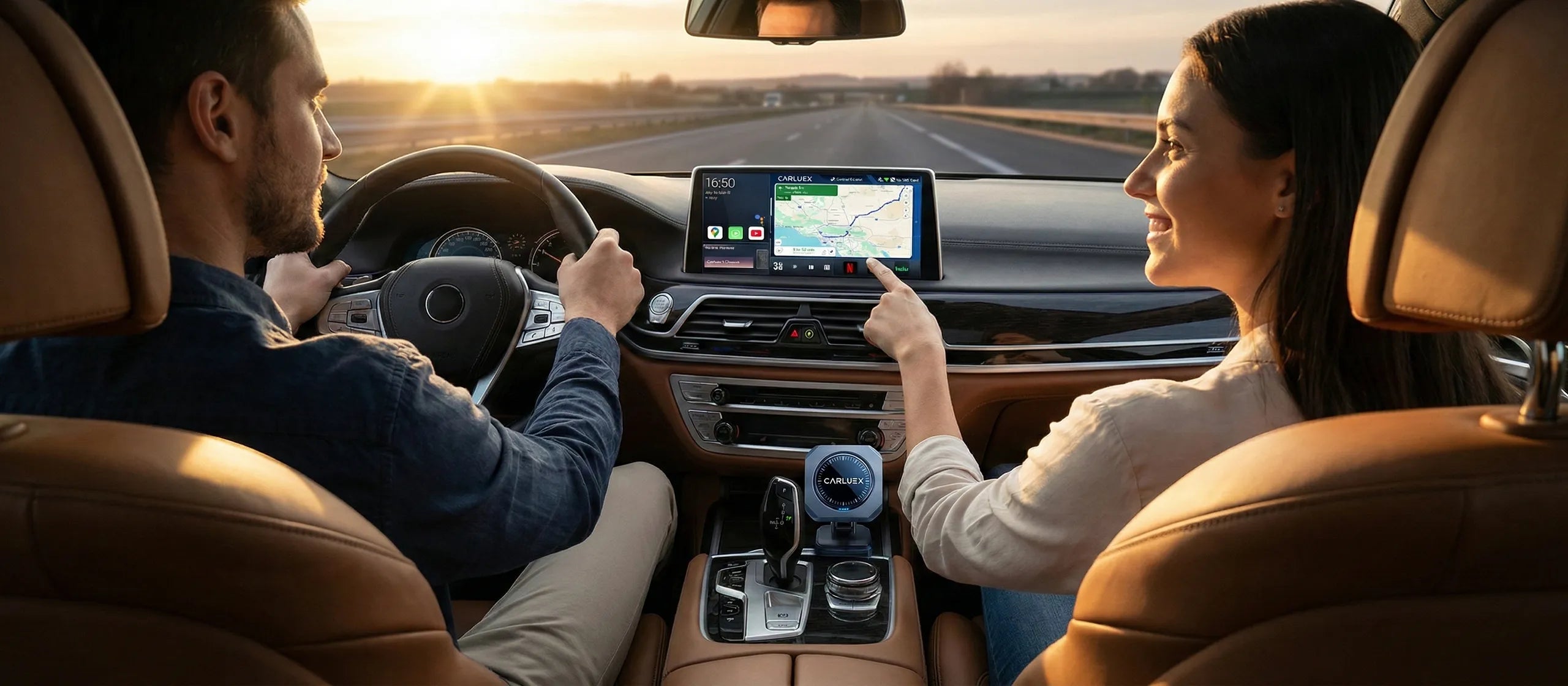
The most popular and versatile solution in 2026 is using a CarPlay or Android Auto streaming adapter. These devices add Netflix and other streaming apps to your car's existing infotainment screen, providing a seamless, integrated experience.
What You Need:
- Car with factory CarPlay or Android Auto (2016+ models typically have this)
- CarPlay streaming adapter with Netflix support
- Mobile hotspot or in-car WiFi for streaming
How It Works:
These adapters connect to your car's USB port and run a built-in Android system that supports streaming apps. They maintain full CarPlay/Android Auto functionality for navigation and calls while adding entertainment capabilities when parked.
Pros: Uses your car's existing screen, professional appearance, maintains all CarPlay/Android Auto features, easy installation (plug-and-play), works with most 2016+ vehicles, affordable ($60-$200)
Cons: Requires factory CarPlay/Android Auto, uses mobile data for streaming (unless content is downloaded), video only works when parked (safety feature)
Best For: Most users with compatible vehicles, those wanting integrated solutions without expensive factory options, road trip enthusiasts, families
For a detailed guide on setting up wireless CarPlay for hands-free driving, check out our comprehensive CarPlay setup tutorial.
What About Step-by-Step: Setting Up Netflix with a CarPlay Adapter?

Since CarPlay streaming adapters offer the best balance of features, integration, and affordability, let's walk through the complete setup process in detail.
Choosing the Right Adapter
Not all CarPlay adapters support Netflix. When shopping, look for these key features:
- Built-in Android System: Essential for running Netflix app
- Pre-installed Netflix: Saves setup time and ensures compatibility
- Dual WiFi Support: 2.4GHz and 5GHz for stable streaming
- Quick Connection: Should connect in under 10 seconds
- Adequate RAM: Minimum 2GB for smooth Netflix playback
- USB Expansion: Allows external storage for downloaded content
According to PCMag's testing, adapters with Qualcomm processors and at least 2GB RAM provide the smoothest Netflix streaming experience.
Installation Process
Step 1: Verify Compatibility
Before purchasing, confirm your vehicle has factory-installed wired CarPlay or Android Auto. Most vehicles from 2016 onwards include this feature. You can check the official Apple CarPlay compatibility list for your specific vehicle model.
Step 2: Install the Adapter
- Start your vehicle and ensure the infotainment system is powered on
- Locate your car's USB port designated for CarPlay (usually marked with a phone icon)
- Plug the adapter into the USB port using the appropriate cable (USB-A or USB-C)
- Wait for the adapter's LED indicator to light up (typically blue or green)
- The adapter will boot up in 5-10 seconds
Step 3: Connect Your Phone
- Enable Bluetooth on your smartphone
- Look for the adapter in your Bluetooth devices list
- Tap to connect (first-time pairing may require PIN "0000")
- Your car screen should display the CarPlay or Android Auto interface
- The adapter will automatically reconnect on future drives
Step 4: Access Netflix
- Look for the app launcher or Android system icon on your car screen
- Tap to switch from CarPlay mode to entertainment mode
- Select the Netflix app from the menu
- Sign in to your Netflix account
- Ensure your vehicle is in Park before video will play (safety feature)
Step 5: Optimize Settings
- Connect to your phone's mobile hotspot or in-car WiFi
- Adjust video quality in Netflix settings (lower quality uses less data)
- Download content while on WiFi for offline viewing during trips
- Configure audio to play through car speakers
Troubleshooting Common Issues
Netflix Won't Play Video:
- Verify your car is in Park—most adapters block video in Drive for safety
- Check your internet connection (mobile hotspot or WiFi)
- Restart the adapter by unplugging and reconnecting
- Ensure your Netflix subscription is active
Poor Video Quality or Buffering:
- Switch to 5GHz WiFi if available for better bandwidth
- Lower video quality in Netflix app settings
- Download content beforehand for offline viewing
- Check your mobile data signal strength
Audio Not Playing Through Car Speakers:
- Ensure the adapter is properly connected to the USB port
- Check car audio source is set to USB or CarPlay
- Adjust volume on both car stereo and Netflix app
- Restart your car's infotainment system
For more troubleshooting help, visit our Android Auto troubleshooting guide.
What About Legal and Safety Considerations?

Before setting up Netflix in your car, it's crucial to understand the legal and safety implications. Responsible use ensures you stay safe and avoid legal troubles.
When Is It Legal to Watch Netflix in Your Car?
Laws vary by jurisdiction, but general principles apply across most regions:
Legal Scenarios:
- Vehicle is completely parked with engine off or in Park
- You're in a parking lot, rest area, or other stationary location
- Passengers (not the driver) watching on rear screens while vehicle is in motion
- Vehicle is parked in a safe location away from traffic
Illegal Scenarios:
- Driver watching video content while vehicle is in motion
- Screen visible to driver while driving (even if passengers are watching)
- Watching while stopped at traffic lights or in traffic
- Any situation where video could distract the driver
According to the National Highway Traffic Safety Administration, distracted driving claimed 3,522 lives in 2021. Video content is one of the most dangerous distractions, which is why most modern streaming adapters include safety features that disable video when the vehicle is in motion.
Safety Best Practices
- Only Watch When Parked: Never attempt to watch Netflix while driving, even at traffic lights
- Use Parking Mode: Ensure your vehicle is in Park before starting content
- Position Screens Appropriately: Rear-seat screens are safer as they don't distract the driver
- Download Content: Pre-download shows to avoid connectivity issues and data usage
- Set Time Limits: Don't let entertainment delay your journey or create unsafe parking situations
- Be Aware of Surroundings: Park in well-lit, safe areas when watching content
- Monitor Battery: Extended viewing can drain car battery; run engine periodically if watching for long periods
Parental Controls and Family Safety
If children will be watching Netflix in your car, set up appropriate parental controls:
- Create a Kids profile in Netflix with age-appropriate content only
- Set PIN protection on adult profiles
- Review viewing history periodically
- Establish rules about when and where car Netflix is appropriate
- Ensure children understand the vehicle must be parked
What About Enhance Your Car Entertainment with CARLUEX?

When it comes to transforming your car into a Netflix-ready entertainment hub, CARLUEX offers the most comprehensive and user-friendly solutions on the market. With over 100,000 satisfied customers and a 98% satisfaction rate, CARLUEX has become the go-to choice for drivers who want seamless in-car streaming.
CARLUEX Solutions for Every Need
CARLUEX GO ($109) - Best for Netflix Streaming
The CARLUEX GO is specifically designed for users who want Netflix and YouTube in their car. Pre-loaded with both apps, it transforms your factory CarPlay system into a complete entertainment center. Key features include:
- Pre-installed Netflix and YouTube apps—no additional setup required
- 10-second quick start—from car ignition to Netflix in under 10 seconds
- Screen mirroring support—cast your phone screen to the car display
- Remote control included—perfect for non-touchscreen vehicles
- USB expansion port—connect external storage for downloaded content
- Dual connectivity—Bluetooth and WiFi for stable streaming
The GO is ideal for families and road trip enthusiasts who want reliable Netflix streaming without complicated setup. Simply plug it in, connect your phone, and start watching.
CARLUEX AIR ($139) - Premium Streaming Experience
For users who want maximum flexibility, the CARLUEX AIR offers a full Android system with Google Play Store access. This means you can download any streaming app you want—Netflix, Disney+, Hulu, HBO Max, and more. Premium features include:
- Full Android 12 system with Google Play Store access
- 4GB RAM for smooth multitasking and HD streaming
- SIM card slot for independent internet connectivity
- 64GB storage for downloaded content
- OTA updates—continuous improvements and new features
- Split-screen mode—run multiple apps simultaneously
The AIR is perfect for power users who want complete control over their entertainment system and don't want to be limited to pre-installed apps.
CARLUEX PRO+ 2.0 ($269) - Flagship Performance
The CARLUEX PRO+ 2.0 represents the pinnacle of car streaming technology. With the fastest connection speeds and 4K video support, it's designed for luxury vehicles and users who demand the absolute best:
- Lightning-fast 6-second connection time
- 4K video support (when car display supports it)
- Qualcomm Snapdragon processor for zero lag
- Advanced cooling system for extended viewing sessions
- Premium build quality with aluminum housing
- Lifetime firmware updates
For BMW owners, CARLUEX offers a specialized BMW multimedia streaming box that integrates perfectly with BMW's unique iDrive system.
Why Choose CARLUEX for Netflix in Your Car?
- Proven Reliability: 98% customer satisfaction with over 100,000 units sold worldwide
- Instant Netflix Access: Pre-installed apps mean you're watching within minutes of installation
- Safety First: Built-in safety features prevent video playback while driving
- Universal Compatibility: Works with any 2016+ vehicle with factory CarPlay
- Complete Package: Includes all necessary cables (USB-A and USB-C) and accessories
- Expert Support: 1-year warranty and responsive customer service team
- Regular Updates: Continuous firmware improvements for better performance
Real User Experiences
"The CARLUEX GO completely transformed our family road trips. We drove from California to Yellowstone, and during charging stops and rest breaks, the kids could watch their favorite Netflix shows on the car screen. Setup took literally 5 minutes, and it's been flawless for six months." - Rachel T., Tesla Model Y owner
"I'm a rideshare driver, and the CARLUEX AIR has been a game-changer during my breaks. Instead of watching on my phone, I can enjoy Netflix on my car's 10-inch screen while I wait for rides. The picture quality is excellent, and it doesn't drain my phone battery." - Marcus J., Uber driver
"We bought the PRO+ for our Audi, and the 4K quality is stunning. The connection is instant every time we start the car, and switching between navigation and Netflix is seamless. Worth every penny." - David and Sarah M., Audi Q7 owners
What's the Bottom Line?
Watching Netflix in your car has evolved from a luxury feature to an accessible reality for any driver with a compatible vehicle. Whether you choose the simple smartphone mount approach or invest in a professional CarPlay streaming adapter, the key is selecting a solution that matches your needs, budget, and how you plan to use it.
For most users, a CarPlay streaming adapter like the CARLUEX GO offers the perfect balance of features, ease of use, and value. It transforms your existing car screen into a Netflix-ready entertainment system without expensive factory options or complicated installations. The CARLUEX AIR takes it further with full Android capabilities, while the CARLUEX PRO+ 2.0 delivers flagship performance for those who want the absolute best.
Remember the golden rules: always watch Netflix only when your vehicle is completely parked, prioritize safety over entertainment, and ensure your setup complies with local laws. With responsible use, in-car Netflix can transform boring waiting time into enjoyable entertainment, make road trips more pleasant for passengers, and add a new dimension to your vehicle's capabilities.
Ready to bring Netflix to your car? Explore the complete CARLUEX product lineup and choose the perfect solution for your vehicle today. Your next road trip—or even your next wait in the parking lot—will never be boring again.
Recommended Reading
Enhance your car entertainment experience with these helpful guides:
- How to Set Up Wireless CarPlay for Hands-Free Driving - Complete setup guide for wireless connectivity
- How CarPlay Ultra Compares to Classic CarPlay in 2025 - Discover the latest CarPlay innovations
- How to Organize Your Car Interior with Simple Accessories - Keep your car tidy for the perfect viewing experience
- Why Android Auto is Not Working and How to Fix It - Troubleshooting guide for connectivity issues
What About Frequently Asked Questions About Watching Netflix in Your Car?
Is it legal to watch Netflix in my car?
Yes, it's legal to watch Netflix in your car when the vehicle is completely parked and stationary. However, it's illegal in all U.S. states and most countries for the driver to watch video content while the vehicle is in motion, including when stopped at traffic lights. According to the National Highway Traffic Safety Administration, watching videos while driving is considered distracted driving and can result in fines, points on your license, and increased liability in accidents.
Passengers can typically watch on rear-seat screens while the vehicle is moving, as long as the screen isn't visible to the driver. Always check your local laws, as specific regulations vary by jurisdiction.
Do I need a special Netflix subscription to watch in my car?
No, your regular Netflix subscription works perfectly in your car—no special plan or upgrade required. Simply log in to the Netflix app on your car streaming device using your existing account credentials. However, keep in mind that streaming Netflix uses mobile data if you're not on WiFi. Netflix's Standard plan allows streaming on two devices simultaneously, and the Premium plan allows four devices, so you can watch in your car while family members watch at home.
For the best car experience, consider downloading shows and movies to your device while on home WiFi, then watch them offline in your car to avoid data charges.
How much data does Netflix use in the car?
Netflix data usage varies by quality settings. On Low quality, Netflix uses about 0.3GB per hour—suitable for mobile viewing and conserving data. Medium quality uses approximately 0.7GB per hour, while High quality (HD) uses up to 3GB per hour. If your car adapter supports 4K and your display can show it, Ultra HD uses up to 7GB per hour.
To avoid burning through your mobile data plan, you can adjust quality settings in the Netflix app, or better yet, download content while on WiFi at home. Most Netflix plans allow you to download select titles for offline viewing, which uses zero mobile data when watching in your car.
Can I download Netflix shows to watch offline in my car?
Yes, and this is highly recommended! Netflix allows you to download select movies and TV shows for offline viewing. Download content on your smartphone, tablet, or compatible car adapter while connected to WiFi at home, then watch in your car without using any mobile data or requiring an internet connection. This is perfect for road trips through areas with poor cellular coverage.
Most CarPlay adapters with built-in storage or USB expansion ports support this feature. The CARLUEX GO, AIR, and PRO+ all support external USB storage, allowing you to store hours of downloaded Netflix content for offline viewing.


Αφήστε ένα σχόλιο
Αυτή η τοποθεσία προστατεύεται από το hCAPTCHA και ισχύουν η Πολιτική απορρήτου και οι Όροι Παροχής Υπηρεσιών του hCaptcha.