


Tired of boring commutes and long road trips with limited entertainment options? A CarPlay YouTube adapter transforms your car's infotainment system into a complete entertainment hub, letting you stream YouTube, Netflix, and more directly on your dashboard screen. According to PCMag's latest testing, the wireless CarPlay adapter market has exploded in 2026, with devices now offering far more than just wireless connectivity. CARLUEX AIR is one of the easiest ways to add wireless CarPlay. Browse CARLUEX wireless adapters to find the right fit for your car.
Whether you're waiting at a charging station, taking a break during a road trip, or simply want to keep passengers entertained, the right CarPlay YouTube adapter can completely transform your in-car experience. This comprehensive guide will help you choose the perfect adapter for your needs, covering everything from essential features to setup instructions and top product recommendations.
What is a CarPlay YouTube Adapter?

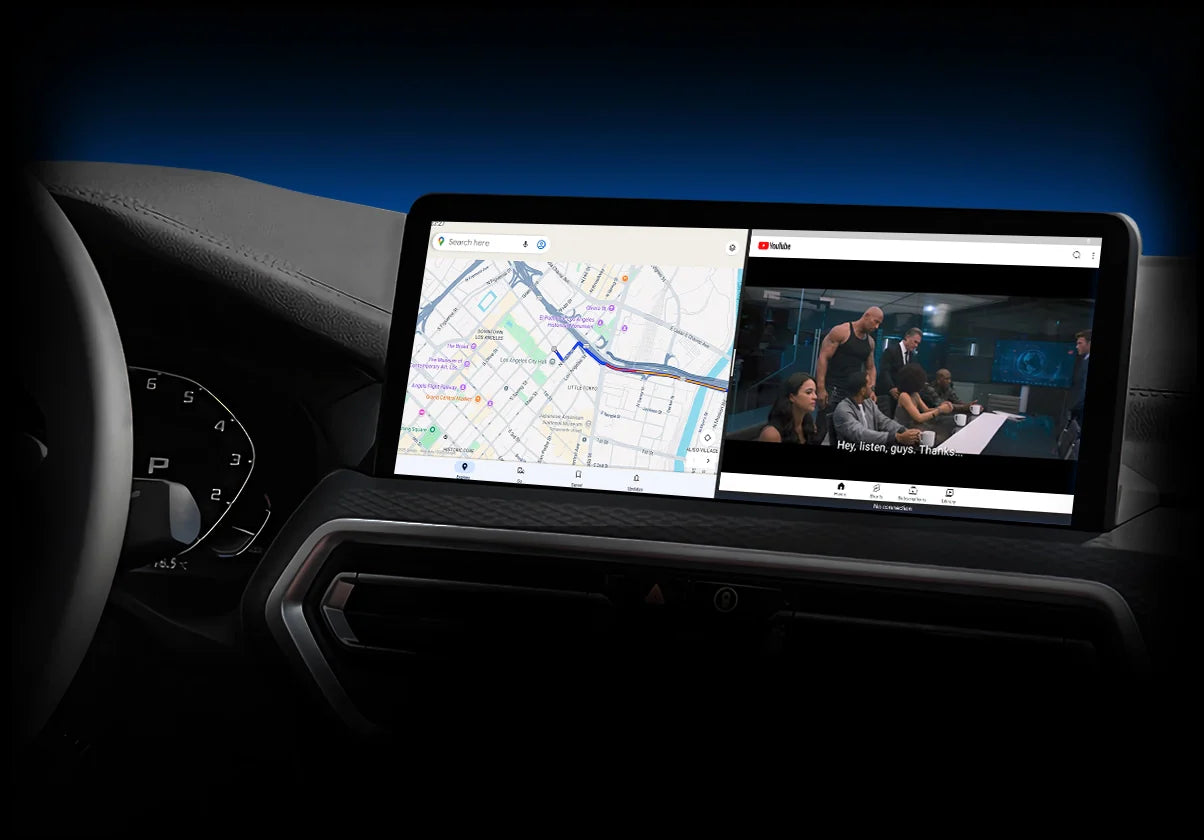
A CarPlay YouTube adapter is a device that enhances your car's existing CarPlay system by adding streaming capabilities. Unlike standard wireless CarPlay adapters that only convert wired connections to wireless, these advanced adapters come with built-in Android systems that support popular streaming apps like YouTube, Netflix, Disney+, and TikTok.
How CarPlay YouTube Adapters Work
These adapters connect to your car's USB port and act as a bridge between your smartphone and the car's infotainment system. According to Apple's official CarPlay documentation, the adapter uses a combination of Bluetooth for initial pairing and WiFi for high-speed data transmission, ensuring smooth video streaming without lag.
The key difference from standard adapters is the built-in Android operating system. This allows the device to run apps independently, meaning you can stream YouTube even without your phone connected. Most modern adapters feature dual-mode operation: standard wireless CarPlay mode for navigation and calls, and entertainment mode for streaming apps.
Key Features to Look For
- Dual WiFi Support: 2.4GHz and 5GHz bands for stable streaming
- Built-in Apps: Pre-installed YouTube, Netflix, and other streaming services
- Quick Connection: Auto-connect in under 10 seconds
- Screen Mirroring: Cast your phone screen to the car display
- USB Expansion: Additional ports for storage devices or controllers
Benefits Over Standard CarPlay
While standard CarPlay excels at navigation and communication, it has significant limitations when it comes to entertainment. Consumer Reports notes that Apple restricts video playback while driving for safety reasons. CarPlay YouTube adapters bypass these limitations by running apps on their own Android system, giving you full control over your entertainment options when parked.
What About Top CarPlay YouTube Adapter Features in 2026?

The CarPlay adapter market has evolved significantly, with manufacturers adding innovative features that go far beyond basic wireless connectivity. Understanding these features will help you choose an adapter that truly meets your needs.
Streaming App Support
Modern CarPlay YouTube adapters come pre-loaded with essential streaming apps. The most common include:
- YouTube: Full HD streaming with search and playlist support
- Netflix: Access to your entire Netflix library
- Disney+: Family-friendly content for road trips
- TikTok: Short-form entertainment for quick breaks
- Spotify/Apple Music: Enhanced music streaming with visual interfaces
Some premium adapters also include access to Google Play Store, allowing you to download additional apps based on your preferences. This flexibility ensures your entertainment system stays current with new streaming services.
Connection Speed and Stability
Connection speed is crucial for a seamless experience. Based on independent testing by PCMag, top-tier adapters achieve connection times under 8 seconds, while budget options may take 15-20 seconds. Look for adapters with:
- Qualcomm Snapdragon processors (6225 or higher)
- Dual-band WiFi for reduced interference
- Bluetooth 5.0 or higher for stable pairing
- Automatic reconnection when you start your car
Video Quality and Performance
Video quality depends on both the adapter's hardware and your car's display capabilities. Most 2026 adapters support:
- 1080p Full HD: Standard for most adapters
- 4K Support: Available on premium models (if your car display supports it)
- H.265 Decoding: Efficient video compression for smoother streaming
- Low Latency: Under 100ms delay for responsive controls
How Do I Choose the Right CarPlay YouTube Adapter?

Selecting the perfect adapter requires considering your specific needs, budget, and vehicle compatibility. Here's a systematic approach to making the right choice.
Assess Your Entertainment Needs
Start by identifying how you'll use the adapter. Different use cases require different features:
For Daily Commuters: If you mainly need wireless CarPlay with occasional YouTube access during breaks, a mid-range adapter like the CARLUEX GO offers the perfect balance of features and affordability.
For Road Trip Enthusiasts: Long drives demand premium features like 4K streaming, extensive app support, and screen mirroring. Consider adapters with larger RAM (4GB+) and storage (64GB+) for smooth multitasking.
For Families: If you have kids, prioritize adapters with Disney+, YouTube Kids, and parental control features. The ability to connect external storage for downloaded content is also valuable for areas with poor cellular coverage.
Check Vehicle Compatibility
Not all adapters work with every car. Before purchasing, verify:
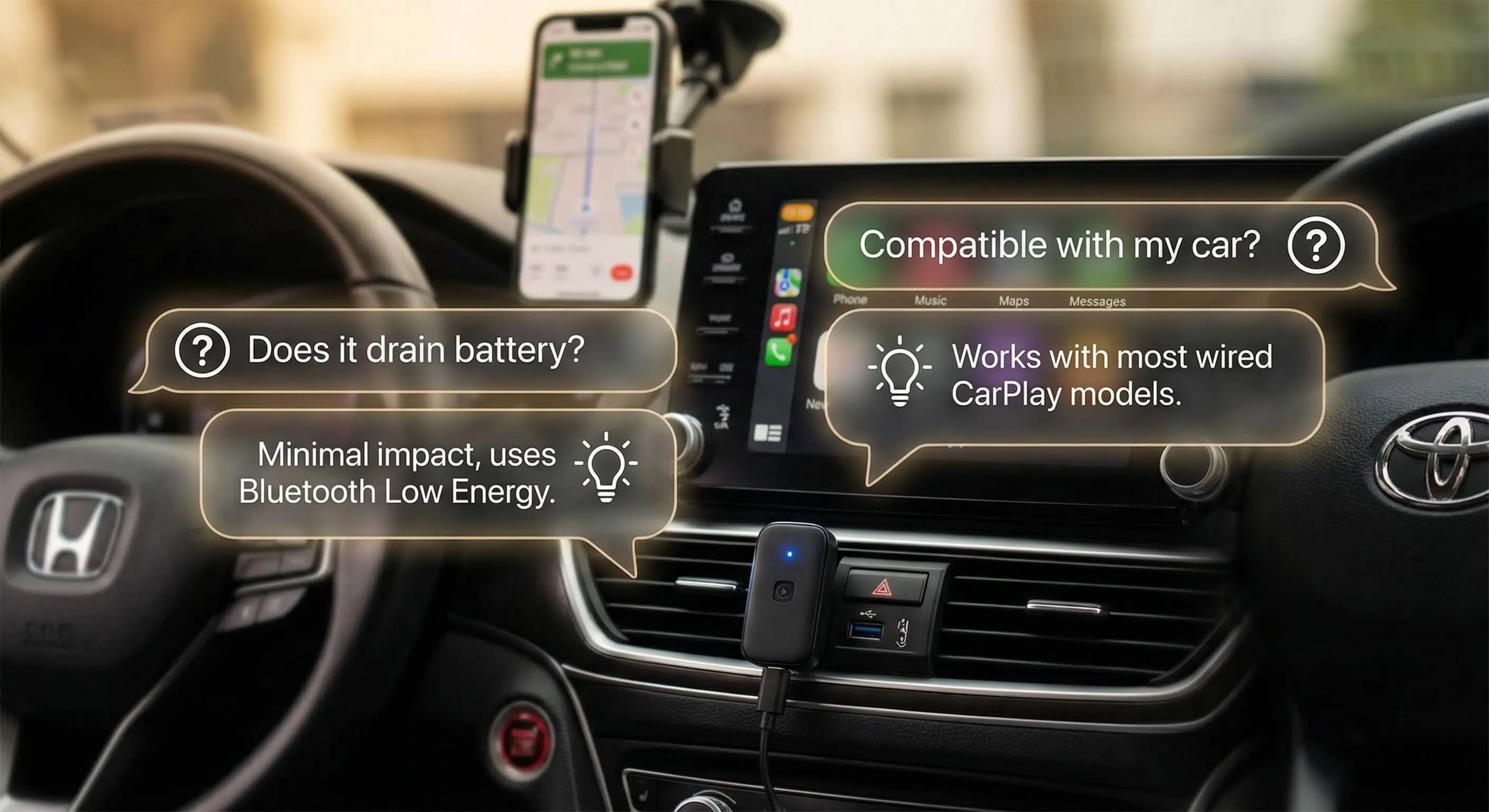
- Factory CarPlay Support: Your car must have built-in wired CarPlay (2016+ models typically do)
- USB Port Type: Check if you need USB-A or USB-C (most adapters include both cables)
- Screen Type: Touchscreen vs. rotary knob controls (some adapters include remote controls for non-touch screens)
- Display Resolution: Higher-end car displays benefit from 4K-capable adapters
You can check your vehicle's compatibility using the official Apple CarPlay compatibility list. Most vehicles from 2016 onwards support CarPlay, making them compatible with these adapters.
Consider Your Budget
CarPlay YouTube adapters range from $50 to $200+ depending on features:
Budget Range ($50-$80): Basic wireless CarPlay with limited streaming capabilities. Good for occasional YouTube viewing but may lack Netflix and premium features. The CARLUEX LINK at $59 offers excellent value in this category, providing reliable wireless connectivity and quick loading speeds.
Mid-Range ($80-$140): Full streaming support with YouTube, Netflix, and screen mirroring. These adapters offer the best value for most users. The CARLUEX GO at $109 includes pre-installed YouTube and Netflix, plus remote control support for non-touchscreen vehicles.
Premium Range ($140-$200+): Advanced features like 4K streaming, OTA updates, Google Play Store access, and SIM card slots for independent internet connectivity. The CARLUEX AIR at $139 and CARLUEX PRO+ 2.0 at $149 offer professional-grade performance with full Android systems.
What About Setting Up Your CarPlay YouTube Adapter?

Installation is straightforward, but following the correct steps ensures optimal performance and avoids common issues.
Step-by-Step Installation Guide
Step 1: Prepare Your Vehicle
- Start your car and ensure the infotainment system is on
- Locate your USB port (usually in the center console or dashboard)
- If you have multiple USB ports, use the one designated for CarPlay (check your car's manual)
Step 2: Connect the Adapter
- Plug the adapter into your car's USB port using the appropriate cable (USB-A or USB-C)
- Wait for the LED indicator to light up (usually blue or green)
- The adapter will boot up in 5-10 seconds
Step 3: Pair Your Phone
- Enable Bluetooth on your iPhone or Android device
- Look for the adapter in your Bluetooth device list (usually named "CARLUEX-XXXX" or similar)
- Tap to connect (first-time pairing may require entering "0000" as the PIN)
- Your car screen should now display the CarPlay or Android Auto interface
Step 4: Access Streaming Apps
- Look for the app launcher icon on your car screen
- Tap to open the Android system interface
- Select YouTube, Netflix, or other pre-installed apps
- Sign in to your accounts for personalized content
For detailed setup instructions specific to your vehicle, check out our comprehensive wireless CarPlay setup guide.
Troubleshooting Common Connection Issues
If you encounter problems during setup, try these solutions:
Adapter Won't Power On:
- Verify you're using the correct USB port (some cars have charging-only ports)
- Try a different USB cable
- Restart your car's infotainment system
Phone Won't Connect:
- Forget the device in your Bluetooth settings and re-pair
- Ensure your phone's software is up to date
- Disable any VPN or security apps that might interfere
Video Stuttering or Buffering:
- Switch to 5GHz WiFi if available (check adapter settings)
- Reduce video quality in the streaming app settings
- Ensure your phone has a strong cellular signal or connect to a mobile hotspot
For more troubleshooting tips, visit our Android Auto troubleshooting guide.
Optimizing Your Streaming Experience
To get the best performance from your CarPlay YouTube adapter:
- Use WiFi When Possible: Connect your phone to a mobile hotspot or your car's built-in WiFi for better streaming quality
- Download Content: Pre-download movies and shows on Netflix for offline viewing in areas with poor signal
- Adjust Video Quality: Lower resolution settings (720p) use less data and reduce buffering
- Keep Firmware Updated: Check for adapter updates regularly for improved performance and new features
- Manage Storage: If your adapter has a TF card slot, use it to store downloaded content
What About Transform Your Drive with CARLUEX Adapters?
When it comes to choosing a CarPlay YouTube adapter, CARLUEX offers a complete range of solutions designed for every need and budget. With over 100,000 satisfied customers worldwide and a 98% satisfaction rate, CARLUEX has established itself as a leader in car entertainment technology.
CARLUEX Product Lineup: Find Your Perfect Match
CARLUEX LINK ($59): The perfect entry point for wireless CarPlay. While it focuses on core connectivity rather than streaming apps, it delivers lightning-fast connection speeds and rock-solid stability. Ideal for users who primarily need wireless CarPlay for navigation and calls, with occasional basic entertainment needs.
CARLUEX GO ($109): The sweet spot for most users. Pre-loaded with YouTube and Netflix, the GO transforms your car into a complete entertainment system. It includes a remote control for non-touchscreen vehicles, screen mirroring capabilities, and starts up in under 10 seconds. The USB-A expansion port lets you connect external storage or controllers, making it perfect for families and road trip enthusiasts.
CARLUEX AIR ($139): Powered by a full Android system, the AIR gives you access to the Google Play Store, allowing you to download any app you want. Stream YouTube, Netflix, Disney+, TikTok, or even browse the web. With 4GB RAM and support for SIM cards, it offers independent internet connectivity without draining your phone's data. The AIR is ideal for users who want maximum flexibility and premium features.
CARLUEX PRO+ 2.0 ($269): The flagship model featuring the fastest connection speeds (under 6 seconds), 4K video support, and advanced features like split-screen mode. Perfect for luxury vehicles with high-resolution displays and users who demand the absolute best performance. The PRO+ also includes OTA (over-the-air) updates, ensuring your adapter stays current with the latest features and improvements.
For BMW owners, CARLUEX offers a specialized BMW multimedia streaming box designed specifically for BMW's unique infotainment system, ensuring perfect integration and optimal performance.
Why Choose CARLUEX?
- Proven Reliability: 98% customer satisfaction rate with over 100,000 units sold
- Fast Connection: Industry-leading connection speeds (6-10 seconds)
- Wide Compatibility: Works with 2016+ vehicles with factory CarPlay
- Premium Support: 1-year warranty and responsive customer service
- Regular Updates: Continuous firmware improvements (on supported models)
- Complete Accessories: Includes both USB-A and USB-C cables, plus remote control (on GO model)
Real User Experiences
"The CARLUEX GO completely changed our family road trips. My kids can watch their favorite shows in the back seat while I navigate with CarPlay. The setup took less than 5 minutes, and it's been rock solid for three months now." - Jennifer M., Honda Accord owner
"I was skeptical about the streaming quality, but the CARLUEX AIR exceeded my expectations. YouTube plays in full HD without any lag, and the ability to download apps from Play Store means I'm not limited to pre-installed apps." - David R., Tesla Model 3 owner
What's the Bottom Line?
A CarPlay YouTube adapter is more than just a tech accessory—it's a complete transformation of your in-car experience. Whether you're looking for basic wireless connectivity or a full-featured entertainment system with YouTube, Netflix, and more, there's an adapter that perfectly fits your needs and budget.
The key is to assess your specific requirements: daily commuters might prefer the simplicity and value of the CARLUEX LINK, while road trip enthusiasts and families will appreciate the comprehensive features of the CARLUEX GO or CARLUEX AIR. For those who demand the absolute best, the CARLUEX PRO+ 2.0 delivers flagship performance with 4K support and lightning-fast connectivity.
Remember to always prioritize safety—use streaming features only when parked, and never watch videos while driving. With the right adapter and responsible usage, you can transform every drive into an enjoyable experience, whether you're commuting to work, waiting at a charging station, or embarking on a cross-country adventure.
Ready to upgrade your car's entertainment system? Explore the complete CARLUEX product lineup and find the perfect adapter for your vehicle today.
Recommended Reading
Enhance your CarPlay experience with these helpful guides:
- How to Set Up Wireless CarPlay for Hands-Free Driving - Complete setup guide with troubleshooting tips
- How CarPlay Ultra Compares to Classic CarPlay in 2025 - Discover the latest CarPlay innovations
- How to Organize Your Car Interior with Simple Accessories - Keep your car tidy while enjoying your new entertainment system
- Why Android Auto is Not Working and How to Fix It - Troubleshooting guide for common issues
What About Frequently Asked Questions About CarPlay YouTube Adapters?
Can I watch YouTube while driving with a CarPlay adapter?
No, you should never watch YouTube or any video content while driving. For safety and legal reasons, video playback should only be used when your vehicle is completely parked and stationary. Most quality CarPlay YouTube adapters, including all CARLUEX models, have built-in safety features that automatically detect when your vehicle is in motion and disable video playback. The adapter will only allow video streaming when your car is in Park mode. Audio streaming and navigation features remain available while driving.
Do I need a WiFi connection to use a CarPlay YouTube adapter?
Yes, you'll need an internet connection to stream YouTube and other online content. You have several options: use your smartphone's mobile hotspot, connect to your car's built-in WiFi (if available), or use an adapter with a SIM card slot for independent connectivity. However, many adapters also support downloading content for offline viewing. You can download YouTube videos or Netflix shows while connected to WiFi at home, then watch them later in your car without using mobile data.
Will a CarPlay YouTube adapter work with my car?
CarPlay YouTube adapters work with any vehicle that has factory-installed wired CarPlay or Android Auto. This includes most vehicles manufactured from 2016 onwards. To check compatibility, look for a USB port in your car with a phone icon or CarPlay symbol, or consult your vehicle's manual. You can also verify your specific vehicle model on Apple's official CarPlay compatibility list. The adapter connects to this USB port and works with your existing infotainment screen—no additional screens or modifications needed.
What's the difference between a basic wireless CarPlay adapter and a YouTube adapter?
A basic wireless CarPlay adapter only converts your wired CarPlay connection to wireless, allowing you to use standard CarPlay features (navigation, calls, music) without plugging in your phone. A CarPlay YouTube adapter goes much further—it includes a built-in Android system that runs streaming apps like YouTube, Netflix, and more. Think of it as a basic adapter plus a complete entertainment system.
The CARLUEX LINK ($59) is a basic wireless adapter, while the CARLUEX GO ($109), AIR ($139), and PRO+ ($269) are full YouTube/streaming adapters.


Αφήστε ένα σχόλιο
Αυτή η τοποθεσία προστατεύεται από το hCAPTCHA και ισχύουν η Πολιτική απορρήτου και οι Όροι Παροχής Υπηρεσιών του hCaptcha.