

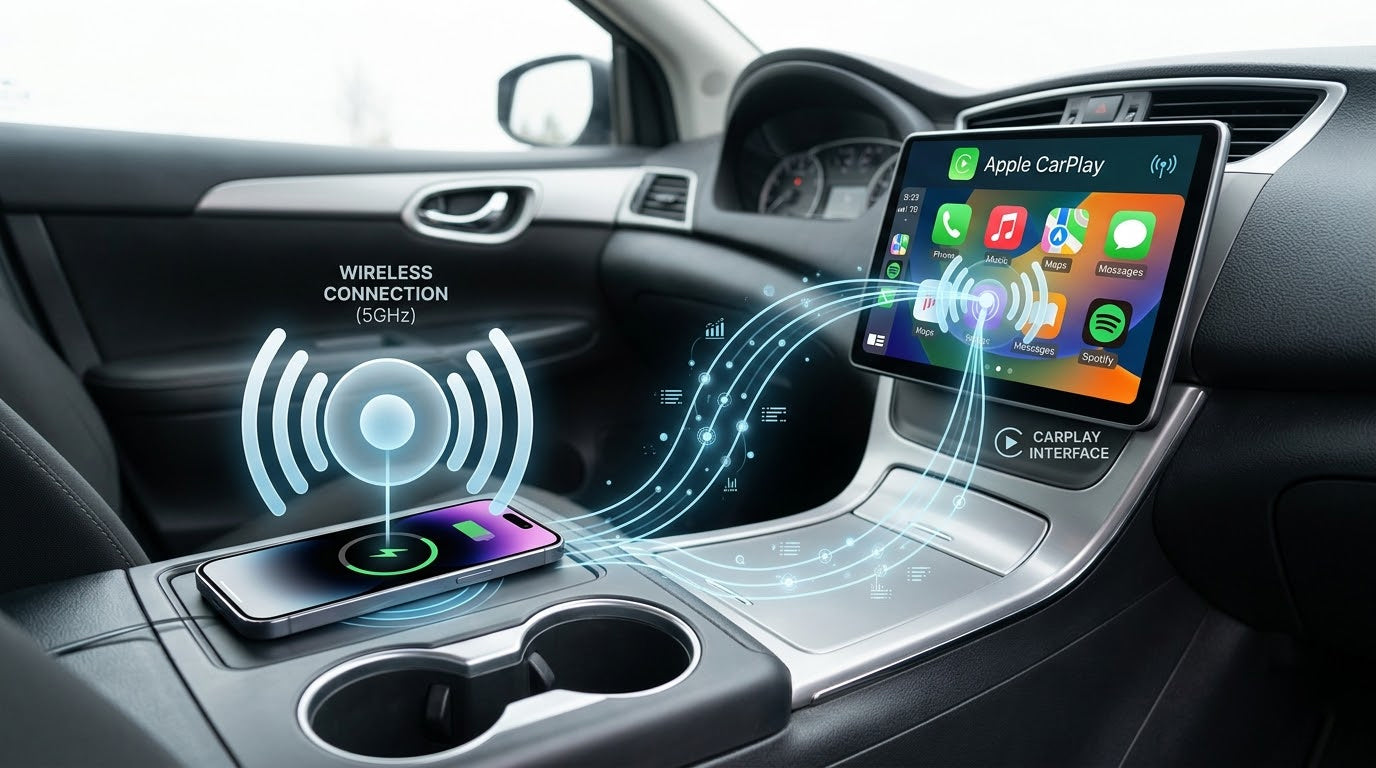
If you have a Hyundai and want a great upgrade, get a top-rated wired to wireless CarPlay adapter. With wireless CarPlay, you can get in your car and start driving. Your phone connects right away. You do not need to plug in cables each time. Hyundai’s newest infotainment systems help you manage calls, music, and maps safely. This guide will help you find which adapter works for your car model. You can enjoy hands-free convenience every day. CARLUEX AIR makes wireless CarPlay work in any car with a USB port. CARLUEX PRO works out of the box — no wiring or tools needed. CARLUEX PRO+ 2.0 adds wireless CarPlay and Android Auto to A-equipped vehicles. Browse CARLUEX wireless adapters to find the right fit for your car.
What About Key Takeaways?
-
Make your Hyundai better by using a wired to wireless CarPlay adapter. This lets you use your phone without holding it and helps you drive safer.
-
The Vnilrgle adapter is a great pick. It connects fast and works with most Hyundai cars.
-
Look at the compatibility list for your Hyundai model. Make sure your car can use CarPlay before you buy an adapter.
-
It is easy to set up. Plug the adapter into the USB port. Your iPhone will connect by itself. You do not need extra apps.
-
For best results, use the same USB port as wired CarPlay. Also, make sure your adapter has the newest firmware updates.
What Is the Best Wired to Wireless CarPlay Adapter for Hyundai?
Top Pick and Key Benefits
If you want the best experience with your Hyundai, you should try the Vnilrgle wireless carplay adapter. Many drivers love how easy it is to use. You just plug it in, and your phone connects almost right away. You do not have to wait or mess with cables every time you get in your car.
Here’s why the Vnilrgle adapter stands out for Hyundai owners:
-
It works smoothly with most Hyundai models that support carplay.
-
The connection is fast. You can start your music or maps in seconds.
-
The adapter is small and does not take up much space.
-
You get a USB-C adapter in the box, so it fits different Hyundai ports.
-
People say there is almost no delay when using apps or talking on the phone.
You will notice how much easier your drive feels. You can keep your phone in your pocket or bag. The car’s screen shows your apps, music, and maps without any wires. This makes every trip safer and more fun.
Alternative Options for Different Needs
Not every driver has the same needs. Maybe you want a lower price, or you want to try a different brand. Here are some other wireless carplay adapter choices that work well with Hyundai:
|
Product Name |
User Experience |
Price Range |
|---|---|---|
|
CarLinkIt |
Works well 90% of the time, connects within 30 seconds, compatible with multiple brands including Hyundai. |
$70 - $200 |
|
cplay2air |
Reliable 95% of the time, easy to reconnect if issues arise. |
N/A |
CarLinkIt is a good pick if you want something that works with many car brands. It connects quickly and is easy to use. cplay2air is another solid choice. It is reliable and simple to reconnect if you ever have trouble.
You can pick the adapter that fits your budget and your car. All these options help you enjoy carplay without wires. You get to use your favorite apps, listen to music, and follow maps with just a tap on your Hyundai’s screen.
If you want to upgrade your drive, a wired to wireless carplay adapter is a smart choice. You will see how much easier and safer it is to use your phone in your Hyundai.
What About How Wired to Wireless CarPlay Works?

Adapter Functionality in Hyundai Vehicles
You might wonder how a wired to wireless carplay adapter actually works in your Hyundai. It is pretty simple. You plug the adapter into the USB port where you would normally connect your phone for carplay. The adapter acts like a bridge between your iPhone and your Hyundai’s infotainment system. Instead of using a cable, the adapter uses Wi-Fi and Bluetooth to connect your phone to the car.
Here’s what happens step by step:
-
You start your Hyundai.
-
The adapter powers on and waits for your phone.
-
Your iPhone connects to the adapter using Bluetooth.
-
The adapter switches to Wi-Fi for a faster, more stable connection.
-
Carplay appears on your Hyundai’s screen, just like it would with a cable.
You do not need to take your phone out of your pocket or bag. The adapter handles everything in the background. You get the same carplay experience, but now it is wireless.
Tip: If your Hyundai has more than one USB port, try each one to see which works best with your adapter.
Main Advantages of Wireless CarPlay
Switching to wireless carplay brings a lot of benefits. You will notice the difference right away.
-
No more cables: You can leave your phone in your pocket or bag.
-
Quick connection: Your phone connects automatically when you start your car.
-
Less wear and tear: You do not have to plug and unplug your phone every time.
-
Safer driving: You can focus on the road while still using maps, music, and calls.
Imagine getting in your Hyundai, starting the engine, and seeing your favorite apps pop up on the screen without touching a single wire. That is the power of wireless carplay. It makes every drive smoother and more enjoyable.
What About Hyundai Compatibility Guide for CarPlay Adapters?
Supported Hyundai Models List
You want to make sure your Hyundai supports carplay before you buy a wired to wireless carplay adapter. Many Hyundai models from recent years work with carplay. Here’s a handy list of models that are officially supported by most adapters in 2026:
-
Azera (2015–2018)
-
Genesis Sedan (2015–2016)
-
Sonata (2015–2025)
-
Elantra GT (2016–2020)
-
i10 (2016–2025)
-
i30 (2016–2025)
-
i40 (2016–2022)
-
Tucson (2016–2025)
-
Veloster (2016–2022)
-
Elantra (2017–2025)
-
Ioniq (2017–2020)
-
Kona (2017–2025)
-
Santa Fe (2017–2025)
-
Santa Fe Sport (2017–2019)
-
Accent (2019–2025)
-
Santa Fe XL (2019)
-
Nexo (2020–2025)
-
Palisade (2020–2025)
-
Venue (2020–2025)
-
Bayon (2021–2025)
-
Casper (2022–2025)
-
IONIQ 5 (2022–2025)
-
SANTA CRUZ (2022–2025)
-
IONIQ 6 (2023–2025)
-
IONIQ 9 (2026)
-
Grand i10 Nios
-
Exter
-
Verna
-
Aura
-
Venue N Line
-
Creta (upcoming)
-
Creta N Line (upcoming)
-
Creta Electric (upcoming)
-
i20 (upcoming)
-
i20 N Line (upcoming)
If your Hyundai is on this list, you’re in good shape to use carplay with an adapter.
Compatibility Checklist for 2026 Models
You don’t want to guess if your car works with carplay. Here’s a simple checklist to help you check compatibility for your Hyundai:
-
Find your Vehicle Identification Number (VIN). You can see it on your dashboard or inside your driver’s door.
-
Go to Crutchfield.com or SonicElectronics.com.
-
Enter your VIN to check if your Hyundai supports carplay.
-
Look for any notes about your model. Some cars may have special requirements.
-
Review the database for known issues with your Hyundai and carplay adapters.
Tip: If you’re not sure about your car’s features, ask your dealership. They can confirm if your Hyundai supports carplay.
Unique Considerations for Newer Models
Hyundai keeps updating its cars. For models from 2022 to 2026, you may need dealership activation for wired Apple carplay. This means you might have to visit your dealer to turn on carplay in your car’s system. If you buy a new Hyundai, ask the dealer about carplay activation. You don’t want to miss out on the features.
If you follow this guide, you’ll know exactly which adapter fits your Hyundai. You can enjoy carplay without any worries.
What About Choosing a Wireless CarPlay Adapter?
Compatibility and OS Support
You want your wireless carplay adapter to work with your Hyundai and phone. Make sure the adapter supports your car’s infotainment system and your iphone’s operating system. Most adapters work with OEM and aftermarket radios. Some adapters, like Carlinkit, use the newest firmware up to V3. Others, like CarPlay2Air, help you switch from wired to wireless carplay. Here is a quick chart:
|
Adapter |
Supported OS/Firmware Versions |
Notes |
|---|---|---|
|
CarPlay2Air |
Not specified |
Adapter for wired to wireless carplay. |
|
Carlinkit |
Up to V3 |
Uses the same technology and firmware. |
|
8” Infotainment |
Wireless functionality built-in |
Needs WiFi for wireless connection. |
Installation and Ease of Use
Installation is easy. Plug the adapter into your car’s USB port. Most adapters set up in about 60 seconds. Follow the steps in the guide. Your iphone connects by itself. You do not need extra tools. If you want to use wired to wireless android auto, check if your adapter supports both systems.
Tip: Try each USB port in your Hyundai to find which works best for your adapter.
Connection Stability and Speed
You want a fast and steady wireless connection. Good adapters start in 5-8 seconds. Your carplay apps load quickly. You can use maps, music, and calls without lag. If you use wired to wireless android auto, make sure the adapter works well with both systems.
Features and Updates
Look for adapters with cool features. Some have a liquid glass design for a cleaner screen. Others let you use Siri-powered third-party AI, like ChatGPT, for hands-free help. Regular firmware updates keep your adapter working well.
|
Feature |
Description |
|---|---|
|
Liquid Glass Design Language |
Cleaner layout, higher contrast for safer driving. |
|
Siri-Powered Third-Party AI |
Voice-based AI apps for hands-free assistance. |
What About Wireless CarPlay Adapter Comparison for Hyundai?

Comparison Table: Features, Pros, Cons
You want to know how the best wireless carplay adapters compare. The table below shows their main features, good points, and downsides. This helps you pick the right one for your Hyundai.
|
Adapter |
Features |
Pros |
Cons |
|---|---|---|---|
|
Vnilrgle |
Fast connection, USB-C included |
Quick setup, stable, compact |
Higher price |
|
CarLinkIt |
Multi-brand support, firmware updates |
Easy to use, wide compatibility |
Sometimes slower boot |
|
cplay2air |
Reliable reconnect, simple design |
Good stability, user-friendly |
Limited advanced features |
Vnilrgle gives you a fast and steady carplay. CarLinkIt works with many car brands and gets updates often. cplay2air is simple and stays reliable. Each adapter has its own strong points. You can choose what fits your needs best.
Tip: Vnilrgle is good if you want the fastest setup. CarLinkIt is helpful if you use different cars.
Unique Features and Differences
Let’s look at what makes each adapter special. You may want certain features or something that fits your daily routine.
-
Vnilrgle: This adapter connects in just a few seconds. It comes with a USB-C adapter for newer Hyundai models. Its small size keeps your console neat.
-
CarLinkIt: You can use this adapter in many cars, not only Hyundai. Firmware updates help it work well. It’s great if you like new technology.
-
cplay2air: Setup is easy and quick. The adapter reconnects fast if you lose signal. It’s best for people who want a simple carplay.
Picture getting in your Hyundai, plugging in the adapter, and seeing your apps right away. You do not have to mess with cables or wait for slow connections. Each adapter lets you use carplay in a way that fits your life.
Note: Always check your Hyundai’s model and year before you buy an adapter. This makes sure you get the best carplay experience.
What About Troubleshooting and Optimization Tips?
Fixing Connection Issues
You might run into connection problems with your wireless CarPlay adapter in your Hyundai. Don’t worry—most issues have simple fixes. Here’s a table that shows common problems and what you can do:
|
Issue Type |
Description |
Recommended Solution |
|---|---|---|
|
USB Connection Mismatch |
The adapter doesn’t fit or keeps disconnecting. |
Check if your Hyundai uses USB Type-C or micro USB before buying. |
|
Compatibility Issues |
Adapter doesn’t work with your iPhone or car. |
Make sure your adapter matches your iPhone and Hyundai model. |
|
Performance and Connectivity |
CarPlay drops or lags. |
Pick adapters with Bluetooth 5.0+ and dual-band Wi-Fi for better results. |
|
Firmware Updates |
Adapter acts strange after iOS updates. |
Update your adapter’s firmware often. |
|
Cable Quality |
Adapter won’t connect at all. |
Use a high-quality data cable, not just a charging cable. |
|
Heat Resistance |
Adapter gets hot and stops working. |
Choose adapters with thermal protection for hot weather. |
|
Plug-and-Play Setup |
Setup feels confusing. |
Go for plug-and-play adapters—no apps or tricky steps needed. |
Tip: Always double-check your adapter’s compatibility before you buy. This saves you time and stress.
Improving Performance and Reducing Lag
You want your wireless CarPlay to run smoothly. Here are some easy optimization tips:
-
Plug your adapter into the same USB port you used for wired CarPlay.
-
Pair your phone with the adapter using Bluetooth the first time.
-
Let the adapter switch to 5GHz Wi-Fi for faster data.
-
Your adapter should power on and reconnect every time you start your Hyundai.
-
Try not to use other devices that need Wi-Fi in your car at the same time.
These steps help you get the best performance and less lag. You’ll notice your music, maps, and calls work faster.
When to Get Professional Help
Sometimes, problems just won’t go away. If your wireless CarPlay keeps disconnecting or acts strange, it’s time to ask for help. Here’s what you can do:
-
Write down what happens and when. Take a short video if you can.
-
Show your notes or video to your Hyundai dealer.
-
Keep asking for help if the problem doesn’t get fixed the first time.
If you follow these steps, you’ll solve most problems and enjoy a smooth ride with your wireless CarPlay adapter.
You want the best upgrade for your Hyundai, so follow this simple guide. Start by checking if your car supports carplay and look at your daily needs. Some adapters, like the 2 IN 1 ICE-DVR CARPLAY box, even add a dash cam for safety. Others, such as the QUALCOMM OCTA-CORE CARPLAY ai box, focus on wireless connections and app support.
Always check compatibility first. Make sure your Hyundai and phone work with the adapter you choose. This helps you avoid problems with stability or future software updates.
Use the comparison and troubleshooting sections to find the right fit. The table shows which screen size and connection type match your driving style. Ready to upgrade? Check your car, review the top picks, and enjoy a smooth, wireless carplay experience.
FAQ
How do I know if my Hyundai supports CarPlay?
Check your car’s manual or look for the CarPlay logo on your screen. You can also ask your Hyundai dealer. If your car is on the supported models list above, you’re good to go!
Can I use a wireless CarPlay adapter with Android phones?
No, wireless CarPlay adapters only work with iPhones. If you use Android, you need an Android Auto adapter. Always check your adapter’s details before buying.
Will the adapter drain my car battery?
Most adapters use very little power. If you won’t drive for a few days, unplug the adapter. This keeps your battery safe and healthy.
Do I need to install any apps to use the adapter?
No extra apps needed! Just plug the adapter into your Hyundai’s USB port. Your iPhone will connect automatically. It’s simple and quick.
What should I do if my CarPlay connection drops?
Try unplugging the adapter and plugging it back in. Make sure your iPhone’s Bluetooth and Wi-Fi are on. If problems continue, check for firmware updates or contact support.



Napsat komentář
Všechny komentáře jsou před zveřejněním moderovány.
Tento web je chráněn službou hCaptcha a vztahují se na něj Zásady ochrany osobních údajů a Podmínky služby společnosti hCaptcha.