

Quick Answer: Which EV Infotainment System Should You Choose?
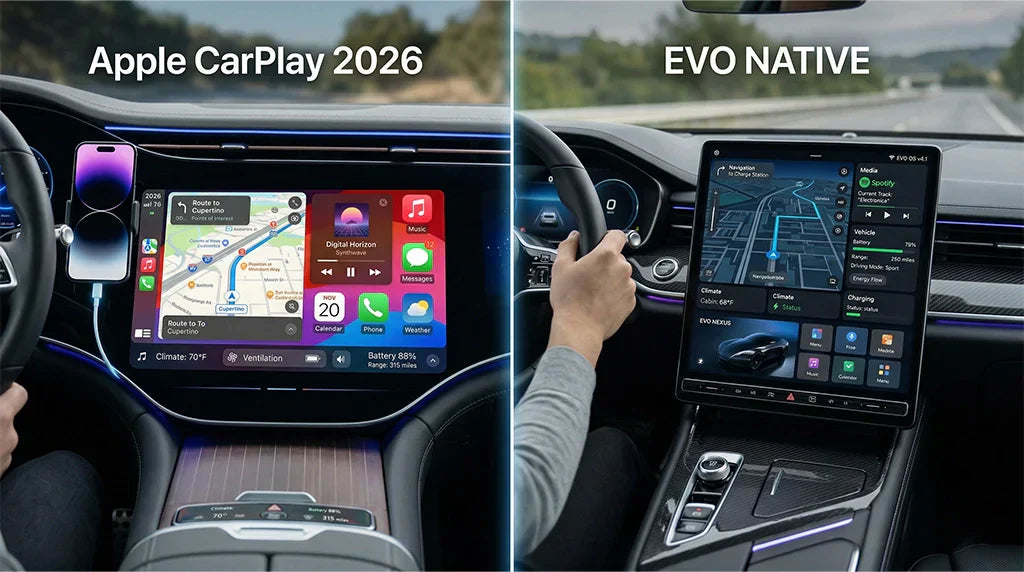
If you are buying or upgrading an electric vehicle in 2026, the best infotainment system depends on what you need most. Choose Apple CarPlay if you use an iPhone and want familiar maps, calls, music, messages, and supported EV charging apps on the car display. Choose Android Auto if you use Android and want Google Maps, Google Assistant, and newer EV trip-planning features on supported models. Choose the vehicle's native system when you need the deepest EV controls, such as battery planning, preconditioning, energy data, climate settings, or automaker-specific features.
For many drivers, this is not an either-or decision. A good EV setup often uses the native system for vehicle energy functions and CarPlay or Android Auto for daily phone apps. If your EV has factory wired CarPlay or wired Android Auto but no wireless connection, a compatible CARLUEX adapter can reduce cable friction. Always confirm your exact vehicle, model year, trim, region, factory infotainment system, and product-page compatibility before purchase.
Why EV Drivers Search This in 2026
Drivers searching for an electric car with Android Auto, an electric crossover with Android Auto, or a CarPlay-friendly EV are usually not asking a purely technical question. They are trying to avoid buying a car whose dashboard does not match their phone habits.
The real question is simpler: will the screen in the car let you use the apps you trust, while still giving you the EV-specific information you need for charging, range, and route planning?
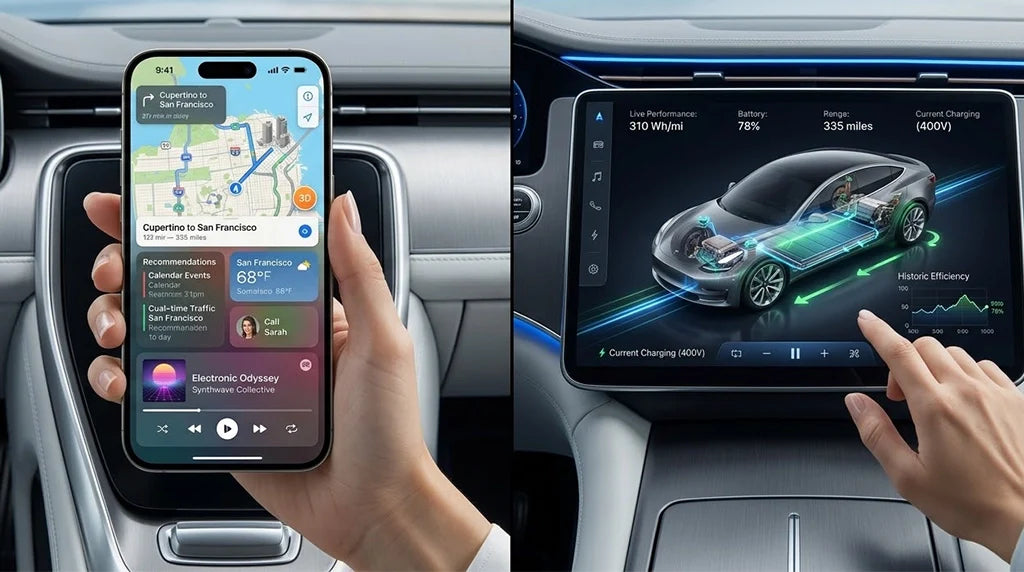
That is why this comparison separates phone projection from native EV software. Apple CarPlay and Android Auto bring your phone experience into the car. Native EV systems are built by the automaker or platform provider and can connect more directly to vehicle data. In 2026, the strongest setup is often the one that lets both layers do their own job.
Apple CarPlay vs Android Auto vs Native EV Systems: 2026 Comparison
| System | Best For | EV Strength | Main Limitation |
|---|---|---|---|
| Apple CarPlay | iPhone users who want a familiar interface for maps, music, messages, calls, and supported apps. | Apple Maps can support EV routing on select compatible vehicles, and CarPlay supports EV charging app categories. | EV routing and vehicle integration vary by vehicle, region, automaker app support, and CarPlay generation. |
| Android Auto | Android users who rely on Google Maps, Google Assistant, and Google services. | Google announced AI-powered EV battery predictions and trip planning for hundreds of Android Auto EV models in the U.S. | Availability depends on the vehicle, Android Auto support, region, app version, and whether the feature has rolled out to that model. |
| Native EV system | Drivers who prioritize battery management, charging stops, climate, energy data, and automaker-specific controls. | Native systems can connect more deeply with vehicle hardware and may offer built-in EV routing, charging, preconditioning, and updates. | The app ecosystem may feel less familiar than your phone, and some automakers limit or remove CarPlay and Android Auto. |
| Wireless adapter path | Drivers whose vehicle already supports factory wired CarPlay or wired Android Auto but lacks wireless convenience. | Can make daily phone projection easier without replacing the car's native EV system. | It does not add CarPlay or Android Auto to cars that lack the required factory wired protocol, and it does not control vehicle battery systems. |
Apple CarPlay for Electric Vehicles

Apple CarPlay is strongest when the driver already lives in the iPhone ecosystem. The interface is familiar, Siri handles many common commands, and CarPlay supports navigation, calls, music, messages, and compatible third-party apps on the vehicle display. Apple also lists EV charging as a supported app category in CarPlay, which matters for drivers who use charging-network apps during trips.
For EV route planning, Apple Maps can plan trips with charging stops and monitor charge changes on select compatible EVs. Apple also notes that EV routing availability depends on vehicle and region, so this should never be written as a universal CarPlay feature for every electric car.
CarPlay Ultra changes the discussion because it goes beyond the central infotainment screen. Apple says CarPlay Ultra can provide content across driver screens, including instrument-cluster information, and can handle vehicle functions such as radio and climate in supported vehicles. As of Apple's rollout announcement, availability began with Aston Martin in the U.S. and Canada, with other automakers working on support. For this article, the safe conclusion is: CarPlay Ultra is important, but most EV shoppers still need to check the exact vehicle rather than assume it is available.
Android Auto for Electric Cars and Crossovers

Android Auto is a natural fit for drivers who prefer Google Maps and Google Assistant. The main 2026 SEO opportunity for this article is Android Auto in EV searches: electric car with Android Auto, electric crossover with Android Auto, electric coupe with Android Auto, and similar queries.
Google announced that Maps is bringing AI-powered EV charging features to more than 350 Android Auto EV models, including recommendations for when and where to charge based on EV model and battery level. Google also says its battery predictions can consider vehicle details and real-time factors such as traffic, road elevation, and weather.
That makes Android Auto more compelling for EV road trips than older generic phone-projection comparisons suggest. Still, the safe wording is important: these features depend on supported vehicles, supported regions, compatible models, and rollout status. Android Auto should not be described as guaranteeing battery-aware routing for every EV.

Native EV Systems: Where the Car Still Has an Advantage

A native EV system is the infotainment and vehicle software built into the car by the automaker or its platform partner. This is where EVs can have an advantage over phone projection, because the system can often read vehicle state directly. That may include battery level, charging status, energy consumption, climate controls, route planning, charging stops, and software updates.
Google built-in is one example of a native or embedded software path. Google describes Google Maps built into the car as EV routing tailored to the vehicle, with route optimization based on vehicle needs, charging-stop suggestions, charging-speed filters, and payment-network filters. Google also says cars with Google built-in receive automatic updates that can deliver apps and features.
This is why some automakers push native systems heavily in EVs. A native system can be better for deep car data, subscriptions, charging integration, driver profiles, and manufacturer-specific controls. The trade-off is that drivers may lose the familiar phone interface if the automaker removes CarPlay or Android Auto, or if the native app ecosystem is limited.
Which System Fits Your EV Use Case?
| Driver Type | Best Starting Point | Why |
|---|---|---|
| iPhone commuter | Apple CarPlay | Simple daily access to Apple Maps or other supported navigation apps, calls, music, and messages. |
| Android commuter | Android Auto | Google Maps, Google Assistant, and supported EV trip-planning features make daily and weekend routing easier. |
| Long-distance EV driver | Native EV system plus phone projection | Use the native system for vehicle-aware battery and charging functions, then use CarPlay or Android Auto for preferred apps. |
| Family EV driver | Native system plus familiar phone apps | Keep climate, charging, and safety-critical controls native, while keeping music, messaging, and maps easy for the phone user. |
| Used EV buyer | Check the exact trim before purchase | Some EVs support wired CarPlay or Android Auto only; some support wireless; some rely mostly on native software. |
Where a Wireless CarPlay or Android Auto Adapter Fits
A wireless adapter is useful only when the vehicle already has the required factory wired CarPlay or wired Android Auto connection. It can reduce daily cable use, but it does not replace a native EV operating system, add missing vehicle battery data, or make an unsupported EV compatible.
For CARLUEX shoppers, keep the buying path compatibility-first:
- CARLUEX LINK Wireless CarPlay and Android Auto Adapter: a simple wireless adapter path for compatible vehicles with the required factory wired CarPlay or wired Android Auto setup.
- CARLUEX AIR Wireless CarPlay / Android Auto Adapter: a multimedia-focused option for drivers who want wireless CarPlay, wireless Android Auto, and app-related features where available.
- CARLUEX PRO+ 2.0 Multimedia AI Box: a higher-capability multimedia AI box path for compatible non-BMW vehicles with built-in wired CarPlay.
- CARLUEX Multimedia Streaming Box for BMW: the BMW-specific path; BMW shoppers should not assume the same adapter recommendation as non-BMW vehicles.
Before buying, check the CARLUEX compatibility page and the exact product page. If the vehicle does not have the required factory wired protocol, an adapter may not be the right solution.
EV Infotainment Checklist Before You Buy
- Confirm whether the exact EV trim supports Apple CarPlay, Android Auto, both, or neither.
- Check whether support is wired, wireless, or dependent on a software package.
- For long trips, confirm whether the native system or phone-projection app can plan charging stops for your model.
- Check whether EV routing can access battery state, arrival charge, plug type, preferred charging network, and live charger availability.
- Confirm whether the automaker requires a subscription, data plan, or connected-service package for native navigation or app functions.
- Change settings only when the vehicle is parked. Do not adjust phone or infotainment settings while driving.

FAQ
Do electric cars have Android Auto?
Many electric cars do, but not all. Support depends on the automaker, model year, trim, market, and infotainment package. Check the exact EV before purchase rather than relying only on the brand name.
Is Android Auto better than Apple CarPlay for EVs?
It depends on your phone and vehicle. Android Auto is attractive for Google Maps users, especially where Google EV routing features are supported. Apple CarPlay is usually better for iPhone users who want a familiar Apple interface and supported CarPlay apps.
Are native EV systems better than CarPlay or Android Auto?
Native EV systems can be better for vehicle-specific controls, battery data, charging routes, preconditioning, and energy information. CarPlay and Android Auto are often better for familiar phone apps. Many drivers benefit from using both layers.
Can a wireless adapter add CarPlay or Android Auto to any EV?
No. A wireless adapter usually requires the vehicle to already support factory wired CarPlay or factory wired Android Auto. It converts a compatible wired setup into a wireless daily connection; it does not add missing factory protocols.
Should I change my EV's navigation settings while driving?
No. Set up apps, routes, charging preferences, and Bluetooth or Wi-Fi connections while parked. Use voice controls where appropriate and keep attention on the road.
Which CARLUEX product should EV drivers compare first?
Start with compatibility. CARLUEX LINK is a simple wireless adapter path for compatible wired CarPlay or wired Android Auto vehicles. AIR and PRO+ 2.0 are broader multimedia options where product-page requirements fit. BMW drivers should review the BMW-specific CARLUEX product path.



Leave a comment
All comments are moderated before being published.
This site is protected by hCaptcha and the hCaptcha Privacy Policy and Terms of Service apply.