


Best CarPlay YouTube Adapters 2026: Compatibility & Setup
Looking for a CarPlay YouTube adapter? Start with compatibility, not the product name. A basic wireless adapter and a video-capable AI box do different jobs, and neither one is guaranteed to work with every car.
This guide explains what to check before buying, how to tell the two product types apart, how to set up a compatible device, and how to use video safely. “Best” depends on your car’s existing system and the features you actually need.
Quick answer: which CarPlay YouTube adapter should you choose?
If you only want to remove the cable from an existing wired CarPlay connection, a basic wireless CarPlay adapter may be enough. If you want apps such as YouTube or Netflix on the vehicle display, you need a video-capable solution such as an AI box, and you must confirm the vehicle and device requirements first.
Choose by your goal, not by the word “adapter”
- Wireless CarPlay: choose a cable-to-wireless adapter when your car already supports compatible wired CarPlay and you mainly want a wireless phone connection.
- Video and extra apps: choose a compatible AI/video box only when the product explicitly supports the apps and vehicle connection you need.
- Factory wireless CarPlay: check carefully before buying. A product designed for factory wired CarPlay may not work with a vehicle that only provides factory wireless CarPlay.
Check compatibility before you buy
Apple’s CarPlay guidance says CarPlay works with select automobiles and aftermarket systems, and its setup instructions distinguish between USB and wireless connections. Google’s Android Auto requirements likewise depend on the compatible phone, car or stereo, and connection path. A third-party device adds another compatibility layer, so the product page and vehicle list still matter.
Your car needs a compatible CarPlay connection
Connect your iPhone to the car with a known-good USB data cable. If the car launches CarPlay on its display, record the exact vehicle model, model year, head unit, and USB port you used. This is a useful first check, but it is not a universal guarantee for every adapter.
For a product such as CARLUEX AIR, the official product page states that compatibility requires a compatible vehicle with factory wired CarPlay or factory wired Android Auto and excludes aftermarket head units. Confirm your exact vehicle in the compatibility list before ordering.
Check the USB data port, phone, region, and model list
- Use the USB port that the car uses for CarPlay data, not a charge-only port.
- Check whether the product is for iPhone CarPlay, Android Auto, or both.
- Check the phone operating-system requirements and whether a data connection is needed for streaming apps.
- Check the exact model-year list and the seller’s support and return terms.
- Do not treat a broad “2016+” statement as proof that every trim, head unit, or regional version is supported.

Wireless adapter vs. AI/video box: what is the difference?
A basic wireless adapter removes the cable
A basic wireless CarPlay adapter presents itself to the vehicle as the wired CarPlay connection while connecting to the phone wirelessly. Its main job is convenience. It should not automatically be described as a YouTube or Netflix device.
An AI/video box adds a separate app layer
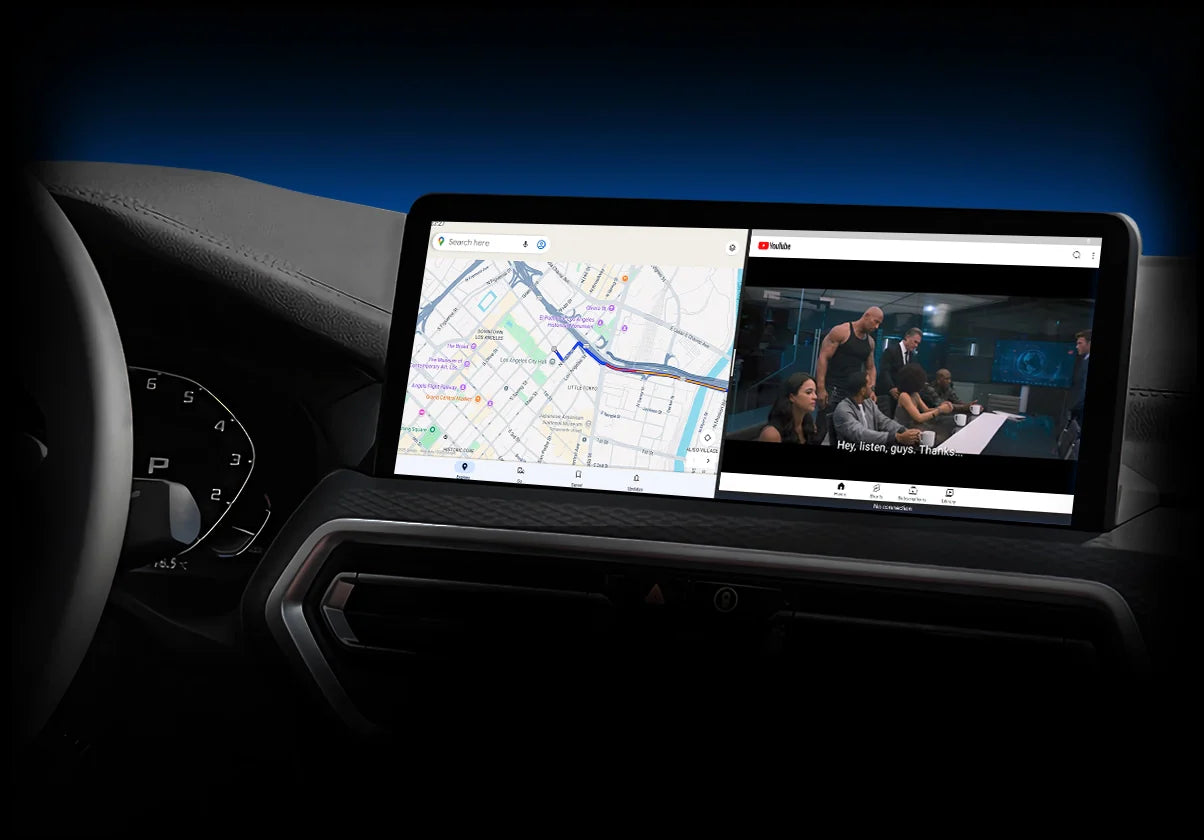
An AI/video box is a different product category in practical use. It may run its own software and apps, while also offering wireless CarPlay or Android Auto. App availability, network behavior, controls, updates, and vehicle compatibility vary by model.
The names are not used consistently across the market. Read the product’s actual feature list and compatibility requirements instead of assuming that every “wireless adapter” has video capability.
Which type fits your use case?
| What you want | Product type to investigate | First check |
|---|---|---|
| Use CarPlay without plugging in the phone | Basic wireless CarPlay adapter | Factory wired CarPlay and the correct USB data port |
| Use video apps on the vehicle display while parked | Compatible AI/video box | Video-app support, vehicle compatibility, network, and safety limits |
| Add CarPlay to a vehicle with no CarPlay | Neither type is automatically suitable | Check the head unit and a compatible retrofit solution |
Features that matter in a CarPlay YouTube adapter
Compatibility and app support
Look for a clear compatibility process, not only a brand list. Confirm whether the device expects factory wired CarPlay, factory wired Android Auto, or another connection. Then confirm that the exact video apps you want are supported on the current software version.
Apple’s CarPlay documentation describes compatible third-party apps such as audio, navigation, messaging, and voice-calling apps. Video capability is a separate, supported-vehicle feature, so a normal CarPlay app list should not be treated as proof that YouTube will play.
Connection, power, and setup
Check the included cable types, the vehicle USB port, the first-pairing steps, and whether the box needs a phone hotspot or another internet connection. A product can be technically compatible and still fail if it is plugged into a charge-only port or if the phone remains paired to the wrong Bluetooth device.
Updates, support, and return terms
Compatibility can depend on the car’s head unit, phone software, and the device firmware. Before buying, confirm where firmware updates are provided, how support handles a failed pairing, and whether the current sale or final-sale terms limit returns.

Where CARLUEX AIR fits
What the official product page states
The current CARLUEX AIR product page describes wireless CarPlay and Android Auto, and lists YouTube, Netflix, and Hulu access as product features. It also states that compatible factory wired CarPlay or factory wired Android Auto is required and that aftermarket head units are excluded.
These are manufacturer product claims, not independent test results. Use the page as the starting point for current feature and compatibility information, then check your own vehicle and the latest instructions before purchase.
What you still need to verify for your car
Confirm the exact vehicle and head-unit configuration, the USB data port, the phone and operating system, the network needed for streaming, and the current return or final-sale terms. If any of these are unclear, contact support before ordering.
How to set up the adapter
Connect while parked
- Park safely and turn on the infotainment system.
- Disconnect other phones or adapters that may try to claim the same CarPlay connection.
- Connect the adapter to the vehicle’s known CarPlay USB data port.
- Follow the product instructions to pair Bluetooth and Wi-Fi, or to complete the AI box’s initial setup.
Pair and test the core functions
First test ordinary CarPlay, audio, steering-wheel controls, and reconnection after restarting the car. If the product supports video apps, test them only while the vehicle is safely parked. Do not use one successful pairing to claim that every vehicle or phone combination will behave the same way.
Troubleshoot before assuming the adapter is defective
- Try the original cable in the same USB port to confirm that the port carries CarPlay data.
- Remove old Bluetooth and CarPlay pairings, then pair the adapter again.
- Check that the phone has an active data connection if the app needs streaming access.
- Check the product’s current firmware and instructions.
- If the car has native wireless CarPlay or an aftermarket head unit, re-check whether the product supports that configuration.

Safe use: video is for parked vehicles
Do not watch video while driving
Apple’s CarPlay developer guidance describes video apps as a feature for supported cars when parked and emphasizes staying focused on the road. Keep YouTube, Netflix, and other video playback for a safely parked vehicle. Never watch a video while the vehicle is moving, and do not use a workaround to defeat a safety lockout.
Use audio and navigation features while moving
While driving, use permitted audio, navigation, and hands-free communication features through the vehicle’s controls. Passengers can manage entertainment only when that use does not distract the driver. For more context, see our YouTube on CarPlay guide and streaming safety guide.
FAQ
Do CarPlay YouTube adapters work in any car?
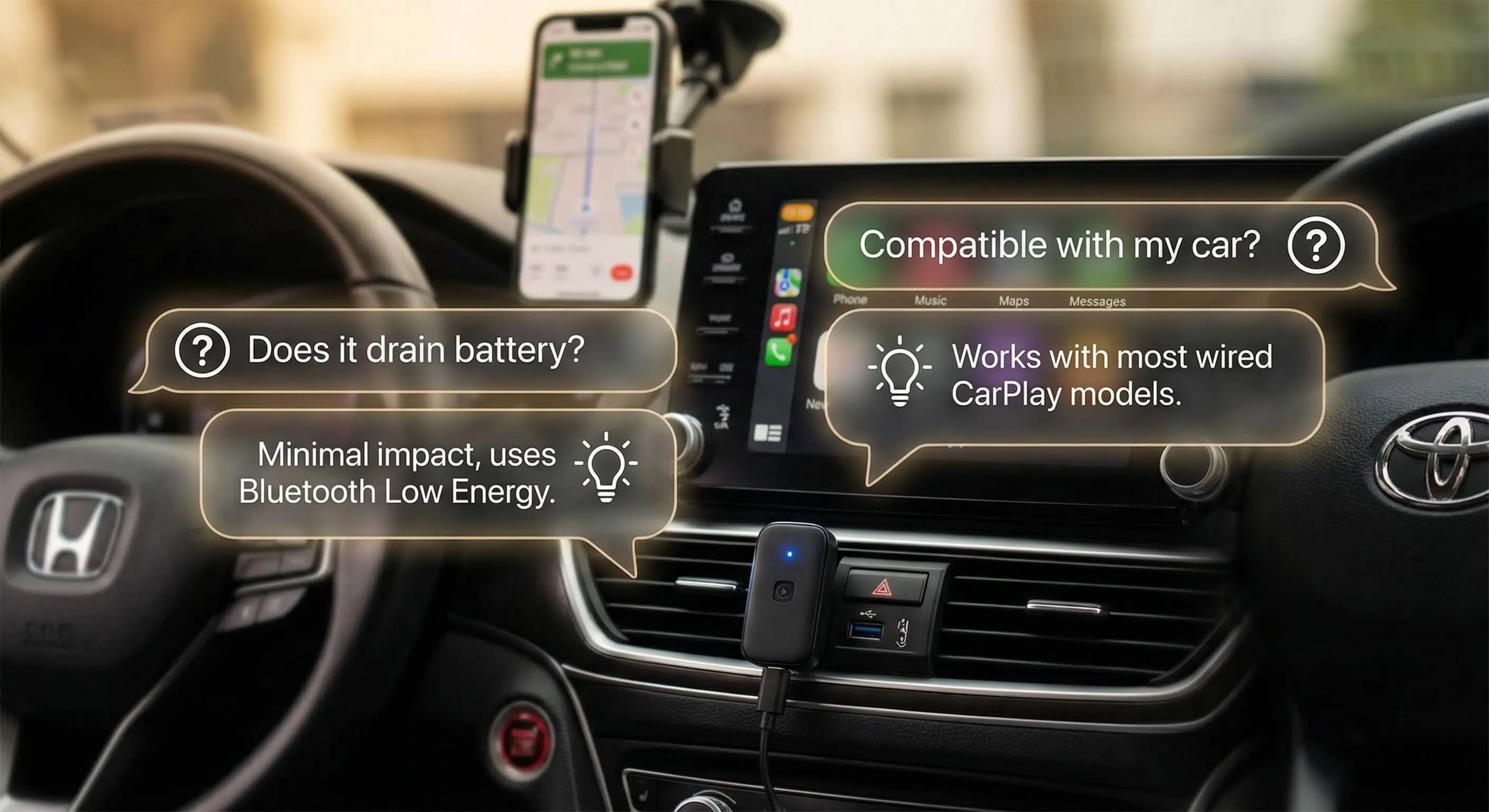
No. Compatibility depends on the car’s existing CarPlay or Android Auto connection, the head unit, the USB data port, the phone, and the specific product. Start with the vehicle’s exact model-year configuration and the product’s compatibility list.
What is the difference between a wireless CarPlay adapter and an AI box?
A basic wireless adapter mainly removes the cable from a compatible wired CarPlay connection. An AI box may add its own software and video-app capability. The two names are not interchangeable, so check the actual product features.
Can I watch YouTube on Apple CarPlay while driving?
No. Video should be used only when the vehicle is safely parked and the system supports the feature. Do not watch YouTube or other video while driving.
What should I check before buying?
Check factory wired CarPlay or Android Auto, the USB data port, exact vehicle and head-unit compatibility, phone and operating-system requirements, network needs, app support, firmware updates, and current support and return terms.
How do I set up a CarPlay YouTube adapter?
Park first, connect the device to the correct USB data port, follow the model’s Bluetooth/Wi-Fi or AI box setup steps, and test ordinary CarPlay before testing any video feature. Use the product manual for model-specific menus.
Does a basic wireless CarPlay adapter add YouTube?
Usually not. Basic wireless adapters and video-capable AI boxes serve different purposes. Only treat YouTube support as available when the specific product page and compatible vehicle requirements say so.

Official Sources Used
- Apple Support: CarPlay setup and compatibility
- Google Android Auto Help: Get started with Android Auto
- Apple User Guide: Use other apps with CarPlay
- Apple Developer: CarPlay
Bottom line: the best CarPlay YouTube adapter is the one that matches your car’s existing connection and your actual use case. Confirm compatibility first, distinguish wireless adapters from AI/video boxes, and keep video playback limited to a safely parked vehicle.


Lasă un comentariu
Acest site este protejat de hCaptcha și hCaptcha. Se aplică Politica de confidențialitate și Condițiile de furnizare a serviciului.