

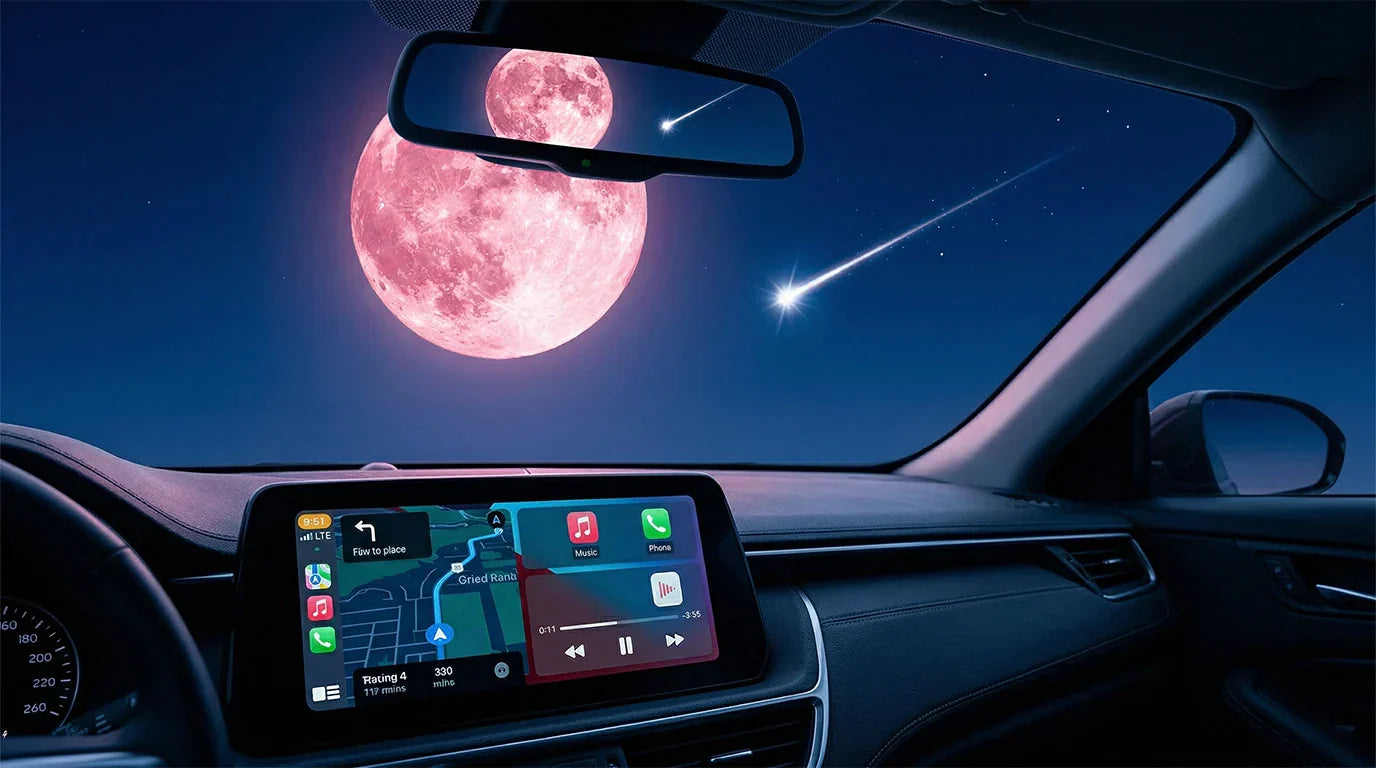
You can have a special drive under the April Pink Moon and Lyrids meteor shower if you use a wireless CarPlay and Android Auto adapter. Driving at night can be hard but also exciting, especially during cool sky events. This adapter helps you stay connected and pay attention. You can listen to music, use maps, and stay safe without any wires. CARLUEX AIR makes wireless CarPlay work in any car with a USB port. Browse CARLUEX wireless adapters to find the right fit for your car.
Get ready now. Set up your adapter before the full moon comes up. Enjoy easy connections and fun on your pretty drive.
What About Key Takeaways?
-
Plug your wireless CarPlay and Android Auto adapter into your car’s USB port. Pair your phone with Bluetooth and Wi-Fi for a fast, wireless connection.
-
Use voice commands and night mode to stay safe at night. This helps you focus when driving under the Pink Moon and meteor shower.
-
Listen to music, podcasts, and watch 4K videos without wires. Use split-screen mode to see maps and media together.
-
Plan your night drives by picking dark-sky roads. Change your screen brightness and use hands-free calls and safety alerts to stay awake.
-
Keep your adapter working well by updating its firmware often. Restart your devices if you have problems and ask for help if you need it.
How Do I set up your wireless CarPlay and Android Auto adapter?
Initial installation steps

You can set up your wireless carplay and android auto adapter in just a few minutes. First, plug the adapter into your car’s USB port that supports CarPlay or Android Auto. This step lets your adapter connect directly to your car’s system. Next, turn on your car’s head unit and wait for the adapter to power up. On your dashboard, you will see the CARLUEX OS 2.0 system start.
Follow these steps to connect your phone:
-
Open Bluetooth on your phone.
-
Find the adapter’s name in the Bluetooth list and tap to pair.
-
Make sure Wi-Fi is on.
-
For iPhone, open the CarPlay app on the dashboard. For Android, tap the Android Auto button.
-
Your phone will connect, and the system will launch CarPlay or Android Auto.
Tip: Keep your phone close to the adapter during setup for a stronger connection.
Bluetooth and Wi-Fi connection tips
A stable connection keeps your drive smooth and safe. You should always update your adapter’s firmware to get the best performance. Place your phone near the car’s infotainment system to boost the signal. Use the 5GHz Wi-Fi band if your car supports it. Disconnect other devices from the car’s Wi-Fi to avoid slowdowns.
-
Pair your devices correctly and keep them close.
-
Close background apps on your phone.
-
Adjust settings like ‘Media Delay’ for better sound and video sync.
-
If you notice any lag, restart your phone and the adapter.
Note: Regular updates fix bugs and improve your wireless carplay and android auto adapter’s performance.
First-time screen calibration
Screen calibration helps your touch controls work perfectly. When you use your wireless carplay and android auto adapter for the first time, the system will ask you to calibrate the screen. Follow the on-screen instructions to touch each point as shown. After calibration, restart the system. This step ensures your touch commands respond quickly and accurately.
Remember: Calibration and a quick restart are normal for first-time use. This process helps your adapter work smoothly with your car’s touchscreen.
What navigation and safety features help during the full moon?
Real-time navigation for night drives
You need good directions when you drive under the Pink Moon or watch the Lyrids meteor shower. Your wireless CarPlay and Android Auto adapter uses three types of satellites: GPS, BeiDou, and Galileo. These satellites help you get the right directions, even if you are far from the city. This keeps you from getting lost at night. The system changes maps and routes as you drive, so you always see the newest roads.
Over-the-air updates make sure your navigation apps are always up to date. This is important for safe driving at night. You can trust your device to help you find your way on new roads and pretty drives while you enjoy the sky.
Voice commands for hands-free control

Voice commands make driving safer and easier. You can use Siri or Google Assistant to help you with directions, play music, or send messages. You do not have to take your hands off the wheel. This helps you pay attention to the road and not get distracted. Here are some good things about using voice commands: You keep your hands on the wheel and your eyes on the road. You can change music, get directions, and answer calls without touching the screen. Use Siri for CarPlay or Google Assistant for Android Auto. You get to use features quickly and safely. Over-the-air updates make voice commands better by adding a new voice engine and blocking out background noise. The table below shows how these updates help:
|
Feature |
Description |
|---|---|
|
New Voice Engine |
Uses machine learning to make your voice clearer and easier to understand. |
|
Background Noise Isolation |
Makes your voice easier to hear by blocking out car and wind noise. |
Night mode and safety alerts
Night mode and safety alerts help you drive safely during the Pink Moon and Lyrids. The screen gets dimmer when it is dark, so your eyes do not hurt. You can use voice commands to control the system without looking away from the road. You can set limits for driving mode and turn on important notifications to stop distractions.
Studies show that night vision systems with warnings help drivers see danger faster, especially when they use sound or touch alerts. This means you can see people or things in the road sooner and stay safer. Always use these features to help you focus during your night drives.
How can a wireless CarPlay and Android Auto adapter enhance entertainment?
Streaming music and podcasts
You can make your car feel like a concert or a podcast studio with a wireless CarPlay and Android Auto adapter. This device lets you play music, podcasts, and videos from apps like Spotify, Apple Music, YouTube, and Netflix. You do not need any cables. You can listen to your favorite songs or catch up on podcasts while driving.
You can also watch videos when parked to see the meteor shower. The adapter works like a small computer in your car. It gives you access to many apps from the Play Store.
|
Feature |
Description |
|---|---|
|
Watch Netflix and YouTube right on your car’s screen. |
|
|
In-Car Computer |
Download apps for music and fun in your car. |
|
Wireless Connectivity |
Listen to music and podcasts without plugging in your phone. |
Tip: Park your car during the Lyrids meteor shower. Play relaxing music and enjoy the Pink Moon.
Split-screen for navigation and media

Split-screen mode lets you see maps and entertainment at the same time. For example, you can keep Google Maps on one side. You can have YouTube or Spotify on the other side. This helps you follow your route while listening to music. You can watch videos when parked. The wireless CarPlay and Android Auto adapter supports 4K video. You get clear and bright pictures. The big HD screen and auto-brightness make it easy to see at night.
|
Feature Description |
Benefit |
|---|---|
|
4K Video Support |
Watch sharp videos while parked. |
|
Large HD Display |
See maps and media clearly. |
|
Auto-Brightness |
Screen changes brightness for night drives. |
Hands-free calls and messaging
You can stay safe and connected by using hands-free calls and messaging. The adapter lets you use Siri or Google Assistant to make calls or send texts. You do not have to touch your phone. This keeps your hands on the wheel and your eyes on the road. Studies show hands-free tech helps you avoid holding your phone. This lowers distractions. But remember, talking still needs your attention.
-
Hands-free calls help you focus on driving.
-
Messaging by voice keeps your eyes on the road.
-
Use voice assistants for safer communication.
What to consider for full moon and meteor shower drives?
Adjusting to Pink Moon lighting
You need to adjust your eyes and your car’s screen for the Pink Moon’s glow. The full moon can make the night brighter, so your dashboard and navigation screen should not be too harsh. Night mode on your wireless carplay and android auto adapter dims the display and reduces glare. This helps you see the road and the sky without hurting your eyes.
You can use auto-brightness settings to match the changing light. If you plan to watch the moon or meteors, lower your screen brightness and avoid using bright lights inside the car.
Tip: Use a red light headlamp to preserve your night vision while skywatching.
Planning scenic routes for skywatching
You can plan the best routes for meteor shower viewing by using smart navigation tools. Your adapter gives you shortcuts to Google Maps and lets you pin apps for quick access. Choose dark-sky locations away from city lights. Check weather forecasts to avoid cloudy skies. Arrive early so your eyes adjust to the darkness.
-
Look for areas with low light pollution.
-
Use navigation to find safe parking spots.
-
Bring a blanket and snacks for comfort.
-
Avoid using bright screens during peak meteor times.
Arriving early helps you settle in and enjoy the show.
|
Skywatching Tips |
Why It Matters |
|---|---|
|
Dark-sky locations |
Better meteor visibility |
|
Weather check |
Clear skies for viewing |
|
Early arrival |
Eyes adjust to darkness |
Staying alert to nighttime hazards
You must stay alert during long night drives. Entertainment features in your adapter help you stay awake. Listen to music or podcasts to keep your mind active. Some cars use alertness systems that watch your driving and suggest breaks if you get tired. These gentle reminders help you avoid accidents.
-
Take breaks if you feel sleepy.
-
Use hands-free calls to stay connected.
-
Keep snacks and water handy.
-
Watch for wildlife and sudden changes in the road.
Staying alert keeps you safe and lets you enjoy the Pink Moon and Lyrids meteor shower.
How Do I troubleshoot and optimize your adapter?
Fixing common connection issues
You can fix most connection problems with easy steps. Many drivers have trouble with Wi-Fi confusion or phone updates. Sometimes, other devices cause problems too. Your phone might connect to an old hotspot and break the link. Too many devices can make dead spots. Low battery or heat can slow things down. If your head unit and adapter do not match, you might have problems.
-
Put your phone close to the adapter.
-
Restart your phone and the adapter.
-
Remove other Wi-Fi networks from your phone.
If you still have problems, turn off other 2.4 GHz devices in your car.
Updating firmware and apps
You keep your wireless carplay and android auto adapter working well by updating firmware and apps. Updates fix bugs and make features better. They also help keep your device safe. You do not need to go to a shop. Over-the-air updates let you get new features right in your car.
-
Open the Software Update app on your dashboard.
-
Tap "Check for Update" to look for new firmware.
-
Download and install updates for both the Android system and CarPlay/Android Auto module.
Regular updates help your adapter work better and add new things.
Using after-sales support and log uploads
You can get more help if you need it. The adapter lets you send system logs for remote help. After-sales support can check these logs and fix hard problems. To send logs, tap "Settings," scroll down, and pick "Upload log." Tell support when you sent the log for faster help.
|
Support Feature |
What It Does |
|---|---|
|
Log Upload |
Sends device info for checking |
|
OTA Updates |
Fixes bugs and adds new things |
|
After-Sales Support |
Gives expert help |
Use these tools to keep your adapter working its best.
You can have a great night drive if you set up your wireless CarPlay and Android Auto adapter before the Pink Moon and Lyrids meteor shower. This device helps you find your way, listen to music, and make safe hands-free calls. Try these ideas for a fun and safe trip under the stars. If you want the best time, pick a high-performance adapter like the 2.0 product.
Enjoy the beauty of the night sky with smart tools and easy steps.
FAQ
How do you connect your phone to the wireless CarPlay and Android Auto adapter?
You connect your phone by turning on Bluetooth and Wi-Fi. Pair your phone with the adapter. Open the CarPlay or Android Auto app on your dashboard. This method works for both iPhone and Android. Always keep your phone close for a strong signal.
Can you use the adapter during long drives at night?
Yes, you can use the adapter for long night drives. The device supports night mode and safety alerts. These features help you see better and stay focused. Experts recommend using hands-free controls for safer driving. Set up voice commands before your trip.
What should you do if the adapter loses connection?
If the adapter loses connection, restart your phone and the adapter. Remove other Wi-Fi networks from your phone. Check for firmware updates. Most problems fix quickly with these steps. Support teams suggest updating your device often for best results.
Is it safe to watch videos while parked under the Pink Moon?
You can safely watch videos when your car is parked. The adapter supports 4K video playback. Always park in a safe spot before watching. Astronomers say watching the sky is best with screens dimmed. Lower your screen brightness to protect your night vision.
How do you update the adapter’s software?
You update the adapter’s software by opening the Software Update app on your dashboard. Tap "Check for Update" and follow the prompts. Over-the-air updates keep your device secure and add new features. Experts advise checking for updates every month.


Commenta
Nota che i commenti devono essere approvati prima di essere pubblicati.
Questo sito è protetto da hCaptcha e applica le Norme sulla privacy e i Termini di servizio di hCaptcha.