

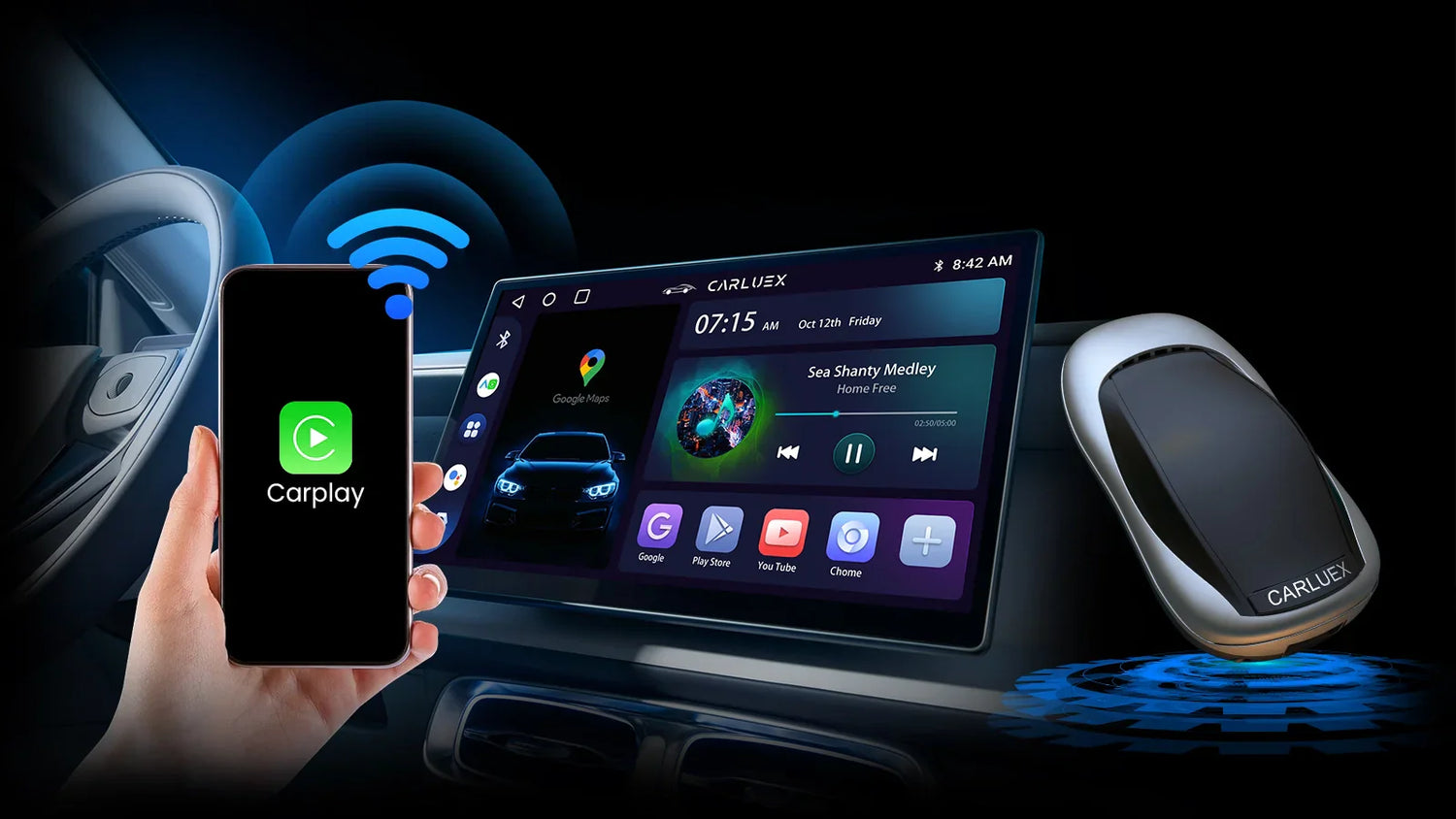
When you choose a bluetooth car adapter, check if it works with your car. Make sure it has good sound. It should let you call without using your hands. Look for ways to charge your devices. The connection should stay strong. Decide what matters most to you. Maybe you want wireless CarPlay or music streaming. Many people say connections can drop or details are missing. Read reviews and pick features that fit how you drive. CARLUEX AIR makes wireless CarPlay work in any car with a USB port. Browse CARLUEX wireless adapters to find the right fit for your car.
What About Key Takeaways?
-
Make sure the adapter works with your car’s audio input and your phone’s system before you buy a Bluetooth car adapter.
-
Pick an adapter that has good audio codecs like AAC or aptX. This will help you get better sound when you play music or make calls.
-
Find features like hands-free calling and voice assistant support. These features make driving safer and easier for you.
What About Choosing a Bluetooth Car Adapter?
Compatibility with Car and Devices
You want your bluetooth car adapter to work right out of the box. Here’s how you can check if an adapter fits your car and phone:
-
Look at your car’s audio input. Does your car have an AUX port, USB port, FM radio, or even a cassette slot? Pick an adapter that matches your car’s setup.
-
Check if the adapter supports your phone’s operating system. Some adapters only work with iPhones, while others support Android. Make sure your phone is on the list.
-
See which Bluetooth version and audio codecs the adapter uses. Newer versions give you better sound and a stronger connection.

Not all adapters connect the same way. Here’s a quick look at the main types:
|
Adapter Type |
How It Connects to Your Car |
Example Device |
|---|---|---|
|
Aux Input Receiver |
Plugs into 3.5mm jack |
JOYROOM Bluetooth 5.4 AUX Car Adapter |
|
FM Transmitter |
Sends audio to your FM radio |
Anker Soundsync A3352 |
|
USB Adapter |
Uses your car’s USB port |
Motorola MA1 Wireless Car Adapter for Android Auto |
|
Cassette Adapter |
Fits into cassette slot |
N/A |
If you want something that works with almost any car and phone, check out adapters like CARLUEX LINK and GO. They support both Apple and Android, and they connect fast.
Supported Platforms (Apple CarPlay, Android Auto)
You might want to use Apple CarPlay or Android Auto for maps, music, or calls. Some bluetooth car adapters only support one platform. Others, like CARLUEX LINK and GO, let you use both. This means you can switch phones or share your car with family and friends.
Here’s a quick comparison:
|
Feature |
CARLUEX LINK & GO |
Other Adapters |
|---|---|---|
|
Supports |
Apple CarPlay & Android Auto |
Sometimes only one platform |
|
Connection Speed |
Fast and reliable |
Can be slow |
|
User Experience |
Seamless wireless connection |
May disconnect or lag |
When you pick a bluetooth car adapter, always check if it matches your car and your phone. This way, you get the best driving experience.
What About Audio Quality Matters?

Sound Performance and Codecs
Not every adapter sounds the same. The audio codec your adapter uses can change your music. Here are some common codecs you may find:
-
SBC: This is the basic choice. It works with almost all devices but gives just okay sound.
-
AAC: This codec is best for iPhone users. It keeps music sharp and clear.
-
aptX: This one is good for Android phones. It sounds better than SBC and works fast.
You can use this table to see how each codec helps your listening:
|
Codec |
Description |
|---|---|
|
AAC |
Great for iOS users, it keeps music clear and does not lose much quality. |
|
aptX |
Gives sound close to CD quality and works with many Android devices. |
|
LDAC |
Plays high-quality audio at up to 990 kbps, good for people who love great sound and have the right devices. |
If you care about sound, pick adapters that use AAC or aptX.
Noise Reduction and Interference
No one likes buzzing or static when driving. Some adapters, like FM transmitters, can get noise from other radio signals. This can make your music sound bad. Good adapters use noise-canceling to block road noise and keep your music clean. Bluetooth 5.3 also helps by making the connection strong and the sound clear.
Tip: Pick an adapter with good noise reduction if you want the best sound, especially on long drives.
What About Connectivity Options?
FM Transmitter vs AUX-In
When you look at ways to connect your music, you might see FM transmitters and AUX-In options. FM transmitters send your music to your car’s radio using a special radio frequency. You just tune your car radio to match the transmitter. This works in almost any car with a radio. Sometimes, though, you might hear static or interference from other stations. That can make your music sound fuzzy.
AUX-In adapters plug right into your car’s 3.5mm audio jack. This gives you a direct line for sound. You get clearer audio and less noise. If your car has an AUX port, you might like this option better. It feels simple and reliable.
Tip: If you want the best sound, try to use AUX-In. FM transmitters are good if your car does not have an AUX port.
USB and Wireless Connections
You can also connect with USB or wireless Bluetooth. USB adapters plug into your car’s USB port. They often charge your phone while playing music. Wireless connections let you pair your phone without any cables. This feels neat and easy.
Check out this table to see how USB and wireless options compare:
|
Feature |
Description |
|---|---|
|
Bluetooth Version |
Bluetooth 5.4 gives you fast pairing and clear, stable audio. |
|
USB Type |
USB-C ports move data and charge faster than USB-A. |
|
Audio Quality |
Bluetooth 5.4 streams high-quality sound from many media sources. |
|
Connection Stability |
Bluetooth 5.0 or higher keeps your calls and music steady and smooth. |
When you pick a bluetooth car adapter, think about how you want to connect. Choose the option that fits your car and your style.
What About Ease of Use?
Simple Pairing and Reconnection
You want your Bluetooth car adapter to be easy. Pairing should not be hard. It should work even if you are new to it. Many adapters now pair quickly and reconnect by themselves. When you start your car, the adapter remembers your phone. It connects right away. You do not need to press buttons or wait long.
Check this table to see what makes pairing simple:
|
Feature |
Description |
|---|---|
|
Simple Interface |
Lets you pair devices in just a few steps |
|
Auto On/Off |
Turns on and connects when you start the car |
|
Easy Connection |
Finds your phone and reconnects automatically |
|
Connects fast for Apple CarPlay/Android Auto |
|
|
Remembers Last Device |
No need to set up again every drive |
Adapters like CARLUEX LINK and GO use Wi-Fi to pair fast. They reconnect to your phone as soon as you turn on the car. You can share your car with family. Everyone’s device connects easily.
Tip: Pick adapters that pair and reconnect by themselves. This saves time and keeps your drive easy.
User Controls and Interface
You want controls that are simple and easy to reach. Many adapters have big buttons for calls or skipping songs. Some let you use your steering wheel to control music. Touch controls and built-in microphones help you make hands-free calls.
Here are some features that help you:
-
Device pairing steps for quick connection
-
Remote control of music from your car stereo
-
Works with Bluetooth protocols like A2DP and AVRCP for smooth streaming and control
|
Profile |
Functionality |
|---|---|
|
A2DP |
Streams good stereo audio to your car |
|
AVRCP |
Lets you play, pause, skip tracks, and change volume |
Some adapters have one-touch bass boost and touch controls. You can enjoy music, answer calls, and change tracks easily. The right controls make every drive more fun.
What About Hands-Free and Voice Features?

Calling Capabilities
Staying safe while driving is important. Hands-free calling helps you do that. Bluetooth car adapters let you answer calls easily. You can tap a button or use your voice. Many adapters have microphones built in. These microphones hear your voice well, even if your car is loud. Some adapters use noise-cancellation. This blocks road sounds and wind. Your calls sound clear.
Look at this table to see how these features help you drive safer:
|
Feature |
Description |
Safety Benefit |
|---|---|---|
|
Integrated Microphones |
Lets you talk clearly, hands stay on the wheel |
Less distraction, no need to grab your phone |
|
Noise-Cancellation Tech |
Stops road and wind noise during calls |
Calls are clearer, you focus on driving |
|
Voice Assistant Access |
Lets you dial and sync contacts with your car system |
Fewer distractions, follows driving safety laws |
Tip: Pick an adapter with a good microphone and noise-cancellation. You will hear and be heard better, even on busy roads.
Voice Assistant Support
You can do more than just call people. Bluetooth car adapters often work with voice assistants like Siri or Google Assistant. You press a button or say a command. Your phone answers you. You do not need to look at your phone. You can ask for directions, play music, or send a text. This keeps your hands on the wheel and your mind on driving.
-
Ask for directions without touching your phone
-
Play your favorite playlist with your voice
-
Send quick messages safely
Voice assistant support makes your drive easier and safer. You get convenience and peace of mind every time you drive.
What About Power and Charging?
Built-In Charging Ports
You probably use your phone for music, maps, and calls while you drive. That means your phone’s battery can drop fast. Many Bluetooth car adapters come with built-in charging ports. These let you keep your devices powered up on the go. Some adapters have USB-A ports, while others use USB-C for faster charging. You might even find adapters with more than one port, so you can charge your phone and a friend’s device at the same time.
Here’s what you get with built-in charging ports:
-
Charge your phone while streaming music or using navigation.
-
Share a port with passengers who need a quick boost.
-
Enjoy faster charging speeds with USB-C.
Tip: If you travel a lot or use your phone for long drives, pick an adapter with multiple charging ports. You won’t have to worry about running out of battery.
Power Source and Battery Life
Bluetooth car adapters get their power in different ways. Some plug into your car’s cigarette lighter or USB port. Others have built-in rechargeable batteries. Each type has its own benefits.
Check out this table to see how the power source affects your experience:
|
Power Source Type |
Impact on Battery Life and Convenience |
|---|---|
|
Hardwired or Cigarette Lighter-Powered |
Stay charged as long as your car is running—great for daily drivers and road trips. |
|
Rechargeable Battery Models |
Easy to move between cars, but you need to remember to charge them. Look for 10–15 hours. |
|
Auto-Sleep & Quick Charge |
Saves energy by turning off when not in use. Quick recharge means your adapter is ready fast. |
You want an adapter that fits your driving style. If you drive every day, a hardwired model keeps things simple. If you switch cars often, a battery-powered adapter gives you more freedom.
What About Extra Features?
Multi-Device Pairing
You probably use more than one device in your car. Maybe you have a work phone and a personal phone. Multi-device pairing makes your life easier. With Bluetooth Multipoint technology, you can connect two or more devices at the same time. You can play music from your tablet and still answer calls from your phone without switching anything. This saves you time and keeps your drive smooth.
Here’s why you’ll love multi-device pairing:
-
Listen to music from one device while taking calls from another.
-
No need to disconnect and reconnect every time you switch devices.
-
Share the connection with friends or family on a road trip.
-
Most adapters remember up to seven devices, so everyone can join in.
You can pair several devices, but usually, two can stay active at once. This means you can swap between music and calls without missing a beat.
Streaming and Entertainment Apps
Long drives can get boring. Some Bluetooth car adapters now support streaming apps like YouTube and Netflix. For example, the CARLUEX GO lets you watch videos or stream music right on your car’s screen. You just need to connect your adapter to a hotspot. This works best in cars with Apple Wired CarPlay from 2016 or newer and iOS 10 or above.
Here’s what you get with streaming apps:
-
Watch your favorite shows while parked.
-
Keep kids entertained on road trips.
-
Enjoy music videos or podcasts on a bigger screen.
Tip: Always use streaming apps safely. Watch videos only when parked, and let passengers enjoy the entertainment while you focus on driving.
Adapters with these extra features turn your car into a smart entertainment hub. You get more fun and less stress on every drive.
What About Price and Warranty?
Value for Money
You want the best deal when you buy a Bluetooth car adapter. Prices can change a lot based on what you need. Some adapters cost less, but they only give you basic features. Others cost more, but they offer faster Bluetooth, better sound, and more apps. Take a look at this table to see how price matches up with features:
|
Feature |
Basic Adapters ($10–$25) |
Mid-Range Adapters ($25–$60) |
Premium Adapters ($60–$120+) |
|---|---|---|---|
|
Bluetooth Version |
4.0 |
4.2 |
5.0 or higher |
|
App Compatibility |
Basic apps |
Most popular apps |
All major & pro apps |
|
Advanced Features |
Simple music/calls |
Live data, freeze frame |
Multi-system, streaming, more |
|
Best For |
Simple needs |
Everyday drivers |
Tech fans, families |
If you want smooth streaming and lots of features, you may want to spend a bit more. You get better sound, faster pairing, and more ways to use your car’s screen.
Warranty and Support
You want your adapter to last. Good brands give you a warranty, so you feel safe if something goes wrong. Some, like UNBREAKcable, offer a 36-month warranty. That means you get three years of coverage.
Here are some things to look for:
-
Choose brands that answer questions fast—some reply in less than 9 hours.
-
Make sure you know how long the warranty lasts.
-
Check if the company helps with returns or repairs.
-
Pick suppliers with a good record for delivery and after-sales support.
Tip: Always read the warranty details before you buy. Good support makes your experience much better if you ever need help.
You want a Bluetooth car adapter that works well in your car. Experts say these features are important:
|
Feature |
Why It Matters |
|---|---|
|
Audio Codecs |
You get better sound for music and calls |
|
Bluetooth Version |
Your connection is stronger and faster |
|
Power Source |
Charging and setup are easy |
|
Hands-Free Calling |
You drive safer |
|
Multi-Device Pairing |
You can share with friends or family |
Before buying, use this checklist:
-
Try your car’s aux input to see if it works
-
Make sure your phone uses the right audio codec
-
Check if your car’s power socket stays on when parked
-
Read reviews about connection problems and heat issues
-
Look for cables that come with the adapter
-
See if you can get updates for your adapter
Pick features that match your car and your driving style. Always check the warranty and support so you are protected.
FAQ
How do I know if a Bluetooth car adapter works with my car?
Check your car’s audio input. Look for AUX, USB, or FM radio. Read the adapter’s compatibility list before you buy.
Can I use my phone’s voice assistant with a Bluetooth car adapter?
Yes! Most adapters let you use Siri or Google Assistant. Just press the button on the adapter and speak your command.
What should I do if my adapter keeps disconnecting?
Try these steps:
Move your phone closer to the adapter.
Restart both devices.
Check for interference from other electronics.



Leave a comment
All comments are moderated before being published.
Ezt a webhelyet a hCaptcha rendszer védi, és a hCaptcha adatvédelmi szabályzata, valamint szolgáltatási feltételei vonatkoznak rá.