

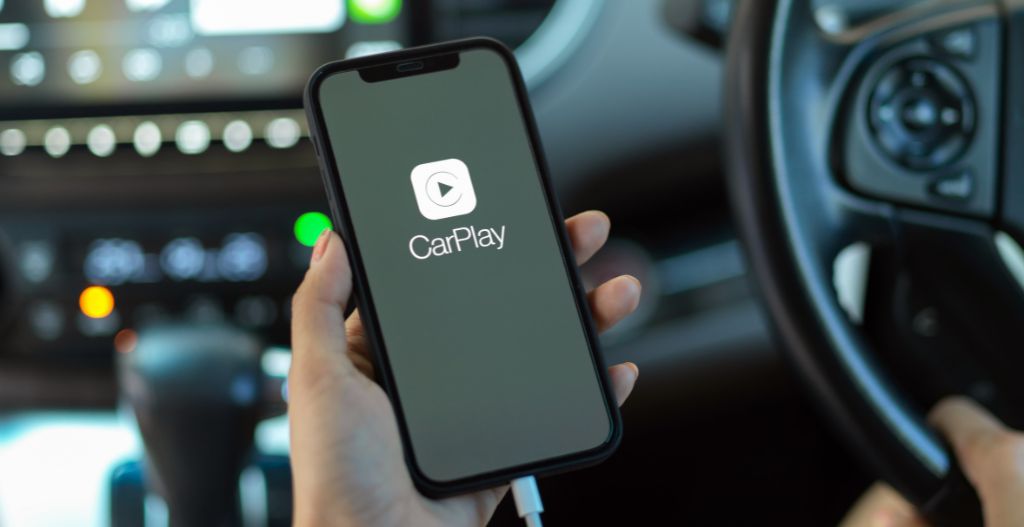
These 16 CarPlay apps cover everything you need on the road — navigation, music, audiobooks, messages, and more — all controllable hands-free through Siri or your car's touchscreen. Apple CarPlay works with iPhone 5 and later running iOS 7.1 or later (iOS 17 recommended), mirroring your iPhone's apps on your car's display. Whether you're using a wired connection or a wireless adapter like the CARLUEX AIR, these apps transform your drive. Source: Apple Support
What Are the Best Apple CarPlay Apps to Download?
The following 16 apps are tested and work reliably on CarPlay. They fall into four categories:
- Navigation — Google Maps, Waze, Apple Maps
- Music & Audio — Spotify, Apple Music, Pandora, Amazon Music, YouTube Music, Tidal, iHeartRadio, TuneIn Radio, SiriusXM, BBC Sounds, Audible, Overcast
- Messaging — WhatsApp, native Messages
- Specialty — Netflix (read below for important limits)
1. Google Maps — Best Free Navigation
Google Maps is the most popular CarPlay navigation app. It provides real-time traffic updates, turn-by-turn directions, and incident reports. Key features:
- Real-time traffic rerouting to avoid delays
- Search for restaurants, gas stations, and points of interest
- One-tap navigation to saved Home and Work locations
- Integration with your Google account for past searches
Download: Free from the App Store. Works on CarPlay immediately after installation.
2. Spotify — Best Music Streaming
Spotify's CarPlay integration gives you access to 100+ million songs, curated playlists, and podcasts. Use Siri ("Play [song name]") or the CarPlay touchscreen. Key features:
- Voice control: "Hey Siri, play my Discover Weekly"
- Browse recently played, made-for-you playlists, and podcasts
- Download playlists for offline listening with Premium
- CarPlay Now Playing widget shows album art and controls
Download: Free tier available; Premium removes ads ($10.99/month). App Store link.
3. Waze — Best Community-Driven Navigation
Waze stands out with its crowd-sourced data — real drivers report police traps, accidents, and road hazards in real time. It's especially useful on long trips. Key features:
- Live community alerts: police, accidents, road closures, speed traps
- Optimized route based on real-time traffic conditions
- Fuel prices displayed at nearby gas stations
- One-tap Navigate to Home or Work
Download: Free from the App Store.
4. Apple Music — Best for iPhone Integration
If you're deep in the Apple ecosystem, Apple Music is the most seamless CarPlay option. 100+ million songs, Spatial Audio, and zero setup. Key features:
- Automatically syncs with your existing library and playlists
- Spatial Audio with Dolby Atmos on compatible tracks
- "Hey Siri" plays any song, album, or playlist hands-free
- Live Radio stations integrated into the app
Subscription: $10.99/month (individual). Comes free with Apple One plans.
5. Audible — Best for Audiobooks on Long Drives
Audible is the go-to app for audiobooks, perfect for commutes and road trips. It works natively on CarPlay. Key features:
- Carry thousands of audiobooks in your pocket
- Chapter navigation and 30-second skip forward/back
- Whispersync syncs reading position across Kindle and Audible apps
- Offline listening — no signal needed on long drives
Subscription: First book free; $14.95/month thereafter. App Store link.
6. WhatsApp — Best for Hands-Free Messaging
WhatsApp on CarPlay lets you hear and respond to voice messages and text messages through Siri, keeping your hands on the wheel. Key features:
- Siri voice control: "Read my WhatsApp messages" / "Reply to WhatsApp"
- Hear voice messages played aloud automatically
- Initiate calls through voice command
- No visual distraction — purely audio interaction
Download: Free from the App Store.
7. Pandora — Free Music Radio
Pandora's music Genome Project creates personalized radio stations from a song or artist you like. The free tier is genuinely useful on CarPlay. Key features:
- Thumbs up/down trains stations to your taste
- Skip limit on free tier (but unlimited on Premium)
- Podcast integration alongside music
- Works over cellular or downloaded on Wi-Fi
Download: Free with ads; Premium removes ads ($9.99/month). App Store link.
8. Amazon Music — Prime Members Get This Free
If you have Amazon Prime, Amazon Music comes bundled with access to 100+ million songs — no extra subscription needed. It's a solid, underused CarPlay option. Key features:
- Included with Amazon Prime membership (100+ million songs)
- Download playlists for offline playback
- "Hey Siri" plays any Prime Music title
- Alexa integration for voice control
9. iHeartRadio — Live Radio and Podcasts
iHeartRadio combines live radio from 1,500+ stations with on-demand podcasts. The free tier is genuinely useful, especially for news and talk radio on long drives. Key features:
- Live AM/FM radio from US and international stations
- Myrme and other talk shows on demand
- Custom station creation from any song or artist
- News, sports, and weather updates
Download: Free from the App Store.
10. Overcast — Best Podcast Player for CarPlay
Overcast is a lightweight, free podcast app with smart features like Voice Boost (enhances audio for noisy cars) and Smart Speed (removes silences). Key features:
- Voice Boost: auto-levels and enhances volume for driving
- Smart Speed: removes silences, saves time on episodes
- Chapter skip buttons (30-second skip, perfect for ads)
- Offline download and CarPlay background playback
Download: Free from the App Store.
11. SiriusXM — Satellite Radio Nationwide
SiriusXM delivers coast-to-coast radio coverage via satellite — no internet needed. Great for road trips through rural areas with spotty cell service. Key features:
- Coast-to-coast coverage via satellite (works without internet)
- On Demand library of shows and podcasts
- SiriusXM in the car, at home, and on the app — same account
- Howard Stern, sports talk, music channels, and news
Subscription: Starts at $9.99/month. App Store link.
12. TuneIn Radio — World Radio on Your Drive
TuneIn gives you access to 100,000+ live radio stations from around the world, plus news, sports, and music streams. Free tier includes most stations. Key features:
- 100,000+ live global radio stations
- Local AM/FM stations from your area
- News (BBC, NPR, Fox News) and sports (MLB, NFL, ESPN) feeds
- CarPlay-optimized interface with easy preset access
Download: Free from the App Store.
13. Tidal — High-Fidelity Audio for Audiophiles
Tidal sets itself apart with lossless (FLAC) and Dolby Atmos music streaming — noticeably better quality than Spotify on a good car audio system. Key features:
- Lossless audio (FLAC, 44.1kHz/16-bit minimum)
- Dolby Atmos and Sony 360 Reality Audio on select tracks
- "Hey Siri" integration works seamlessly
- Offline downloads on all paid plans
Subscription: $10.99/month (HiFi) or $16.99/month (HiFi Plus). App Store link.
14. YouTube Music — Google's Music Service
YouTube Music is Google's official music streaming app, with official tracks, live performances, and remixes you won't find elsewhere. Key features:
- Official tracks, live versions, and remixes not on Spotify
- Upload your own music library (up to 500 songs)
- Mixtape and personalized recommendations
- Works offline with Premium ($10.99/month)
15. BBC Sounds — British Radio and Podcasts
BBC Sounds gives you access to BBC radio stations (Radio 1, 2, 3, 4, 5 Live, 6 Music, and more) plus exclusive podcasts — ideal for UK listeners or anyone who wants quality British audio. Key features:
- All BBC national and local radio stations live
- BRAF News, The Newsroom, and other BBC podcast exclusives
- Offline downloads of shows and podcasts
- Completely free with no subscription
Download: Free from the App Store.
16. Netflix — Read This Before Installing
Important: Netflix can be installed on iPhone, but Apple restricts video apps on CarPlay while the vehicle is in motion. When the car is parked, video may be accessible — but for safety, do not attempt to watch while driving. Source: Apple Support
If you want video content in the car, consider audiobooks (Audible, Overcast) or podcasts instead.
How Can CarPlay Apps Improve Your Driving Experience?
CarPlay apps do more than entertain — they actively make driving safer and more efficient:
- Hands-free navigation — Voice commands let you change routes without looking away from the road
- Reduced phone handling — Everything you need appears on your car's display, controllable by steering wheel buttons or Siri
- Real-time traffic awareness — Apps like Waze and Google Maps alert you to hazards before you're in them
- Entertainment without distraction — Music, podcasts, and audiobooks keep you engaged without taking your eyes off the road
- Vehicle integration — Apple Maps reads speed limits, and navigation apps display on your car's digital instrument cluster in some vehicles
Conclusion
CarPlay turns your car's infotainment system into a powerful command center for navigation, music, messaging, and entertainment. The 16 apps above cover every major use case — and with a wireless adapter like the CARLUEX AIR, you can enjoy them all without fumbling for a cable every time you get in the car. Visit the CARLUEX homepage to find the wireless CarPlay solution that fits your vehicle.
Frequently Asked Questions
How do I install CarPlay apps on my iPhone?
Open the App Store on your iPhone, search for the app name, and tap Install. The app will appear on your CarPlay screen automatically when your iPhone is connected. No additional setup is required for most apps. Source: Apple Support
Are there free apps compatible with Apple CarPlay?
Yes. Free CarPlay-compatible apps include Google Maps, Waze, Apple Music (free trial), Spotify (free tier), Pandora, iHeartRadio, TuneIn Radio, BBC Sounds, and Overcast. Some features are limited on free tiers.
Can you customize which apps appear on CarPlay?
Yes. Go to Settings > General > CarPlay > [Your Car] on your iPhone, then drag to reorder apps or hide ones you don't use. Only CarPlay-compatible apps will appear in the list.
Is it possible to use video streaming apps like Netflix on CarPlay?
No. Apple restricts video streaming apps on CarPlay while the vehicle is in motion for safety. Netflix, YouTube, and similar apps cannot display video on CarPlay. Source: Apple Support



Leave a comment
Ezt a webhelyet a hCaptcha rendszer védi, és a hCaptcha adatvédelmi szabályzata, valamint szolgáltatási feltételei vonatkoznak rá.