

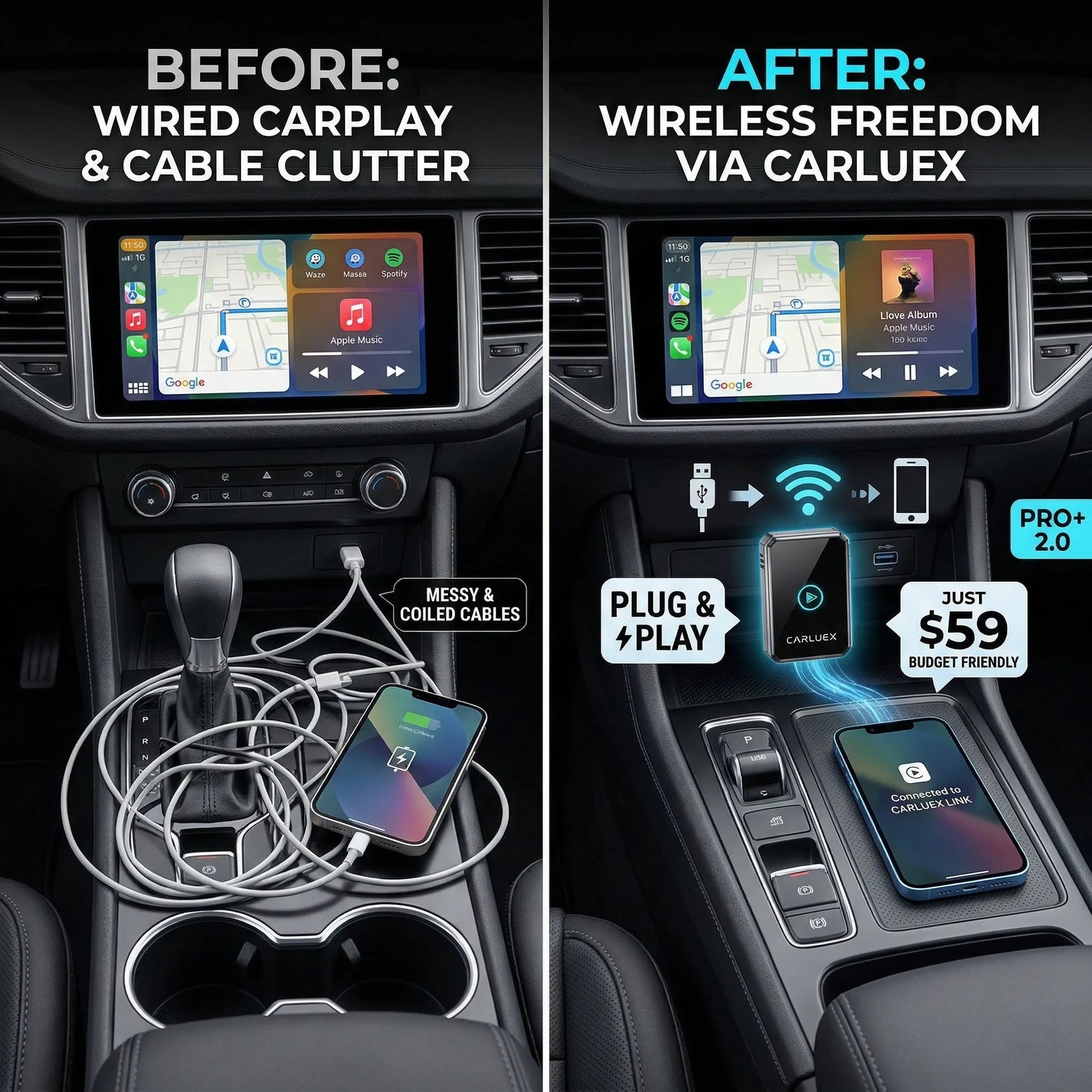
If your car still makes you plug in a USB cable for Apple CarPlay, the reason is usually not that your iPhone is missing a setting. CarPlay can work through USB or through a vehicle's wireless capability, but wireless CarPlay depends on the exact head unit, trim, region, software, and hardware your automaker installed. That is why two cars from the same brand can feel completely different: one launches CarPlay wirelessly, while another still requires a cable every time.
The practical answer is simple: first confirm your car supports factory wired CarPlay reliably, then check whether your exact model and trim support wireless CarPlay. If the car only has wired CarPlay, a compatible wireless adapter can remove the phone cable after setup, but it cannot add CarPlay to an unsupported vehicle or repair a faulty USB port.
Change phone or infotainment settings only while parked. Do not adjust CarPlay, Android Auto, or adapter settings while driving.

Quick Answer: Why Is My Car Still Wired?
Your car still uses wired CarPlay because the vehicle has to support the wireless version. Apple supports CarPlay through a USB connection or through wireless capability, but the vehicle must provide the right CarPlay integration. Apple also tells users to connect through the car's USB port when the vehicle supports CarPlay by cable, or to use the vehicle's wireless mode when available.
That means the deciding factor is often the automaker's infotainment package, not the iPhone. Wireless support may vary by model year, country, trim level, head unit, dealer-installed options, and software version. Before you buy a car or an adapter, check the exact vehicle, not only the brand name.
Helpful official checks:
- Apple's Use CarPlay with your iPhone explains USB and wireless CarPlay setup basics.
- Apple's CarPlay available models page can help confirm whether a vehicle line supports CarPlay.
Wired CarPlay vs Wireless CarPlay: What Actually Changes?
Wired CarPlay uses a USB connection between your iPhone and the vehicle. Wireless CarPlay removes the phone cable, but the car still has to create and maintain the wireless session. The user experience changes, but the compatibility requirement does not disappear.
| Question | Wired CarPlay | Wireless CarPlay |
|---|---|---|
| How does the phone connect? | By USB cable through the car's CarPlay-capable port. | Through the vehicle's supported wireless CarPlay setup. |
| Does it charge the phone? | Usually yes, because the phone is plugged in. | No, not by the CarPlay connection itself. Use a charger if needed. |
| Is it available on every CarPlay car? | No. The car still needs CarPlay support. | No. Wireless support depends on the exact vehicle system. |
| Can an adapter help? | It can help only after wired CarPlay works. | An adapter can create a wireless bridge for compatible wired CarPlay cars. |
Why Automakers Still Ship Wired-Only CarPlay


Wireless CarPlay is not just a switch Apple turns on for every vehicle. Automakers decide which infotainment hardware, wireless modules, software stack, certification path, and trim packages they ship. Some brands make wireless CarPlay standard on many models. Others reserve it for higher trims or newer model years. Older vehicles may support CarPlay only through USB because that is how the original head unit was built.
This is why Apple's available-models page is useful but not always enough by itself. It can show whether a model line supports CarPlay, but buyers still need to verify whether the exact trim supports wired CarPlay, wireless CarPlay, or both. Dealer listings and owner manuals sometimes use broad wording, so look for the specific phrase "wireless Apple CarPlay" before assuming the cable is optional.
The 4 Things to Check Before Blaming Your iPhone

- Your exact trim: Wireless CarPlay can be trim-dependent. A base trim and a premium trim may not have the same infotainment hardware.
- Your car's USB port: If wired CarPlay fails, test a data-capable cable and the correct smartphone projection port first.
- Your phone settings: Apple recommends checking Siri, Bluetooth, Wi-Fi, and the saved car under CarPlay settings when troubleshooting.
- Your vehicle software: Some connection problems come from infotainment firmware, saved phone profiles, or old pairing records.
If CarPlay does not activate automatically, Apple's troubleshooting guidance recommends restarting the iPhone and car, checking Siri, and making sure Bluetooth and Wi-Fi are on for wireless connections. For wireless CarPlay, also check that Auto-Join is enabled for the CarPlay network if it appears.
When a Wireless Adapter Makes Sense
A wireless adapter makes sense when your car already has working factory wired CarPlay and you want the convenience of leaving your phone in your pocket after the first setup. The adapter plugs into the vehicle's USB port and creates a wireless bridge between your phone and the car.
That adapter is not a repair tool. It does not fix an unsupported vehicle, a damaged USB port, blocked phone settings, inactive factory CarPlay, aftermarket compatibility gaps, or vehicle software problems. If wired CarPlay is unstable, solve that first.

Which CARLUEX Option Should You Review?
CARLUEX compatibility depends on the adapter model and your vehicle's factory infotainment system. Use the table below as a starting point, then confirm your vehicle before purchase.
| Driver need | CARLUEX page to review | Compatibility note |
|---|---|---|
| Simple wireless CarPlay or Android Auto bridge | CARLUEX LINK | Wireless CarPlay requires factory wired CarPlay. Wireless Android Auto requires factory wired Android Auto. |
| Wireless CarPlay and Android Auto with app-based features | CARLUEX AIR | Confirm vehicle fit first. Third-party app performance may depend on the app provider. |
| Higher hardware tier with Android system apps | CARLUEX PRO+ 2.0 | For compatible non-BMW vehicles with built-in wired CarPlay. It is not for BMW models. |
| BMW vehicle setup | CARLUEX for BMW | BMW users should review the BMW-specific version instead of PRO+ 2.0. |
Before ordering, check the CARLUEX Compatible Vehicles page. If your vehicle, year, trim, region, or factory infotainment system is unclear, contact support before buying.
Do Wired-Only Cars Perform Worse?

Not necessarily. Wired CarPlay can still be stable and practical. It charges the phone while connected, and it avoids some wireless interference issues. The downside is daily convenience: you have to plug in the phone every time, and cable quality or USB port wear can become a recurring problem.
Wireless CarPlay is mainly about convenience. It can feel cleaner and faster to start your trip because your phone can stay in your pocket or on a charger. But wireless performance still depends on the phone, car, firmware, adapter placement, and signal environment. Avoid any promise of zero delay or universal compatibility.
What About CarPlay Ultra?

Apple describes CarPlay Ultra as a deeper in-car experience that can bring content to multiple driver screens, including the instrument cluster. That does not automatically turn older wired-only cars into wireless CarPlay vehicles. CarPlay Ultra depends on automaker support and vehicle integration. For today's wired-only vehicles, the practical decision is still the same: confirm factory wired CarPlay first, then decide whether a compatible adapter is the right bridge.
Related CARLUEX Guides
- How to Use Apple CarPlay: Setup, Connect, and Customize
- How to Reset Apple CarPlay on iPhone
- Wireless CarPlay Lag? How to Reduce Delay and Choose an Adapter
- Best Wireless CarPlay Adapter Guide
FAQ
Why does my car force wired CarPlay?
Your car likely supports CarPlay through USB but does not include wireless CarPlay support for your exact trim, region, or infotainment system. Apple supports CarPlay through USB or wireless capability, but the vehicle has to provide that wireless capability.
Can I make wired CarPlay wireless?
Often, yes, if your vehicle already has working factory wired CarPlay. A compatible wireless CarPlay adapter can bridge the connection through the USB port after setup. It cannot add CarPlay to a car that does not support CarPlay.
How do I know if my car has wireless CarPlay?
Check the owner's manual, the vehicle's infotainment specifications, Apple's available-models page, and the exact trim listing. Do not assume that a brand or model supports wireless CarPlay just because some versions of that vehicle do.
Is wired CarPlay more reliable than wireless CarPlay?
Wired CarPlay can be very stable because it uses a physical USB connection and usually charges the phone. Wireless CarPlay is more convenient, but performance can vary with phone software, vehicle firmware, wireless signal quality, and adapter fit.
Which CARLUEX adapter should I choose for a wired-only car?
Start with compatibility. LINK is the simple bridge option, AIR adds app-based features, PRO+ 2.0 is for compatible non-BMW vehicles with built-in wired CarPlay that need a higher hardware tier, and BMW vehicles should review the CARLUEX for BMW version.
Bottom Line
If your car still forces wired CarPlay, the cause is usually the vehicle's infotainment package, not a missing iPhone trick. Confirm the exact car, trim, and wired CarPlay status first. If wired CarPlay already works and you want a cleaner daily setup, review a compatible wireless adapter and check CARLUEX vehicle compatibility before purchase.



Dejar un comentario
Todos los comentarios se revisan antes de su publicación.
Este sitio está protegido por hCaptcha y se aplican la Política de privacidad de hCaptcha y los Términos del servicio.