

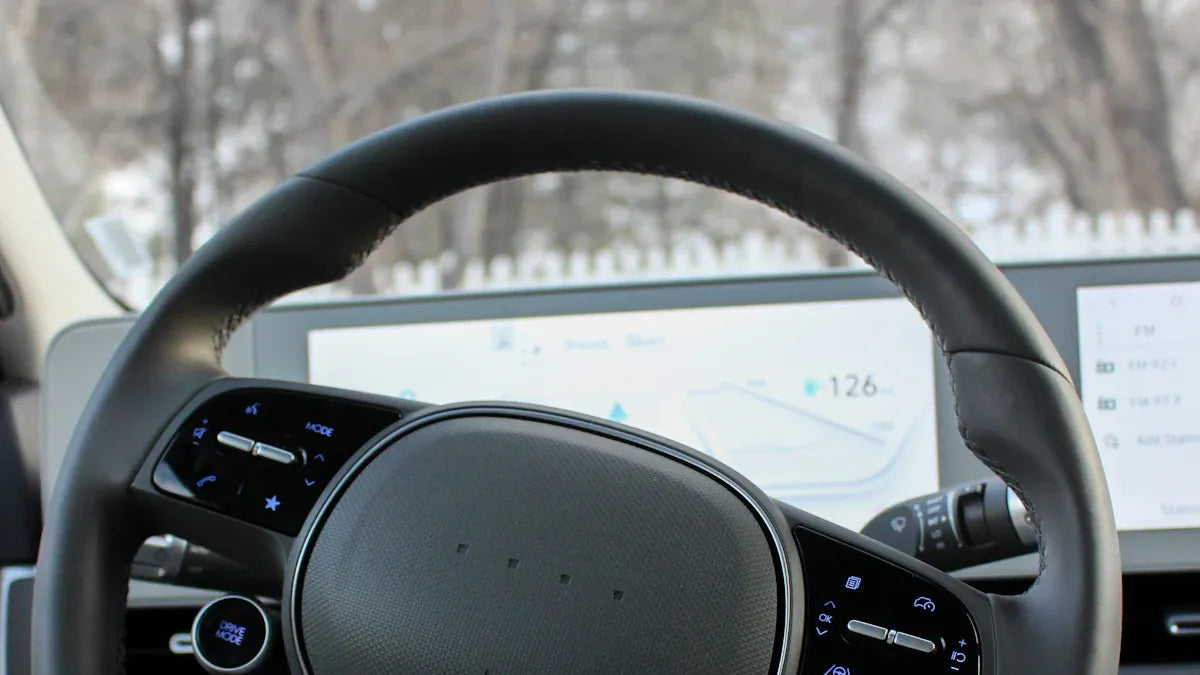
Quick answer: If Apple CarPlay is not working in your Volvo, start with the simple checks: confirm your Volvo model supports CarPlay, use the correct USB port and a data-capable cable, make sure Siri and CarPlay are enabled on your iPhone, restart both the iPhone and Volvo infotainment system, then forget and re-pair the car in iPhone CarPlay settings. If CarPlay still fails, check Volvo software updates or contact a Volvo dealer. Make these changes only while parked.
Safety note: Change iPhone, CarPlay, Volvo infotainment, and adapter settings only when the vehicle is parked. Do not adjust phone or car display settings while driving.
| Problem | First thing to check | Why it matters |
|---|---|---|
| Volvo does not detect the iPhone | USB cable and CarPlay-capable USB port | Some cables charge the phone but do not pass data reliably |
| CarPlay worked before, then stopped | Saved pairing, iOS update, or Volvo software update | Old connection records can break after software changes |
| CarPlay icon is missing | Vehicle compatibility and CarPlay availability | Not every Volvo trim, market, or model year has the same infotainment setup |
| Wireless CarPlay or adapter connection drops | Wired CarPlay baseline, Bluetooth, Wi-Fi, and adapter firmware | A wireless adapter depends on the car's existing CarPlay support |
Why Is Apple CarPlay Not Working in Your Volvo?
Most Volvo CarPlay problems come from one of six areas: vehicle compatibility, the USB cable or port, iPhone CarPlay permissions, Siri settings, saved pairing records, or outdated phone/vehicle software. Apple's CarPlay troubleshooting guide recommends restarting the iPhone and car, checking Siri, confirming that CarPlay is not restricted, forgetting the car in iPhone settings, and checking the vehicle manufacturer's firmware guidance.
Before you buy anything or reset every setting, work through the checks below in order. This keeps the troubleshooting simple and helps you separate a Volvo infotainment issue from an iPhone setting issue.
Check Whether Your Volvo Supports Apple CarPlay
First, confirm that your Volvo actually supports Apple CarPlay. Apple's official CarPlay available models page lists Volvo models such as XC90, S90, V90, XC60, S60, V60, XC40, C40 Recharge, EX30, and EX90 across supported model years. Availability can still vary by region, trim, and vehicle software, so use Apple's list as a starting point and confirm on your Volvo screen or with your owner's manual.
| Volvo check | What to look for | What to do next |
|---|---|---|
| CarPlay icon | Apple CarPlay appears in the Volvo infotainment menu | Continue to cable, iPhone, and pairing checks |
| Owner's manual or Volvo app | CarPlay is listed for your vehicle and market | Follow the Volvo setup path for your model |
| Apple model list | Your model and year appear on Apple's supported list | Use it as a compatibility reference, then confirm in the car |
| No CarPlay option | No CarPlay icon or smartphone projection setting appears | Contact Volvo support or a dealer before assuming an adapter will solve it |
If your Volvo does not have factory CarPlay, a standard wireless CarPlay adapter will not add CarPlay by itself. Most wireless adapters require the vehicle to already support wired CarPlay.
Use the Correct USB Cable and USB Port
If your Volvo uses wired CarPlay, the USB cable and port are the fastest fixes to test. A weak cable can still charge your iPhone while CarPlay fails to open, disconnects, or does not appear on the Volvo screen.
For some Volvo models, the CarPlay-capable USB port may be marked differently from regular charging ports. Volvo support pages may include model-specific notes about the required USB port, Bluetooth, and Siri. For example, Volvo's XC60 Apple CarPlay guidance says to connect the iPhone to the USB port with the white highlight, activate Siri, and follow the model-specific Bluetooth note. If your Volvo owner's manual gives a specific USB port or Bluetooth instruction, follow that model-specific guidance first.
- Use an Apple cable or another high-quality data-capable cable.
- Try the Volvo USB port intended for smartphone projection or CarPlay.
- Remove cable extensions, loose adapters, and damaged connectors while testing.
- Check whether the iPhone unlock prompt appears when you connect it.
- If the phone charges but CarPlay does not launch, test another cable before changing deeper settings.
Check iPhone CarPlay, Siri, and Screen Time Settings
Your iPhone may block CarPlay even when the Volvo system is working correctly. Apple says Siri must be enabled for CarPlay, and CarPlay should not be blocked by Screen Time restrictions.
- On iPhone, open Settings and search for Siri. Make sure Siri is enabled. The exact label can vary by iOS version.
- Open Settings > General > CarPlay, choose your Volvo if it appears, and check whether the connection is saved correctly.
- Check Settings > Screen Time > Content & Privacy Restrictions. If restrictions are enabled, make sure CarPlay is allowed.
- If your iPhone asks whether to allow CarPlay while locked, allow it if you want CarPlay to start without unlocking the phone each time.
- Restart the iPhone after changing these settings.
Forget and Reconnect Your Volvo in CarPlay Settings
If CarPlay used to work but now fails, the saved connection record may be stale. Resetting the pairing is often cleaner than repeatedly plugging and unplugging the phone.
- Unplug the iPhone from the Volvo USB port.
- On iPhone, go to Settings > General > CarPlay.
- Select your Volvo, then tap Forget This Car.
- Restart the iPhone.
- Restart the Volvo infotainment system if your model supports that option, or turn the vehicle off and restart the system according to your owner's manual.
- Connect the iPhone again with a reliable cable and approve any CarPlay prompts.
Update iPhone and Volvo Software
Software updates can affect CarPlay connection behavior. Update your iPhone to the latest available iOS version, then check Volvo software updates through the vehicle, the Volvo Cars app, an authorized Volvo workshop, or a Volvo dealer depending on your model and region.
Volvo's support pages explain that software updates can add functions and improvements, and that some updates are handled over the air while others may require a dealer or authorized workshop. If your CarPlay issue started after an update, note the date and software version before contacting support.
Wired CarPlay vs Wireless CarPlay vs a Wireless Adapter
Before troubleshooting wireless behavior, confirm which setup you have. Volvo, Apple CarPlay, and a wireless adapter are three different parts of the connection chain.
Do not assume your Volvo has factory wireless CarPlay just because it supports CarPlay. Some Volvo models use wired CarPlay, while wireless behavior depends on the model year, infotainment system, region, and software.
| Setup | What it depends on | Common mistake |
|---|---|---|
| Wired CarPlay | Volvo CarPlay support, iPhone, USB port, cable, iOS settings | Assuming a charging cable is also a reliable CarPlay cable |
| Factory wireless CarPlay, if your Volvo supports it | Volvo wireless CarPlay support, Bluetooth, Wi-Fi, saved pairing | Deleting only Bluetooth while old CarPlay or Wi-Fi records remain |
| Wireless adapter | Existing wired CarPlay support plus adapter pairing and firmware | Expecting the adapter to add CarPlay to a car that does not already support it |
Volvo Built-In Apps vs Apple CarPlay
Some newer Volvo models include built-in Google services or native infotainment apps. These are separate from Apple CarPlay. If Volvo's built-in navigation or media apps work but Apple CarPlay does not, the issue may still be the iPhone, USB port, CarPlay permission, saved pairing, or software compatibility rather than the entire infotainment system.
Can a CARLUEX Adapter Help with Volvo CarPlay?
A wireless adapter can help if your Volvo already supports factory wired CarPlay and you want to reduce daily cable use. It does not fix every Volvo infotainment fault, damaged USB port, unsupported vehicle, or blocked iPhone setting.
CARLUEX compatibility depends on the adapter model and your vehicle's factory infotainment system. For Volvo drivers, check the product page and confirm whether your vehicle has factory wired CarPlay before choosing an adapter. For example, CARLUEX PRO+ 2.0 is designed for compatible vehicles with built-in wired CarPlay and is not for BMW models. CARLUEX LINK requires factory wired CarPlay for wireless CarPlay, and factory wired Android Auto for wireless Android Auto.
Before purchasing, check CARLUEX compatible vehicles or contact support if your Volvo model is not listed.
If you are unsure, confirm compatibility before purchase. A safe way to think about it is this: fix wired CarPlay first, then consider a wireless adapter for convenience.
If wired CarPlay works reliably in your Volvo, compare CARLUEX adapter options and confirm compatibility before choosing a wireless setup.
Troubleshooting: What If Volvo CarPlay Still Does Not Work?
If the basic checks do not solve the problem, use this second-pass checklist.
- Try a second iPhone if available. This helps separate phone issues from vehicle issues.
- Try a second data-capable cable.
- Remove old Bluetooth and CarPlay records from both the iPhone and vehicle if your model allows it.
- Turn off VPN, hotspot, or unusual network tools temporarily while testing CarPlay.
- Check whether CarPlay fails only with one app or with the entire CarPlay interface.
- Record any error message on the Volvo screen before contacting support.

When Should You Contact a Volvo Dealer?
Contact a Volvo dealer or authorized workshop if CarPlay still does not work after you have tested the iPhone, cable, USB port, CarPlay permissions, and software updates. Dealer support is especially useful when:
- The Volvo screen never shows a CarPlay option.
- Several iPhones fail in the same vehicle.
- The USB port feels loose, damaged, or works only at certain angles.
- The problem started after a vehicle software update.
- CarPlay disconnects when driving over bumps, which may suggest a hardware or wiring issue.
Bring your iPhone and cable to the appointment. That lets the technician test your actual setup instead of guessing from the vehicle alone.
Volvo CarPlay Fix Checklist
| Step | Pass condition | If it fails |
|---|---|---|
| Confirm CarPlay support | CarPlay appears in vehicle or official compatibility reference | Check owner's manual or Volvo dealer |
| Test cable and USB port | iPhone is detected and CarPlay prompt appears | Use another data cable and CarPlay-capable port |
| Check Siri and Screen Time | Siri is on and CarPlay is allowed | Enable Siri and remove restrictions |
| Forget and reconnect | Volvo reconnects after fresh pairing | Restart both systems and try again |
| Update software | iPhone and Volvo software are current | Follow Apple/Volvo update guidance |
| Consider adapter | Wired CarPlay works reliably first | Do not use an adapter as the first fix for unsupported CarPlay |
Related CARLUEX Guides
- Why Your Apple CarPlay Isn't Working and How to Fix It
- How to Reset Apple CarPlay
- Use Waze with CarPlay, Android Auto, or a Wireless Adapter
- Browse CarPlay troubleshooting guides
FAQ
Why won't my Volvo connect to Apple CarPlay?
The most common causes are an unsupported vehicle setup, a weak USB cable, the wrong USB port, Siri or Screen Time restrictions on the iPhone, old pairing records, or outdated phone/vehicle software.
Why does my iPhone charge but CarPlay does not work?
The cable or USB port may support charging but not reliable data transfer. Try a data-capable cable and the Volvo USB port intended for CarPlay or smartphone projection.
Does every Volvo support Apple CarPlay?
No. Many newer Volvo models support CarPlay, and Apple's official CarPlay model list is a useful reference, but availability can vary by model year, region, trim, and software. Check your Volvo screen, owner's manual, or dealer.
Can I use wireless CarPlay in my Volvo?
It depends on your Volvo setup. If your Volvo has factory wireless CarPlay, follow Volvo's pairing steps. If it has factory wired CarPlay, a compatible wireless adapter may help reduce cable use. If the vehicle does not support CarPlay, a standard wireless adapter will not add it by itself.
Will a CARLUEX adapter fix Volvo CarPlay problems?
A CARLUEX adapter may help with convenience after wired CarPlay already works. It should not be treated as a fix for an unsupported Volvo, damaged USB port, blocked iPhone CarPlay setting, or unresolved vehicle software issue. Confirm compatibility before purchase.
When should I go to a Volvo dealer?
Go to a dealer or authorized workshop if multiple iPhones and cables fail, the CarPlay option never appears, the USB port may be damaged, or the issue began after a vehicle software update.


Leave a comment
This site is protected by hCaptcha and the hCaptcha Privacy Policy and Terms of Service apply.