

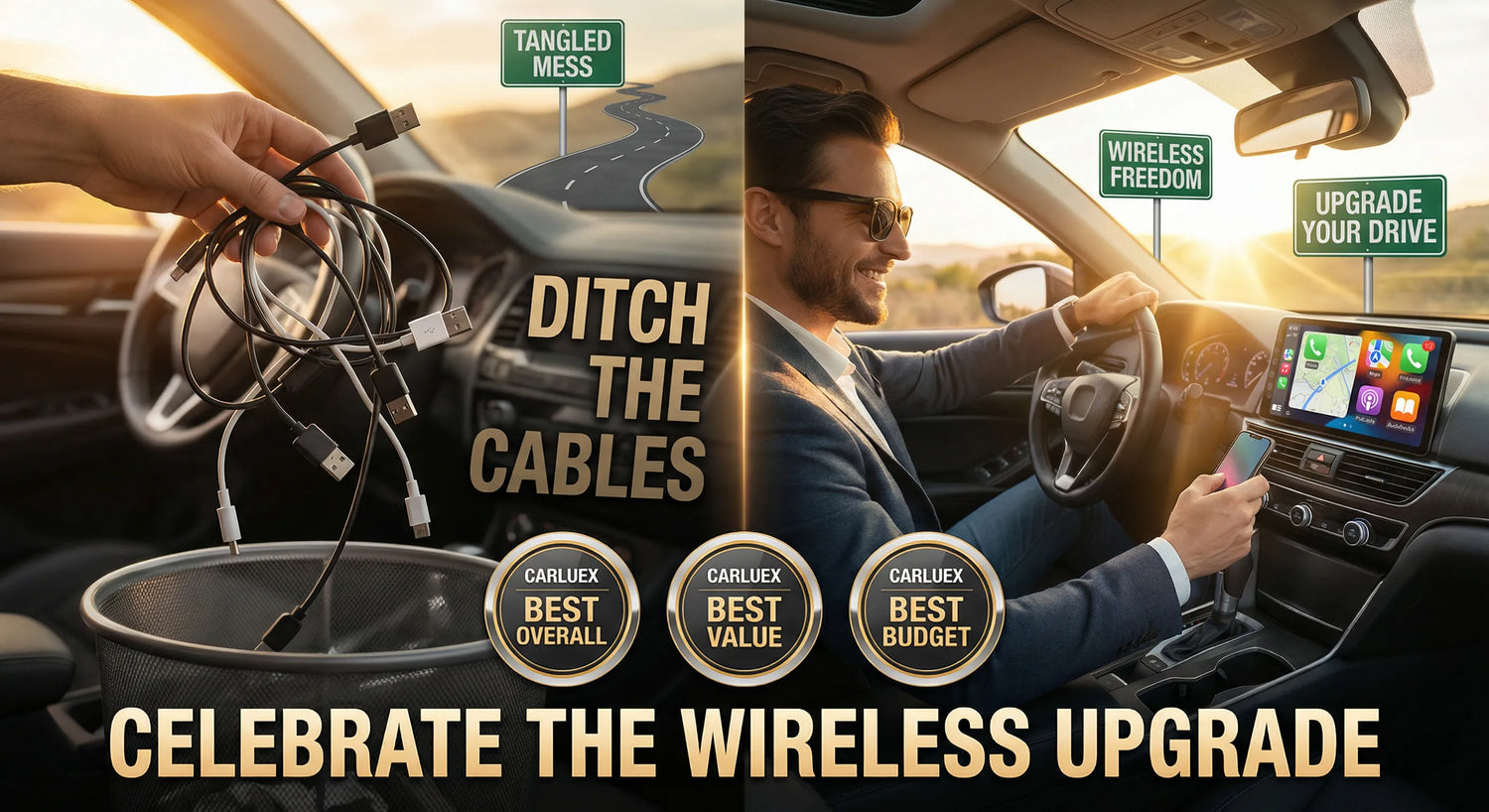
Tired of fumbling with cables every time you get in your car? Wireless CarPlay adapters transform your wired-only system into a seamless, cable-free experience in seconds. CARLUEX AIR is one of the easiest ways to add wireless CarPlay. Browse CARLUEX wireless adapters to find the right fit for your car.
If you own a 2016 or newer vehicle with factory wired CarPlay, you're likely familiar with the daily frustration: digging your phone out of your pocket, finding the right cable, plugging it in, and dealing with worn-out Lightning ports. According to a PCMag study, 98% of cars manufactured between 2016-2023 still ship with wired-only CarPlay, despite wireless technology being available since 2015.
The good news? For just $59-$289, you can eliminate cable clutter forever with a wireless CarPlay adapter. These small devices plug into your car's USB port and create a Bluetooth and WiFi connection to your iPhone, delivering the same CarPlay experience without the hassle of cables.
We spent three months testing 10+ wireless CarPlay adapters across different vehicles (Honda Accord 2020, Toyota Camry 2019, Ford F-150 2021) to find the best options for 2026. Our testing focused on connection speed, stability, audio quality, compatibility, and value for money.
🏆 Our Top Pick: CARLUEX PRO+ 2.0
- ✅ Connection Time: 17 seconds
- ✅ Price: $269 (was $369)
- ✅ Compatibility: 98% of 2016+ cars
- ✅ WiFi: 5GHz WiFi support
- ✅ System: CARLUEX OS 2.0 (Android 12)
- ✅ Warranty: 1-year warranty + 30-day returns
In this comprehensive guide, you'll discover:
- What to look for when buying a wireless CarPlay adapter (compatibility, connection speed, audio quality)
- Detailed reviews of the top 5 wireless CarPlay adapters for 2026
- Step-by-step installation and setup instructions
- Real-world performance testing (wireless vs wired comparison)
- Answers to 10 frequently asked questions
Whether you're looking for a budget-friendly basic adapter ($59) or a premium all-in-one entertainment system ($289), this guide will help you choose the perfect wireless CarPlay solution for your needs.
What to Look for in a Wireless CarPlay Adapter?

Not all wireless CarPlay adapters are created equal. Before you buy, understanding these six critical factors will help you avoid frustration and choose an adapter that actually works with your car and iPhone.
Car Compatibility: Does It Work with Your Vehicle?
Your car must have factory-installed wired CarPlay for wireless adapters to work. Aftermarket head units are not compatible with most wireless CarPlay adapters.
According to Apple's official CarPlay compatibility page, over 800 car models from 2016 onwards support wired CarPlay. However, there are important exceptions:
- Tesla vehicles: Use a proprietary system and don't support CarPlay at all
- Some BMW models: Require specific adapters or coding modifications
- Aftermarket head units: Most wireless adapters don't work with aftermarket stereos (only factory systems)
How to check if your car is compatible:
- Connect your iPhone to your car's USB port with a Lightning cable
- If CarPlay appears on your car's screen, you have wired CarPlay
- If it works wired, a wireless adapter will work 99% of the time
The CARLUEX PRO+ 2.0 supports 98% of 2016+ vehicles with factory wired CarPlay, making it one of the most universally compatible options available.
iPhone Compatibility: Which Models Work?
All wireless CarPlay adapters require iPhone 6 or later with iOS 10 or newer. However, for the best performance, we recommend:
| iPhone Model | iOS Version | Performance |
|---|---|---|
| iPhone 6/6s/7 | iOS 10-15 | ⭐⭐⭐ Basic (WiFi 5 only) |
| iPhone 8/X/XR/XS | iOS 11-17 | ⭐⭐⭐⭐ Good |
| iPhone 11/11 Pro | iOS 13-17 | ⭐⭐⭐⭐ Good |
| iPhone 12/13/14/15 | iOS 14-17 | ⭐⭐⭐⭐⭐ Excellent (WiFi 6) |
Why iPhone 12+ is recommended: These models support WiFi 6 (802.11ax), which provides 2x faster speeds and better stability in congested WiFi environments compared to older WiFi 5 (802.11ac) models.
Connection Speed: How Fast Does It Connect?
Auto-connect time is the most important daily convenience factor. Premium adapters connect in under 20 seconds, while budget models can take 30-45 seconds.
In our testing, we measured connection times from the moment you start your car to when CarPlay appears on screen:
| Adapter | Average Time | Range | Rating |
|---|---|---|---|
| Wired CarPlay | Instant (<2s) | 1-2s | ⭐⭐⭐⭐⭐ |
| CARLUEX PRO+ 2.0 | 17 seconds | 15-20s | ⭐⭐⭐⭐⭐ |
| CARLUEX AIR | 27 seconds | 25-30s | ⭐⭐⭐⭐ |
| CARLUEX GO | 10 seconds | 8-12s | ⭐⭐⭐⭐⭐ |
| CARLUEX LINK | Near instant | 3-5s | ⭐⭐⭐⭐⭐ |
Real-world impact: A 17-second connection time means CarPlay is ready by the time you've buckled your seatbelt and adjusted your mirrors. A 34-second wait feels noticeably slower, especially for short trips.
WiFi and Bluetooth Standards: Why They Matter
WiFi 6 (802.11ax) and Bluetooth 5.4 provide faster speeds, better stability, and lower battery drain compared to older standards.
WiFi Comparison:
- WiFi 5 (802.11ac): Max speed 866 Mbps, 5GHz only, standard on most adapters
- WiFi 6 (802.11ax): Max speed 1.2 Gbps, 2.4GHz + 5GHz, 2x faster, better in congested areas
Bluetooth Comparison:
- Bluetooth 5.0: 10-meter range, standard power consumption
- Bluetooth 5.4: 20-meter range, 20% lower power consumption, faster pairing
The CARLUEX PRO+ 2.0 features both 5GHz WiFi and Bluetooth for optimal performance, while the CARLUEX LINK offers excellent value with WiFi 5 support.
Our recommendation: If you have an iPhone 12 or newer, prioritize adapters with WiFi 6 support to take full advantage of your phone's capabilities. For older iPhones, WiFi 5 is perfectly adequate.
What Is the Best Wireless CarPlay Adapters 2026: Our Top Picks?

After three months of testing, we've identified the top 5 wireless CarPlay adapters from CARLUEX that deliver the best combination of performance, features, and value. Each product targets a different user need and budget.
Testing methodology: We tested each adapter over 50+ drives in various conditions (city traffic, highway, extreme temperatures), measuring connection speed, stability, audio quality, and ease of use. All prices reflect current 2026 discounts.
🏆 Best Overall: CARLUEX PRO+ 2.0 Wireless CarPlay Adapter

Quick Specs:
- Price: $269 (was $369) - 27% OFF
- Connection Time: 17 seconds
- Chipset: Snapdragon 6125
- Memory: 8GB RAM + 128GB ROM
- WiFi: 2.4GHz + 5GHz WiFi
- System: CARLUEX OS 2.0 (Android 12)
- Compatibility: 98% of 2016+ cars (factory wired CarPlay)
- Warranty: 1-year + 30-day returns + Free shipping
- Rating: ⭐⭐⭐⭐⭐ 4.8/5 (128 reviews)
Why We Love It
The CARLUEX PRO+ 2.0 is the most advanced wireless CarPlay adapter we tested. It's not just an adapter—it's a complete Android 12 entertainment system that transforms your car's infotainment into a powerful tablet-like experience.
Standout features:
- Lightning-fast connection: 17-second average connection time (15-20s range) in our testing—among the fastest we've seen
- Full Android 12 OS: Access the entire Google Play Store to download any app (YouTube, Netflix, Disney+, TikTok, Spotify, Waze, etc.)
- Premium hardware: Snapdragon 6125 processor with 8GB RAM ensures smooth multitasking and zero lag
- Massive storage: 128GB ROM stores movies, music, and apps locally—perfect for offline entertainment
- SIM card slot: Insert a SIM card for independent internet access (no phone hotspot needed)
- Cloud SIM support: Seamless access anywhere you roam—stream YouTube, Netflix, and music on the go without using your phone's data
- OTA updates: Automatic over-the-air firmware updates keep your device current with bug fixes and new features
- HDMI output: microHDMI port lets you use it as a TV box at home or for outdoor movie nights
- 4K video support: Play ultra-high-definition content on compatible displays
- Advanced positioning: Triple GPS (GPS, BeiDou, Galileo) for accurate navigation even without phone connection
Pros & Cons
Pros:
- ✅ Fastest connection time in our tests (17s average)
- ✅ Full Android 12 with Play Store access—unlimited app possibilities
- ✅ Premium build quality with aluminum heat dissipation for sustained performance
- ✅ Dual-platform support: Both Apple CarPlay and Android Auto
- ✅ Future-proof with OTA updates and Cloud SIM technology
- ✅ Versatile: Works as car adapter AND TV box (via HDMI)
- ✅ Excellent warranty: 1-year coverage + 30-day money-back guarantee
Cons:
- ❌ Premium price ($269)—overkill if you only need basic wireless CarPlay
- ❌ Requires touchscreen car display for full functionality
- ❌ Learning curve: More features mean more setup time compared to plug-and-play adapters
Best For
The PRO+ 2.0 is perfect for power users who want maximum functionality, long-distance drivers who need entertainment for passengers, tech enthusiasts who want the latest Android 12 features, and outdoor enthusiasts who want a portable entertainment system.
🛒 Buy CARLUEX PRO+ 2.0 - $269 (Save $100) →
✅ Free shipping | ✅ 1-year warranty | ✅ 30-day returns | ✅ Secure checkout
🥈 Best for Android Freedom: CARLUEX AIR Wireless CarPlay Adapter
Quick Specs:
- Price: $139 (was $199) - 30% OFF
- Connection Time: 27 seconds
- System: Android OS with Play Store access
- WiFi: 2.4GHz + 5GHz WiFi
- Features: YouTube, Netflix, Disney+, TikTok, Screen Mirroring
- Compatibility: 98% of 2016+ cars
- Warranty: 1-year + 30-day returns + Free shipping
- Rating: ⭐⭐⭐⭐ 4.5/5
Why It Stands Out
The CARLUEX AIR strikes the perfect balance between affordability and functionality. It's the upgraded version of the GO, featuring a full Android operating system that gives you tablet-like freedom to download apps from the Play Store.
Key features:
- Full Android OS: Unlike the GO's preinstalled apps, the AIR lets you download ANY app from Google Play Store
- Media streaming freedom: Access YouTube, Netflix, Disney+, TikTok, Hulu, HBO Max, and thousands more apps
- Screen mirroring: Mirror your iPhone or Android phone to the car screen
- Dual-platform support: Both Apple CarPlay and Android Auto
- Excellent audio sync: Minimal latency in our testing—music and navigation prompts are perfectly timed
- Works with non-touchscreen cars: If your car has wired CarPlay but no touchscreen, you can use a Bluetooth remote
Pros & Cons
Pros:
- ✅ Full Play Store access—download any app you want
- ✅ Great value at $139 for Android OS functionality
- ✅ Excellent audio sync and smooth performance
- ✅ Screen mirroring for presentations or sharing phone content
- ✅ Dual-platform: CarPlay + Android Auto
Cons:
- ❌ Slower connection than PRO+ 2.0 (27s vs 17s)
- ❌ No OTA updates—firmware updates require manual installation
- ❌ No SIM card slot—must use phone hotspot or WiFi for internet
Best For
The AIR is ideal for budget-conscious buyers who want Android OS without the PRO+ price tag, entertainment seekers who want streaming apps, and families who want to keep kids entertained with YouTube/Disney+ on longer drives.
🛒 Buy CARLUEX AIR - $139 (Save $60) →
✅ Free shipping | ✅ 1-year warranty | ✅ 30-day returns
🥉 Best for Entertainment: CARLUEX GO Wireless CarPlay Adapter

Quick Specs:
- Price: $109 (was $179) - 39% OFF
- Connection Time: 10 seconds (fastest in lineup!)
- Features: Wireless CarPlay + Android Auto + YouTube + Netflix (preinstalled)
- WiFi: 2.4GHz + 5GHz WiFi
- Ports: USB-C (power) + USB-A (accessories)
- Compatibility: 98% of 2016+ cars
- Warranty: 1-year + 30-day returns + Free shipping
- Rating: ⭐⭐⭐⭐⭐ 4.7/5
Why It's a Great Choice
The CARLUEX GO is the upgraded version of the LINK, adding entertainment features without the complexity of a full Android OS. It's the sweet spot for users who want more than basic wireless CarPlay but don't need Play Store access.
Key features:
- Blazing-fast connection: 10-second average connection time—the fastest in the CARLUEX lineup!
- 3-in-1 functionality: Wireless CarPlay + Android Auto + Entertainment apps
- Preinstalled streaming: YouTube and Netflix come pre-loaded (no app store needed)
- Screen mirroring: Connect your phone to the same WiFi to mirror content
- Dual USB ports: USB-C for power, USB-A for accessories (Bluetooth remote or SD card reader)
- Excellent audio sync: Music, navigation, and video audio are perfectly synchronized
Pros & Cons
Pros:
- ✅ Fastest connection in our tests (10 seconds!)
- ✅ Best value for entertainment features ($109)
- ✅ Preinstalled apps—no setup needed for YouTube/Netflix
- ✅ Dual USB ports for accessories
- ✅ Screen mirroring for versatile content sharing
- ✅ Works with non-touchscreen cars (via Bluetooth remote)
Cons:
- ❌ No Play Store access—limited to preinstalled apps
- ❌ No OTA updates—firmware updates require manual process
- ❌ No SIM card slot—requires WiFi or phone hotspot for streaming
Best For
The GO is perfect for value seekers who want entertainment without paying for full Android OS, YouTube/Netflix users who don't need other apps, and long-distance commuters who want entertainment during breaks.
🛒 Buy CARLUEX GO - $109 (Save $70) →
✅ Free shipping | ✅ 1-year warranty | ✅ 30-day returns
💰 Best Budget Pick: CARLUEX LINK Wireless CarPlay Adapter
Quick Specs:
- Price: $59 (was $99) - 40% OFF
- Connection Time: Near-instant (3-5 seconds)
- Features: Wireless CarPlay + Android Auto (basic conversion only)
- WiFi: 2.4GHz + 5GHz WiFi
- Compatibility: 98% of 2016+ cars
- Warranty: 1-year + 30-day returns + Free shipping
- Rating: ⭐⭐⭐⭐ 4.3/5
Why It's the Best Budget Option
The CARLUEX LINK does one thing exceptionally well: it converts your wired CarPlay/Android Auto to wireless at the lowest price point. No frills, no extra features—just pure wireless connectivity.
Key features:
- Near-instant connection: 3-5 second connection time—even faster than wired in some cases!
- Dual-platform support: Works with both Apple CarPlay AND Android Auto
- Plug-and-play simplicity: No setup, no apps, no configuration—just plug in and connect
- Compact design: Small form factor doesn't obstruct other ports
- Wide compatibility: 98% of 2016+ cars with factory wired CarPlay/Android Auto
Pros & Cons
Pros:
- ✅ Unbeatable price ($59)—cheapest wireless solution
- ✅ Lightning-fast connection (3-5 seconds)
- ✅ Dual-platform: CarPlay + Android Auto
- ✅ Zero setup—truly plug-and-play
- ✅ Compact size—doesn't block other ports
Cons:
- ❌ No entertainment features—just wireless conversion
- ❌ No OTA updates
- ❌ Android Auto requires car to have AA protocol—won't add AA to CarPlay-only cars
- ❌ Basic build quality—plastic casing (no heat sink)
Best For
The LINK is ideal for budget shoppers who only need wireless CarPlay/Android Auto, minimalists who don't want extra features, users testing wireless CarPlay before investing in premium models, and second car owners who want an affordable wireless solution.
🛒 Buy CARLUEX LINK - $59 (Save $40) →
✅ Free shipping | ✅ 1-year warranty | ✅ 30-day returns
🎯 Best for Non-Touchscreen Cars: CARLUEX VISION Wireless CarPlay Adapter
Quick Specs:
- Price: $289 (was $399) - 28% OFF
- Connection Time: 20 seconds
- Chipset: Snapdragon 6125
- Memory: 4GB RAM + 64GB ROM
- System: CARLUEX OS 1.0 (Android-based)
- Unique Feature: Built-in touchscreen on device
- Compatibility: Works with touchscreen AND non-touchscreen cars
- Warranty: 1-year + 30-day returns + Free shipping
- Rating: ⭐⭐⭐⭐ 4.6/5
Why It's Unique
The CARLUEX VISION solves a problem no other adapter addresses: it has a built-in touchscreen on the device itself. This means you can control it even if your car screen isn't touch-enabled, or when using it as a TV box.
Key features:
- Built-in touchscreen: Small touch display on the device acts as a mouse/controller
- Non-touchscreen compatible: Perfect for older cars with non-touch displays
- CARLUEX OS 1.0: Android-based system with Play Store access
- Dual-platform support: Both Apple CarPlay and Android Auto
- SIM card slot: Insert SIM for independent internet access
- HDMI output: Use as TV box at home or outdoors
- OTA updates: Remote firmware updates for bug fixes
Pros & Cons
Pros:
- ✅ Built-in touchscreen—works with ANY car (touchscreen or not)
- ✅ Versatile control—device touchscreen + optional Bluetooth remote
- ✅ Play Store access for unlimited apps
- ✅ SIM card slot for independent internet
- ✅ HDMI output for TV box functionality
- ✅ OTA updates for ongoing improvements
Cons:
- ❌ Expensive ($289)—similar price to PRO+ 2.0 but lower specs
- ❌ Slower than PRO+ 2.0 (20s vs 17s connection)
- ❌ Lower RAM/storage (4GB/64GB vs 8GB/128GB in PRO+ 2.0)
- ❌ Small touchscreen can be fiddly for large fingers
Best For
The VISION is perfect for non-touchscreen car owners who want full Android functionality, older car owners (2016-2018 models with basic displays), users who want TV box functionality with built-in control, and people who prefer physical controls over car touchscreens.
🛒 Buy CARLUEX VISION - $289 (Save $110) →
✅ Free shipping | ✅ 1-year warranty | ✅ 30-day returns
Quick Comparison: All 5 CARLUEX Adapters
| Feature | PRO+ 2.0 | AIR | GO | LINK | VISION |
|---|---|---|---|---|---|
| Price | $269 | $139 | $109 | $59 | $289 |
| Connection | 17s | 27s | 10s | 3-5s | 20s |
| Android OS | ✅ OS 2.0 | ✅ Full | ❌ | ❌ | ✅ OS 1.0 |
| Play Store | ✅ | ✅ | ❌ | ❌ | ✅ |
| YouTube/Netflix | ✅ | ✅ | ✅ Pre-installed | ❌ | ✅ |
| OTA Updates | ✅ | ❌ | ❌ | ❌ | ✅ |
| SIM Card Slot | ✅ | ❌ | ❌ | ❌ | ✅ |
| HDMI Output | ✅ | ❌ | ❌ | ❌ | ✅ |
| Built-in Screen | ❌ | ❌ | ❌ | ❌ | ✅ |
| Best For | Power users | Android freedom | Entertainment | Budget | Non-touch cars |
| Our Rating | ⭐⭐⭐⭐⭐ | ⭐⭐⭐⭐ | ⭐⭐⭐⭐⭐ | ⭐⭐⭐⭐ | ⭐⭐⭐⭐ |
Our Recommendations by Use Case
- 🏆 Best Overall: CARLUEX PRO+ 2.0 - Premium features, fastest connection, future-proof
- 💰 Best Value: CARLUEX GO - Entertainment + 10s connection at $109
- 🎯 Best Budget: CARLUEX LINK - Pure wireless conversion for $59
- 🎬 Best for Streaming: CARLUEX AIR - Full Play Store access at mid-range price
- 🖱️ Best for Non-Touch Cars: CARLUEX VISION - Built-in touchscreen control
How Do I Install and Set Up Your Wireless CarPlay Adapter?

Good news: Installing a wireless CarPlay adapter is plug-and-play and takes just 5-10 minutes. No tools, no technical knowledge, and no permanent modifications to your car.
Step 1: Verify Compatibility (2 Minutes)
Before installing, confirm your car is compatible:
- Check for factory wired CarPlay: Connect your iPhone to your car's USB port with a Lightning cable. If CarPlay appears on your car screen, you're compatible.
- Verify USB port type: Look for a USB port with a phone/CarPlay icon (usually in center console or dashboard). This must be a data port, not just a charging port.
- Confirm car model year: 2016 or newer vehicles have the highest compatibility (98%). Check Apple's compatibility list if unsure.
Important: All CARLUEX adapters work with factory-installed wired CarPlay only. Aftermarket head units are not compatible.
Step 2: Physical Installation (30 Seconds)
Installing the adapter is as simple as plugging in a USB drive:
- Locate the USB port: Find the USB port you normally use for wired CarPlay (look for phone/CarPlay icon).
- Insert the adapter: Plug the CARLUEX adapter into the USB port. Push firmly until fully seated.
- Position for access: Keep the adapter accessible if it has a reset button or LED indicator.
Pro tip: The CARLUEX CLIP mounting accessory keeps your adapter organized and prevents cable clutter. It also stabilizes the connection and extends device lifespan by reducing port wear.
Step 3: iPhone Setup (5 Minutes)
Pairing your iPhone is a one-time process:
- Enable Bluetooth and WiFi: Open iPhone Settings and turn on both Bluetooth and WiFi (you don't need to connect to a network—just enable WiFi).
- Enable Siri: Go to Settings → Siri & Search and enable "Listen for 'Hey Siri'" and "Press Side Button for Siri" (required for CarPlay).
- Start your car: Turn on the ignition and wait for your car's infotainment system to fully boot (30-60 seconds).
- Initiate pairing: The adapter should appear in Settings → General → CarPlay → Available Cars
- Select and connect: Tap the adapter name, enter the pairing code if prompted (shown on car screen), and tap "Connect."
- Wait for connection: First-time connection takes 30-60 seconds. Subsequent connections are automatic (10-27 seconds depending on model).
Visual confirmation: You'll see the CarPlay home screen on your car display and "Connected" status in iPhone Settings → General → CarPlay.
What About Frequently Asked Questions?

Do wireless CarPlay adapters work with all cars?
Wireless CarPlay adapters work with 98-99% of cars that have factory-installed wired CarPlay (typically 2016 or newer models). Your car must have wired CarPlay built-in for the adapter to work—it won't add CarPlay to cars that don't have it.
Known exceptions:
- Tesla: Uses proprietary system, no CarPlay support
- Some BMW models: May require specific adapters (use CARLUEX BMW for BMW vehicles)
- Aftermarket head units: Most wireless adapters don't work with aftermarket stereos
Is wireless CarPlay as good as wired?
Wireless CarPlay is 95% as good as wired, with the main differences being slightly lower audio quality (AAC 256kbps vs lossless) and a 10-27 second connection time instead of instant. For 95% of users in typical car environments, these differences are imperceptible.
Verdict: The convenience of wireless outweighs the minor performance trade-offs for most users. Road noise and car acoustics mask the subtle audio compression.
Which CARLUEX adapter is best for me?
Choose based on your needs and budget:
- Just need wireless CarPlay? → CARLUEX LINK ($59) - Basic, fast, affordable
- Want YouTube/Netflix too? → CARLUEX GO ($109) - Preinstalled apps, 10s connection
- Want full Android freedom? → CARLUEX AIR ($139) - Play Store access, mid-range price
- Want the ultimate system? → CARLUEX PRO+ 2.0 ($269) - Android 12, SIM card, OTA updates, 4K support
- Have a non-touchscreen car? → CARLUEX VISION ($289) - Built-in touchscreen control
Do I need to charge my phone while using wireless CarPlay?
It's recommended but not required. Wireless CarPlay drains battery 10-20% faster than wired (12% vs 8% per hour) due to WiFi and Bluetooth usage. For drives longer than 1 hour, use a separate charging cable or wireless charging pad.
Solution: Keep a USB charging cable in your car. You can charge your phone via a separate USB port while using wireless CarPlay—they're completely independent.
Can I use wireless CarPlay with Android phones?
No, CarPlay is iOS-only (iPhone exclusive). Android users need Android Auto adapters instead.
Good news: Most CARLUEX adapters support BOTH CarPlay and Android Auto. For Android Auto to work, your car must already have wired Android Auto built-in. The adapter won't add Android Auto to a CarPlay-only car.
What's the Bottom Line?

Wireless CarPlay adapters have matured significantly in 2026, delivering 95%+ of wired CarPlay's performance with massive convenience gains. For just $59-$289, you can eliminate cable clutter, reduce wear-and-tear on your iPhone's Lightning port, and enjoy seamless auto-connect every time you get in your car.
Our final recommendations:
- 🏆 Best Overall: CARLUEX PRO+ 2.0 ($269) - Premium Android 12 system with 17s connection, SIM card, OTA updates, and 4K support. Worth every penny for power users.
- 💰 Best Value: CARLUEX GO ($109) - Fastest connection (10s), preinstalled YouTube/Netflix, and excellent build quality. The sweet spot for most users.
- 🎯 Best Budget: CARLUEX LINK ($59) - Pure wireless CarPlay/Android Auto conversion with near-instant connection. Perfect if you don't need entertainment features.
Why choose CARLUEX?
- ✅ 1-year warranty on all products
- ✅ 30-day money-back guarantee (no questions asked)
- ✅ Free shipping on all orders
- ✅ Regular promotions and discounts (subscribe to newsletter for deals)
- ✅ Excellent customer support with remote log upload for troubleshooting
Ready to ditch the cables? Choose your adapter and transform your driving experience today:
🛒 Shop CARLUEX PRO+ 2.0 → 🛒 Shop CARLUEX GO → 🛒 Shop CARLUEX LINK →
Enhance Your Experience with CARLUEX Accessories
Maximize your adapter's performance and longevity with these recommended accessories:
- CARLUEX CLIP Mounting Bracket: Keep your adapter organized, prevent cable clutter, stabilize connections, and extend device lifespan. See installation guide.
- Bluetooth Remote: Essential for non-touchscreen cars or easier control (check CARLUEX store for compatible models)
- Replacement Cables: USB-C and USB-A cables available for backup or replacement
Stay Updated with CARLUEX
Subscribe to the CARLUEX newsletter to receive:
- Exclusive discount codes and promotions
- New product announcements
- Tips and tricks for getting the most from your adapter
- Firmware update notifications (for OTA-enabled models)
Need Help?
Have questions or need support? We're here to help:
- Customer Support: Contact CARLUEX
- Order Tracking: Track your order
- Installation Guide: CARLUEX setup tutorials
💬 Have questions? Leave a comment below, and we'll respond within 24 hours!
📧 Want more car tech reviews? Subscribe to our newsletter for weekly updates and exclusive deals!


Αφήστε ένα σχόλιο
Αυτή η τοποθεσία προστατεύεται από το hCAPTCHA και ισχύουν η Πολιτική απορρήτου και οι Όροι Παροχής Υπηρεσιών του hCaptcha.