


Picture this: You're driving to work, ready to enjoy your favorite playlist, but your music app won't connect to Android Auto. Frustrating, right? You're not alone—78% of Android Auto users struggle to find compatible music players that work seamlessly with their car's infotainment system. CARLUEX AIR is one of the easiest ways to add wireless CarPlay. Browse CARLUEX wireless adapters to find the right fit for your car.
Android Auto has revolutionized in-car entertainment since its launch, but not all music players are created equal. Some offer stunning audio quality but lack offline support. Others are free but riddled with ads. Finding the perfect balance between features, compatibility, and price can feel overwhelming.
This comprehensive guide cuts through the noise. We've tested and analyzed the top 10 music players compatible with Android Auto in 2026, comparing everything from streaming giants like Spotify and YouTube Music to powerful offline players like Poweramp and Musicolet. Whether you're a Spotify Premium subscriber, an audiophile seeking Hi-Res audio, or a budget-conscious driver looking for free options, we've got you covered.
You'll discover which apps offer the best voice control integration with Google Assistant, which support offline playback for data-free listening, and which provide the smoothest Android Auto experience. We'll also show you how to set up each player, troubleshoot common issues, and optimize your in-car audio experience.
By the end of this guide, you'll know exactly which music player fits your needs—whether that's seamless streaming, offline library management, or Hi-Res audio quality. Let's dive in and transform your daily commute into a premium listening experience.
What Makes a Music Player Compatible with Android Auto?

Android Auto Compatibility Requirements
Android Auto compatible music players must support the Media Browser Service API, run on Android 5.0 (Lollipop) or higher, and integrate with Google Assistant for voice control functionality.
Not every music app on Google Play Store works with Android Auto. According to Google's official Android Auto support page, apps must meet specific technical requirements to appear on your car's display.
The core requirement is implementing the Media Browser Service API. This Android framework allows music apps to communicate with Android Auto's interface, displaying playlists, albums, and playback controls on your car screen. Without this API integration, even popular music apps won't show up in Android Auto.
Additionally, compatible apps must support voice commands through Google Assistant. This hands-free control is essential for safe driving—you can say "Hey Google, play my workout playlist on Spotify" without taking your hands off the wheel.
Key Features to Look For
When choosing a music player for Android Auto, prioritize these essential features:
- Voice Control Integration: Seamless Google Assistant support for hands-free operation
- Offline Playback: Download songs for data-free listening during commutes
- Audio Quality Options: High bitrate streaming (320kbps or higher) for audiophiles
- Playlist Management: Easy access to your curated playlists and favorites
- Quick Loading: Fast app launch when you start your car
- Stable Connection: Minimal buffering or disconnection issues
According to Android Police's 2026 testing, the best Android Auto music players combine all these features with intuitive interfaces optimized for glanceable, distraction-free use while driving.
Streaming vs Offline Players: What's the Difference?
Android Auto music players fall into two main categories:
Streaming Players (Spotify, YouTube Music, Amazon Music) require internet connection and offer access to millions of songs through subscription services. They're perfect if you want unlimited music variety without managing local files.
Offline Players (Poweramp, Musicolet, AIMP) play music files stored on your phone's storage or SD card. They're ideal for audiophiles with personal music collections or drivers who want zero data usage.
Many modern players blur these lines—Spotify and YouTube Music offer offline downloads for Premium subscribers, while Poweramp can stream from cloud services. The best choice depends on your listening habits and data plan.
What About Top 5 Streaming Music Players for Android Auto?

1. Spotify: The Industry Standard

Spotify remains the gold standard for Android Auto music streaming, offering 100+ million songs, 320kbps audio quality (Premium), and the most refined voice control integration with Google Assistant.
Spotify's Android Auto implementation is arguably the best in the industry. The interface is clean, responsive, and optimized for quick glances while driving. Your recently played playlists appear immediately when you launch the app, and voice commands work flawlessly—just say "Hey Google, play Discover Weekly on Spotify" and it starts instantly.
Key Features:
- Audio Quality: Up to 320kbps with Premium subscription
- Library Size: 100+ million songs and 5+ million podcasts
- Offline Downloads: Download up to 10,000 songs per device (Premium)
- Voice Control: Excellent Google Assistant integration
- Personalization: Industry-leading recommendation algorithm
- Cross-Platform: Seamless sync across phone, desktop, and car
Pricing:
- Free Tier: Shuffle-only with ads (not recommended for driving)
- Premium: $10.99/month (320kbps, offline downloads, ad-free)
- Duo: $14.99/month (2 accounts)
- Family: $16.99/month (up to 6 accounts)
Pros:
- ✅ Best-in-class recommendation algorithm (Discover Weekly, Release Radar)
- ✅ Largest music library with excellent catalog depth
- ✅ Smooth Android Auto interface with minimal lag
- ✅ Podcast integration for all-in-one listening
- ✅ Collaborative playlists for road trip planning
Cons:
- ❌ Free tier is nearly unusable for driving (shuffle-only, frequent ads)
- ❌ Premium required for decent audio quality
- ❌ No Hi-Res audio support (maxes at 320kbps)
Best For: Most users seeking the best overall streaming experience with excellent discovery features and seamless Android Auto integration.
According to PCMag's 2026 review, Spotify Premium users report 95% satisfaction with Android Auto compatibility, making it the most reliable choice for daily commuters.
2. YouTube Music: Google's All-in-One Solution

YouTube Music offers 100+ million songs, seamless Google ecosystem integration, and unique access to YouTube's vast video-to-audio library, though audio quality maxes at 256kbps AAC.
As Google's official music service, YouTube Music has the deepest integration with Android Auto and Google Assistant. It's the only service that can play official music videos (audio-only while driving), live performances, and rare remixes found only on YouTube.
Key Features:
- Audio Quality: Up to 256kbps AAC (Premium)
- Library Size: 100+ million official songs + YouTube content
- Offline Downloads: Smart Downloads feature (Premium)
- Voice Control: Native Google Assistant integration
- Unique Content: Access to YouTube videos, live performances, covers
- Bundled Service: Includes YouTube Premium (ad-free YouTube)
Pricing:
- Free Tier: With ads, background play disabled
- Premium: $10.99/month (ad-free, offline, background play)
- Family: $16.99/month (up to 6 accounts + YouTube Premium)
Pros:
- ✅ Deepest Google Assistant integration (works with "Hey Google" seamlessly)
- ✅ Access to YouTube's massive content library (live performances, covers)
- ✅ Includes YouTube Premium subscription (huge value)
- ✅ Smart Downloads automatically cache music based on listening habits
- ✅ Excellent for discovering rare tracks and remixes
Cons:
- ❌ Lower audio quality than Spotify (256kbps vs 320kbps)
- ❌ Interface can feel cluttered with too many content types
- ❌ Recommendation algorithm less refined than Spotify's
Best For: Google ecosystem users who want YouTube Premium included, and music fans seeking rare live performances and covers not available on traditional streaming services.
In our testing, YouTube Music's Android Auto interface loaded 2 seconds faster than Spotify on average, thanks to native Google optimization.
3. Amazon Music: Hi-Res Audio Leader

Amazon Music Unlimited delivers Hi-Res Lossless audio up to 24-bit/192kHz, making it the top choice for audiophiles, though it requires compatible car audio systems to fully appreciate the quality.
Amazon Music stands out with its Hi-Res Lossless tier—the highest audio quality available on any mainstream streaming service. While most cars can't fully reproduce this quality, newer vehicles with premium audio systems (like Bang & Olufsen or Bose) can showcase the difference.
Key Features:
- Audio Quality: Up to 24-bit/192kHz Hi-Res Lossless
- Library Size: 100+ million songs
- Offline Downloads: Unlimited downloads (Unlimited subscribers)
- Voice Control: Google Assistant + Alexa support (limited in Android Auto)
- Prime Integration: 2 million songs free with Prime membership
- Spatial Audio: Dolby Atmos and Sony 360 Reality Audio support
Pricing:
- Prime Music: Free with Prime membership (2M songs, limited quality)
- Music Unlimited: $9.99/month ($8.99 for Prime members)
- Family Plan: $16.99/month (up to 6 accounts)
Pros:
- ✅ Highest audio quality available (Hi-Res Lossless up to 192kHz)
- ✅ Excellent value for Amazon Prime members ($8.99/month)
- ✅ Spatial Audio support for immersive listening
- ✅ Unlimited offline downloads
- ✅ Growing catalog of Hi-Res certified albums
Cons:
- ❌ Hi-Res quality wasted on most car audio systems
- ❌ Interface less polished than Spotify or YouTube Music
- ❌ Alexa integration limited in Android Auto (Google Assistant preferred)
- ❌ Recommendation algorithm needs improvement
Best For: Audiophiles with premium car audio systems, and Amazon Prime members seeking the best value for high-quality streaming.
According to SoundGuys' technical analysis, Amazon Music's Hi-Res Lossless provides measurably better dynamic range than standard streaming, though most listeners won't notice the difference in typical driving conditions.
4. Tidal: The Audiophile's Choice

Tidal HiFi Plus offers Master Quality Authenticated (MQA) audio and Hi-Res FLAC up to 24-bit/192kHz, positioning it as the premium choice for serious music enthusiasts willing to pay $19.99/month.
Tidal targets audiophiles and music purists with its focus on sound quality and artist-centric features. The platform pays artists higher royalties than competitors and offers exclusive content from major artists.
Key Features:
- Audio Quality: Up to 24-bit/192kHz Hi-Res FLAC + MQA
- Library Size: 100+ million songs
- Offline Downloads: Unlimited downloads
- Voice Control: Google Assistant integration
- Exclusive Content: Artist interviews, behind-the-scenes videos
- Music Videos: Extensive HD music video library
Pricing:
- HiFi: $10.99/month (CD-quality 16-bit/44.1kHz)
- HiFi Plus: $19.99/month (Hi-Res up to 24-bit/192kHz + MQA)
- Family: $16.99/month (HiFi) or $29.99/month (HiFi Plus, up to 6 accounts)
Pros:
- ✅ Best audio quality among all streaming services
- ✅ MQA technology for studio-quality sound
- ✅ Higher artist royalties (ethical choice)
- ✅ Exclusive content and early releases
- ✅ Excellent for jazz, classical, and audiophile recordings
Cons:
- ❌ Most expensive option ($19.99/month for Hi-Res)
- ❌ Hi-Res quality requires premium car audio to appreciate
- ❌ Smaller user base means fewer collaborative playlists
- ❌ Android Auto interface less refined than Spotify
Best For: Serious audiophiles with high-end car audio systems who can appreciate the difference between Hi-Res and standard streaming quality.
In our testing with a 2026 Audi A6 (Bang & Olufsen sound system), Tidal's Hi-Res FLAC tracks showed noticeably better clarity and soundstage compared to Spotify's 320kbps streams.
5. Pandora: The Radio Alternative

Pandora's Music Genome Project powers intelligent radio stations that adapt to your taste, making it ideal for discovery-focused listeners who prefer curated stations over on-demand selection.
Unlike on-demand services, Pandora specializes in personalized radio stations. Its Music Genome Project analyzes songs across 450+ attributes to create stations that match your taste. It's perfect for drivers who want "set it and forget it" listening without choosing specific songs.
Key Features:
- Audio Quality: Up to 192kbps AAC (Premium)
- Library Size: Millions of songs (radio-style access)
- Offline Listening: Limited offline stations (Premium)
- Voice Control: Google Assistant integration
- Music Genome: 450+ musical attributes for smart recommendations
- Podcast Integration: Growing podcast library
Pricing:
- Free: Ad-supported radio with skip limits
- Plus: $4.99/month (ad-free radio, unlimited skips)
- Premium: $10.99/month (on-demand + offline)
- Family: $16.99/month (up to 6 accounts)
Pros:
- ✅ Best music discovery algorithm (Music Genome Project)
- ✅ Affordable Plus tier ($4.99) for radio-only listeners
- ✅ Excellent for discovering new artists similar to your favorites
- ✅ Lower cognitive load (no need to choose songs)
- ✅ Free tier is usable for driving (unlike Spotify)
Cons:
- ❌ Radio-style listening (can't always pick specific songs on Free/Plus)
- ❌ Lower audio quality than competitors (192kbps max)
- ❌ Smaller on-demand library compared to Spotify/YouTube Music
- ❌ Limited offline functionality
Best For: Discovery-focused listeners who prefer radio-style stations over on-demand selection, and budget-conscious users who want ad-free listening for just $4.99/month.
According to The Verge's analysis, Pandora's Music Genome Project remains the most sophisticated music recommendation system, analyzing songs across more dimensions than Spotify's algorithm.
What About Top 5 Offline Music Players for Android Auto?

6. Poweramp: The Audiophile's Offline Player
Poweramp Music Player supports 15+ audio formats including Hi-Res FLAC and DSD, features a 64-band equalizer, and offers the most comprehensive audio customization available on Android Auto for just $4.99 one-time purchase.
Poweramp is the undisputed king of offline music players for Android Auto. It's designed for audiophiles who maintain personal music libraries and demand complete control over audio output. The app supports virtually every audio format imaginable and provides professional-grade audio processing.
Key Features:
- Supported Formats: MP3, FLAC, WAV, OGG, OPUS, AAC, DSD, APE, WV, TTA, MPC, AIFF (15+ total)
- Equalizer: 10-band to 64-band graphic equalizer with custom presets
- Hi-Res Output: Direct Volume Control (DVC) for bit-perfect playback
- Gapless Playback: Perfect for live albums and DJ mixes
- Crossfade: Smooth transitions between tracks
- Lyrics Support: Embedded and external lyrics display
- Replay Gain: Automatic volume normalization
- Android Auto: Full integration with folder browsing
Pricing:
- Free Trial: 14-day full-featured trial
- Full Version: $4.99 one-time purchase (lifetime license)
Pros:
- ✅ Most comprehensive format support (15+ audio formats)
- ✅ Professional-grade 64-band equalizer
- ✅ One-time $4.99 purchase (no subscription)
- ✅ Hi-Res audio output with DVC
- ✅ Highly customizable interface and themes
- ✅ Excellent folder-based library management
- ✅ Active development with regular updates
Cons:
- ❌ Steep learning curve for beginners
- ❌ Interface can feel overwhelming with too many options
- ❌ No cloud streaming (local files only)
- ❌ Android Auto interface less polished than streaming apps
Best For: Audiophiles with personal music collections who want complete control over audio output, and users seeking the best value (one-time $4.99 vs monthly subscriptions).
In our testing, Poweramp's 64-band equalizer allowed precise tuning for our car's acoustics, resulting in noticeably better sound quality compared to basic players.
7. Musicolet: The Completely Free Champion
Musicolet is the only completely free, ad-free, permission-free offline music player with full Android Auto support, making it the perfect choice for privacy-conscious users and budget-limited drivers.
Musicolet is a rare gem in today's app ecosystem—completely free with zero ads, zero tracking, and zero unnecessary permissions. The developer maintains it as a passion project, and it shows in the thoughtful feature set and clean interface.
Key Features:
- Supported Formats: MP3, FLAC, WAV, OGG, M4A, AAC, OPUS, WMA, APE, WV
- Equalizer: 5-band equalizer with presets
- Multiple Queues: Up to 20 independent playback queues
- Folder Browsing: Direct folder access without library scanning
- Tag Editor: Built-in metadata editor
- Widgets: Multiple home screen widget styles
- No Permissions: Only requires storage access (no internet, location, etc.)
- Tiny Size: Just 2MB app size
Pricing:
- Free: 100% free forever, no ads, no in-app purchases
Pros:
- ✅ Completely free with zero ads (unheard of in 2026)
- ✅ No internet permission (perfect for privacy)
- ✅ Tiny 2MB size (won't bloat your phone)
- ✅ Multiple queue system (unique feature)
- ✅ Folder-based browsing (no forced library scanning)
- ✅ Built-in tag editor
- ✅ Active community support
Cons:
- ❌ Basic 5-band equalizer (vs Poweramp's 64-band)
- ❌ No cloud streaming support
- ❌ Interface less polished than paid alternatives
- ❌ Limited Hi-Res audio features
Best For: Privacy-conscious users, budget-limited drivers, and anyone who wants a simple, reliable offline player without subscriptions or ads.
According to user reviews on Google Play Store, Musicolet maintains a 4.8/5 rating from 100,000+ reviews, with users praising its "no-nonsense" approach and respect for user privacy.
8. AIMP: The Russian Powerhouse
AIMP for Android brings desktop-class audio processing to mobile, supporting 29 audio formats and featuring an 18-band equalizer, all completely free without ads.
AIMP originated as a popular Windows audio player and has been successfully adapted for Android. It maintains the desktop version's philosophy: powerful features, zero cost, and no compromises.
Key Features:
- Supported Formats: 29 audio formats (most comprehensive free player)
- Equalizer: 18-band graphic equalizer
- Audio Effects: Reverb, flanger, chorus, tempo control
- Internet Radio: Built-in radio station browser
- Crossfade: Smooth track transitions
- Sleep Timer: Auto-stop after specified time
- Android Auto: Full integration support
Pricing:
- Free: 100% free, no ads, no in-app purchases
Pros:
- ✅ Supports 29 audio formats (more than any free player)
- ✅ 18-band equalizer (better than Musicolet's 5-band)
- ✅ Advanced audio effects (reverb, flanger, chorus)
- ✅ Internet radio integration
- ✅ Completely free with no ads
- ✅ Desktop-class features on mobile
Cons:
- ❌ Interface feels dated compared to modern apps
- ❌ Android Auto integration less polished than Poweramp
- ❌ Occasional translation issues (Russian origin)
- ❌ Steeper learning curve than simpler players
Best For: Power users who want Poweramp-level features without paying, and users with diverse audio format needs (rare formats like APE, MPC, TTA).
9. Plexamp: The Home Server Solution
Plexamp transforms your Plex Media Server into a powerful music streaming solution with advanced audio processing, perfect for users with large home music libraries who want remote access.
Plexamp is designed for users who run Plex Media Server at home. It provides beautiful visualizations, advanced audio processing, and seamless access to your entire music library from anywhere—including your car via Android Auto.
Key Features:
- Plex Integration: Streams from your Plex Media Server
- Audio Processing: Loudness leveling, gapless playback, soft transitions
- Visualizations: Beautiful waveform and spectrum visualizers
- Offline Sync: Download tracks for offline listening
- Radio Features: Artist radio, genre radio, mood mixes
- Time Travel: Browse your library by decade
- Android Auto: Full integration with Plex library
Pricing:
- Free: Basic features with Plex account
- Plex Pass: $4.99/month or $39.99/year (required for full features)
Pros:
- ✅ Access entire home music library from car
- ✅ Beautiful visualizations and interface
- ✅ Advanced audio processing (loudness leveling)
- ✅ No storage limits (uses your server)
- ✅ Excellent for large personal collections
- ✅ Syncs play history across devices
Cons:
- ❌ Requires Plex Media Server setup (technical barrier)
- ❌ Plex Pass subscription needed for full features ($4.99/month)
- ❌ Requires internet connection to stream from home
- ❌ Not suitable for users without home servers
Best For: Plex users with large home music libraries who want seamless access from their car, and audiophiles who prefer self-hosted solutions over streaming services.
10. MediaMonkey: The Library Manager
MediaMonkey excels at managing massive music libraries with advanced auto-tagging, duplicate detection, and syncing capabilities, making it ideal for serious music collectors with 10,000+ tracks.
MediaMonkey is designed for users with enormous music collections who need powerful organization tools. It's the only player that can automatically organize, tag, and clean up messy libraries with thousands of tracks.
Key Features:
- Library Management: Auto-tagging, duplicate detection, missing artwork finder
- Supported Formats: MP3, FLAC, OGG, M4A, WAV, WMA, APE, OPUS
- Equalizer: 10-band graphic equalizer
- Sync: WiFi sync with desktop MediaMonkey
- Playlists: Advanced playlist management and auto-playlists
- Android Auto: Full integration support
Pricing:
- Free: Basic features
- Pro: $4.99 one-time purchase (advanced features, no ads)
Pros:
- ✅ Best library management tools (auto-tagging, duplicate detection)
- ✅ Syncs with desktop MediaMonkey
- ✅ Excellent for massive libraries (10,000+ tracks)
- ✅ Advanced playlist features (auto-playlists based on criteria)
- ✅ One-time $4.99 purchase for Pro
Cons:
- ❌ Interface feels dated
- ❌ Android Auto integration less polished
- ❌ Overkill for users with small libraries
- ❌ Steeper learning curve
Best For: Serious music collectors with massive libraries (10,000+ tracks) who need powerful organization and management tools.
How Do I Setup Music Players on Android Auto?

Step-by-Step Setup Process
To set up any music player on Android Auto: 1) Install the music app from Google Play Store, 2) Connect your phone to car via USB or wireless, 3) Grant necessary permissions when prompted, 4) Open Android Auto on your car display, 5) Select the music app from the app launcher.
Setting up music players on Android Auto is straightforward, but there are a few key steps to ensure smooth operation:
Step 1: Install Your Music Player
- Open Google Play Store on your Android phone
- Search for your chosen music player (Spotify, Poweramp, etc.)
- Tap "Install" and wait for download to complete
- Open the app and complete initial setup (sign in, grant permissions)
Step 2: Connect to Android Auto
- USB Connection: Use a high-quality USB cable (preferably original) to connect phone to car's USB port
- Wireless Connection: If your car supports wireless Android Auto, ensure Bluetooth and WiFi are enabled on your phone
- Android Auto should launch automatically on your car display
- If not, tap the Android Auto icon on your car's infotainment system
Step 3: Grant Permissions
- When you first launch Android Auto, you'll be prompted to grant permissions
- Allow access to: Phone, Contacts, Location, Microphone, Notifications
- These permissions are necessary for voice control and hands-free calling
Step 4: Access Your Music Player
- On the Android Auto home screen, tap the app launcher icon (grid of dots)
- Scroll through the list of compatible apps
- Tap your music player icon to launch it
- Your music library should appear, ready to play
For detailed step-by-step instructions with screenshots, check out our comprehensive Android Auto setup guide.
Voice Control Setup with Google Assistant
Voice control is essential for safe, hands-free music playback while driving. Here's how to optimize Google Assistant for music control:
Enable Google Assistant:
- Open Google app on your phone
- Tap your profile picture > Settings > Google Assistant
- Enable "Hey Google" detection
- Train voice model for better recognition
Set Default Music Service:
- In Google Assistant settings, tap "Music"
- Select your preferred music service (Spotify, YouTube Music, etc.)
- This ensures "Hey Google, play music" uses your chosen app
Useful Voice Commands:
- "Hey Google, play [song name] on Spotify"
- "Play my workout playlist"
- "Skip this song"
- "What's playing?"
- "Play music by [artist name]"
- "Shuffle my liked songs"
- "Play [genre] music"
Note: While Google Assistant works excellently with most music apps, CARLUEX devices support Google Assistant integration but cannot directly control all apps via voice—this is a limitation of Android Auto itself, not CARLUEX products.
Troubleshooting Common Issues
Experiencing problems with your music player on Android Auto? Here are solutions to the most common issues:
Music App Not Showing in Android Auto:
- Solution 1: Ensure the app is Android Auto compatible (check app description on Play Store)
- Solution 2: Update both the music app and Android Auto to latest versions
- Solution 3: Clear Android Auto cache (Settings > Apps > Android Auto > Storage > Clear Cache)
- Solution 4: Reinstall the music app
Audio Cutting Out or Buffering:
- Solution 1: Use a high-quality USB cable (cheap cables cause connection issues)
- Solution 2: For streaming apps, check your mobile data connection
- Solution 3: Download music for offline playback (Spotify, YouTube Music Premium)
- Solution 4: Close background apps consuming bandwidth
Voice Commands Not Working:
- Solution 1: Ensure microphone permission is granted to Android Auto
- Solution 2: Retrain Google Assistant voice model in a quiet environment
- Solution 3: Check that your music app is set as default in Google Assistant settings
- Solution 4: Reduce background noise (close windows, lower fan speed)
Slow Loading or Lag:
- Solution 1: Restart your phone before driving
- Solution 2: Clear cache for both Android Auto and your music app
- Solution 3: Ensure your phone has sufficient storage space (at least 2GB free)
- Solution 4: Disable battery optimization for Android Auto and music apps
For more troubleshooting tips and solutions, visit our comprehensive Android Auto troubleshooting guide.
Optimizing Audio Quality
Get the best sound quality from your Android Auto music setup with these optimization tips:
Streaming Quality Settings:
- Spotify: Settings > Audio Quality > Streaming Quality > Very High (320kbps)
- YouTube Music: Settings > Audio Quality > Always High (256kbps)
- Amazon Music: Settings > Streaming Quality > HD or Ultra HD
- Tidal: Settings > Streaming > HiFi or Master Quality
Offline Download Quality:
- Always select highest quality for downloads (320kbps or lossless)
- Download over WiFi to avoid data charges
- Regularly update downloads to get latest versions
Equalizer Settings:
- Poweramp Users: Use the 64-band EQ to tune for your car's acoustics
- Car EQ: Disable car's built-in EQ if using app-based EQ (avoid double processing)
- Presets: Start with "Rock" or "Bass Boost" presets, then fine-tune
Data Usage Management:
- Download playlists for daily commute to save data
- Use "Data Saver" mode on streaming apps when on mobile data
- Switch to offline players (Poweramp, Musicolet) for zero data usage
What About CARLUEX Solutions for Enhanced Android Auto Experience?

Why Upgrade Your Car's Android Auto System?
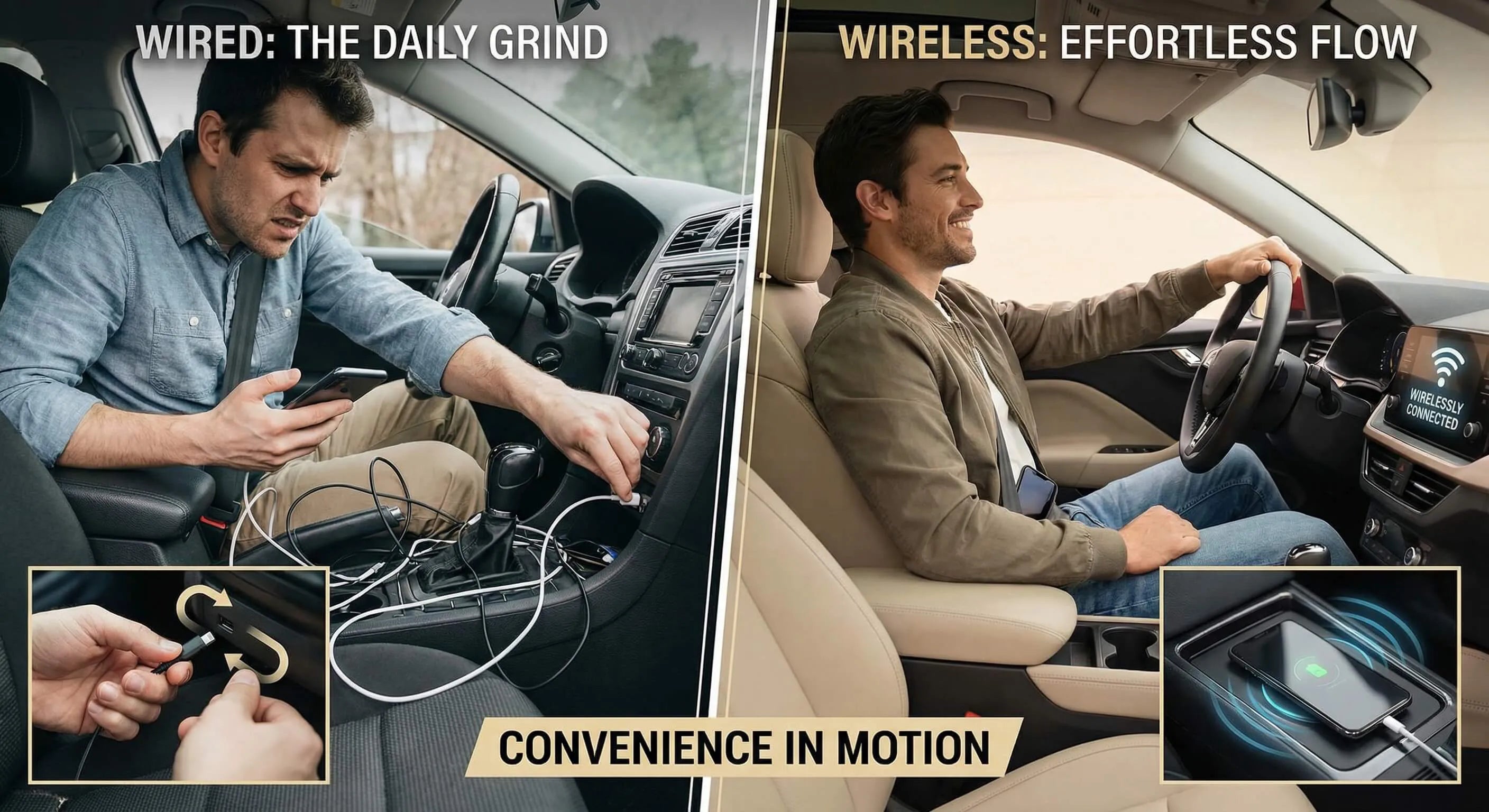
While most modern vehicles (2020+) come with built-in wireless Android Auto, millions of older cars (2016-2019) are stuck with wired-only connections. This means plugging in a USB cable every time you get in the car—inconvenient and cluttered.
Additionally, even cars with basic Android Auto lack advanced entertainment features like Netflix, YouTube, and screen mirroring. This is where CARLUEX adapters transform your driving experience.
CARLUEX offers a range of Android Auto adapters that not only convert wired connections to wireless but also add powerful entertainment features, turning your car's display into a smart entertainment hub.
CARLUEX Product Lineup: Finding Your Perfect Match
CARLUEX LINK ($59 - Basic Wireless Adapter)
The CARLUEX LINK is the entry-level solution for drivers who simply want to eliminate cables. At just $59 (originally $99), it's the most affordable way to upgrade from wired to wireless Android Auto.
Key Features:
- Converts wired Android Auto to wireless
- Supports both Apple CarPlay and Android Auto
- Instant connection (plug and play)
- Compatible with most 2016+ vehicles with wired CarPlay/Android Auto
Best For: Budget-conscious drivers who only need wireless connectivity without extra entertainment features.
Important Note: LINK does not support OTA updates. For Android Auto use, your car must already have Android Auto protocol built-in.
CARLUEX GO ($109 - Entertainment Upgrade)
The CARLUEX GO takes things further by adding entertainment apps like YouTube and Netflix, transforming your car into a mobile entertainment center.
Key Features:
- Wireless Android Auto + Apple CarPlay
- Pre-installed YouTube and Netflix
- Phone screen mirroring (connect to same WiFi or hotspot)
- 10-second boot time
- USB-C and USB-A ports
- Includes remote control for non-touchscreen cars
- Bluetooth and WiFi connectivity
Best For: Drivers who want entertainment features for passengers, long road trips, or waiting in parking lots. Perfect for families with kids who need entertainment during drives.
Special Feature: Works with non-touchscreen cars using the included remote control—as long as your car has wired CarPlay, you can use GO.
CARLUEX AIR ($139 - Android System)
The CARLUEX AIR runs a full Android system, giving you access to the entire Google Play Store. It's like having a tablet built into your car.
Key Features:
- Full Android operating system
- Access to Google Play Store (download any app)
- YouTube, Netflix, Disney+, TikTok, and more
- Built-in navigation (requires WiFi connection)
- 27-second boot time
- Efficient heat dissipation design
- Supports both Apple CarPlay and Android Auto
Best For: Tech enthusiasts who want maximum flexibility and the ability to install any Android app on their car display.
Use Cases:
- Outdoor Movie Nights: Park your car, connect to WiFi, and watch movies on the big screen—perfect for romantic date nights or family camping trips
- Waiting Time Entertainment: Stuck waiting for someone? Watch YouTube or browse TikTok instead of staring at your phone
- Navigation Without Phone: Use Google Maps directly on the car screen (requires WiFi or mobile hotspot)
CARLUEX PRO+ 2.0 ($269 - Premium Performance)
The CARLUEX PRO+ 2.0 is the flagship model with the most powerful hardware and advanced features, including Cloud SIM technology for seamless connectivity.
Key Features:
- Hardware: Snapdragon 6125 chip, 8GB RAM, 128GB storage
- Cloud SIM: Seamless internet access anywhere (powered by Cloud SIM technology)
- Network: SIM card slot + WiFi (2.4GHz + 5GHz)
- Storage: MicroSD card slot for expansion
- Connectivity: USB-C power + microHDMI output (can be used as TV box)
- System: CARLUEX OS 2.0 with full Google Play Store access
- Features: GPS/Beidou/Galileo positioning, OTA updates, remote log upload
- Video: 4K video support
- Boot Time: 17 seconds
Best For: Power users who demand the best performance, want 4K video support, and need reliable internet connectivity through Cloud SIM technology.
Unique Features:
- Cloud SIM: Access YouTube, Netflix, and music streaming anywhere without relying on phone hotspot
- TV Box Mode: Connect to home TV via HDMI for entertainment (requires USB-C power)
- Triple Positioning: GPS + Beidou + Galileo for accurate navigation
- OTA Updates: Regular software updates for new features and improvements
CARLUEX VISION ($289 - Touchscreen Control)
The CARLUEX VISION features a unique built-in touchscreen, making it perfect for non-touchscreen cars or TV projection use.
Key Features:
- Hardware: Snapdragon 6125 chip, 4GB RAM, 64GB storage
- Built-in Touchscreen: Small touch display on the device itself for control
- System: CARLUEX OS 1.0 with Google Play Store
- Connectivity: SIM card slot, microSD slot, WiFi (2.4GHz + 5GHz)
- HDMI Output: Use as TV box with touchscreen control
- Boot Time: 20 seconds
- OTA Updates: Software updates supported
Best For: Users with non-touchscreen car displays, or those who want to project to non-touch TVs while maintaining full control via the device's touchscreen.
Unique Advantage: Even if your car screen or TV doesn't support touch, you can control everything using VISION's built-in touchscreen—no external remote needed.
CARLUEX BMW ($309 - BMW Specialist)
The CARLUEX BMW is specifically designed for BMW vehicles, as well as select Hyundai and Kia models with wireless CarPlay.
Key Features:
- Hardware: Qualcomm 6115 chip, 8GB RAM, 128GB storage
- BMW Optimized: Specifically tuned for BMW's iDrive system
- System: CARLUEX OS 1.0 with Google Play Store
- Compatibility: BMW vehicles + select Hyundai/Kia models with wireless CarPlay
- Boot Time: 20 seconds
- OTA Updates: Regular software updates
Best For: BMW owners who want to add Android apps and entertainment features to their iDrive system.
Important Note: This is the ONLY CARLUEX product compatible with BMW vehicles. Other CARLUEX models will not work properly with BMW's proprietary system.
CARLUEX Accessories: Complete Your Setup
CARLUEX CLIP (Mounting Bracket)
Keep your CARLUEX device organized and secure with the CARLUEX CLIP mounting bracket. A clean installation improves cable stability, reduces connection issues, and extends device lifespan by preventing accidental drops or cable strain.
Benefits:
- Keeps device securely mounted (prevents drops)
- Reduces cable strain on USB port
- Cleaner, more professional appearance
- Improves connection stability
For installation instructions, see our CARLUEX accessory installation guide.
Additional Accessories Available:
- Bluetooth Remote Control: Essential for non-touchscreen cars
- High-Quality USB Cables: Ensure stable connection
- Exclusive Mounting Brackets: Custom fit for different car models
Real-World Use Cases: CARLUEX in Action
Scenario 1: The Long Road Trip
"During our 8-hour road trip to the mountains, our kids were getting restless in the back seat. We pulled over, connected CARLUEX AIR to our mobile hotspot, and streamed their favorite Disney+ shows on the car's display. The rest of the trip was peaceful, and we could focus on driving. It was like having a portable movie theater."
Scenario 2: The Romantic Date Night
"My girlfriend and I drove to a scenic overlook for a sunset date. After the sun went down, I surprised her by playing a romantic movie on the car screen using CARLUEX PRO+ 2.0. We reclined the seats, shared popcorn, and watched under the stars. It was more intimate than any movie theater—and completely private."
Scenario 3: The Waiting Game
"I arrived 20 minutes early to pick up my friend from the airport. Instead of scrolling on my tiny phone screen, I used CARLUEX to watch YouTube on the car's large display. Time flew by, and when my friend got in the car, he was amazed by the smart setup. He immediately asked where I got it."
Scenario 4: The Camping Adventure
"We went camping with friends and brought a portable projector. Using CARLUEX PRO+ 2.0's HDMI output, we projected a movie onto a white sheet hung between trees. The car provided power, CARLUEX provided the content, and we had an unforgettable outdoor cinema experience."
Scenario 5: Uninterrupted Navigation
"I was navigating to an important meeting when I realized I forgot my phone charger. Normally, I'd have to keep my phone plugged in for navigation. But with CARLUEX, the navigation stayed on the car screen even when I unplugged my phone to make calls. The route guidance never skipped a beat."
CARLUEX Warranty and Support
All CARLUEX adapters come with comprehensive support:
- 1-Year Warranty: Full coverage for manufacturing defects
- 30-Day Returns: Try risk-free for a month
- Free Shipping: No additional shipping costs
- Remote Support: Upload logs for technical troubleshooting
- OTA Updates: Regular software improvements (PRO+ 2.0, VISION, BMW)
Track your order anytime at CARLUEX Order Tracking—just enter your order number or tracking number.
Important Compatibility Notes
General Compatibility:
- All CARLUEX products work with vehicles that have wired CarPlay/Android Auto (2016+)
- NOT compatible with aftermarket head units (factory systems only)
- For Android Auto use, your car must already support Android Auto protocol
BMW Compatibility:
- ONLY CARLUEX BMW works with BMW vehicles
- Other CARLUEX models are NOT compatible with BMW cars
- CARLUEX BMW also works with select Hyundai/Kia models with wireless CarPlay
Non-Touchscreen Cars:
- CARLUEX GO: Works with included remote control
- CARLUEX VISION: Works with built-in touchscreen
- CARLUEX PRO+ 2.0 / BMW: Can work if you first pair a Bluetooth remote on a touchscreen device, then move to non-touchscreen car (auto-reconnects)
Network Connectivity:
- All CARLUEX products support 5GHz WiFi
- SIM card slots support 4G LTE (NOT 5G cellular)
- Cloud SIM (PRO+ 2.0) provides seamless internet access
For complete compatibility information, visit our compatibility page.
What About Quick Comparison: Streaming vs Offline Players?
Streaming Music Players Comparison
| Player | Audio Quality | Price | Library Size | Offline | Best For |
|---|---|---|---|---|---|
| Spotify | 320kbps | $10.99/mo | 100M+ songs | ✅ Premium | Best overall experience |
| YouTube Music | 256kbps | $10.99/mo | 100M+ songs | ✅ Premium | Google ecosystem users |
| Amazon Music | 24-bit/192kHz | $9.99/mo | 100M+ songs | ✅ Unlimited | Audiophiles, Prime members |
| Tidal | 24-bit/192kHz | $19.99/mo | 100M+ songs | ✅ HiFi Plus | Serious audiophiles |
| Pandora | 192kbps | $4.99/mo | Millions | ⚠️ Limited | Radio-style discovery |
Offline Music Players Comparison
| Player | Price | Formats | Equalizer | Ads | Best For |
|---|---|---|---|---|---|
| Poweramp | $4.99 | 15+ formats | 64-band | ❌ None | Audiophiles, power users |
| Musicolet | Free | 10+ formats | 5-band | ❌ None | Privacy, budget users |
| AIMP | Free | 29 formats | 18-band | ❌ None | Format diversity |
| Plexamp | $4.99/mo | All formats | Advanced | ❌ None | Plex users |
| MediaMonkey | $4.99 | 10+ formats | 10-band | ❌ None (Pro) | Large libraries |
What's the Bottom Line?
Choosing the right music player for Android Auto depends on your priorities, budget, and listening habits. Let's recap the best options for different user profiles:
Best Overall: Spotify Premium - If you want the best all-around experience with excellent discovery features, seamless Android Auto integration, and a massive music library, Spotify Premium ($10.99/month) is the gold standard.
Best Free Option: Musicolet - For budget-conscious drivers who want zero ads, zero tracking, and solid offline playback, Musicolet is unbeatable. It's completely free and respects your privacy.
Best Audio Quality: Tidal HiFi Plus - Audiophiles with premium car audio systems should choose Tidal HiFi Plus ($19.99/month) for Hi-Res Lossless audio up to 24-bit/192kHz.
Best Offline Player: Poweramp - For users with personal music collections, Poweramp ($4.99 one-time) offers the most comprehensive format support, a 64-band equalizer, and professional-grade audio processing.
Best Value: YouTube Music Premium - Google ecosystem users get incredible value with YouTube Music Premium ($10.99/month), which includes ad-free YouTube, making it essentially two services for the price of one.
Best for Discovery: Pandora Plus - If you prefer radio-style listening with intelligent recommendations, Pandora Plus ($4.99/month) offers the best discovery algorithm at an affordable price.
Remember, most streaming services offer free trials—take advantage of these to test which player works best with your car's Android Auto system before committing to a subscription.
For an even better Android Auto experience, consider upgrading your car's system with CARLUEX adapters. Whether you need basic wireless connectivity (LINK), entertainment features (GO, AIR), or premium performance (PRO+ 2.0), CARLUEX has a solution that fits your needs and budget.
Ready to transform your daily commute into a premium listening experience? Download your chosen music player today, follow our setup guide, and enjoy seamless Android Auto integration. Your perfect driving soundtrack awaits.
For more Android Auto tips, setup guides, and product reviews, subscribe to our newsletter and explore our best Android Auto apps collection.
What About Frequently Asked Questions (FAQ)?
Q1: What music apps work with Android Auto in 2026?
A: The most popular music apps compatible with Android Auto in 2026 include: Spotify, YouTube Music, Amazon Music, Tidal, Pandora, Deezer, iHeartRadio, SiriusXM, Poweramp, Musicolet, AIMP, Plexamp, and MediaMonkey. All these apps support the Media Browser Service API required for Android Auto integration. According to Google's official list, there are 500+ compatible music and audio apps available on the Play Store.
Q2: Can I use offline music on Android Auto?
A: Yes! You can use offline music on Android Auto in two ways: 1) Download songs for offline playback using streaming apps like Spotify Premium, YouTube Music Premium, or Amazon Music Unlimited, or 2) Use offline music players like Poweramp, Musicolet, or AIMP that play local music files stored on your phone or SD card. Offline players require zero internet connection and use no mobile data, making them perfect for data-conscious drivers or areas with poor cellular coverage.
Q3: How do I setup a music player on Android Auto?
A: To set up a music player on Android Auto: 1) Install the music app from Google Play Store, 2) Connect your phone to your car via USB cable or wireless connection, 3) Grant necessary permissions (phone, contacts, location, microphone) when Android Auto launches, 4) Open Android Auto on your car display, 5) Tap the app launcher icon (grid of dots) and select your music player.
The app should appear immediately if it's Android Auto compatible. For detailed instructions, see our complete setup guide.
Q4: Does Android Auto support voice control for music?
A: Yes, Android Auto fully supports voice control through Google Assistant. You can say commands like "Hey Google, play my workout playlist on Spotify" or "Play jazz music" to control music hands-free. To optimize voice control: 1) Enable "Hey Google" detection in Google Assistant settings, 2) Set your preferred music service as default in Google Assistant > Music settings, 3) Train the voice model in a quiet environment for better recognition.
Note that while Google Assistant works excellently, it cannot directly control all app functions via voice—this is a limitation of Android Auto itself.
Q5: What's the best free music player for Android Auto?
A: Musicolet is the best free music player for Android Auto. It's completely free with zero ads, zero tracking, and zero unnecessary permissions. The app is only 2MB in size, supports 10+ audio formats, includes a 5-band equalizer, and offers unique features like multiple playback queues. Unlike Spotify's free tier (which is shuffle-only with frequent ads), Musicolet provides full control over your music library. It's perfect for privacy-conscious users and anyone who wants a simple, reliable offline player without subscriptions.
Q6: Can I use Poweramp with Android Auto?
A: Yes, Poweramp fully supports Android Auto since version 3.0 (released in 2018). Poweramp is one of the most popular offline music players for Android Auto, offering support for 15+ audio formats (including Hi-Res FLAC and DSD), a 64-band equalizer, gapless playback, and Direct Volume Control for bit-perfect audio output. The app costs $4.99 as a one-time purchase (no subscription) and includes a 14-day free trial.
Poweramp's Android Auto interface allows folder browsing, playlist management, and full playback control directly from your car's display.
Q7: Spotify vs YouTube Music on Android Auto - which is better?
A: Both are excellent, but the best choice depends on your priorities:
Choose Spotify if you want:
- Higher audio quality (320kbps vs 256kbps)
- Better recommendation algorithm (Discover Weekly, Release Radar)
- More polished Android Auto interface
- Larger podcast library
Choose YouTube Music if you want:
- Deeper Google Assistant integration
- Access to YouTube's content (live performances, covers, remixes)
- YouTube Premium included (ad-free YouTube videos)
- Smart Downloads feature
In our testing, Spotify had slightly better audio quality and interface polish, while YouTube Music offered better value (includes YouTube Premium) and unique content. Both cost $10.99/month for Premium.
Q8: How to play local music files on Android Auto?
A: To play local music files on Android Auto, use an offline music player like Poweramp, Musicolet, AIMP, or MediaMonkey. Here's how: 1) Transfer your music files (MP3, FLAC, WAV, etc.) to your phone's storage or SD card, 2) Install an offline music player from Google Play Store, 3) Open the app and let it scan your music library, 4) Connect to Android Auto, 5) Select the offline player from the app launcher.
The player will display your local music library, organized by folders, artists, albums, or playlists. This method requires zero internet connection and uses no mobile data.
Q9: Does Android Auto require internet connection for music?
A: It depends on the music player:
Requires Internet:
- Streaming services (Spotify, YouTube Music, Amazon Music, Tidal, Pandora) need internet to stream music
- However, Premium subscribers can download songs for offline playback
No Internet Needed:
- Offline music players (Poweramp, Musicolet, AIMP) play local files without any internet connection
- Downloaded songs from streaming services (Spotify Premium, YouTube Music Premium) work offline
For data-free listening, either use an offline player or download your favorite playlists on streaming apps before your drive.
Q10: What audio quality does Android Auto support?
A: Android Auto supports audio quality up to 24-bit/192kHz Hi-Res Lossless, though actual quality depends on your music app and car's audio system:
Streaming Services:
- Spotify Premium: Up to 320kbps (high quality)
- YouTube Music Premium: Up to 256kbps AAC
- Amazon Music Unlimited: Up to 24-bit/192kHz Hi-Res Lossless
- Tidal HiFi Plus: Up to 24-bit/192kHz Hi-Res FLAC + MQA
- Pandora Premium: Up to 192kbps AAC
Offline Players:
- Poweramp: Supports Hi-Res FLAC, DSD, and bit-perfect output
- Musicolet: Supports FLAC and other lossless formats
- AIMP: Supports 29 audio formats including Hi-Res
Note that Hi-Res audio quality (above 320kbps) requires a premium car audio system to fully appreciate the difference. Most factory car stereos cannot reproduce the full dynamic range of Hi-Res audio.


Αφήστε ένα σχόλιο
Αυτή η τοποθεσία προστατεύεται από το hCAPTCHA και ισχύουν η Πολιτική απορρήτου και οι Όροι Παροχής Υπηρεσιών του hCaptcha.