

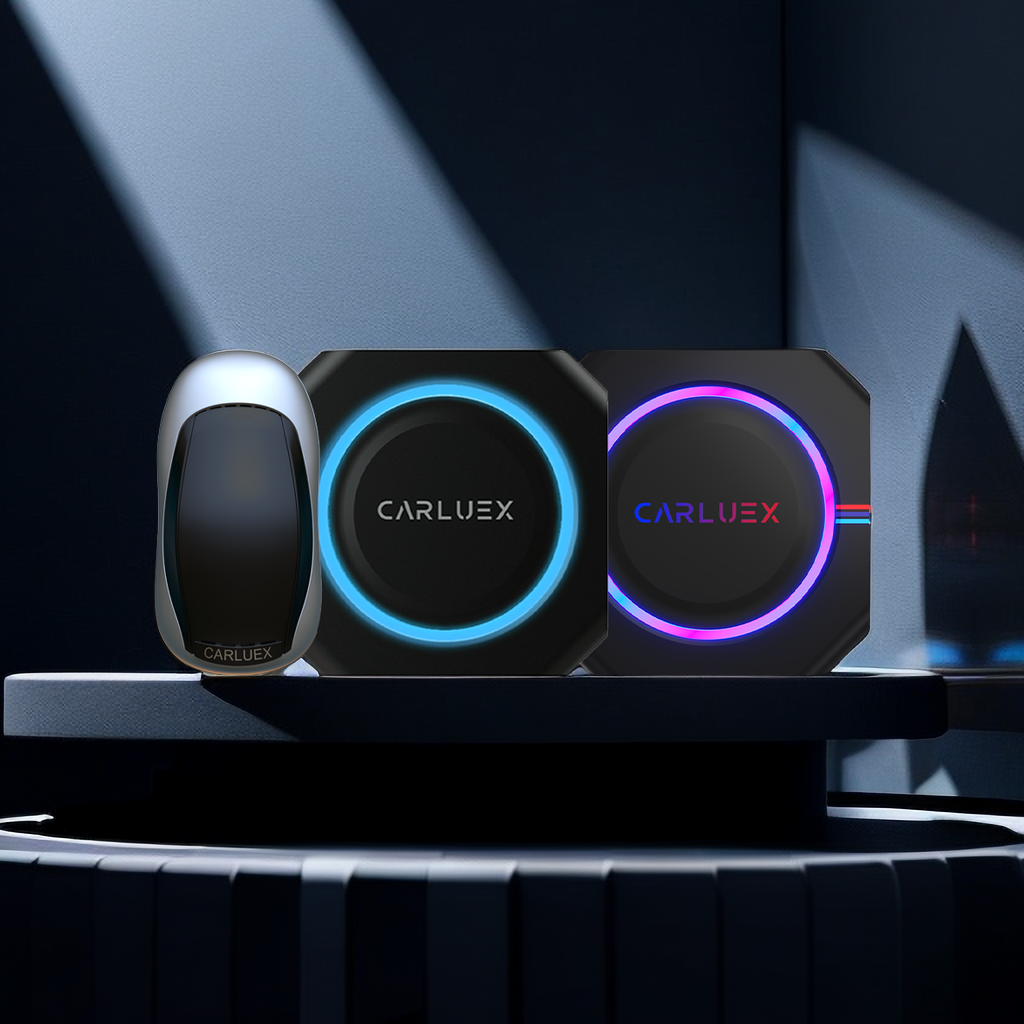
Quick answer: The best wireless CarPlay adapter is the one that matches your car's factory infotainment system, your phone, and the way you actually drive. Before trusting any wireless CarPlay adapter review, check whether your vehicle already supports factory wired CarPlay, whether Android Auto matters to you, whether you need only cable-free phone projection or a richer app experience, and whether the product page clearly explains compatibility limits.
This updated guide replaces the older 2024-style roundup with a practical 2026 buying framework. It does not claim that every adapter was laboratory tested or that one model is the right choice for every driver. Instead, it shows what to look for in reviews, what claims to treat carefully, and how to compare CARLUEX options without skipping the compatibility check.

What A Good Wireless CarPlay Adapter Review Should Tell You
A useful review should answer more than “does it connect?” It should explain what car was used, whether the car already had wired CarPlay, how pairing worked, how quickly it reconnected, what happened after short stops, and whether the reviewer tested calls, maps, music, and app switching separately.
Apple's own CarPlay setup guidance separates wired and wireless CarPlay setup paths. If a car supports CarPlay by USB, Apple tells users to connect the iPhone to the car's USB port. If the car supports wireless CarPlay, Apple describes a wireless pairing flow through the car stereo and iPhone settings. A wired-to-wireless adapter usually depends on the vehicle already having a working wired CarPlay path, so a review that ignores the car's factory setup is incomplete.
| Review claim | What to check before trusting it | Why it matters |
|---|---|---|
| Works with my car | Vehicle year, trim, region, factory head unit, and whether wired CarPlay already works | Compatibility can change by trim and infotainment system, not just brand name. |
| Connects automatically | Cold start, quick stop, phone locked, Bluetooth/Wi-Fi state, and multi-phone behavior | Daily reconnection is more important than a one-time setup demo. |
| Feels responsive | Maps, calls, audio controls, app switching, and steering wheel buttons tested separately | Different tasks can feel different even on the same adapter. |
| Supports Android Auto too | Whether the car has factory wired Android Auto and whether the adapter model supports it | CarPlay support does not automatically mean Android Auto support. |
| Great for streaming | Whether this is parked/passenger use, app availability, hotspot needs, and local laws | Drivers should not watch video or use interactive entertainment behind the wheel. |
Start With Compatibility, Not Price
The most common buying mistake is treating any USB port as enough. A USB port can charge a phone without supporting CarPlay. For many wireless CarPlay adapters, the safer starting point is a vehicle that already launches factory wired CarPlay successfully. For wireless Android Auto, selected adapter setups may also require factory wired Android Auto.
Use Apple's CarPlay available models list to check whether your vehicle generation supports CarPlay, then confirm the exact adapter fit through the CARLUEX compatible vehicles page or CARLUEX support before purchase. Apple also says to contact the vehicle manufacturer if you are unsure whether your car supports CarPlay.

Simple Wireless CarPlay Or A Multimedia AI Box?
Not every buyer needs the same type of device. Some drivers only want to stop plugging in a phone cable. Others want Android-based apps, parked entertainment, offline media, or a small touchscreen for a non-touch car display. Reviews are easier to compare when you sort products by job, not by hype.
| Your main goal | CARLUEX option to compare | Fit note |
|---|---|---|
| Make wired CarPlay wireless with a compact adapter | CARLUEX LINK | Wireless CarPlay requires factory wired CarPlay. Wireless Android Auto requires factory wired Android Auto. |
| Add a broader Android-based app experience where available | CARLUEX AIR | Confirm vehicle compatibility and third-party app availability before purchase. |
| Compare YouTube, Netflix, casting, and offline media features for parked use | CARLUEX GO | Entertainment features should be used only while parked or by passengers where allowed. |
| Use a screen-control style setup | CARLUEX VISION | Confirm the vehicle, display, and control needs before choosing this route. |
| Upgrade a BMW vehicle | CARLUEX Multimedia Streaming Box for BMW | BMW users should compare the BMW version instead of assuming a standard PRO+ recommendation fits. |
Connection Quality: What Reviews Often Miss
A smooth adapter experience depends on both the adapter and the car's existing system. A good review should test first pairing, daily reconnection, audio delay, steering wheel controls, map responsiveness, phone calls, and recovery after restarting the car. If wired CarPlay is already unstable, a wireless adapter may inherit that problem instead of solving it.
Apple's CarPlay troubleshooting guidance recommends checking compatibility, connection, iOS version, Bluetooth, Wi-Fi, Siri, CarPlay restrictions, and vehicle firmware when CarPlay does not work as expected. That same logic applies before blaming an adapter.
- Test wired CarPlay first with a cable.
- Use the USB port that normally launches CarPlay or Android Auto.
- Keep Bluetooth and Wi-Fi enabled on the phone.
- Restart the phone and infotainment system if pairing fails.
- Forget old pairings and reconnect if the car keeps selecting the wrong phone.
- Check the car manual or manufacturer guidance for vehicle firmware updates.

App Features Need A Safety Boundary
Many shoppers compare wireless CarPlay adapters because they want maps, music, calls, voice control, and a cleaner cabin. Some CARLUEX devices also support broader app experiences where available. The safety boundary is important: drivers should not watch video, play games, or adjust entertainment apps while driving.
NHTSA describes distracted driving as any activity that takes attention away from safe driving, including phone use and fiddling with entertainment or navigation systems. Set up routes, audio, pairing, and entertainment before driving or while safely parked.
For everyday driving, focus on:
- maps that are easy to read at a glance;
- audio controls that do not require phone handling;
- calls and voice commands where your vehicle and phone support them;
- automatic reconnection after setup;
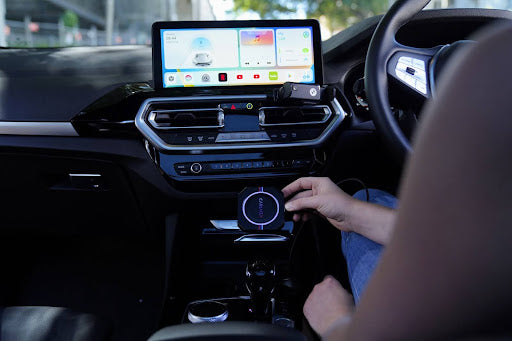
- a cable-free phone routine after the adapter is connected to the car by USB.
Do Not Confuse CarPlay, Android Auto, And Android Apps
CarPlay is Apple's in-car iPhone interface. Android Auto is Google's in-car Android phone interface. Android-based multimedia boxes can add app experiences through a separate Android system where supported. Those are related, but they are not the same feature.
This matters because a review might praise streaming apps, Android apps, or offline media, while another buyer only needs wireless CarPlay. Compare the feature set you actually need, then verify the product page and compatibility path. Third-party app performance may depend on the app provider, your network, your phone hotspot, and your vehicle setup.

Best Pick Framework For 2026
Instead of naming one unsupported winner, use this decision path:
- If you only want cable-free CarPlay: compare a compact adapter such as CARLUEX LINK and confirm factory wired CarPlay support.
- If you want wireless Android Auto too: confirm factory wired Android Auto and adapter support before choosing.
- If you want apps for parked use: compare AIR, GO, VISION, or other multimedia-style CARLUEX options, then review compatibility and app limitations.
- If you drive a BMW: start with the CARLUEX BMW version and do not assume a standard adapter recommendation applies.
- If wired CarPlay is broken: fix the wired CarPlay issue first. A wireless adapter is not a repair tool for unsupported vehicles, damaged USB ports, blocked phone settings, or vehicle software faults.
- If you are unsure: check compatible vehicles and contact support before ordering.
What To Look For In Real Customer Reviews
Customer reviews can be helpful when they include concrete details. Look for the vehicle model, model year, phone model, iOS or Android version, the exact CARLUEX product, and whether the reviewer tested it for more than one commute. Be cautious with reviews that say only “works great” without naming the vehicle setup.
Useful review details include:
- vehicle make, model, year, and trim;
- whether factory wired CarPlay or wired Android Auto worked before installation;
- pairing time after the first setup;
- reconnection after a short stop;
- audio, call, and map behavior;
- how support handled compatibility questions;
- whether any issue was solved by firmware, phone settings, or a different USB port.

Before You Buy Checklist
| Checklist item | Pass condition |
|---|---|
| Vehicle compatibility | Your exact vehicle setup is listed or confirmed by support. |
| Wired baseline | Factory wired CarPlay or wired Android Auto works before adding the adapter. |
| Main use case | You know whether you need simple wireless projection or multimedia app features. |
| BMW routing | BMW shoppers compare the BMW-specific CARLUEX version first. |
| Safety use | Setup, pairing, video, and entertainment are handled while parked or by passengers where allowed. |
| Policy review | You review current product, warranty, shipping, and return-policy details before purchase. |
Related CARLUEX Guides
- Wireless CarPlay adapter troubleshooting checklist
- How to use Apple CarPlay: setup, connect, and customize
- Do wireless CarPlay adapters actually work?
- Browse CARLUEX wireless CarPlay adapters
FAQ
Are wireless CarPlay adapter reviews reliable?
They can be useful if they name the vehicle, phone, adapter model, and test conditions. Reviews that make broad claims without compatibility details should be treated carefully.
What is the best wireless CarPlay adapter for my car?
The best choice depends on your vehicle's factory infotainment system, whether wired CarPlay or wired Android Auto already works, and whether you want simple wireless projection or a multimedia app experience.
Will a wireless CarPlay adapter work with any car that has USB?
No. A USB port alone is not enough. Many wireless CarPlay adapters require factory wired CarPlay, and wireless Android Auto may require factory wired Android Auto on compatible vehicles.
Can a wireless adapter fix CarPlay that does not work with a cable?
Usually no. Fix the wired CarPlay or wired Android Auto connection first. A wireless adapter is a convenience upgrade, not a repair for unsupported vehicles, damaged USB ports, blocked phone settings, or vehicle software faults.
Which CARLUEX product should I compare first?
For simple cable-free CarPlay, compare CARLUEX LINK. For broader app and parked entertainment features, compare AIR, GO, or VISION after checking compatibility. BMW users should start with the BMW-specific version.


Hinterlasse einen Kommentar
Diese Website ist durch hCaptcha geschützt und es gelten die allgemeinen Geschäftsbedingungen und Datenschutzbestimmungen von hCaptcha.