

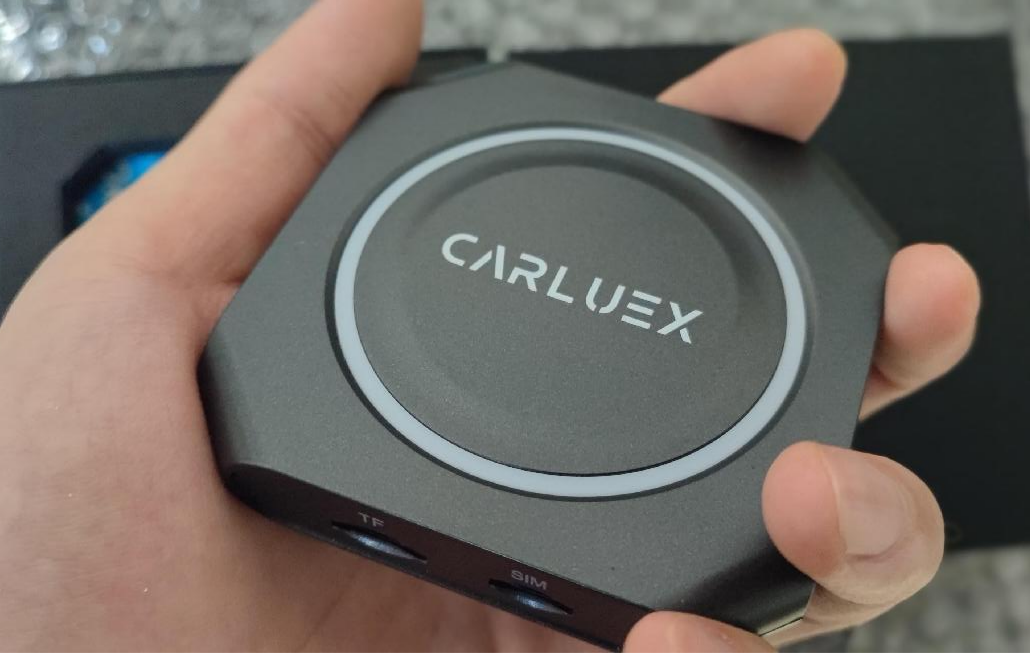
If you want to use CarPlay without plugging in your iPhone every time, a wireless CarPlay adapter can be a practical upgrade. The important part is choosing the right type of adapter for your car, your phone, and the features you actually need.
Quick answer: a wireless CarPlay adapter is best for a vehicle that already has factory wired CarPlay. It can make the phone-to-car connection wireless after setup, but it does not add CarPlay to an unsupported car, repair a damaged USB port, or make every app work in every vehicle. Before buying, check compatibility, Android Auto requirements, app expectations, update support, and safe-use boundaries.
What a Wireless CarPlay Adapter Can and Cannot Do
Apple describes CarPlay as a safer way to use iPhone features on a car's built-in display, including directions, calls, messages, and music. You can also check Apple's CarPlay available models list to confirm whether a vehicle is listed for CarPlay support.
A wireless adapter sits between your phone and the car's existing infotainment system. In simple terms, it helps replace the repeated phone cable step after the first setup. It still needs a compatible car system, and the adapter itself normally connects to the vehicle by USB.
That distinction matters. If your car has no factory CarPlay, a wired-to-wireless adapter is usually not the right fix. You may need a different solution, such as a compatible multimedia box, a BMW-specific version where applicable, or another head-unit path.
1. Check Whether Your Car Already Has Wired CarPlay
The first thing to check is not the adapter. It is your vehicle.
For most wired-to-wireless CarPlay adapters, your car should already support factory wired CarPlay. A USB port alone is not enough. Some ports are charge-only, some are media-only, and some do not pass CarPlay data correctly.
Use this quick check before you buy:
| Question | Why it matters |
|---|---|
| Does wired CarPlay work when your iPhone is connected by cable? | If wired CarPlay does not work, a wireless adapter may not solve the root problem. |
| Is your model listed by Apple or by the adapter brand's compatibility page? | Model year, region, trim, and infotainment version can affect support. |
| Is the USB port the same port used for CarPlay? | Some vehicles have multiple USB ports, but only one supports CarPlay data. |
| Is the vehicle a BMW? | BMW compatibility can require a dedicated CARLUEX BMW version rather than a general adapter. |
For CARLUEX products, start with the CARLUEX compatible vehicles page and then review the exact product page. Compatibility depends on the adapter model and the vehicle's factory infotainment system.
2. Choose the Right Adapter Type
Not every CARLUEX device is meant for the same driver. Some users only want a cleaner wireless CarPlay connection. Others want a fuller in-car entertainment box with Android system apps and offline media options.

| Need | CARLUEX option to review | Compatibility note |
|---|---|---|
| Simple wireless CarPlay and wireless Android Auto conversion | CARLUEX LINK | Wireless CarPlay needs factory wired CarPlay. Wireless Android Auto needs factory wired Android Auto. |
| Wireless CarPlay / Android Auto plus app-based entertainment features | CARLUEX AIR | Check the product page and compatible vehicle list before purchase. Third-party app performance can depend on the app provider. |
| Multimedia AI box with Android system apps and broader media options | CARLUEX PRO+ 2.0 | Designed for vehicles with built-in wired CarPlay; not for BMW models. BMW owners should review the BMW-specific version. |
| Touchscreen assistance or a display-control scenario | CARLUEX VISION | Review the product page for the exact use case and compatibility requirements. |
The safest buying rule is simple: match the product to your factory system first, then choose the entertainment features you want. Do not choose an adapter only because the product name includes CarPlay.
3. Check Android Auto and Phone Requirements Separately
CarPlay and Android Auto are related driving interfaces, but they are not the same requirement. Google says Android Auto needs a compatible car or stereo, and wireless Android Auto requires both a compatible phone and compatible vehicle or supported aftermarket stereo.
If you want both iPhone and Android support, check both sides:
- For iPhone: confirm the vehicle works with CarPlay and that wired CarPlay works first.
- For Android: check the Android Auto vehicle compatibility page and the phone requirements.
- For a CARLUEX adapter: confirm whether that specific model supports wireless CarPlay, wireless Android Auto, or both.
This is especially important for shared vehicles. One family member may use iPhone while another uses Android. A product that fits one phone ecosystem may not be the best fit for the whole car.
4. Be Realistic About Apps, Video, and Screen Controls
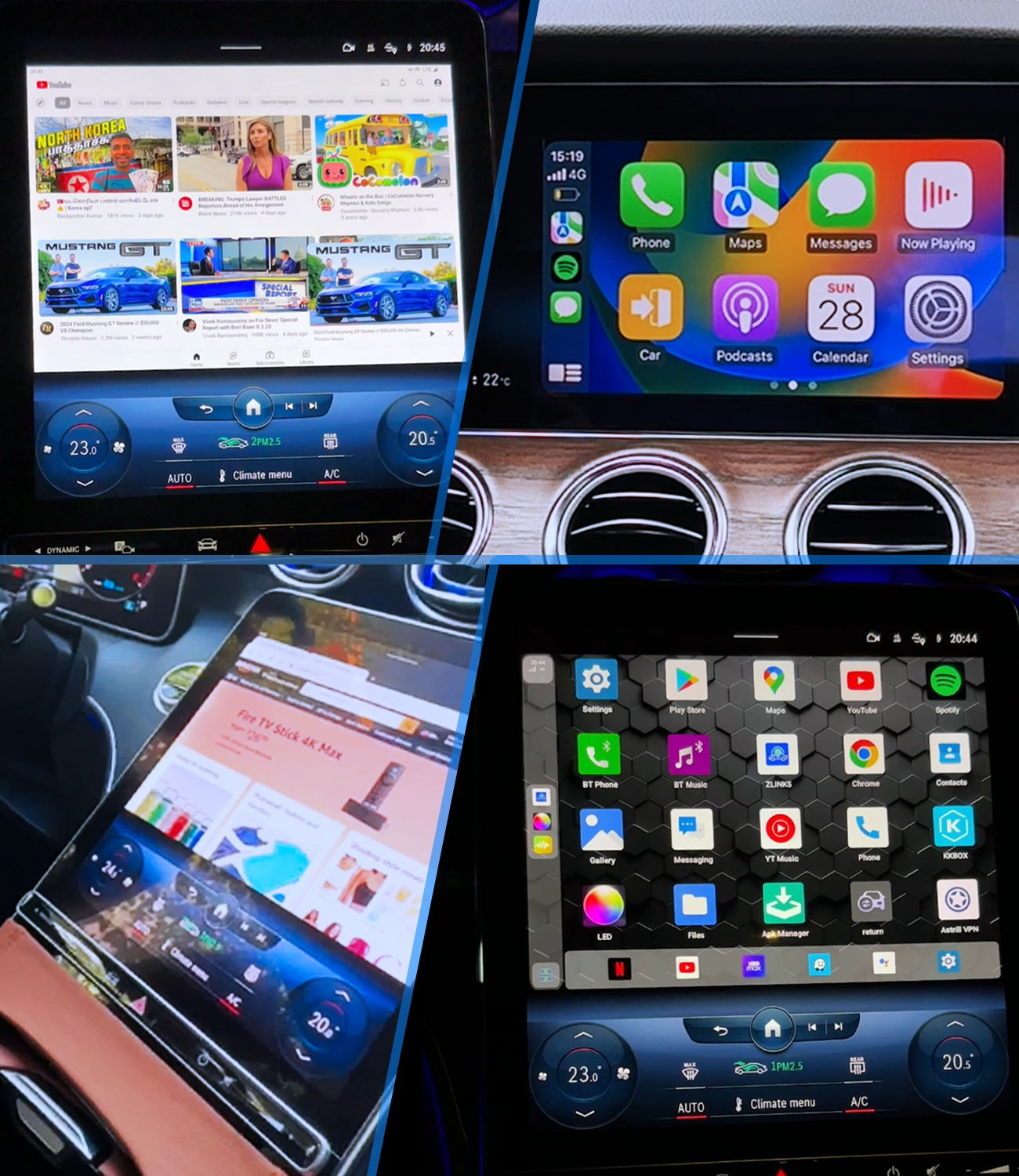
A wireless CarPlay adapter should make connection more convenient. A multimedia box can add more app and entertainment options where supported. Those are different expectations.
If your goal is navigation, music, calls, and messages, focus on connection stability, boot behavior, pairing, and steering-wheel control support. If your goal is parked entertainment, review products such as CARLUEX AIR or PRO+ 2.0 and confirm the app experience on the product page.
Use video and app features only when parked. NHTSA warns that distracted driving includes activities that take attention away from driving, including interacting with entertainment or navigation systems. Change settings only when the vehicle is parked.
5. Check Updates, Support, and Return Boundaries Before Buying
Software matters with any wireless adapter. Before purchase, check whether the product supports updates, where software updates are listed, and how support handles compatibility questions.
For CARLUEX, useful pre-purchase steps include:
- Confirm your vehicle on the compatible vehicles page.
- Read the exact product page instead of assuming all CARLUEX models share the same compatibility rules.
- Contact support if your model, year, trim, or infotainment system is unclear.
- Keep the original product packaging and order details until you have completed setup testing.
Compatibility and return rules are not the same thing. A product can have a return policy and still require the buyer to confirm vehicle compatibility before purchase. Treat compatibility checking as part of the buying process, not as an afterthought.
Quick Setup Checklist
- Park the vehicle before changing phone or infotainment settings.
- Test wired CarPlay with your original cable first.
- Plug the adapter into the CarPlay-capable USB port.
- Pair the phone according to the adapter instructions.
- Let the adapter complete its first connection before switching apps.
- If connection fails, restart the phone and vehicle system, then test the original wired CarPlay connection again.
- If wired CarPlay also fails, troubleshoot the vehicle, cable, USB port, phone settings, or software before blaming the adapter.
Related CARLUEX Guides
- Wireless CarPlay adapter not connecting troubleshooting checklist
- How to reset Apple CarPlay on iPhone
- How to reduce wireless CarPlay lag
- Why many cars still force wired CarPlay
FAQ
Does a wireless CarPlay adapter work with any car?
No. Most wired-to-wireless adapters require a vehicle that already supports factory wired CarPlay. A USB port alone does not prove compatibility.
Can a wireless adapter fix CarPlay that does not work by cable?
Usually no. If wired CarPlay does not work, first check the cable, phone settings, USB port, vehicle software, and whether the vehicle supports CarPlay.
Do I need a multimedia AI box instead of a simple wireless adapter?
Choose a simple adapter if your main goal is wireless CarPlay or Android Auto. Consider a multimedia AI box if you want Android system apps, offline media, or broader parked entertainment features, and your vehicle meets the product compatibility requirements.
Can I watch YouTube or Netflix while driving?
No. Entertainment apps should only be used while parked. Do not adjust phone, app, or infotainment settings while driving.
Which CARLUEX product should BMW owners check?
BMW owners should review the CARLUEX BMW-specific version instead of assuming a general PRO+ 2.0 or universal adapter is the right fit.


Efterlad en kommentar
Alle kommentarer er modereres, før de bliver offentliggjort.
'Denne side er beskyttet af hCaptcha, og hCaptchas Politik om beskyttelse af persondata og Servicevilkår er gældende.