

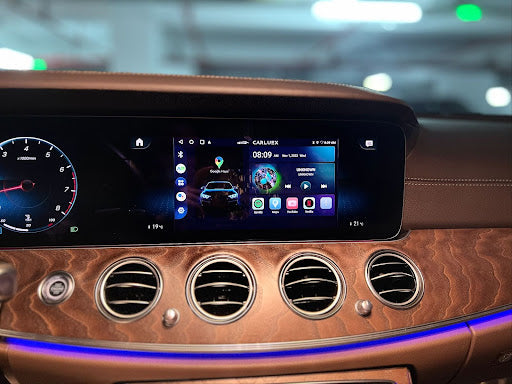
Toyota CarPlay is an Apple-certified in-vehicle infotainment system that integrates your iPhone with your Toyota's touchscreen display. Available in Toyota models from 2019 onward, CarPlay lets you access navigation, calls, messages, and music through Siri voice control or the car's native interface—without touching your phone while driving. Toyota offers both wired (via USB) and wireless CarPlay options depending on your vehicle model.

How Does Toyota CarPlay Work?

CarPlay mirrors a simplified iPhone interface onto your Toyota's dashboard screen. When connected, the display shows familiar app icons—Maps, Phone, Messages, Music, and more—that you can tap or control with Siri. According to Apple, CarPlay is designed specifically for the driving environment, with larger icons and voice-first interaction to minimize distractions.
Not all Toyota models include CarPlay from the factory. Check your vehicle's compatibility on Toyota's official site or consult your owner's manual. If your Toyota lacks built-in CarPlay, you can upgrade using a CARLUEX AIR wireless CarPlay adapter.
How to Set Up Toyota CarPlay
Setting Up Wired CarPlay via USB
To use wired CarPlay, connect your iPhone to your Toyota's USB port using a Lightning cable. Here's how:
- Plug your iPhone into the car's USB port with a Lightning cable.
- On the dashboard display, tap the Apple CarPlay icon on the home screen.
- Unlock your iPhone when prompted and tap "Allow" to grant CarPlay access.
- Follow any additional on-screen prompts to complete setup.
Once set up, CarPlay launches automatically whenever you connect your iPhone.
Setting Up Wireless CarPlay
If your Toyota supports wireless CarPlay (available in select models from 2020 onward), you can connect without a USB cable:
- Go to Settings > Bluetooth on your iPhone and enable Bluetooth.
- On your Toyota's display, tap Settings > Bluetooth & Devices > Add Another Device > Search for Devices.
- Select your iPhone from the discovered devices list.
- Confirm the pairing code on both devices, then accept any permission prompts on your iPhone.
- Return to the home screen and tap the Apple CarPlay icon to launch.
To learn more about wireless adapters, see our guide on wireless CarPlay adapters.
What Can You Do with Toyota CarPlay?
Navigation with Apple Maps or Google Maps
CarPlay supports Apple Maps, Google Maps, and Waze for turn-by-turn directions. Apple Maps automatically syncs with your iPhone's contacts and calendar events, making it easy to navigate to saved locations or upcoming appointments. Google Maps offers real-time traffic data to help you avoid congestion.
Phone Calls and Messaging
Make and receive calls hands-free through Siri. Simply say "Call John" or "Call (555) 123-4567" to initiate a call without taking your hands off the wheel. Incoming messages are read aloud, and you can dictate replies using voice commands.
Music and Entertainment
Access Apple Music, Spotify, Pandora, and other audio apps directly through the car's display. Control playback using the touchscreen, steering wheel buttons, or Siri voice commands. You can also stream podcasts and audiobooks for longer drives.
Siri Voice Control
Press and hold the voice command button on your steering wheel to activate Siri. Common commands include:
- "Play [song or artist name]"
- "Give me directions to [destination]"
- "Send a message to [contact name]"
- "Read my new messages"
How to Troubleshoot Toyota CarPlay Issues
If CarPlay isn't working properly, try these troubleshooting steps:
- Ensure your iPhone is running the latest version of iOS.
- Disconnect and reconnect your iPhone, or restart both your phone and the infotainment system.
- For wireless issues, toggle Bluetooth off and on, then re-pair the devices.
- If certain apps aren't showing up, check that they support CarPlay in the App Store.
For more detailed troubleshooting, see our guide on fixing CarPlay connection issues.
If problems persist, Toyota Support and Apple Support offer dedicated CarPlay troubleshooting resources.
How to Upgrade Your Toyota with Wireless CarPlay

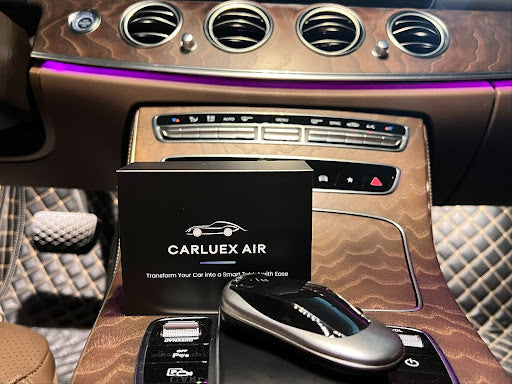
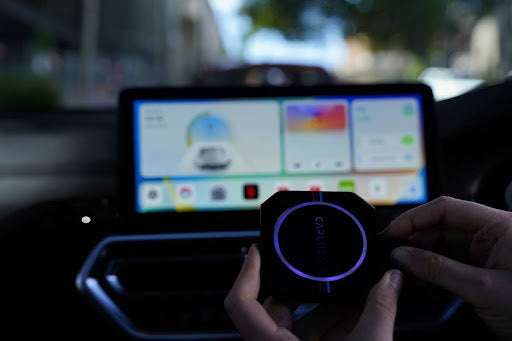
If your Toyota doesn't have built-in CarPlay—or only supports wired CarPlay—you can upgrade with a wireless adapter. The CARLUEX AIR adds wireless CarPlay and Android Auto to any Toyota with a factory wired CarPlay connection. Installation is plug-and-play: connect the adapter to your car's USB port, pair your iPhone once, and enjoy cable-free driving ever since.
For a hands-on look at the CARLUEX AIR, check out this review:
Frequently Asked Questions
Which Toyota models support CarPlay?
Toyota has offered CarPlay since the 2019 model year. Most new Toyota models include it as standard or optional equipment. Check your owner's manual or visit Toyota's official audio page to confirm for your specific vehicle.
Does Toyota offer wireless CarPlay?
Yes, Toyota began offering wireless CarPlay in select 2020 and newer models. If your Toyota has wired CarPlay only, you can add wireless functionality with a CARLUEX Toyota CarPlay upgrade adapter.
Is there a subscription fee for Toyota CarPlay?
No. CarPlay itself is free. However, you may incur data charges from your mobile carrier when using Maps or streaming music over cellular. Wi-Fi-enabled vehicles with built-in Wi-Fi hotspots may allow you to connect your phone to the internet without using your phone's data plan.
Can I use Google Maps instead of Apple Maps on CarPlay?
Yes. CarPlay supports both Apple Maps and Google Maps. You can also use Waze. Simply open the Google Maps or Waze app on your iPhone after connecting to CarPlay.
What iPhones are compatible with Toyota CarPlay?
CarPlay works with iPhone 5 and newer, running iOS 7.1 or later. All modern iPhones (iPhone 8 and newer) are fully compatible. Your iPhone must have a Lightning connector or use a certified Lightning-to-USB-C cable for wired connections.
How do I get wireless CarPlay on an older Toyota model?
CARLUEX AIR is a wireless CarPlay adapter that works with most Toyota models equipped with wired CarPlay. It plugs into your car's USB port and automatically converts wired CarPlay to wireless. No dealership visit or permanent modification required.


Napsat komentář
Tento web je chráněn službou hCaptcha a vztahují se na něj Zásady ochrany osobních údajů a Podmínky služby společnosti hCaptcha.