
Quick answer: If Apple CarPlay is not connecting in your Jeep Wrangler, start with the basics: use a data-capable USB cable, try the correct USB port, make sure Siri and CarPlay are enabled on your iPhone, restart the iPhone and Uconnect system, then remove and re-pair the phone. If your Wrangler uses wireless CarPlay or a wireless adapter, also check Bluetooth, Wi-Fi, and saved pairing records. Make these changes while parked.
Safety note: Change iPhone, CarPlay, Uconnect, and adapter settings only when the vehicle is parked. Do not adjust phone or infotainment settings while driving.
| Symptom | First thing to check | Why it matters |
|---|---|---|
| Jeep does not detect iPhone | USB cable and CarPlay-capable USB port | Some cables charge but do not pass data well enough for CarPlay |
| CarPlay worked before, then stopped | Old pairing, iOS update, or Uconnect software change | Saved connections can break after software changes |
| Bluetooth works but CarPlay does not | CarPlay permission, Siri, and Screen Time restrictions | Bluetooth phone calls and CarPlay are not the same connection |
| Wireless CarPlay drops | Bluetooth, Wi-Fi, and saved vehicle pairing | Wireless CarPlay depends on more than one wireless setting |
How Do You Fix Jeep Wrangler CarPlay Not Connecting?
Most Jeep Wrangler CarPlay issues come from one of five places: the cable or USB port, iPhone CarPlay permissions, Uconnect phone pairing, outdated software, or confusion between wired CarPlay, factory wireless CarPlay, and adapter-based wireless CarPlay. Apple recommends checking Siri, restarting your iPhone and car, removing the saved car from CarPlay settings, and confirming that the car stereo has the latest manufacturer firmware in its CarPlay troubleshooting guidance.
Check the USB Cable and Jeep USB Port First
If your Wrangler uses wired CarPlay, the USB cable and port are the fastest checks. A weak or charge-only cable can make the iPhone charge while CarPlay still fails.
- Use an Apple cable or another high-quality data-capable cable.
- Try the Jeep USB port that supports smartphone projection or CarPlay.
- Remove dust or debris from the USB port carefully.
- Avoid loose adapters or cable extensions during troubleshooting.
- If the phone charges but CarPlay does not open, test another cable before changing deeper settings.
Wired vs Wireless CarPlay in a Jeep Wrangler
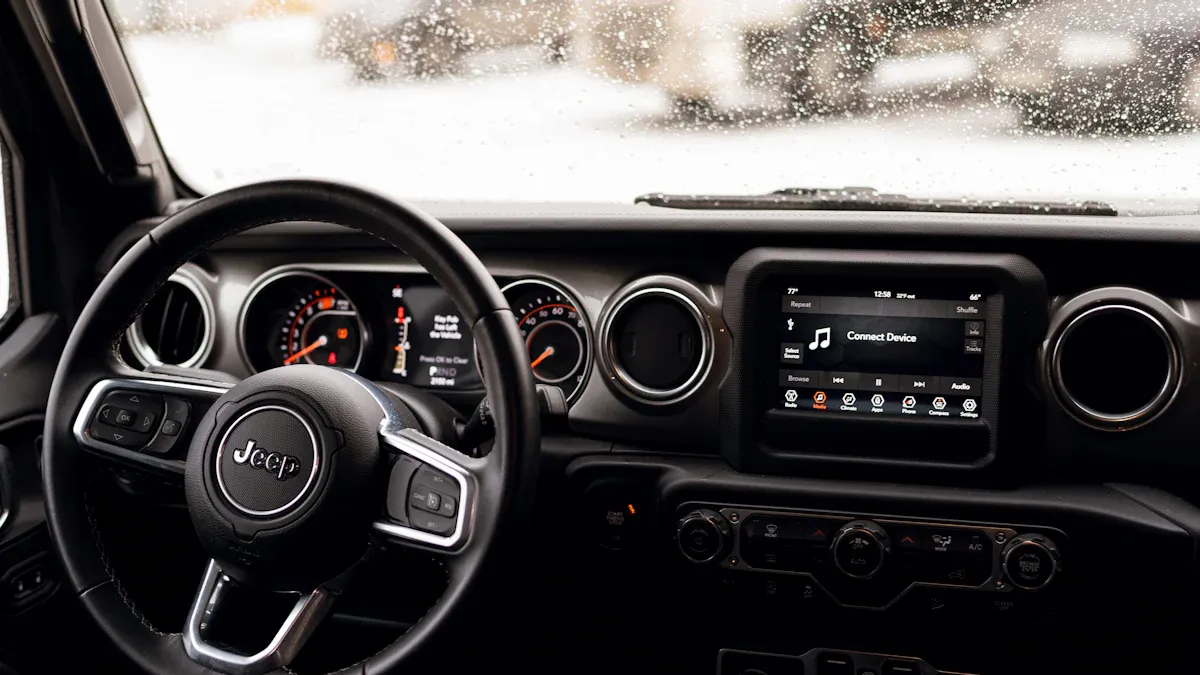
Before troubleshooting, confirm which setup your Wrangler actually uses. Some vehicles support wired CarPlay, some newer Uconnect systems may support wireless phone projection, and some drivers add wireless CarPlay through an adapter. These setups fail in different ways.
| Setup | Main things to check | Common mistake |
|---|---|---|
| Wired CarPlay | USB cable, USB port, iPhone CarPlay permission | Assuming a charging cable is also a reliable data cable |
| Factory wireless CarPlay | Bluetooth, Wi-Fi, saved pairing, Uconnect software | Deleting only Bluetooth while the CarPlay Wi-Fi record remains |
| Wireless adapter | Wired CarPlay baseline, adapter pairing, adapter firmware | Troubleshooting the adapter before confirming wired CarPlay works |
Jeep and Uconnect feature availability can vary by model year, region, trim, and infotainment system. Uconnect notes that Apple CarPlay and Android Auto support are available on selected systems, and wireless support depends on the system. Confirm your own vehicle through the owner's manual, Uconnect support, or Jeep support before assuming a feature is available.
The original article included this Jeep CarPlay video reference. Use it as a visual companion while you compare wired, factory wireless, and adapter-based connection behavior.
Make Sure CarPlay, Siri, and Screen Time Allow CarPlay
On the iPhone side, CarPlay depends on several permissions. The exact labels can vary by iOS version, but these are the main checks:
- Open Settings > General > CarPlay, then select your Jeep if it appears.
- Make sure CarPlay is allowed for that vehicle.
- Tap Forget This Car and set it up again if the saved pairing seems broken.
- Make sure Siri is enabled.
- Check Settings > Screen Time > Content & Privacy Restrictions if CarPlay is missing or blocked.
Apple's CarPlay setup guide also notes that wireless CarPlay may depend on Bluetooth, Wi-Fi, and the CarPlay network's Auto-Join setting.
Remove and Re-Pair Your iPhone with Uconnect
If CarPlay worked before but now fails, remove the old pairing from both sides. Uconnect and Mopar's smartphone pairing guidance shows that pairing involves both the vehicle screen and the phone, so stale saved records can matter.
- Park safely.
- On iPhone, open Settings > General > CarPlay.
- Select the Jeep, then tap Forget This Car if available.
- On the Uconnect screen, open the phone, Bluetooth, device, or smartphone pairing menu.
- Delete or forget the iPhone from the saved device list.
- Restart the iPhone and let the Uconnect screen fully power down before starting the vehicle again.
- Pair the iPhone again and test CarPlay while parked.
For official vehicle-side pairing context, see the Mopar Uconnect smartphone pairing guide.
Update iPhone iOS and Uconnect Software
Software updates can affect CarPlay behavior. Check both the phone and the vehicle system before assuming the USB port, phone, or adapter is defective.
- On iPhone, go to Settings > General > Software Update.
- For Uconnect, check whether your vehicle is eligible for a software update through official Uconnect or Jeep support.
- If the Uconnect screen shows errors or an update fails, contact Jeep, Uconnect, or your dealer instead of repeatedly resetting while driving.
Uconnect provides an official software update center, and Jeep brand support also lets owners check for software updates with a VIN where available.
What If Bluetooth Works but Apple CarPlay Does Not?
Bluetooth calling and Apple CarPlay are related, but they are not the same connection. A Jeep can connect to your iPhone for calls while CarPlay still fails because of USB data, CarPlay permission, Screen Time restrictions, Wi-Fi, or old pairing records.
- If Bluetooth calls work but wired CarPlay does not, test the cable and USB port first.
- If Bluetooth calls work but wireless CarPlay does not, check Wi-Fi and the saved CarPlay network.
- If CarPlay is missing from iPhone settings, check Screen Time restrictions.
- If Uconnect sees the phone but CarPlay does not open, remove and re-pair the connection.
Should You Use a Wireless Adapter in a Jeep Wrangler?
If your Wrangler already supports factory wired CarPlay and you want fewer daily cable connections, a wireless adapter may help. But it will not fix every Uconnect software problem, replace a needed Uconnect update, or make an incompatible vehicle support CarPlay.
CARLUEX compatibility depends on the adapter model and your vehicle's factory infotainment system. Many CARLUEX adapters require factory wired CarPlay, while wireless Android Auto support may require factory wired Android Auto on selected models. Before buying, check the product page and compatibility page for your vehicle's year, make, and model.
- Check CARLUEX LINK if you mainly want a compact wireless CarPlay / Android Auto adapter and your vehicle meets the product requirements.
- Check CARLUEX PRO+ 2.0 if you want a multimedia AI box for a compatible factory wired CarPlay vehicle.
- Check CARLUEX compatible vehicles before purchasing.
If you drive a BMW, check the dedicated CARLUEX for BMW version instead of assuming a Jeep-focused or universal adapter recommendation applies.
Troubleshooting: Why Is Jeep Wrangler CarPlay Still Not Working?
| Problem | Possible cause | What to try next |
|---|---|---|
| iPhone charges but CarPlay does not open | Cable charges but does not pass data, or wrong USB port | Try another data-capable cable and the CarPlay-capable USB port |
| Bluetooth works but CarPlay does not | CarPlay permission, Screen Time, USB data, or Wi-Fi issue | Check iPhone CarPlay settings and Uconnect pairing |
| Wireless CarPlay keeps dropping | Bluetooth/Wi-Fi pairing issue, software issue, or adapter pairing conflict | Forget and re-pair the phone, then test while parked |
| Problem started after an update | iOS or Uconnect software changed | Check official Apple and Uconnect support, then re-pair |
| Adapter does not connect | Wired CarPlay baseline not confirmed, or adapter pairing issue | Test wired CarPlay first, then clear adapter pairing |
Related CARLUEX Guides
- Why Your Apple CarPlay Isn't Working and How to Fix It
- How to Reset Apple CarPlay
- Ford CarPlay Not Connecting? Fix Apple CarPlay in Ford
- Browse CarPlay troubleshooting guides
FAQ
Why is Apple CarPlay not connecting in my Jeep Wrangler?
Common causes include a weak USB cable, the wrong USB port, disabled Siri, blocked CarPlay permissions, old Uconnect pairing records, outdated software, or wireless pairing conflicts.
Why does Bluetooth work but CarPlay does not?
Bluetooth calls and CarPlay use different connection layers. CarPlay may still fail because of USB data, Wi-Fi, iPhone CarPlay permission, Screen Time restrictions, or a stale Uconnect pairing.
Should I reset network settings on my iPhone?
Try simpler steps first: cable, USB port, restart, CarPlay permission, and re-pairing. Resetting network settings can remove saved Wi-Fi and Bluetooth connections, so use it only after easier fixes.
Can a CARLUEX adapter fix Jeep Uconnect software problems?
No. A CARLUEX adapter can help your phone connect wirelessly in a compatible setup, but it does not replace Uconnect updates, iPhone settings, or vehicle software repairs. Fix the underlying CarPlay or Uconnect issue first.
Can I use wireless CarPlay in any Jeep Wrangler?
No. Wireless CarPlay support depends on your Wrangler model year, region, trim, and Uconnect system. If your Jeep supports wired CarPlay, a compatible wireless adapter may be an option, but confirm compatibility before buying.
Bottom line: Fix the Jeep Wrangler CarPlay connection first, then consider a wireless adapter only if your Wrangler and the adapter model are compatible. Start with cable, USB port, iPhone settings, Uconnect pairing, and software updates before replacing hardware.


Leave a comment
This site is protected by hCaptcha and the hCaptcha Privacy Policy and Terms of Service apply.