

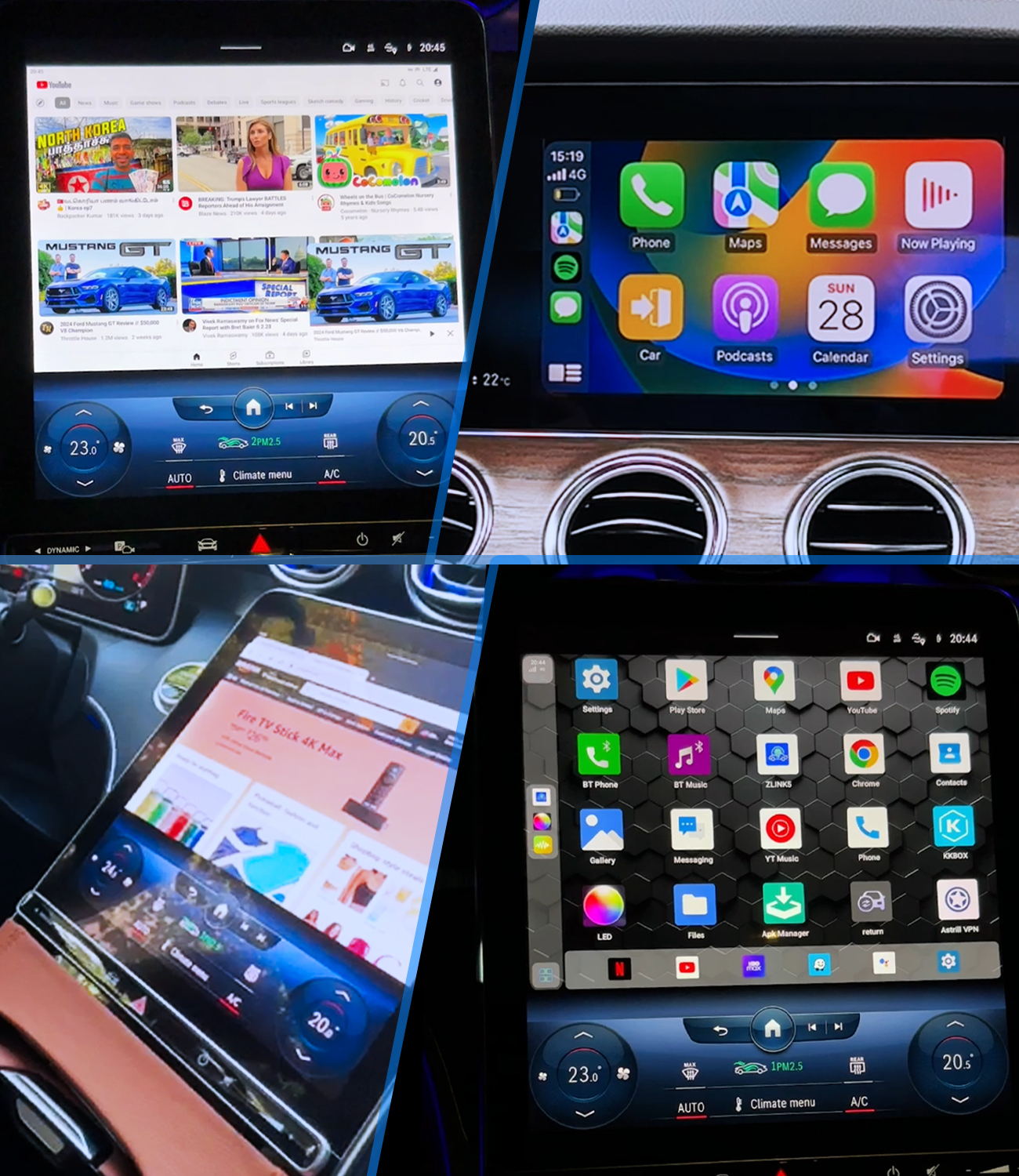
Quick Answer: Which CARLUEX CarPlay AI Box Should You Choose?
If you want a CARLUEX CarPlay AI box for streaming apps, wireless CarPlay, Android Auto, or BMW-specific infotainment, start with compatibility first. Many adapters require a factory wired CarPlay or wired Android Auto system, and BMW vehicles should be checked against the BMW-specific CARLUEX option instead of assuming a standard adapter is the right fit.
Short version: choose CARLUEX PRO+ 2.0 for the most complete multimedia AI box path, CARLUEX Multimedia Streaming Box for BMW for supported BMW vehicles, CARLUEX GO for a compact entertainment-focused option, CARLUEX AIR for app-streaming plus wireless CarPlay and Android Auto, and CARLUEX LINK when you mainly want wired-to-wireless CarPlay or Android Auto convenience.
Change settings and use entertainment apps only while parked or when safe and legal. Streaming app availability and performance can depend on the app provider, account, region, firmware, vehicle setup, and product configuration.
Quick Comparison Table
| CARLUEX model | Best fit | Key reasons to consider it | Compatibility note |
|---|---|---|---|
| CARLUEX PRO+ 2.0 Multimedia AI Box | Drivers who want the broadest multimedia AI box feature set | Wireless CarPlay, wireless Android Auto, Android-based apps, Google Play / APK install, HDMI output, 4G LTE / SIM-related connectivity, OTA updates | Designed for compatible vehicles with built-in wired CarPlay; not for BMW models. |
| CARLUEX Multimedia Streaming Box for BMW | BMW drivers who need a BMW-specific CARLUEX option | BMW-focused setup, wireless CarPlay, wireless Android Auto, Google Play / APK app path, SIM / TF support, split-screen and OTA updates | Review the BMW product page and compatibility details before purchase. |
| CARLUEX GO Wireless CarPlay/Android Auto Adapter | Drivers comparing a lighter entertainment and mirroring option | Wireless CarPlay, wireless Android Auto, YouTube / Netflix listed on the product page, casting, local media, OTA updates | Confirm vehicle compatibility and feature details on the current product page. |
| CARLUEX AIR Wireless CarPlay/Android Auto Adapter | Drivers who want app-streaming access in a wireless adapter format | Wireless CarPlay, wireless Android Auto, Google Play app download, YouTube / Netflix / Disney / TikTok listed where available, OTA updates | Product features and third-party app behavior can vary by setup and app provider. |
| CARLUEX LINK Wireless CarPlay and Android Auto Adapter | Drivers who mainly want to remove the phone cable after setup | Wireless CarPlay, wireless Android Auto, fast pairing, automatic reconnection, Siri / Google Assistant support, OTA updates | Wireless CarPlay requires factory wired CarPlay; wireless Android Auto requires factory wired Android Auto. |
| CARLUEX VISION Wireless CarPlay Adapter with Screen Control | Drivers who want a screen-control focused option | Wireless CarPlay, wireless Android Auto, built-in touchscreen control, split-screen, video streaming, offline media, Google Play app download, OTA updates | Confirm whether VISION is the right fit for your vehicle, screen, and control needs before purchase. |
What Is a CarPlay AI Box?
A CarPlay AI box is an adapter that connects to a compatible vehicle infotainment system and adds a richer app-based interface than standard CarPlay alone. Depending on the model, it may support wireless CarPlay, wireless Android Auto, Android-based apps, streaming apps, local media, SIM or hotspot internet access, and OTA firmware updates.
It is not a universal repair tool. Apple recommends checking vehicle compatibility, iPhone settings, cables, CarPlay restrictions, Siri, and vehicle firmware when CarPlay does not work as expected. You can review Apple's guidance on what to check when CarPlay needs help, and you can use Apple's CarPlay available models page as one compatibility reference.
For Android Auto, use Google's official Android Auto vehicle compatibility page as one reference, then confirm the exact vehicle, stereo, phone, region, and wired or wireless setup before choosing an adapter for Android Auto use.
Before You Choose: Compatibility and Safety Checks
- Confirm your vehicle has the required factory wired CarPlay or wired Android Auto setup for the product you choose.
- For BMW vehicles, start with the CARLUEX Multimedia Streaming Box for BMW instead of assuming a non-BMW adapter fits.
- Use the CARLUEX compatibility page and the product page before purchase.
- Check whether your car screen has touch control. If not, review whether CARLUEX Remote+ would improve passenger or parked use.
- Do not rely on any adapter to fix unsupported vehicles, inactive factory CarPlay, damaged USB ports, blocked phone settings, or vehicle software problems.
Best Overall Multimedia AI Box: CARLUEX PRO+ 2.0

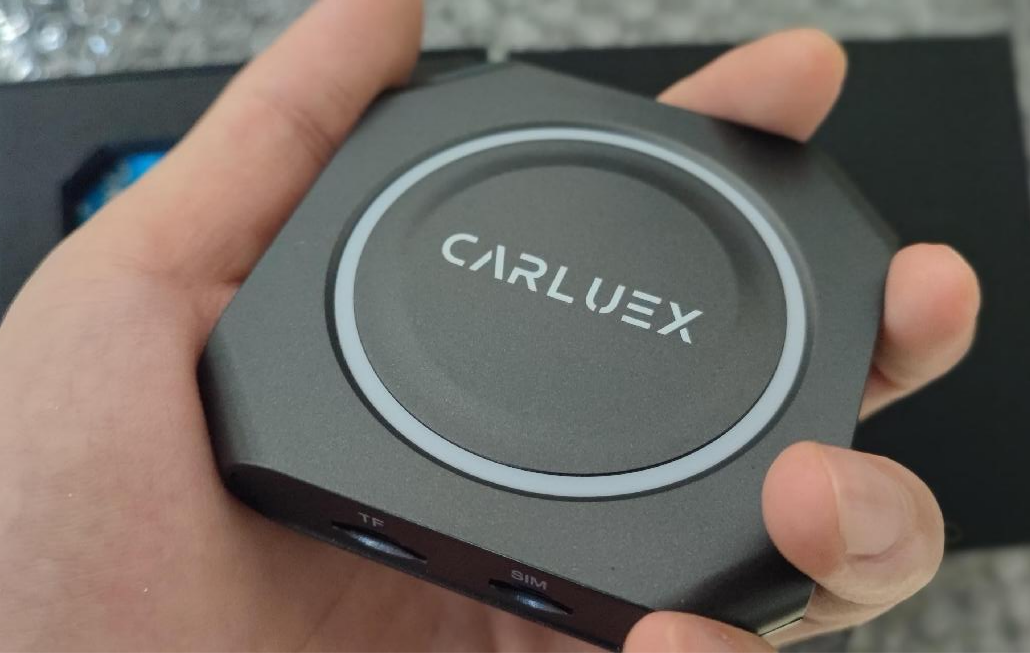
CARLUEX PRO+ 2.0 Multimedia AI Box is the strongest fit when you want a fuller multimedia AI box experience instead of only a simple wired-to-wireless adapter. Based on the current CARLUEX product information and product knowledge base, PRO+ 2.0 supports wireless CarPlay, wireless Android Auto, Android 13 / CARLUEX OS 2.0, Google Play / APK app installation, 4K video support, HDMI output, SIM-related connectivity, expandable storage, OTA updates, and log upload.
Choose this path if you want a more complete in-car entertainment and app platform for compatible non-BMW vehicles. Keep the compatibility boundary clear: PRO+ 2.0 is designed for vehicles equipped with built-in wired CarPlay, and BMW models should use the BMW-specific CARLUEX version.
Best BMW-Specific Option: CARLUEX Multimedia Streaming Box for BMW

BMW buyers should not treat the standard PRO+ 2.0 path as the default. The CARLUEX Multimedia Streaming Box for BMW is the safer starting point for supported BMW vehicles because it is positioned around BMW infotainment compatibility.
Current CARLUEX product information lists wireless CarPlay, wireless Android Auto, Google Play / APK app access, SIM / TF support, split-screen, offline media, customizable interface, video streaming, Siri / Google Assistant support, and OTA updates. BMW compatibility still needs model-year and system review before purchase, so check the product page and contact support if your BMW setup is unclear.
Best Compact Entertainment Option: CARLUEX GO

CARLUEX GO Wireless CarPlay/Android Auto Adapter is a good comparison point for drivers who want wireless CarPlay, wireless Android Auto, YouTube / Netflix listed on the product page, casting, and local media playback in a compact adapter path.
GO is also the model where mirroring-related claims must be handled carefully. The product knowledge base allows GO screen mirroring, while final feature behavior should still be checked against the current product page and setup instructions before publishing or making a purchase decision.
Best App-Streaming Wireless Adapter: CARLUEX AIR

CARLUEX AIR Wireless CarPlay/Android Auto Adapter fits drivers comparing a wireless adapter with app-streaming features. Current CARLUEX source material lists wireless CarPlay, wireless Android Auto, Google Play app download, OTA updates, and popular entertainment apps where available.
AIR should not be described as identical to PRO+ 2.0. It has its own product position, and it does not have every PRO+ 2.0 feature. If app streaming is your goal, check app availability, region, account requirements, firmware, and vehicle setup before deciding.
Best Simple Wireless CarPlay / Android Auto Adapter: CARLUEX LINK

CARLUEX LINK Wireless CarPlay and Android Auto Adapter is the simplest choice in this comparison. It is for drivers who mainly want wireless CarPlay and Android Auto for navigation, music, calls, and messages, instead of a broader Android-based entertainment box.
The key compatibility rule is strict: wireless CarPlay requires factory wired CarPlay, and wireless Android Auto requires factory wired Android Auto. If your vehicle does not have the required protocol, LINK should not be presented as a workaround.
Screen-Control Option to Review: CARLUEX VISION
CARLUEX VISION Wireless CarPlay Adapter with Screen Control is worth reviewing if your buying problem is not only wireless connection, but also easier control. Current CARLUEX source material lists wireless CarPlay, wireless Android Auto, a built-in touchscreen control path, split-screen, video streaming, offline media, Google Play app download, and OTA updates.
VISION should be positioned carefully in this article because it is not the same shopping path as a simple wired-to-wireless adapter. Use it when screen control, touch interaction, and app access are part of the purchase intent, and still confirm compatibility before purchase.
How Does a CarPlay AI Box Work?
Most CARLUEX adapter paths begin with a physical USB connection between the adapter and the vehicle. After setup, your phone can connect wirelessly for CarPlay or Android Auto when the vehicle and adapter support that path. Multimedia AI box models may also add an Android-based interface for apps, media playback, hotspot or SIM-related internet access, and OTA firmware updates.
No phone cable needed after setup does not mean no cable is used at all. The adapter itself still connects to the vehicle through USB or the product-specific connection path.
Which CARLUEX Adapter Fits Your Use Case?
- You want the broadest multimedia setup: review PRO+ 2.0 if your non-BMW vehicle has compatible built-in wired CarPlay.
- You drive a BMW: start with the BMW-specific CARLUEX product and confirm your model, year, region, and infotainment setup.
- You want entertainment and mirroring in a compact adapter: compare GO and verify the current feature details before purchase.
- You want app streaming plus wireless CarPlay / Android Auto: compare AIR and check app availability notes.
- You mainly want wireless connection convenience: review LINK, especially if your factory wired CarPlay or wired Android Auto already works.
- You need easier screen control: review VISION and confirm whether its control path matches your car screen.
FAQ
Is a CarPlay AI box the same as a wireless CarPlay adapter?
Not always. A simple wireless CarPlay adapter mainly removes the phone cable after setup. A multimedia AI box may also add an Android-based interface, app access, local media, SIM or hotspot internet options, and OTA updates, depending on the model.
Which CARLUEX model should BMW drivers check first?
BMW drivers should start with the CARLUEX Multimedia Streaming Box for BMW and confirm vehicle compatibility before purchase. Standard non-BMW adapter recommendations should not be applied to BMW vehicles without checking the BMW-specific product path.
Does CARLUEX LINK work if my car does not have wired CarPlay or wired Android Auto?
No. LINK depends on the required factory wired protocol: factory wired CarPlay for wireless CarPlay, and factory wired Android Auto for wireless Android Auto.
Can I use Netflix, YouTube, or other streaming apps?
Some CARLUEX products list popular streaming apps or app-download paths, but third-party app availability and performance can depend on the app provider, account, region, firmware, network, vehicle setup, and product configuration. Use entertainment features only while parked or when safe and legal.
Should the article URL be changed because it contains 2024?
Not by default. For an existing Shopify Blog URL, changing the slug can require a redirect plan and extra SEO checks. A safer first update is to keep the existing URL while improving the SEO title, meta description, article title, structure, and product facts.


Leave a comment
All comments are moderated before being published.
This site is protected by hCaptcha and the hCaptcha Privacy Policy and Terms of Service apply.