


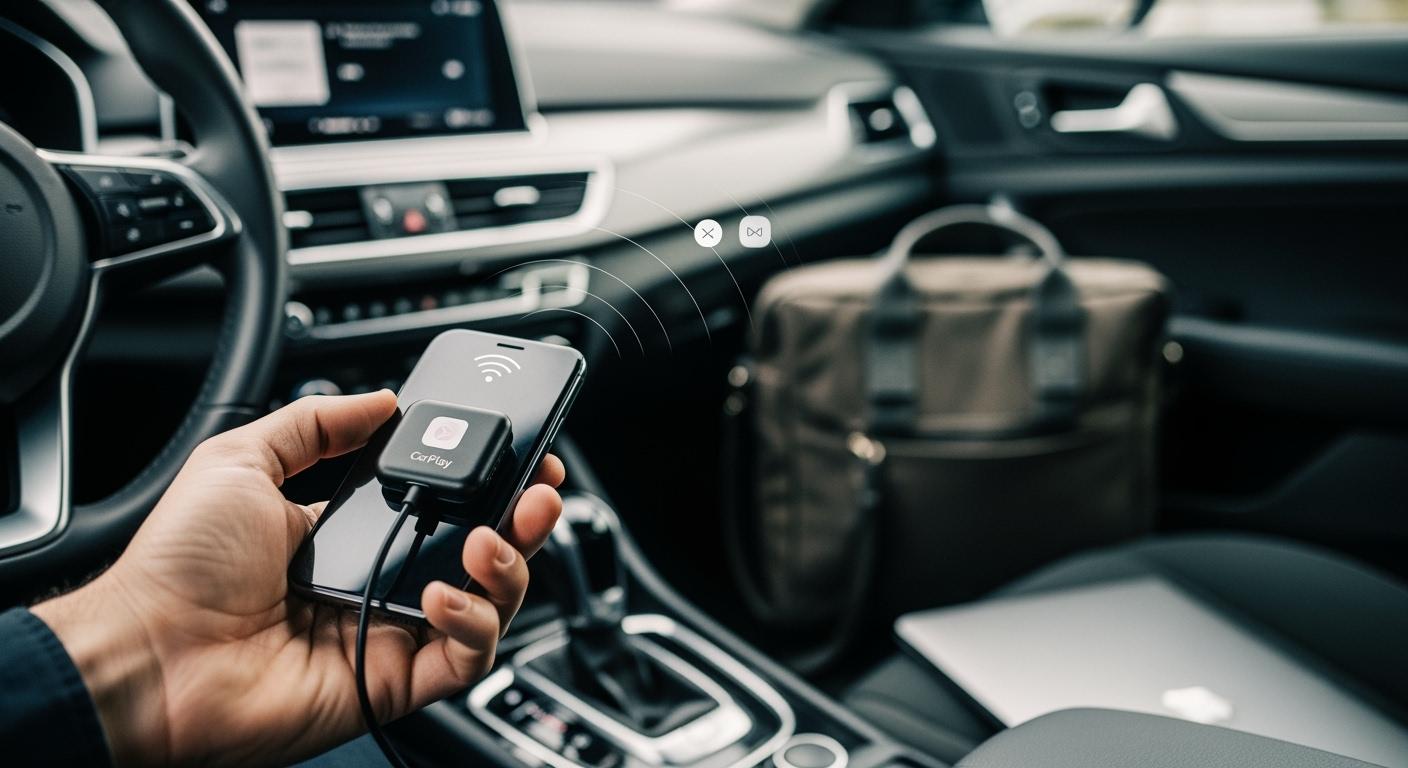
You can change your wired CarPlay to wireless with a wired to wireless carplay adapter. This device lets you use Apple CarPlay without plugging in your phone each time. Many drivers pick adapters or new head units to make their cars feel newer. It is important to check if your car and phone work with these tools. Car Team USA helps you find the best way to make driving easier and more modern. CARLUEX AIR makes wireless CarPlay work in any car with a USB port. Browse CARLUEX wireless adapters to find the right fit for your car.
What About Key Takeaways?
-
A wired to wireless CarPlay adapter lets you use Apple CarPlay without plugging in your phone. This makes driving easier and more comfortable.
-
Before you buy an adapter, check if your car has wired CarPlay. Also, make sure your iPhone works with it. This helps you set it up without problems.
-
Setting up the adapter is easy. Plug it in and pair it with your iPhone using Bluetooth. Then you can use apps and music wirelessly.
-
Keep your adapter's firmware updated for the best results. Updates can also fix problems that might happen.
-
Using wireless CarPlay makes driving safer. You do not have to touch your phone while driving, so you are less distracted.
Can a Wired to Wireless CarPlay Adapter Make Apple CarPlay Wireless?
What Is a Wired to Wireless CarPlay Adapter?
A wired to wireless CarPlay adapter is a small gadget. It lets you use Apple CarPlay in your car without wires. If your car only has wired CarPlay, this adapter can help. You plug it into your car’s USB port. It works as a link between your iPhone and the car’s infotainment system.
Most adapters change a wired Apple CarPlay system into a wireless one. They connect your iPhone to your car’s infotainment system. The adapter turns on and pairs with your iPhone using Bluetooth. Then it switches to WiFi for faster data transfer. This makes your car think your iPhone is plugged in, even though it is not.
With this setup, you do not need to plug in your phone every time. Your phone connects to the adapter by itself. You get quick access to your apps, maps, and music without any cables.
How Does It Work?
The main job of a wired to wireless CarPlay adapter is to make things wireless. When you start your car, the adapter turns on by itself. It first uses Bluetooth to connect to your iPhone. After that, it changes to WiFi mode for a strong connection.
This process makes Apple CarPlay work wirelessly by acting like a cable. Your iPhone thinks it is plugged in, but it is really using WiFi. This fast data transfer helps your apps, maps, and music work smoothly.
Simply put, the adapter works like a translator. It takes signals from your phone and changes them into wireless signals for your car. This makes everything easy and smooth.
If you want Apple CarPlay to be wireless, a wireless CarPlay adapter is a great choice. It is simple to set up and works with most cars that support it.
Is My Car and iPhone Compatible with a Wired to Wireless CarPlay Adapter?
Before you get wireless Apple CarPlay, check if it will work. Not all cars or iPhones can use a wired to wireless carplay adapter. You must make sure your car and phone have what is needed.
Car Compatibility Checklist
You want your upgrade to work well. Use this list to see if your car is ready:
-
Your car must have wired Apple CarPlay with a USB port.
-
The USB port must let you transfer data, not just charge.
-
Your infotainment system should have the newest firmware. Some brands may not allow wireless features.
-
Your car’s USB port should give steady power. If the power is weak, the adapter might stop working.
-
You should check these things in your owner’s manual or on the maker’s website.
Tip: If you do not know if your car works, Car Team USA can help you check your car’s features and answer your questions.
Here is a simple table to help you check the main things:
|
Requirement |
What to Check |
Why It Matters |
|---|---|---|
|
Factory Wired Apple CarPlay |
Make sure your car has wired CarPlay with USB |
Adapter needs a wired CarPlay system |
|
Infotainment System |
Check firmware and head unit brand |
Some systems block wireless data |
|
USB Port Data Support |
Make sure USB port lets you transfer data |
Charge-only ports cannot use CarPlay |
|
Stable USB Power Output |
Make sure power is steady |
Stops random disconnects |
iPhone Compatibility Steps
You also need to check your iPhone. Most new iPhones work with these adapters, but you should check. Your iPhone should have the newest iOS for the best results.
|
iPhone Model |
Compatibility |
|---|---|
|
iPhone 6 |
Compatible |
|
iPhone 6s |
Compatible |
|
iPhone 7 |
Compatible |
|
iPhone 8 |
Compatible |
|
iPhone X |
Compatible |
|
iPhone 11 |
Compatible |
|
iPhone 12 |
Compatible |
|
iPhone 13 |
Compatible |
|
iPhone 14 |
Compatible |
|
iPhone 15 |
Compatible |
Note: If you have an iPhone 6s or newer, you can use wireless CarPlay with the right adapter.
If you have questions about your car or iPhone, Car Team USA can help. Their team can guide you and help you pick the best choice for your needs.
How Do I Connect My iPhone to Wireless Apple CarPlay?
You can upgrade your driving experience by using a wired to wireless carplay adapter. This device lets you connect your iPhone to wireless Apple CarPlay quickly and easily. You do not need to plug in your phone every time you drive. Follow these steps to set up your adapter and enjoy wireless CarPlay.
Adapter Setup Steps
Here is a simple guide to help you get started:
-
Buy a wireless CarPlay adapter that fits your vehicle.
-
Plug the adapter into the USB port used for CarPlay in your car.
-
Turn on your car’s infotainment system.
-
Make sure your iPhone has Bluetooth and Wi-Fi turned on.
-
Pair your iPhone with the adapter using Bluetooth. Follow the instructions in the adapter’s manual.
-
Once paired, your iPhone will connect to the adapter automatically. CarPlay will start on your screen.
Tip: Always use the USB port that supports data transfer. Some ports only charge your phone and will not work with CarPlay.
Pairing and Testing
After you set up the adapter, you need to test the connection. Here are steps to make sure everything works:
-
Check the adapter’s status light. A green or blue light means the connection is good. A red light may show a problem.
-
Open Apple CarPlay on your infotainment screen. Your apps should appear without using any cables.
-
Try using maps, music, and calls to see if everything works smoothly.
-
If CarPlay does not start, restart your iPhone and your car’s infotainment system.
-
Try plugging the adapter into a different USB port if you have more than one.
-
Update the adapter’s firmware if you see any issues. Visit the manufacturer’s website for instructions.
-
If you still have trouble, test the adapter in another vehicle. This helps you find out if the problem is with your car or the adapter.
Note: Keep your iPhone’s software up to date. This helps CarPlay run better and fixes bugs.
Here is a table with common issues and solutions:
|
Issue |
Solution |
|---|---|
|
CarPlay does not start |
Restart iPhone and infotainment system |
|
Adapter status light is red |
Check USB port and secure connection |
|
Connection drops |
|
|
Apps lag or freeze |
Update adapter firmware |
|
Still not working |
Contact manufacturer support |
Tip: If you want the best performance, keep your adapter’s firmware updated and use a strong USB port.
You can connect my iphone to wireless apple carplay in just a few minutes. This upgrade makes your driving safer and more convenient. If you need help, Car Team USA can answer your questions and guide you through the process.
What Are Common Issues and Solutions for Wireless CarPlay Adapters?
Connection Troubleshooting
Sometimes, you might have problems with your wireless CarPlay adapter. Knowing about these problems can help you fix them fast. Here are some issues drivers often see: Slow connection when starting CarPlay. There can be lag or a wait when connecting. Sometimes, the connection drops while you drive. You might hear sound delays or music stops. The adapter might not turn on at all. Some adapters do not work with every car or iPhone.
If you see any of these problems, try these easy fixes:
Tip: Restart your car’s infotainment system and your iPhone. This step can fix many connection problems.
You can also unplug the adapter and plug it in again. Make sure you use the right USB port. If it still does not work, try the adapter in a different car. This helps you know if the problem is your car or the adapter.
Firmware Updates and Support
Firmware updates are important for your wireless CarPlay adapter. Updates fix bugs and make the adapter work better. They can also add new features. Updates help your adapter work with new iPhones and car systems. Check for updates often to get the best results.
The PRO + 2.0 adapter lets you update easily with over-the-air (OTA) updates. You can get updates right from your dashboard. This keeps your adapter up to date without extra work. If you need help, PRO + 2.0 has good support after you buy it. You can send system logs for help from far away. The support team can help you fix any problem.
Note: Keeping your adapter’s firmware updated helps you have fewer problems. Always check for updates if you see new issues.
Why Upgrade to Wireless CarPlay in 2026?
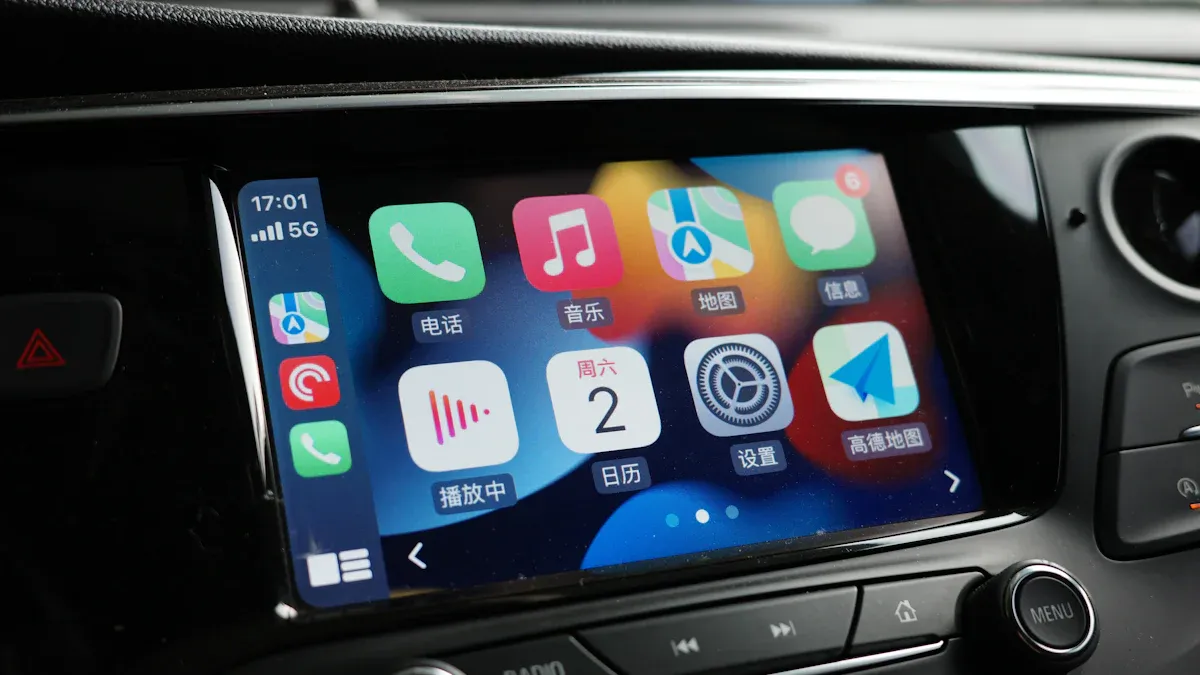
Benefits and Convenience
You will see a big change if you switch to wireless CarPlay. Here are some reasons drivers like to upgrade:
-
Your phone connects by itself when you start your car.
-
You do not need cables on your dashboard anymore.
-
Apps work faster and smoother with wireless CarPlay.
-
Using CarPlay feels easier and more natural.
Taking away the cable makes daily driving much better. You do not have to plug in your phone for short trips. Your charging port will not wear out as fast. The center console stays neat without cables.
Wireless CarPlay helps you drive safer. You do not need to grab your phone or look for cables while driving. This helps you pay attention to the road. The table below shows how wireless CarPlay makes driving better:
|
Feature |
Benefit |
|---|---|
|
Seamless Connectivity |
Your phone pairs quickly for maps, calls, and music. |
|
Improved Safety |
You do not get distracted by handling your phone. |
Some drivers worry about battery drain or losing connection. New adapters fix these problems. You get a strong connection that works like a wired one. Adding wireless Apple CarPlay can make your car more valuable. Cars with wireless CarPlay are worth more because buyers want new features.
-
Cars with CarPlay are more popular with buyers.
-
Cars with wireless CarPlay can sell for higher prices.
Product Recommendations
You have lots of choices for wireless CarPlay adapters. Here are some top picks for 2026:
|
Product Name |
Price |
Key Features |
Compatibility |
|---|---|---|---|
|
N/A |
Works with CarPlay and Android Auto, connects with Bluetooth and Wi-Fi |
Wired CarPlay vehicles |
|
|
Carlinkit 5.0 |
$69 |
Changes wired CarPlay and Android Auto to wireless, good price |
iPhone 6+, iOS 10+, Android 11.0+ |
|
Ottocast U2-AIR |
$57.99 |
Starts fast, uses strong 5GHz Wi-Fi |
Cars from 2016, iPhone 6+ |
|
AA Wireless |
$74.99 |
Wireless Android Auto, works with many cars |
Wired Android Auto vehicles |
If you want the best features, check out the PRO + 2.0 adapter from Car Team USA. It connects quickly and supports both CarPlay and Android Auto. It gets updates automatically and works well. You also get good support after you buy it. Many people like it for its smooth use and advanced features.
Tip: Car Team USA can help you pick the right adapter for your car and answer questions about setup or compatibility.
Switching to wireless CarPlay has lots of benefits. You can use hands-free controls, so you drive safer. Smart navigation helps you find places easily. You can listen to music and have fun without any trouble. Your phone connects without cables, so your car stays tidy. Setting up is easy and simple for everyone.
You get automatic connections and less mess in your console. Car Team USA and the PRO + 2.0 adapter give help and cool features. Try wireless options to make driving easier and safer.
FAQ
Can you use a wireless CarPlay adapter with any car?
You need a car with wired Apple CarPlay and a USB port that supports data transfer. Check your car’s manual or ask Car Team USA for help.
Does a wireless CarPlay adapter drain your phone battery?
Wireless CarPlay uses Wi-Fi and Bluetooth. Your phone may use more battery than with a cable. You can charge your phone with a wireless charger in your car.
How do you update the firmware on your adapter?
Most adapters let you update firmware through their app or website. The PRO + 2.0 adapter supports OTA updates right from your dashboard. Always check for updates to get new features.
What should you do if CarPlay disconnects often?
Try restarting your phone and infotainment system. Use a different USB port if possible. Update your adapter’s firmware. If problems continue, contact Car Team USA for support.
Can you use Android Auto with a wireless CarPlay adapter?
Many adapters, like PRO + 2.0, support both Apple CarPlay and Android Auto. Check the product details before buying to make sure your device works.


اترك تعليقًا
تخضع جميع التعليقات للإشراف قبل نشرها.
This site is protected by hCaptcha and the hCaptcha Privacy Policy and Terms of Service apply.