

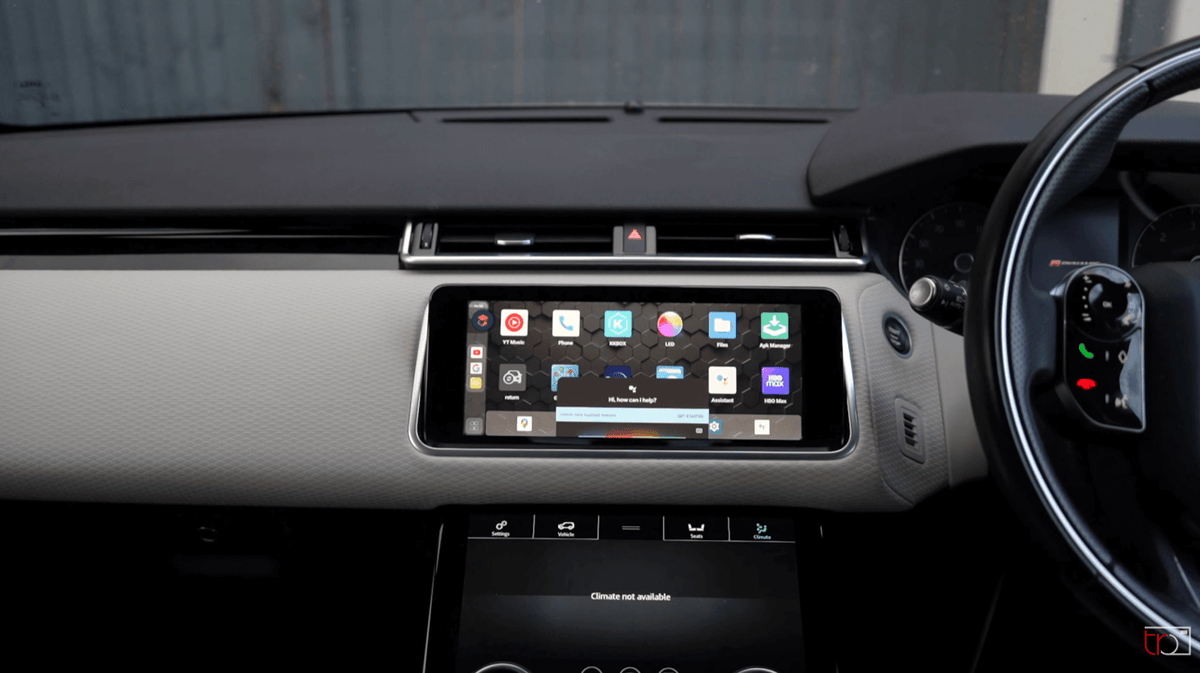
What to Check Before Buying a CarPlay AI Box: Compatibility, Apps, Startup Time & Safety
A CarPlay AI box can sound like a simple upgrade, but the first question is not which box has the longest feature list. It is whether your vehicle has the factory connection the box needs. Use this guide to check eligibility, app and data requirements, startup behavior, controls, and safe use before you compare products.
The short answer: check the car before comparing the box
The most important gate is factory wired CarPlay. A third-party box normally needs the vehicle's existing CarPlay connection path to hand the car's display over to the box. Apple provides an official CarPlay vehicle list as a starting point, but that list does not prove that an AI box will work with a specific trim, software version, or head unit.

The factory wired-CarPlay gate
Check whether CarPlay starts through the vehicle's USB port and whether the screen recognizes the iPhone through that wired path. The CARLUEX compatibility guidance says vehicles with only wireless CarPlay are not supported by these products. It also says the referenced PRO+ 2.0 is designed for vehicles with built-in wired CarPlay from 2016–2026, while BMW models are excluded from that product's stated compatibility. Treat those boundaries as product-specific, not as a universal rule for every AI box.
What a product page can and cannot confirm
A product page can document a device's listed features and stated compatibility range. It cannot confirm an unspecified vehicle's result without the exact make, model, year, trim, region, and factory infotainment system. If any of those details are unknown, keep the decision at “needs verification.”
What a CarPlay AI box can add—and what it cannot guarantee
In practical terms, an AI box is a small computer that connects to the car's display path and can add functions beyond the vehicle's original CarPlay interface. The referenced CARLUEX PRO+ 2.0 page lists wireless CarPlay and Android Auto, Google Play or APK app installation, GPS navigation, HDMI dual-screen output, and mobile-data readiness with a compatible SIM and separate data plan. Those are documented feature claims for that product page, not a promise that every app or vehicle will behave the same way.

Wireless CarPlay and Android Auto as documented functions
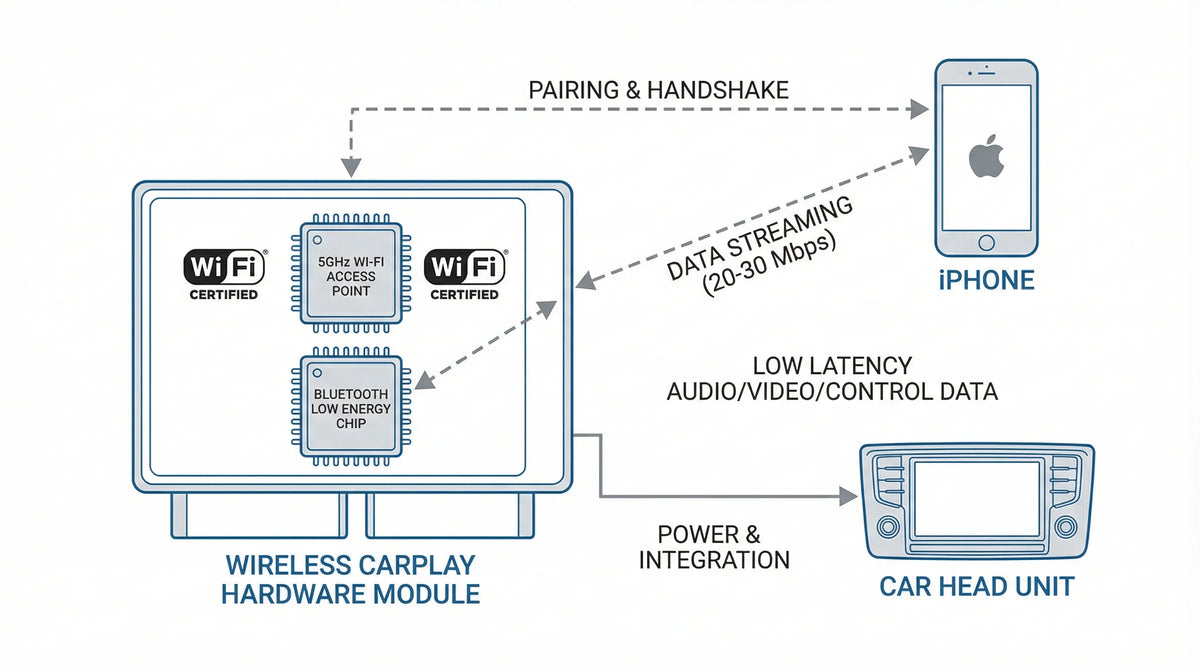
Do not mix up “wireless CarPlay support” with “works in a vehicle that has only wireless CarPlay.” The first describes a device feature. The second is a vehicle-eligibility question. For a box that uses the factory wired CarPlay path, the latter must be checked before any purchase decision.
Apps, mobile data, GPS, and HDMI are feature questions
Ask four separate questions: which operating system and app store the box uses, whether a compatible SIM or hotspot is needed, whether navigation works through the desired app, and whether the car display supports the advertised output path. If video apps are part of the use case, plan to use them only while parked and only where local law and the vehicle's instructions permit.
Why universal speed or compatibility claims need evidence
Terms such as “instant,” “zero lag,” or “universal compatibility” are not safe substitutes for a vehicle-specific test. Startup can depend on the car's USB behavior, the box's software, network availability, and the phone's connection state. No verified source for this article establishes a universal startup-time, lag, app-compatibility, or safety guarantee.
Compatibility checklist: vehicle, screen, USB, and region
Before comparing hardware, write down the vehicle facts that determine the result: model, model year, trim, sales region, infotainment version, the exact USB port used for wired CarPlay, and whether CarPlay works through that port with a direct cable. Then check the manufacturer's compatibility material and ask support about the exact configuration.
Confirm the factory system supports wired CarPlay
Connect the iPhone directly to the vehicle's known CarPlay USB port. If the car does not start wired CarPlay with the phone and a reliable data cable, an adapter or AI box cannot be assumed to solve the underlying issue. Apple documents the wired and wireless connection paths in its CarPlay connection guide.
Check exact year, trim, region, and software
Two vehicles with the same model name can use different head units or USB behavior. Record the vehicle screen version and any relevant software update before asking for compatibility confirmation. A general model list is a starting point, not a confirmed result for every configuration.
Do not infer compatibility from a brand name alone
Brand-only matching is especially risky when a product has exclusions or a wired-only requirement. The CARLUEX compatibility page is a reference point for checking the stated vehicle boundary. If your vehicle is not listed, treat the result as unresolved and document the details before contacting support.
If the problem is that CarPlay already fails before an AI box is considered, review the related CarPlay settings guide and Apple CarPlay reset guide. For repeated connection failures, the iPhone CarPlay troubleshooting guide can help separate a phone or vehicle issue from a product-eligibility question.
Apps and streaming: plan around the real connection
App availability is not the same as guaranteed playback. Check the box's operating system, supported app installation method, network path, and the car display's behavior. A box may list Google Play or APK installation, but the app, account, network, and screen conditions still determine what you can actually use.
Which app questions to ask
For each intended app, confirm whether it is supported by the device software, whether it needs an account, whether it needs a data connection, and whether it is intended for parked use. Keep navigation and driver-assistance functions separate from entertainment functions so that a convenience feature does not become a distraction.
SIM or hotspot and separate data-plan requirements
Mobile data can come from a compatible SIM, a phone hotspot, or another supported connection. The referenced product page notes that a compatible SIM and separate data plan may be needed. That requirement is different from the car's CarPlay connection and should be checked before treating an app feature as ready to use.
Use video only while parked and where legally permitted
Do not watch video while driving. Configure or test streaming when the vehicle is safely parked, follow local rules, and keep the driver's normal controls and visibility clear. No device feature removes the driver's responsibility to operate the vehicle safely.
Startup time, lag, and controls: measure instead of guessing
If startup or responsiveness matters, make a short repeatable test. Use the same vehicle, phone, cable or USB port, network conditions, and app. Record the time from ignition to a usable screen for a cold start and a warm restart, then repeat the test instead of treating one result as a guarantee.

Record cold-start and warm-start behavior
Note whether the delay happens before the vehicle detects the device, while the phone pairs, while an app loads, or after the screen is already usable. This separates startup stages and gives support a useful description instead of a broad “it is slow” report.
Separate network delay from touch or audio delay
A page loading slowly may be a network issue, while a delayed touch response may be a device or head-unit issue. Audio delay can also be different from screen delay. Test a local menu, a downloaded track, and a network app separately, without claiming that one test represents every use case.
Check steering-wheel, touchscreen, and voice-control paths
Verify the controls that matter to your vehicle: steering-wheel buttons, the factory touchscreen, the vehicle's voice-control button, and the phone's assistant. Test them while parked. If one control path is unavailable, document it as a compatibility question instead of assuming a future software update will fix it.
A safe pre-purchase decision checklist
Use this final checklist before deciding whether a specific product deserves further review: (1) factory wired CarPlay works directly; (2) the exact vehicle configuration is within the stated compatibility boundary; (3) the product's app, data, and output requirements are understood; (4) startup and control behavior can be tested; and (5) safe-driving limits are clear.

Questions to document before contacting support
Include the vehicle make, model, year, trim, region, infotainment version, the USB port used, whether wired CarPlay works directly, the iPhone model and iOS version, and the exact symptom. Add a short cold-start or warm-start observation if response time is part of the question.
For iPhone-side options, use Apple's CarPlay settings guide as the reference for settings that are actually available on the phone. Do not assume a phone setting can change a vehicle's hardware compatibility.
When a product page is only a conditional reference
The CARLUEX Smart Box CarPlay collection and the CARLUEX PRO+ 2.0 product page can be used as conditional reference pages for listed features and compatibility questions. This is not a recommendation; only consider a product page after checking the exact vehicle and factory wired-CarPlay requirement. The CARLUEX Help Center is the appropriate place to look for support information when the configuration is unclear.
What to do when your vehicle is not listed
Do not convert an unlisted vehicle into a yes by inference. Keep the status as needs verification, ask for a vehicle-specific answer, and retain the response with the vehicle details. That creates a more reliable decision record than a generic compatibility label.
Frequently asked questions
What is a CarPlay AI box?
It is a small in-car computer that uses a vehicle display connection to add functions such as wireless smartphone integration or app access, depending on the product and vehicle. The device's listed features do not by themselves establish compatibility with an unspecified car.
Does a CarPlay AI box require wired CarPlay?
Many products use the vehicle's factory wired CarPlay path, and the CARLUEX compatibility guidance states that vehicles with only wireless CarPlay are not supported by these products. Check the exact product and vehicle rather than assuming all boxes use the same connection method.
Can a CarPlay AI box run apps and video?
Some product pages list app installation and video-capable functions, but the result depends on the device software, network or data plan, account, vehicle display, and safe-use rules. Test entertainment features only while parked.
How should I compare startup time and lag?
Use the same vehicle and phone, record cold and warm starts, and separate device detection, pairing, app loading, touch response, and audio response. Do not treat one measured result as a universal guarantee.
Should I evaluate a box if my car only has wireless CarPlay?
For the CARLUEX products covered by the cited compatibility guidance, the answer is not established as eligible because the stated requirement is factory wired CarPlay. Ask for a vehicle-specific confirmation before taking the next step.


留言
此網站已受到 hCaptcha 保護,且適用 hCaptcha 隱私政策以及服務條款。