

To adjust the screen font and icon size on CARLUEX PRO+, follow these steps:
- Access the "Settings" menu.
- Scroll down slightly or use the search function to find the "Display" section.
- Click on "Display size and text."
- Use the sliders for "Font size" or "Display size" to set them to your preferred size.
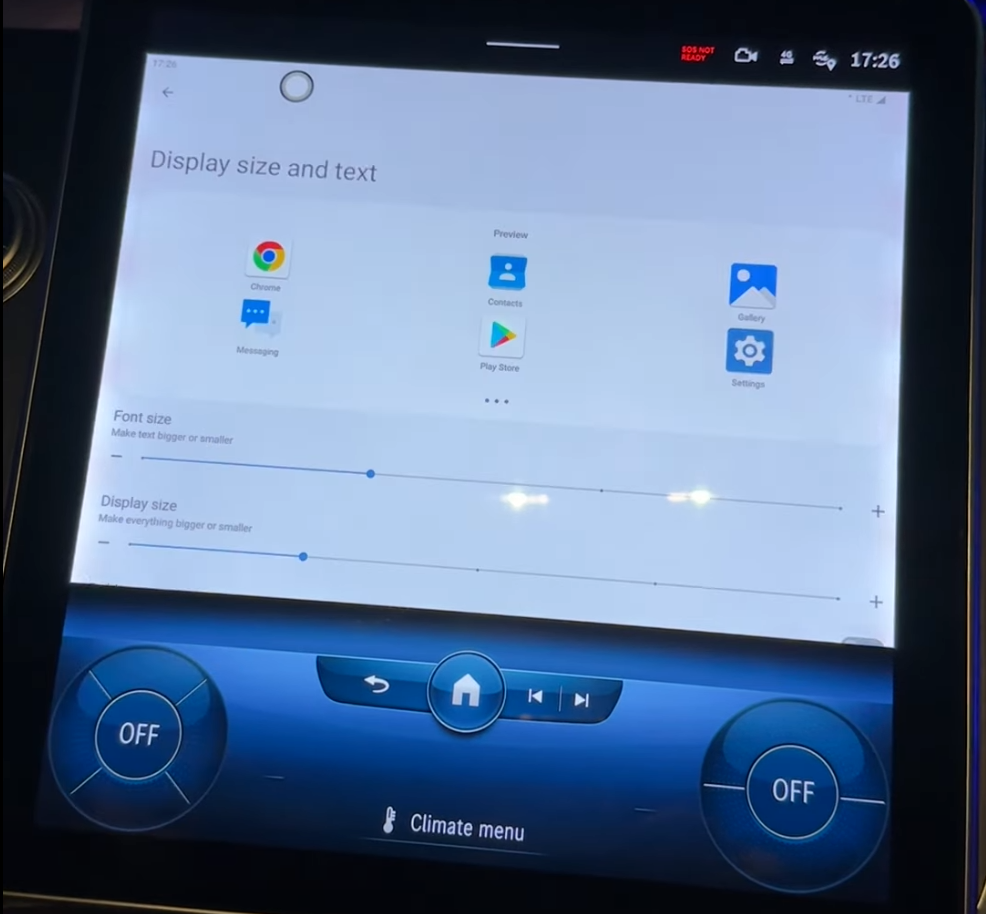
For a visual guide, you can also refer to this video tutorial: Screen Font and Icon Size Adjustment Tutorial


Lämna en kommentar
Denna webbplats är skyddad av hCaptcha och hCaptchas integritetspolicy . Användarvillkor gäller.