
PRO PLUS

How Can I Customize the App Toolbar?

To customize the app toolbar on your CARLUEX PRO+ screen, follow these steps:

1. Tap the "+" icon on the screen.
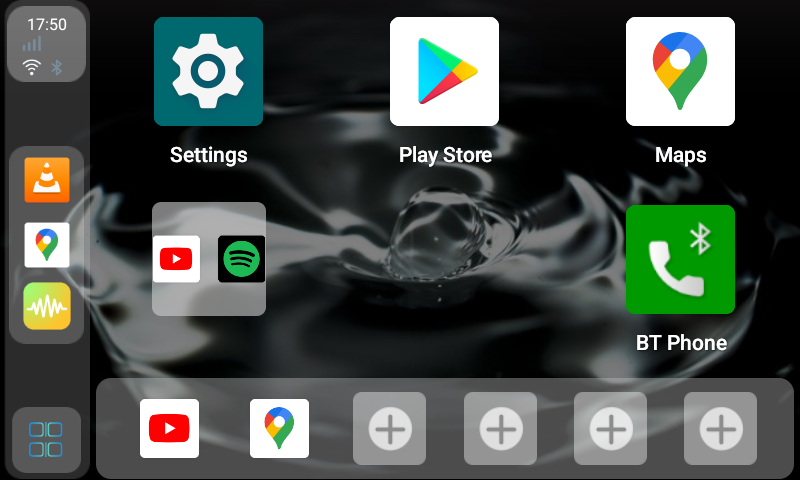
2. Add the apps you want for quick access to the toolbar
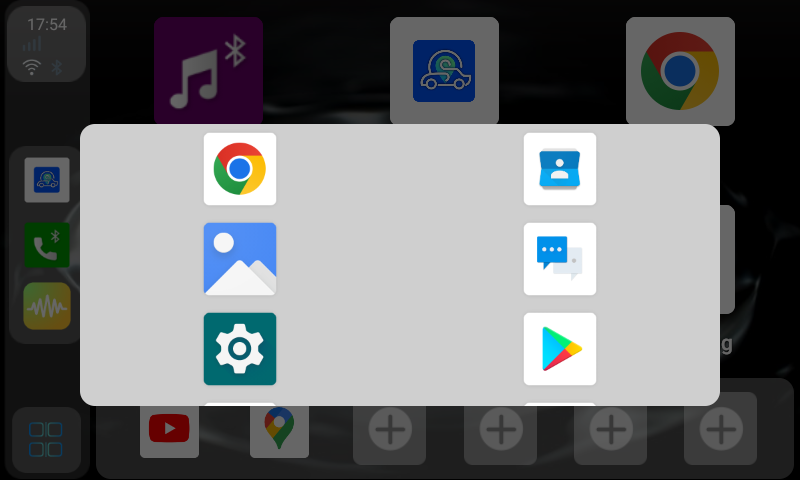
3. Done!
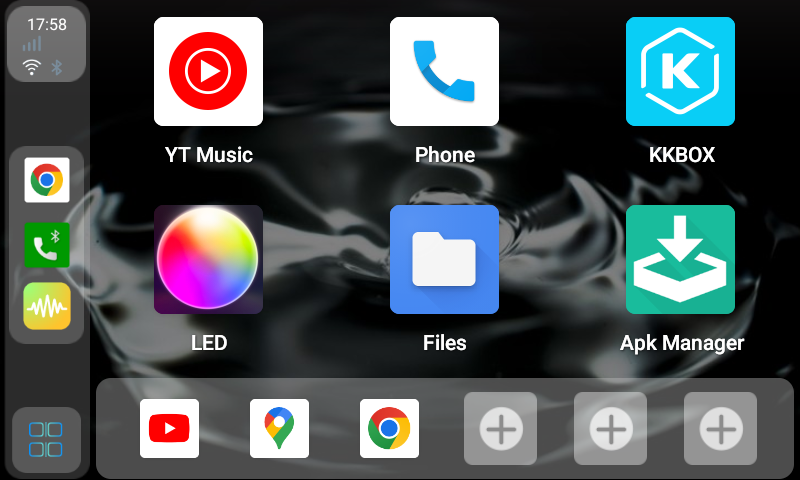
This allows you to personalize the app toolbar by adding your frequently used apps, making it more convenient for quick access to your favorite applications.

You can also check out the tutorial video here ⇒ https://youtube.com/shorts/sITcCWmG16o?feature=share

Čítať ďalšie

Zanechať komentár

Táto lokalita je chránená testom reCAPTCHA a vzťahujú sa na ňu pravidlá ochrany súkromia a podmienky poskytovania služby hCaptcha.

Recommended CARLUEX products

CARLUEX PRO PLUS 2.0 Black Friday 2026

CARLUEX® PRO+ 2.0 Multimedia AI Box

A multimedia AI box that adds wireless CarPlay and Android Auto, 4K playback, app installation, and OTA updates to compatible vehicles.

Predajná cenaOd $5,852.00 TWD Bežná cena$11,345.00 TWD
View product
CARLUEX for BMW Black Friday 2026

CARLUEX Multimedia Streaming Box for BMW

A BMW-focused multimedia box with wireless CarPlay and Android Auto, streaming apps, voice commands, and steering-wheel control.

Predajná cenaOd $8,273.00 TWD Bežná cena$12,349.00 TWD
View product
CARLUEX MORPH Black Friday 2026

CARLUEX MORPH Digital Car Emblem for Select BMW Models

An app-controlled digital BMW emblem that lets you switch designs, images, animations, or text on supported models.

Predajná cena$7,998.00 TWD Bežná cena$10,006.00 TWD
View product


