

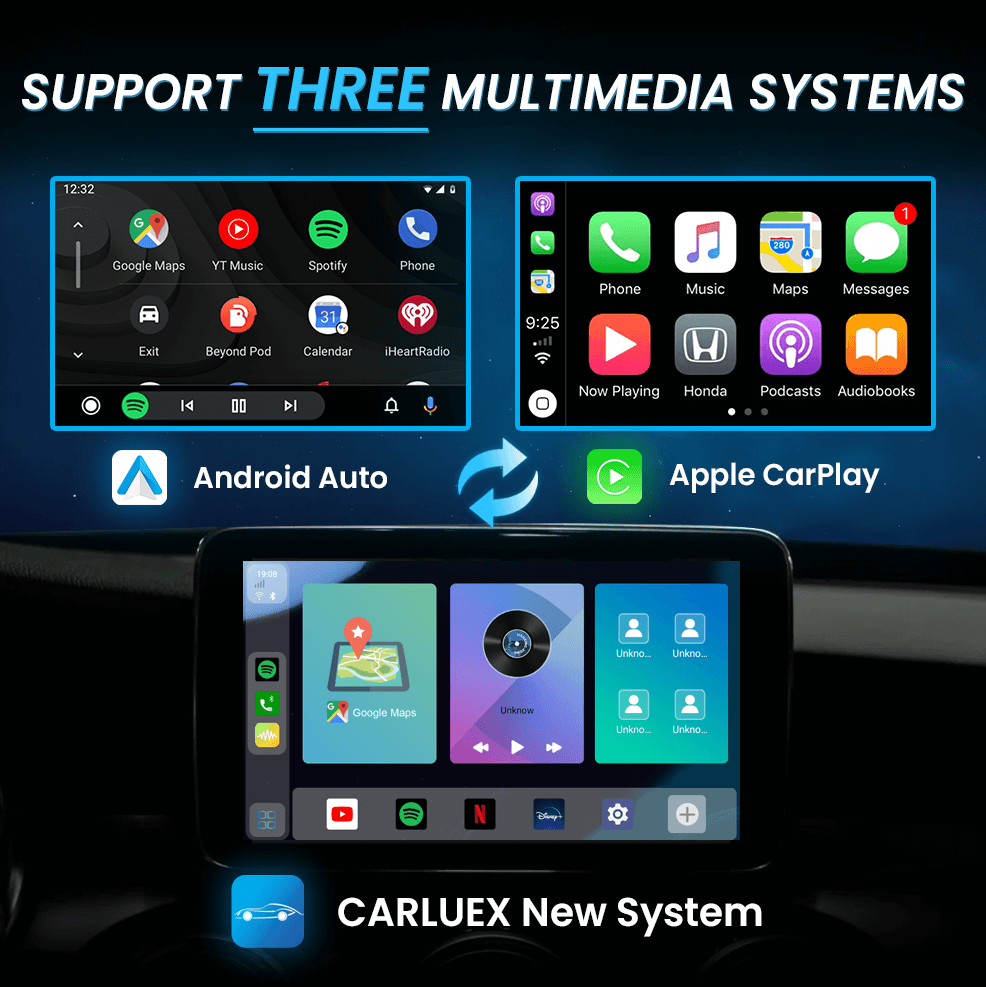
No iPhone? No problem! CARLUEX offers flexibility, allowing you to use it with a variety of devices. Here's everything you need to know about using CARLUEX without an iPhone.
Android Compatibility Overview
CARLUEX is not limited to iPhones—it's compatible with both iPhone and Android devices. If you don't have an iPhone, you can still enjoy wireless CarPlay and Android Auto functionality through CARLUEX.
How to Use CARLUEX with Android
Requirements
- A car with factory wired CarPlay or Android Auto support
- An Android smartphone running Android 11 or higher
- A CARLUEX adapter (GO, PRO+, or BMW version)
Setup Steps
- Confirm Wired CarPlay Compatibility: Make sure your car is equipped with wired CarPlay functionality
- Download Android Auto: Install the Android Auto app from Google Play Store
- Connect Your Android Phone: Use a USB cable to connect your Android phone to the CARLUEX adapter
- Complete Setup: Follow the on-screen prompts to complete the Android Auto setup
Android Phone Compatibility
Fully Compatible:
- Samsung Galaxy S series and Note series
- Google Pixel phones (4 and newer)
- OnePlus phones with Android Auto support
- Most phones running Android 11+ with USB-C
Limited or No Support:
- Phones without Android Auto app support
- Very old Android versions (below Android 10)
- Huawei phones due to Google Services restrictions
Features Available on Android
Through Android Auto on CARLUEX, you can access:
- Google Maps navigation
- Music apps (Spotify, YouTube Music, etc.)
- Voice commands via Google Assistant
- Phone calls and messaging
- Third-party apps supported by Android Auto
Frequently Asked Questions
Q: Does CARLUEX work with Samsung phones?
A: Yes, Samsung Galaxy phones work well with CARLUEX through Android Auto. Make sure you have Android Auto installed from the Google Play Store.
Q: Can I use CARLUEX with a Google Pixel phone?
A: Absolutely! Google Pixel phones are fully compatible with CARLUEX through Android Auto.
Q: What about Huawei phones?
A: Huawei phones may have limited functionality due to the lack of Google Services. Android Auto may not be available. We recommend checking with Huawei support for alternatives.
Q: Can I use wireless Android Auto?
A: Some Android phones and car combinations support wireless Android Auto. Check if your specific setup supports this feature.
Q: Do I need a SIM card for Android?
A: The SIM card slot on CARLUEX PRO+ provides internet connectivity. Your phone connects via USB for Android Auto functionality.


Lasă un comentariu
Toate comentariile sunt moderate înainte de a fi publicate.
Acest site este protejat de hCaptcha și hCaptcha. Se aplică Politica de confidențialitate și Condițiile de furnizare a serviciului.