

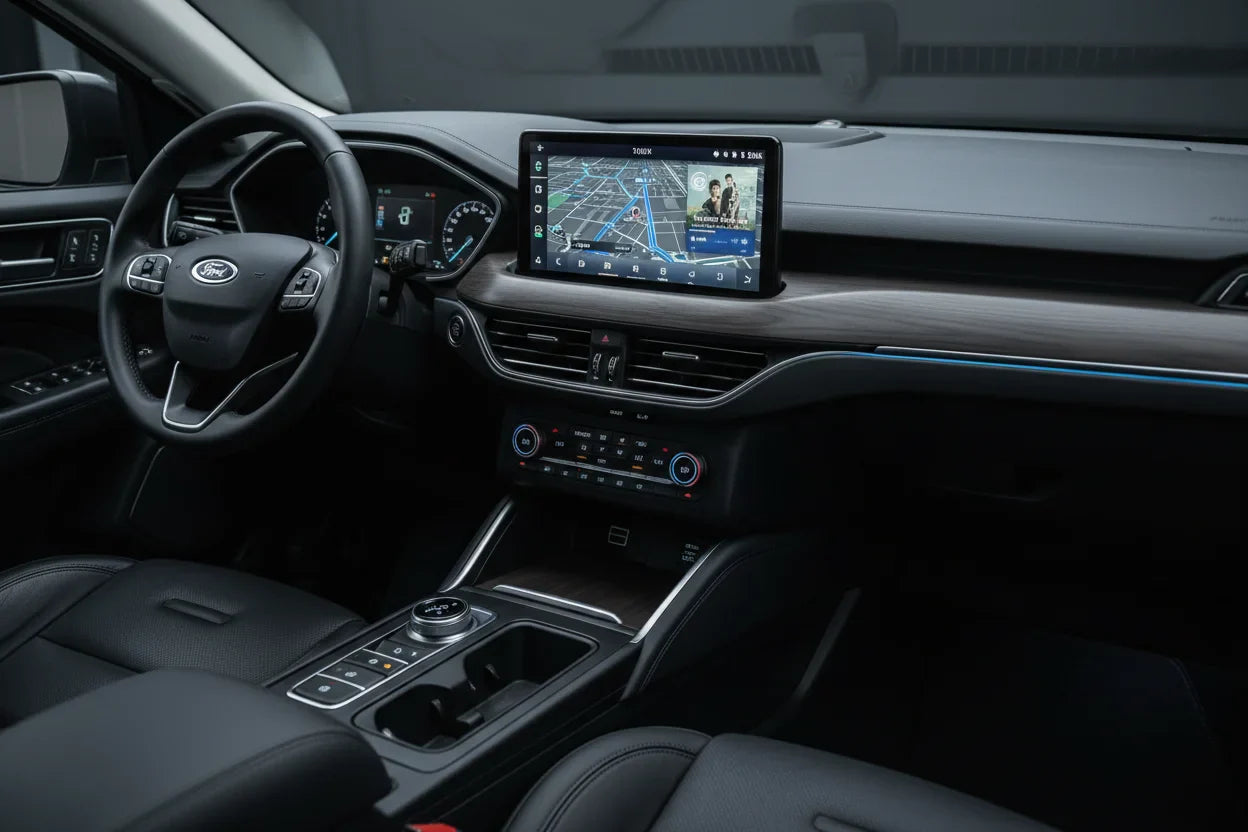
If Apple CarPlay is not connecting in your Ford, start by separating three things: your iPhone, your Ford SYNC system, and the CarPlay connection itself. Bluetooth audio may work while CarPlay still fails, and a Ford screen may work normally even when the CarPlay connection is blocked by a cable, port, setting, pairing issue, or software condition.
Safety note: Change settings only when the vehicle is parked. Do not adjust phone or infotainment settings while driving.
Quick Answer
Try this order first:
- Confirm your Ford model and SYNC system support Apple CarPlay.
- Check whether your Ford uses wired CarPlay, wireless CarPlay, or both.
- Make sure Siri, Bluetooth, Wi-Fi, and CarPlay are enabled on your iPhone.
- Use the correct Ford USB port and a data-capable cable.
- Forget the Ford from iPhone CarPlay settings and pair it again.
- Delete the phone from SYNC if the option appears.
- Restart the iPhone and the vehicle infotainment system.
- Check Ford support resources for SYNC software guidance.
- If wired CarPlay works but you want wireless convenience, check adapter compatibility.
Apple's CarPlay troubleshooting guidance recommends checking the cable or wireless connection, restarting both systems, enabling Siri, checking restrictions, forgetting the car, and confirming that the vehicle stereo has current firmware.
Does Your Ford Support Apple CarPlay?
Not every Ford vehicle has the same CarPlay setup. Some Ford vehicles support wired Apple CarPlay through USB. Some newer Ford systems may support wireless Apple CarPlay, depending on model, year, trim, region, SYNC version, and software.
Apple's CarPlay available models page lists Ford models across different years, but it does not replace checking your exact vehicle. Ford's own Apple CarPlay support page is also important because CarPlay behavior depends on the infotainment system installed in the vehicle.
If your Ford has a screen and Bluetooth, that does not automatically mean it supports Apple CarPlay. Bluetooth audio, Ford SYNC, Apple CarPlay, Android Auto, and a wireless adapter are different layers.
Why Ford CarPlay Is Not Connecting

The USB Port Is Wrong or Not CarPlay-Ready
Some Ford vehicles have multiple USB ports, but not every port may support CarPlay. A port may charge your iPhone without launching CarPlay.
If the phone charges but CarPlay does not open, try the main front USB port and check your owner's manual or Ford support resources.
The Cable Charges but Does Not Transfer Data
A charge-only cable can make the phone battery icon appear while CarPlay still fails. Use a short, high-quality data cable. If possible, test another cable before changing more settings.
Siri or CarPlay Is Disabled
CarPlay requires Siri. If Siri is off, restricted, or blocked by Screen Time, CarPlay may not launch.
On iPhone, search Settings for Siri, CarPlay, and Screen Time. The exact label can vary by iOS version.
SYNC Pairing Is Stale
If CarPlay worked before but stopped after an iOS update, SYNC update, battery reset, or phone change, the saved pairing may be corrupted.
Deleting the phone from both the iPhone and SYNC system can help reset the connection. Ford also provides support guidance for phone connection issues with SYNC.
Wireless CarPlay Is Not Supported on That Ford
A Ford may support Apple CarPlay without supporting wireless Apple CarPlay. If wired CarPlay works but wireless CarPlay never appears, your vehicle may require a USB connection unless wireless CarPlay is available on that model and system.
Step-by-Step Fixes
Step 1: Confirm Compatibility
Check your Ford model, year, trim, and SYNC version. Use Ford support resources, your owner's manual, and Apple's CarPlay model list. Do not assume that every Ford with SYNC supports CarPlay or wireless CarPlay.
Step 2: Test Wired CarPlay First
Plug your iPhone into the correct Ford USB port. If wired CarPlay works, your iPhone and Ford system can communicate. The remaining issue is likely wireless support, pairing, Bluetooth, Wi-Fi, or software behavior.

If wired CarPlay does not work, fix that first before considering a wireless adapter.
Step 3: Check iPhone Settings
While parked, check:

- Bluetooth is on.
- Wi-Fi is on.
- Siri is enabled.
- CarPlay is allowed.
- Screen Time is not blocking CarPlay.
- VPN or device management settings are not interfering.
If labels differ, use iPhone Settings search.
Step 4: Forget and Reconnect Your Ford
On iPhone, open Settings and search for CarPlay. Select your Ford if it appears, then tap Forget This Car. Also forget the Ford Bluetooth profile if needed.
On the Ford screen, delete the phone from SYNC if the option appears. Restart the phone and vehicle system, then pair again while parked.
Step 5: Restart SYNC and the iPhone
Restart your iPhone. Then turn the vehicle off, wait briefly, and restart the infotainment system. Use the official Ford owner's manual or Ford support steps for your specific vehicle if a SYNC reset is needed.
Avoid hidden service menus unless Ford support or a qualified technician instructs you to use them.
Step 6: Check for Software Updates
If your Ford supports SYNC software updates, check Ford's support resources for update instructions. If CarPlay stopped after an iOS update, re-pairing the phone often helps.

Ford SYNC, Bluetooth, and CarPlay Are Different
Ford SYNC can handle phone pairing, Bluetooth audio, voice features, and infotainment functions. Apple CarPlay is a separate iPhone projection experience.
| What works | What it means |
|---|---|
| Bluetooth calls work | Phone pairing works, but CarPlay may still fail |
| iPhone charges | USB power works, but data may not |
| SYNC screen works | Infotainment works, but CarPlay may still be blocked |
| Wired CarPlay works | Basic CarPlay connection works |
| Wireless CarPlay fails | Wireless support or pairing may be the issue |
Wired vs Wireless Ford CarPlay
Wired CarPlay requires a USB connection. Wireless CarPlay requires vehicle-side support plus a wireless connection between the iPhone and the infotainment system.
If your Ford only supports wired CarPlay, there may be nothing broken. The vehicle may simply require USB for CarPlay.
If you want a cable-free setup, a compatible wireless adapter may help after wired CarPlay already works.
When a Wireless CarPlay Adapter Makes Sense
A wireless adapter may make sense if:

- Your Ford has factory wired CarPlay.
- Wired CarPlay works reliably.
- You want CarPlay without plugging in your iPhone every time.
- Your vehicle is compatible with the adapter.
A wireless adapter does not fix:
- Unsupported Ford vehicles.
- Broken USB ports.
- Damaged cables.
- Blocked iPhone settings.
- SYNC software issues.
- Aftermarket head unit incompatibility.
A good rule: fix wired CarPlay first, then consider wireless convenience.
CARLUEX Upgrade Option for Ford Owners
If wired CarPlay works in your Ford and you want a wireless setup, check the CARLUEX LINK Wireless CarPlay and Android Auto Adapter.

CARLUEX compatibility depends on the adapter model and your vehicle's factory infotainment system. For CARLUEX LINK, wireless CarPlay requires factory wired CarPlay, while wireless Android Auto requires factory wired Android Auto.
Before buying, confirm:
- Ford model.
- Model year.
- Trim.
- SYNC version.
- Whether factory wired CarPlay works.
- Whether the vehicle appears on the CARLUEX compatible vehicles page.
If your Ford is not listed but has factory wired CarPlay, confirm compatibility before purchase.
Related CARLUEX Guides
- Honda CarPlay Not Working
- Nissan Wireless CarPlay Not Working
- iPhone CarPlay Not Working
- How to Reset Apple CarPlay
- CARLUEX LINK Wireless CarPlay and Android Auto Adapter
- Check CARLUEX Compatible Vehicles
FAQ
Why is my Ford CarPlay not connecting?
Common causes include the wrong USB port, a charge-only cable, Siri being disabled, CarPlay restrictions, a stale SYNC pairing, software issues, or a vehicle that does not support CarPlay.
Why does my iPhone charge but CarPlay does not start?
The USB port may only provide power, or the cable may not support data transfer. Try the main CarPlay USB port and a data-capable cable.
Does every Ford with SYNC support Apple CarPlay?
No. SYNC and CarPlay are not the same thing. Support depends on the vehicle model, year, trim, SYNC version, and software.
Does Ford CarPlay work wirelessly?
Some Ford systems may support wireless CarPlay, but many vehicles support wired CarPlay only. Confirm your exact model and SYNC system before assuming wireless support.
Can a wireless adapter fix Ford CarPlay issues?
Not if wired CarPlay is broken. A wireless adapter is a convenience upgrade after factory wired CarPlay already works. It does not repair unsupported vehicles, damaged USB ports, blocked iPhone settings, or SYNC software problems.
Final Takeaway
Ford CarPlay issues usually come from compatibility, USB connection, iPhone settings, SYNC pairing, or software behavior. Start by confirming that your Ford supports CarPlay. Then test wired CarPlay through the correct USB port and cable. After that, reset pairing and check Siri, Bluetooth, Wi-Fi, and Screen Time settings.
If wired CarPlay works and you want wireless convenience, a compatible wireless adapter can be a practical upgrade. Just confirm your Ford model, year, trim, SYNC version, and factory wired CarPlay support before buying.



Zostaw komentarz
Ta strona jest chroniona przez hCaptcha i obowiązują na niej Polityka prywatności i Warunki korzystania z usługi serwisu hCaptcha.