
PRO PLUS

How to Adjust Screen Font and Icon Size on CARLUEX PRO+

To adjust the screen font and icon size on CARLUEX PRO+, follow these steps:

  1. Access the "Settings" menu.
  2. Scroll down slightly or use the search function to find the "Display" section.
  3. Click on "Display size and text."
  4. Use the sliders for "Font size" or "Display size" to set them to your preferred size.
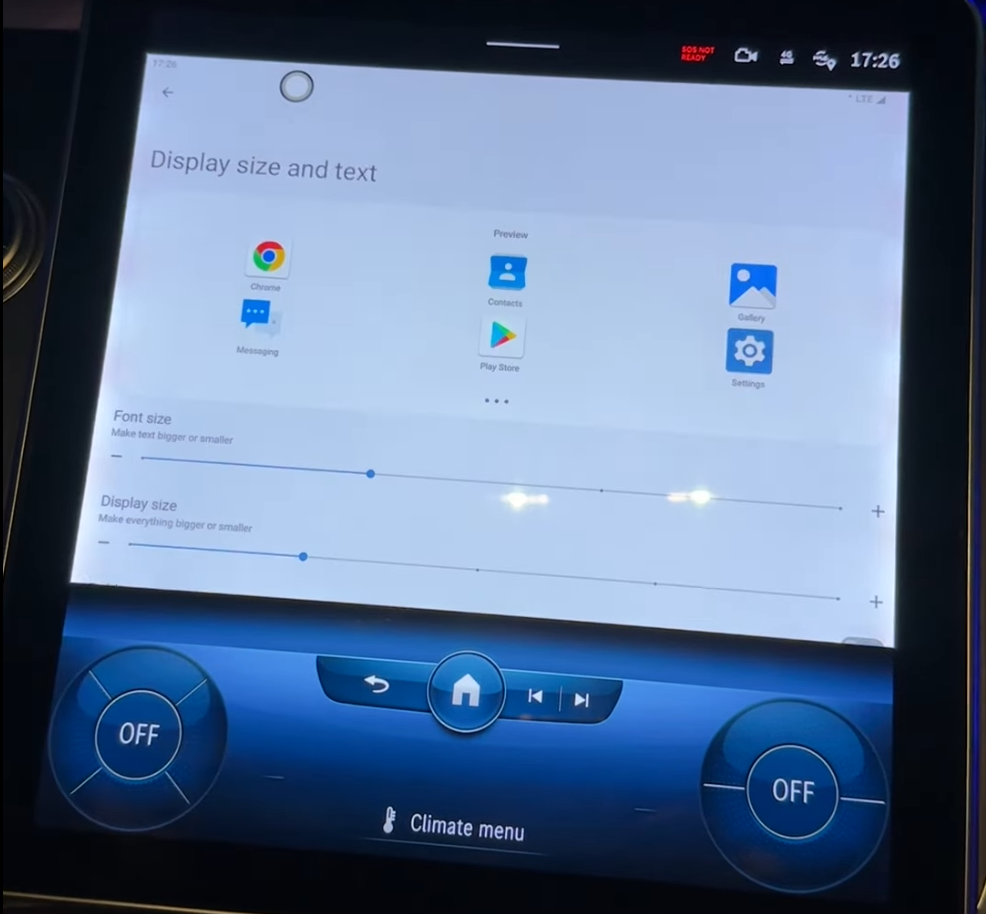
For a visual guide, you can also refer to this video tutorial: Screen Font and Icon Size Adjustment Tutorial

Reading next

Leave a comment

This site is protected by hCaptcha and the hCaptcha Privacy Policy and Terms of Service apply.

Recommended CARLUEX products

CARLUEX PRO PLUS 2.0 Black Friday 2026

CARLUEX® PRO+ 2.0 Multimedia AI Box

A multimedia AI box that adds wireless CarPlay and Android Auto, 4K playback, app installation, and OTA updates to compatible vehicles.

Sale priceFrom CHF 149.00 Regular priceCHF 288.00
View product
CARLUEX for BMW Black Friday 2026

CARLUEX Multimedia Streaming Box for BMW

A BMW-focused multimedia box with wireless CarPlay and Android Auto, streaming apps, voice commands, and steering-wheel control.

Sale priceFrom CHF 210.00 Regular priceCHF 314.00
View product


