

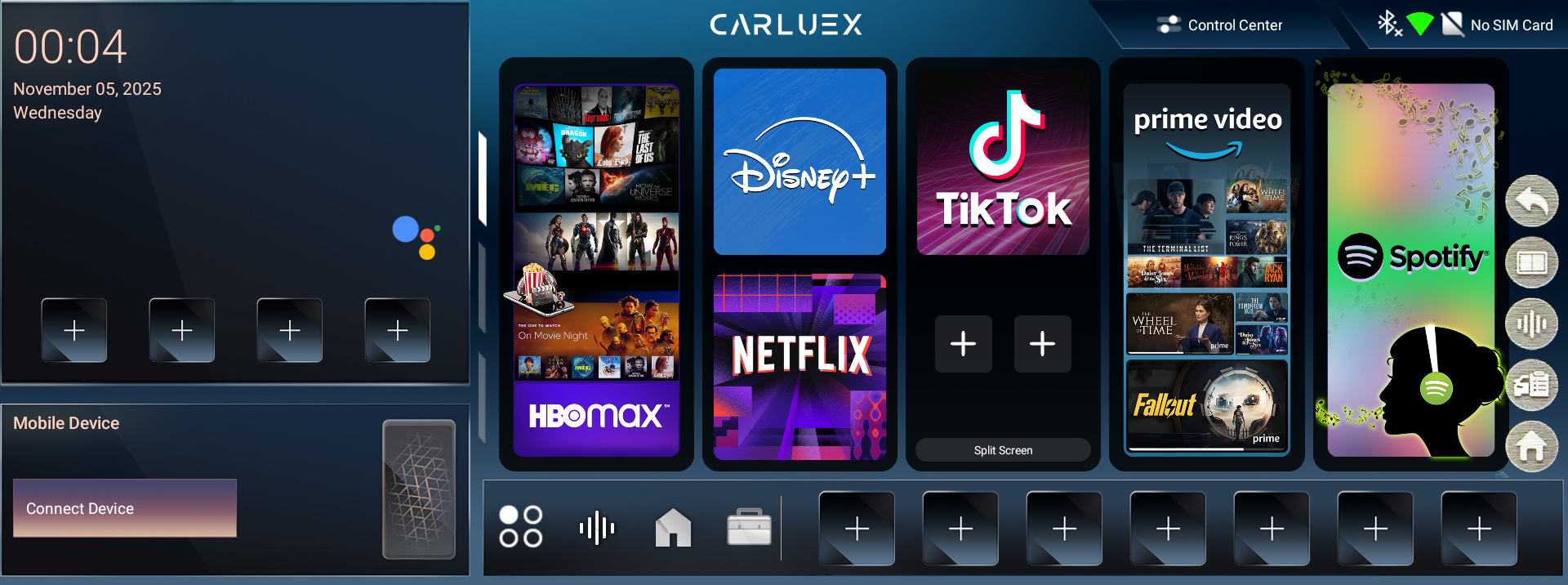
The floating menu on CARLUEX PRO+ 2.0 provides quick access to essential functions for multitasking and system control. To use it, follow these steps:
- Tap the floating menu icon on the screen.
- The floating menu will appear, typically with the following options:
- First icon: Return to the previous screen
- Second icon: Enable split-screen functionality
- Third icon: Activate voice control (Google Assistant)
- Fourth icon: Clear cache or perform maintenance tasks
- Fifth icon: Return to the CARLUEX PRO+ 2.0 home screen
You can quickly access these functions by tapping the corresponding icons in the floating menu, helping you operate the system more efficiently and smoothly.






コメントを書く
このサイトはhCaptchaによって保護されており、hCaptchaプライバシーポリシーおよび利用規約が適用されます。