
PRO PLUS

How Can I Customize the App Toolbar?

To customize the app toolbar on your CARLUEX PRO+ screen, follow these steps:

1. Tap the "+" icon on the screen.
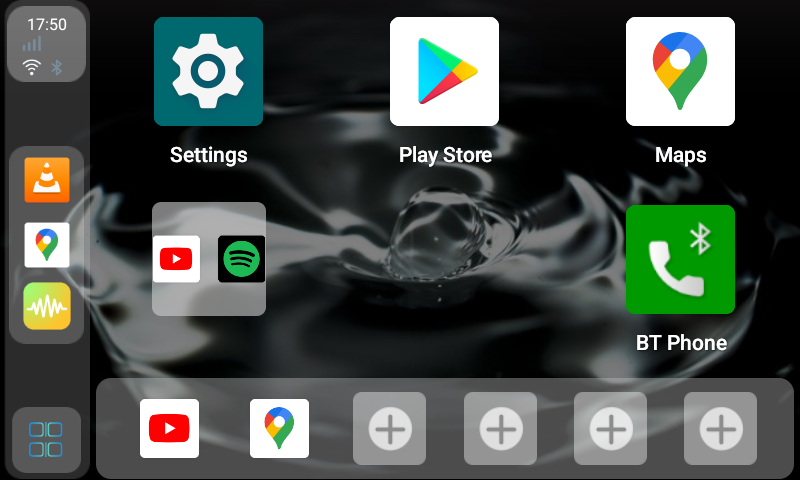
2. Add the apps you want for quick access to the toolbar
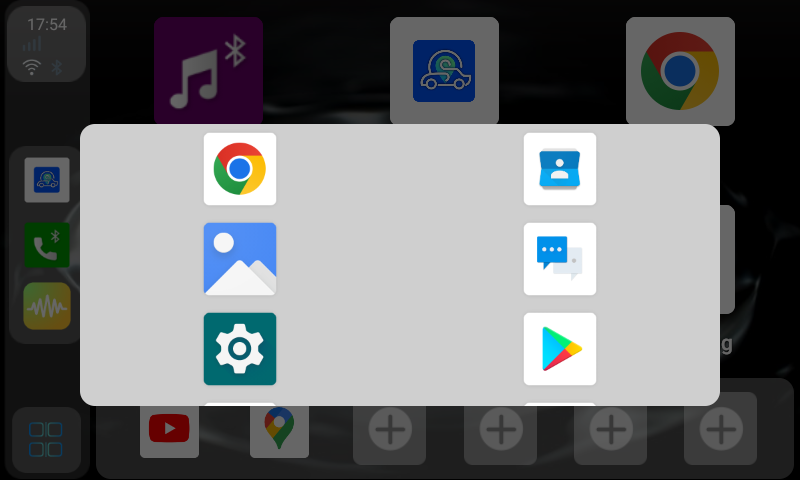
3. Done!
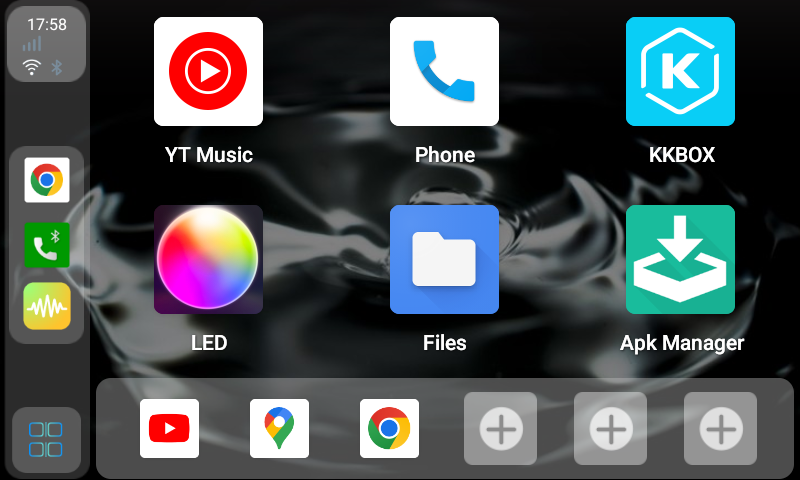
This allows you to personalize the app toolbar by adding your frequently used apps, making it more convenient for quick access to your favorite applications.

You can also check out the tutorial video here ⇒ https://youtube.com/shorts/sITcCWmG16o?feature=share

前後の記事を読む

コメントを書く

このサイトはhCaptchaによって保護されており、hCaptchaプライバシーポリシーおよび利用規約が適用されます。

Recommended CARLUEX products

CARLUEX PRO PLUS 2.0 Black Friday 2026

CARLUEX® PRO+ 2.0 Multimedia AI Box

A multimedia AI box that adds wireless CarPlay and Android Auto, 4K playback, app installation, and OTA updates to compatible vehicles.

セール価格Dhs. 652.00 AEDから 通常価格Dhs. 1,264.00 AED
View product
CARLUEX for BMW Black Friday 2026

CARLUEX Multimedia Streaming Box for BMW

A BMW-focused multimedia box with wireless CarPlay and Android Auto, streaming apps, voice commands, and steering-wheel control.

セール価格Dhs. 922.00 AEDから 通常価格Dhs. 1,376.00 AED
View product
CARLUEX MORPH Black Friday 2026

CARLUEX MORPH Digital Car Emblem for Select BMW Models

An app-controlled digital BMW emblem that lets you switch designs, images, animations, or text on supported models.

セール価格Dhs. 891.00 AED 通常価格Dhs. 1,115.00 AED
View product


