

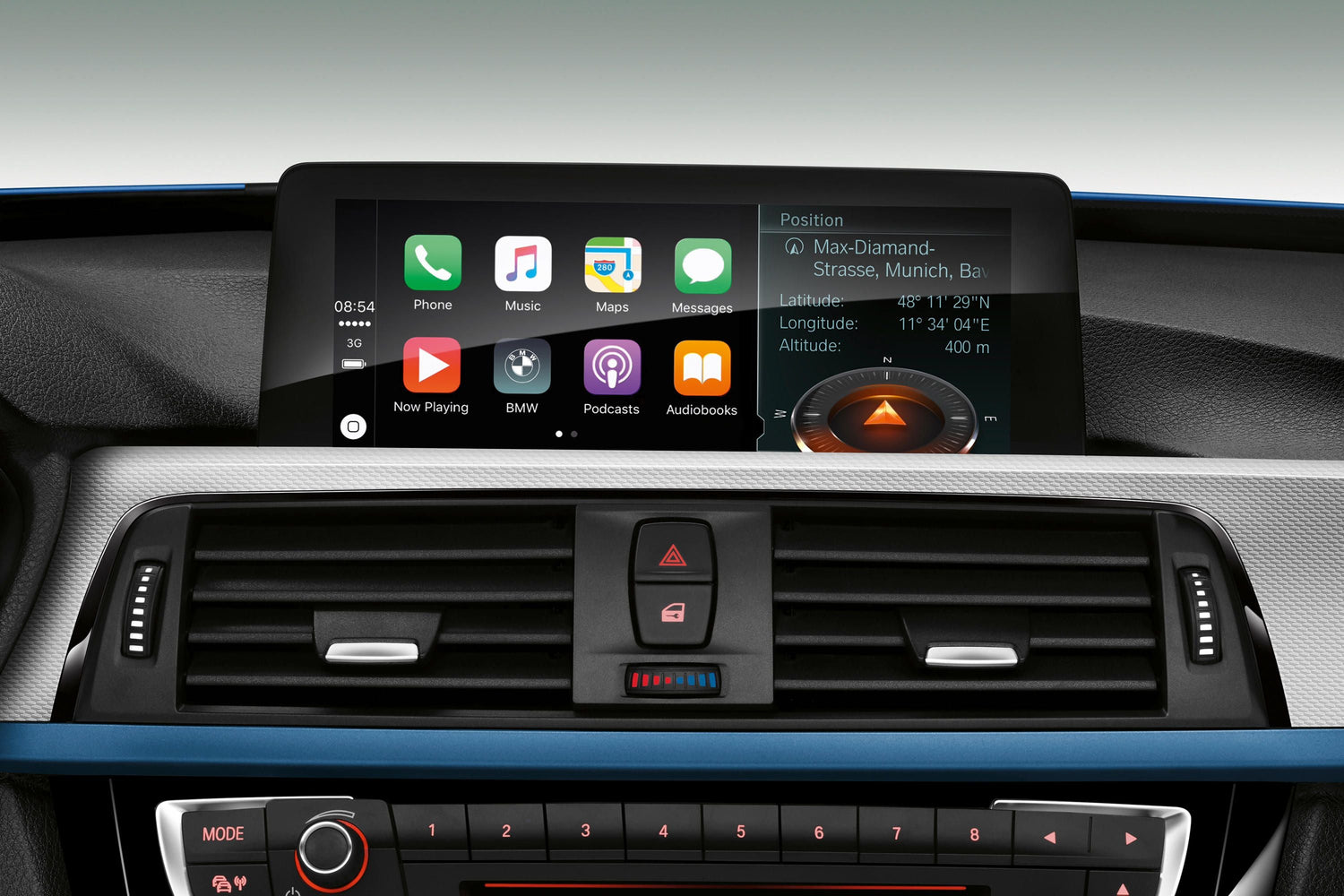
We live our lives in concert with our phones, even in the car. It’s a primal need to stay in touch with our people, work, music, and the news.
That’s why Apple CarPlay for iPhone users became so popular since its debut in 2014 in the Ferrari FF. Now it’s standard or available as an option in more than 60% of new cars for sale in the United States.
Read our guide on Apple CarPlay to find out how it can simplify your driving life, plus how to set it up and more.
What is Apple CarPlay?
Apple describes CarPlay as a system that “gives you the ability to safely use what you love about your iPhone while you drive.”
It uses either a Lightning cable or, with many 2022 and later cars, a wireless connection to let your phone interface with your car’s infotainment system.
You can get it on the least expensive car in America (the Chevy Spark) and on pickup trucks, cars, and SUVs of all sizes and in all price ranges.
Android users aren’t out of luck. Android works with a similar system called Android Auto, covered in a future article.
What Does Apple CarPlay Do?
Apple CarPlay allows you to make calls, send text messages using voice commands, listen to text messages (Siri will read them to you), get turn-by-turn directions, control your music, and more, all without touching your phone.
It integrates with your car’s touchscreen and audio controls on the dashboard and steering wheel. It also responds to voice commands.
How Do You Set Up Apple CarPlay?
With a Wired Connection
To set up CarPlay with a wired connection:
-
Start your car
: Turn on your vehicle to get started. -
Plug it in
: Insert a Lightning cable into your car’s USB port and your phone. Your vehicle may have several USB ports, some that can only charge a phone, and others that can accept data from one. You’ll need a data connection. Look for the one marked with a phone icon or CarPlay icon. -
Get connected
: Wait for your car’s infotainment screen to recognize your phone. -
Expect prompts
: Accept any prompts on the car’s screen asking you to agree to connect to the phone. -
Connect on your phone
: Accept any prompts on your phone screen asking you to agree to connect to the car.
At this point, CarPlay should connect to your iPhone. It should automatically start anytime you plug your phone into the car in the future. You need to repeat the process anytime your car’s battery gets disconnected.
With a Wireless Connection:
To set up CarPlay with a wireless connection (note — some cars come equipped for wireless CarPlay. Consult your car’s owner’s manual to know for sure).
-
Turn on the ignition
: Start Your Car. -
Hold down
: Press and keep holding the voice command button on your steering wheel. -
Select settings
: On your iPhone, select the Settings app. -
Click
: Next, click General, then CarPlay. -
Check the cars list
: Find the list of Available Cars. Select yours. -
Test the connection
: Once the phone says it is connected, test it by using the voice control button on the steering wheel to activate Siri.
What Apps Can You Use on Apple CarPlay?
Apple is constantly updating the list of apps that work with CarPlay. As of this writing, it includes:
-
Navigation apps
include Apple’s Maps and Google Maps, Waze, TomTom, TMap, 2GIs, KakaoNavi, and Navitime. -
Music apps
such as Apple Music, Spotify, iHeartRadio, Pandora, LiveXLive, Radio Disney, Tidal, and SiriusXMRadio connect to CarPlay. -
News and entertainment apps
like Apple’s own Podcasts and News apps, Audible and other audiobook apps, Downcast, Stitcher, NPR One, and Vox. -
Messenger apps
like Apple’s own Messenger, Line, Telegram, and WhatsApp. -
EV Charging Apps
like Plugshare and Chargepoint. -
Food ordering apps
like Dunkin’. Please note that Apple recently added food apps as a category, so we expect the list of compatible food apps to grow soon. -
Parking apps
like SpotHero. -
Shopping apps
including Amazon. -
Meeting apps
like Zoom.
How Do You Turn Off Apple CarPlay?
To turn off CarPlay with a wired connection, simply unplug your phone
With a wireless connection, CarPlay will attempt to connect whenever you start your car. To stop that process, you’ll need to go into your phone’s Settings app, go to General, then Carplay, and find your vehicle in the Available Cars list. You can then select Forget This Car to disconnect CarPlay.
What Cars Have Apple CarPlay?
Nearly every major automaker now includes Apple Carplay as standard or optional equipment on much of its lineup. Whether you’re shopping for a Mitsubishi Mirage or a Rolls-Royce Phantom, Apple CarPlay is available in your price range.
Apple maintains a running list if you want to look up a particular model. If you don’t see the car you’re interested in, keep in mind that manufacturers will likely add CarPlay to the next model year of many vehicles that don’t currently offer it.
What If Your Car Doesn’t Have Apple CarPlay
?
The easiest way to add wireless Android Auto to a car that already supports the wired version is to use a USB dongle. Currently, the CarLuex brand offers three products which are all support Apple Carplay and Android Auto, also built-in Android 11.0+ system.
Frequently Asked Questions About Apple CarPlay
What is Apple CarPlay?
Apple CarPlay is a smartphone integration system developed by Apple that allows drivers to control their iPhone through the car's infotainment display. It provides hands-free access to calls, messages, navigation, and music.
Which car models support CarPlay?
CarPlay is available in over 800 vehicle models from major manufacturers including BMW, Ford, Toyota, Honda, Mercedes-Benz, and more. According to Apple, CarPlay is available or coming soon in more than 800 models.
How do I connect my iPhone to CarPlay?
Connect your iPhone to your car's USB port using a Lightning cable, or use wireless CarPlay if your vehicle supports it. Then select CarPlay on your car's display to start using it.
Does CarPlay work with wireless connections?
Yes, many newer vehicles support wireless CarPlay, which allows you to use CarPlay without plugging in your iPhone. Wireless CarPlay requires iPhone 5 or later and a compatible vehicle.



Commenta
Nota che i commenti devono essere approvati prima di essere pubblicati.
Questo sito è protetto da hCaptcha e applica le Norme sulla privacy e i Termini di servizio di hCaptcha.