


You will soon use CarPlay from Apple in a new way. With iOS 26 CarPlay, you can talk to an AI chatbot. You can use your voice to chat. You can change dashboard widgets to fit your needs. The new Liquid Glass design looks cool and is simple to use. These features help you stay safe while driving. They keep your dashboard neat. You can make your driving setup your own. Apple’s updates make navigation easier. They help you manage calls better. You can focus on enjoying your drive.
What About Key Takeaways?
-
The new Liquid Glass interface looks modern and simple. It helps you focus better when you drive.
-
You can change dashboard widgets to fit what you like. This lets you get important information fast in CarPlay.
-
The AI chatbot lets you use your voice for control. You can use it for maps, music, and messages. This makes driving safer and more fun.
-
Predictive navigation uses live data to find the fastest way. It helps you save time and feel less stressed while driving.
-
Better notifications keep you updated without taking your attention. You can stay connected and still watch the road.
What About Visual Upgrades In CarPlay?
Liquid Glass Interface
You will notice the new Liquid Glass interface right away when you use carplay from apple. This design looks modern and feels smooth. The screen shows clear icons and soft colors. You see fluid animations that make the dashboard feel alive. Apple made sure the interface works well across devices, so you get the same look on your phone and your car.
The Liquid Glass interface helps you focus on what matters. It removes clutter and puts your music, maps, and calls front and center. You can personalize the look with different wallpapers and icon styles. The interface adapts to your actions. For example, the clock changes size to fit the space. When you scroll through the Music app, album art shifts under see-through controls. This gives you a sense of depth and makes everything easier to find.
Here’s what you get with the Liquid Glass interface:
-
Consistent design across all Apple devices.
-
Less clutter, so you see only what you need.
-
Modern look that attracts new users.
-
Fluid animations that make the dashboard engaging.
-
Options to personalize your dashboard.
You may find the interface easier to use because it puts content first. Controls change based on what you do. The screen feels more responsive. You get a clear view of your apps, and the transparency effects add visual depth. Some users say the new design helps them stay focused while driving.
| Feature | Description |
| Dynamic Interface | Elements move and change as you interact with them. |
| Adaptive Scaling | Items like the clock adjust size for better readability. |
| Cross-Device Consistency | The same design works on your phone, tablet, and car. |
| Fluid Animations | Subtle movements make the interface feel lively. |
| Performance Optimization | Uses Apple’s powerful chips for smooth effects. |
| Transparency Effects | See-through layers create depth, but may affect readability in bright light. |
Customizable Dashboard Widgets
You can now customize your dashboard with widgets in carplay. These widgets let you see important information at a glance. You can add weather, calendar, or music controls right to your home screen. The new two-column layout helps you organize your dashboard. You decide where each widget goes and how big it should be.
Customizable widgets make your driving experience more personal. You can set up your dashboard to match your needs. If you want quick access to navigation, you can place the map widget front and center. If you care about music, you can put the music widget where you like. You spend less time switching between apps, so you stay focused on the road.
Here’s a quick look at how widgets improve your dashboard:
-
Real-time access to weather, calendar, and music.
-
You can adjust the size and placement of each widget.
-
Less need to switch between apps.
-
Widgets work with third-party apps like Spotify and Waze.
-
Helps you keep your attention on driving.
| Benefit/Consideration | Description |
| Real-time access | See weather, calendar, or music controls without opening apps. |
| Customizable | Change size and placement to fit your style. |
| Reduces app switching | Stay on one screen for most tasks. |
| Third-party support | Use widgets from apps you already love. |
| Improves focus | Fewer distractions from multiple app screens. |
| Clutter risk | Too many widgets can crowd your dashboard. |
| Performance impact | Older car screens may slow down with lots of widgets. |
You will find that these updates in ios make your dashboard more useful and personal. Apple wants you to have a dashboard that fits your life. You can organize your widgets, choose your layout, and enjoy a cleaner, smarter driving experience.
What About AI Chatbot And Smart Features?
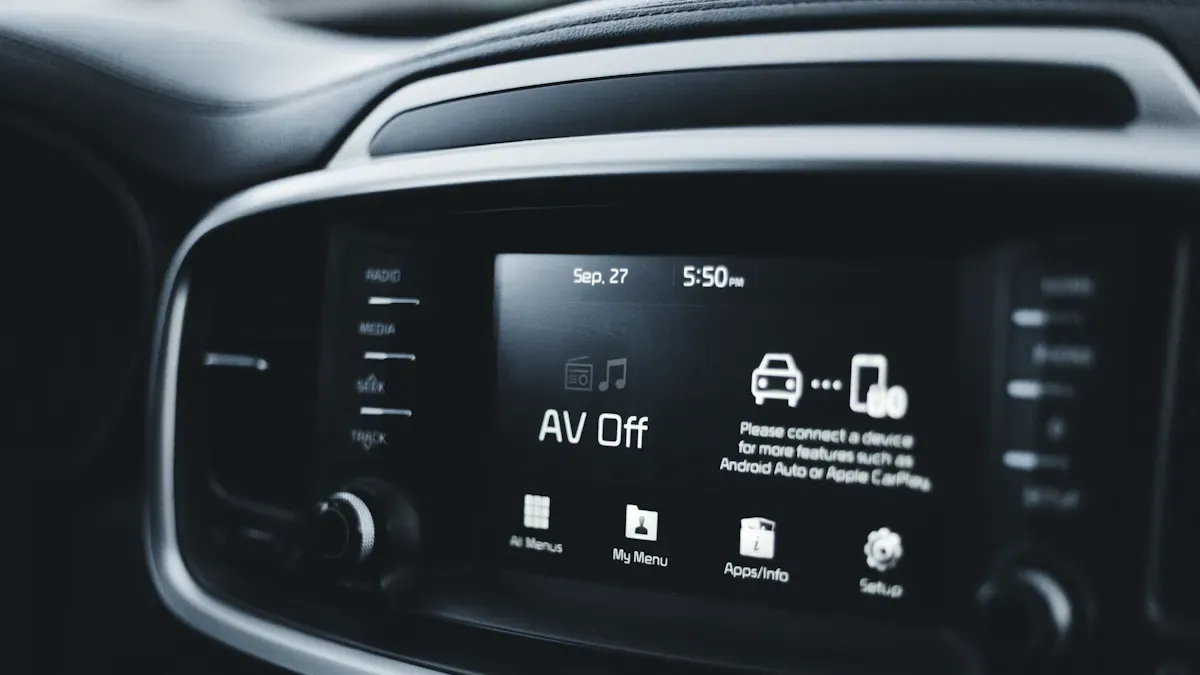
Image Source: pexels
AI Chatbot Integration In iOS 26 CarPlay
You can now talk to your car like never before. With ios 26 carplay, you get a smart AI chatbot right on your dashboard. This means you can ask questions, get help, or even have a quick chat without the need to pipeline everything through your phone. You just use your voice, and the system listens and responds. It feels like you have a helpful co-pilot riding with you.
Here’s a quick look at the main features you’ll enjoy with this new AI chatbot:
| Feature | Description |
| Hands-free access | You can ask for directions, send messages, or play music without touching the screen. |
| Third-party chatbot integration | You get to choose from popular AI services like ChatGPT, Claude, or Gemini for more options. |
| Voice control screen | The dashboard shows visual feedback, so you know your command was heard and understood. |
You don’t need to take your eyes off the road. The AI listens and answers, making your drive safer and more fun. If you want to check the weather, find a coffee shop, or send a quick text, you just ask. The voice control screen gives you clear feedback, so you always know what’s happening. You can even switch between different AI chatbots if you want a different style of help.
Tip: Try asking your car to find the nearest gas station or play your favorite playlist. You’ll see how easy it is to use these new features.
Predictive Navigation And Suggestions
Navigation just got a big upgrade with the latest updates from apple. The new system uses smart technology to help you get where you need to go faster and with less stress. You don’t have to guess the best route anymore. The carplay system learns from real-time data and your driving habits to give you the best suggestions.
Here’s how predictive navigation works for you:
-
The system checks traffic patterns and current road conditions to find the fastest route.
-
It looks at your usual driving times and suggests when you should leave to avoid traffic jams.
-
You get alerts about accidents, weather changes, or construction before you hit the road.
-
The navigation improvements help you save time by adjusting your route quickly if there’s a delay ahead.
-
You use less fuel because the system helps you avoid stop-and-go traffic.
-
Clear voice directions keep you focused, so you don’t get distracted by looking at your phone or screen.
You’ll notice that carplay from apple reacts fast. If there’s a traffic jam, the system finds a new way in seconds. During rush hour, it can adjust your route up to 18 seconds faster than before. You spend less time stuck in traffic and more time enjoying your drive. The navigation features also help you stay safe by giving you all the info you need without taking your attention off the road.
Note: With these smart upgrades, you can trust your car to help you make better choices on the road. You get real-time updates, smarter routes, and fewer distractions.
What About Live Activities And App Support?
Real-Time Updates On Dashboard
You want to know what is happening on the road. CarPlay gives you real-time updates right on your dashboard. You see important info without searching through menus. This keeps your eyes on the road and your hands on the wheel.
Here’s a quick look at what you can check at a glance:
| Widget Type | Functionality |
| Weather Widgets | Show current conditions and hourly forecasts for your route |
| Calendar Widgets | Display upcoming appointments with travel time estimates |
| Music and Podcast Widgets | Offer playback controls without needing to open the full app |
| Home Automation Widgets | Control garage doors, thermostats, and lighting |
| Activity Rings | Track daily movement goals during commutes |
You can use apps like Waze for alerts about potholes or traffic jams. Carrot Weather gives you hyper-local weather updates. MyRadar Weather Radar shows animated maps, so you see storms coming your way. These features help you plan your drive and avoid surprises.
CarPlay from apple also helps you stay safe. Real-time GPS navigation keeps you aware of your surroundings. Hands-free calls and texts mean you do not need to touch your phone. Dark Mode and auto-dimming make night driving easier on your eyes.
Tip: Pin your favorite widgets to the dashboard. You get the info you need fast, and you do not miss a beat.
Enhanced EV And Parking Apps
If you drive an electric vehicle, you will love the new app support in carplay. The interface feels just like your iPhone, so you do not need to learn something new. You get reliable navigation and media apps like Apple Maps and Spotify. Your favorites and contacts show up right away.
Here’s what you get with the latest ios update:
-
Find charging stations with a tap.
-
See parking options before you arrive.
-
Use your favorite apps for music and directions.
-
Keep your dashboard organized and easy to use.
You can trust carplay to make your drive smoother. The new features help you save time and enjoy your ride, whether you are heading to work or taking a road trip.
What About Music, Communication, And Safety?
SharePlay And Automix In Music App
You love music on the road. With the latest update from apple, your car becomes a party zone. SharePlay lets you and your friends add songs to the playlist. You just scan a QR code, and everyone can join in. No more fighting over the next song. You control the vibe together.
The new automix feature in the Music app keeps the energy going. It blends tracks smoothly, so you never hear awkward pauses. You get a DJ experience without lifting a finger. The app even suggests songs based on what you like. You can focus on driving while the music keeps everyone happy.
Tip: Try SharePlay on your next road trip. Your friends will love picking songs, and you get to discover new music.
You also get better sound quality and faster access to your favorite media. The Music app loads quickly, and you can switch between playlists with a tap. Apple made sure you spend less time searching and more time enjoying the ride.
Refined Notifications And Messaging
Staying connected matters, but safety comes first. Apple redesigned notifications in carplay from apple to help you keep your eyes on the road. Now, alerts show up as small banners at the top of the screen. They do not block your navigation or music. You see what matters without losing focus.
Check out how these features help you:
| Feature | Contribution to Safety and Efficiency |
| Categorized Notifications | Prioritizes important alerts, reducing distractions and helping drivers focus on the road. |
| Contextual Responses | Suggests replies based on real-time data, minimizing manual interaction and allowing for safer communication while driving. |
You get smart replies for messages. If someone texts you, carplay suggests quick responses. You tap once, and you are done. This means you do not need to type or get distracted. The system knows when you are driving and keeps things simple.
Note: With ios, you stay in touch without losing focus. Apple wants you to enjoy your drive and keep your hands on the wheel.
You can trust these updates to make your communication safer and more efficient. Your dashboard stays clean, and you get only the alerts you need. Apple puts your safety first, so you can enjoy every drive.
What About CarPlay Ultra And Compatibility?
Multi-Display Support And Instrument Clusters
You want your car’s tech to work well together. CarPlay Ultra gives you a smarter dashboard. Apple made this version for cars with more than one screen. You can see maps on the main display. Your instrument cluster shows your speed, music, and calls. This helps you keep your eyes on the road and hands on the wheel.
Here’s what you’ll see with CarPlay Ultra:
-
You can pick themes and wallpapers to match your style.
-
The system works better with your car, so it feels smooth.
-
Passengers can use their own screens for music or maps.

Multi-display support lets everyone do more at the same time. Your dashboard helps the whole team. You get directions, and your friend picks songs. The system even works with screens in the back seats for entertainment.
| Requirement/Limitations | Description |
| Multi-screen functionality | Shows navigation on one screen, vehicle data on another for safety and fun. |
| Hardware compatibility | Needs advanced car hardware for best results. |
| Cost of upgrades | Older cars may need new parts to use all features. |
| Compatibility challenges | Some older models can’t support every feature. |
iOS 26 Update Availability
You might wonder when you can try these features. Apple started bringing CarPlay Ultra to brands like Aston Martin, Hyundai, Kia, and Genesis. Most new cars from 2026 will have it. CarPlay works with over 800 models from 2014 to 2025. This includes big names like Honda, Ford, BMW, and Mercedes-Benz.
| Date | Update Description | Notes |
| Feb 1, 2026 | CarPlay Ultra expands to more brands this year | Details coming soon |
| Feb 6, 2026 | Apple adds ChatGPT, Claude, and Gemini to CarPlay | New smart features |
| Feb 16, 2026 | Tesla’s CarPlay plans delayed by Apple Maps compatibility issue | Some delays for Tesla owners |
| Feb 18, 2026 | iOS 26.4 brings CarPlay support for ChatGPT, Claude, Gemini | Major new feature |
| Feb 18, 2026 | iOS 26.4 shows new CarPlay video feature in action | Video streaming for parked vehicles |
You get the best CarPlay Ultra experience with the newest hardware. If your car is older, you still get many features with the ios 26 update. Some cool options may need new equipment. Apple is working to make more cars work with CarPlay Ultra.
Tip: Ask your car maker if your model works with CarPlay Ultra. You might be closer to a smart dashboard than you think!
You will notice your drive feels smoother with these new updates from Apple. The dashboard tools and AI features in CarPlay make things easier and safer. You can get to maps, music, and alerts fast. This helps you keep your eyes on the road. The Liquid Glass design and smart widgets help you drive more safely. If you want more control and less worry, these updates are good to try.
| Feature | How It Helps You |
| AI warnings | Reminds you about speed limits |
| Widgets | Show info without changing apps |
| Compact call UI | Makes calls less distracting |
Try changing your dashboard. See how much better your drive can be!
FAQ
How do I get the new CarPlay features in my car?
You need a car that supports iOS 26 or newer. Update your iPhone and connect it to your car. If your car is older, you can use devices like CARLUEX PRO+ 2.0 to enjoy many features.

Can I use CarPlay with any smartphone-mirroring software?
You can use CarPlay with some smartphone-mirroring software, but not all apps work the same way. Check your device’s compatibility before you start. Some features may need special hardware.
What is the Liquid Glass design?
The Liquid Glass design gives your dashboard a modern look. You see smooth animations and clear icons. It helps you focus on driving by removing clutter and making everything easy to find.
How does the AI chatbot help me while driving?
The AI chatbot lets you use your voice for directions, messages, and music. You stay focused on the road. You don’t need to touch the screen. The chatbot answers questions and helps with tasks.
Can I customize my CarPlay dashboard?
Yes! You can add widgets for weather, music, or calendar. Move them where you want. Change the layout to fit your style. Your dashboard becomes unique to you.


Commenta
Nota che i commenti devono essere approvati prima di essere pubblicati.
Questo sito è protetto da hCaptcha e applica le Norme sulla privacy e i Termini di servizio di hCaptcha.