

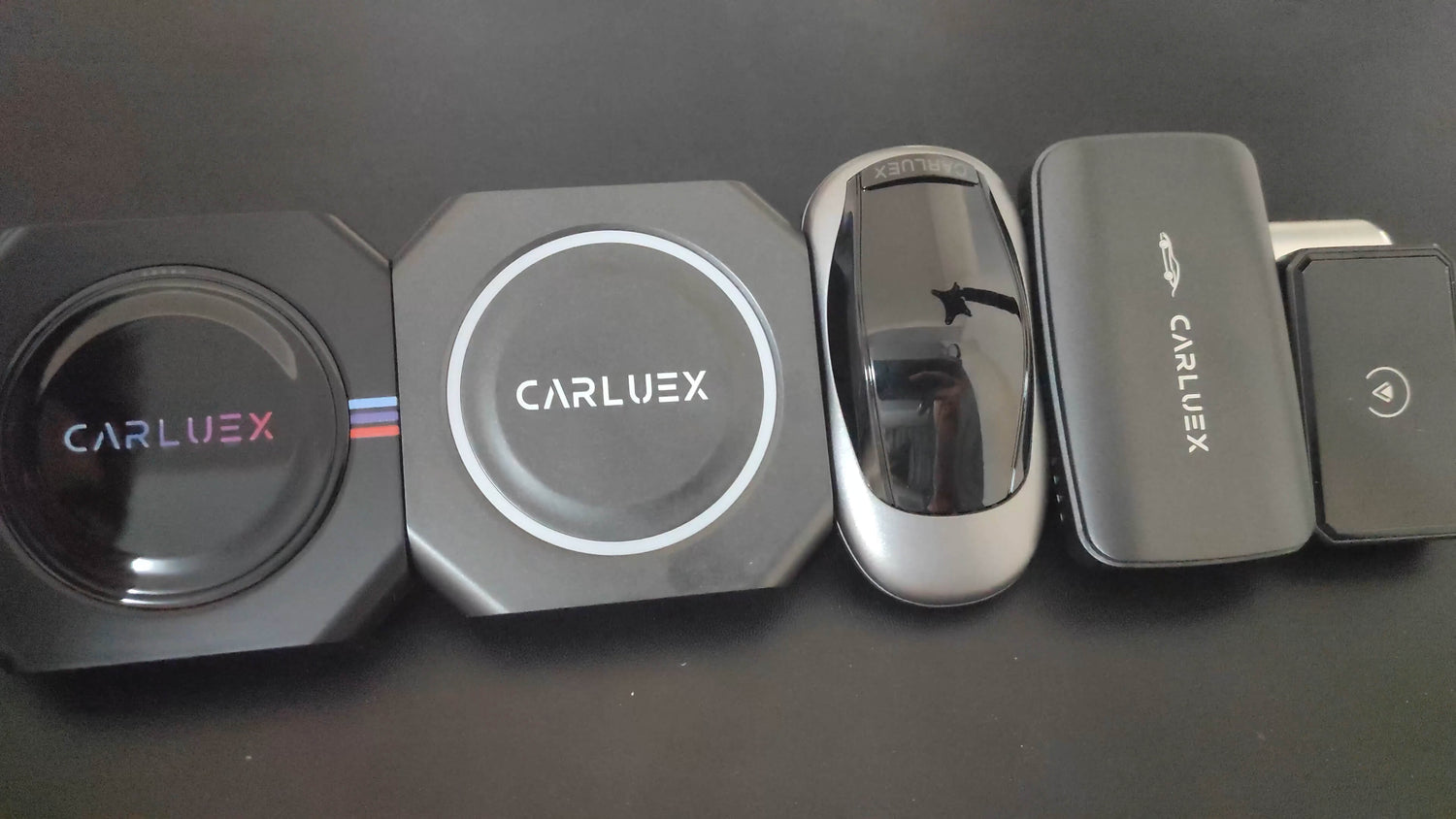
In this guide, we'll show you how to use CARLUEX accessories to make your installation process smoother.
Did you know? According to Apple, over 800 car models from major manufacturers now support CarPlay worldwide, including Ford, BMW, Toyota, Honda, Mercedes-Benz, and Chevrolet. CARLUEX extends wireless CarPlay functionality to any CarPlay-enabled vehicle.
Accessory List:
Mount
Magnetic Sticker
3M Adhesive
Velcro

Installation Steps
Step 1: Prepare the Magnetic Sticker and 3M Adhesive
First, stick the 3M adhesive to the magnetic sticker. Be careful not to stick the 3M adhesive directly to the box first. It's recommended to stick the 3M adhesive to the side of the magnetic sticker with the blue film (the side without 3M adhesive), because the other side needs to have the paper removed to stick firmly (this is the side with 3M adhesive).

Step 2: Attach the Magnetic Sticker
Attach the prepared magnetic sticker with the 3M adhesive to the CARLUEX box, making sure it sticks firmly.

Step 3: Install the Mount
Place the mount in a suitable position inside your car, then place the CARLUEX box on the mount.

Step 4: Use the Velcro
Finally, stick the Velcro in a suitable position. This not only makes your car look nicer but also prevents poor contact between the USB port and the cable, avoiding disconnection between the box and the car system. This step is very important, so don't skip it.

You can also check out the video below:
That's it! We hope CARLUEX brings you a better experience! This simplified guide should make it easier for your customers to install and use CARLUEX accessories. If you have any further needs or modifications, please let us know!
How to CARLUEX Accessory Installation Guide?
This comprehensive guide covers everything you need to know about installing and using CARLUEX accessories to enhance your wireless CarPlay and Android Auto experience.
How to Official CARLUEX Accessories?
CARLUEX offers a range of officially supported accessories:
- Premium USB Cables: High-quality braided cables for reliable data transfer and power delivery
- Car Chargers: Dual-port USB chargers with fast charging support
- Mounting Kits: Secure your device with dashboard or vent mounts
- Storage Cases: Protect your CARLUEX when not in use
- Extension Cables: Reach difficult USB ports with 90cm extensions
How to Pre-Installation Checklist?
Before installing any accessory:
- Verify your CARLUEX device is compatible with the accessory
- Ensure your vehicle is parked safely with the engine off
- Clean the installation surface if mounting
- Have all necessary tools ready (typically just your hands)
- Review the accessory's specific installation requirements
How to Installing Your Accessories?
USB Cables:
- Connect the USB-C end to your CARLUEX device
- Route the cable to your vehicle's USB port
- Secure excess cable to prevent tangling
- Test the connection before finalizing
Car Chargers:
- Insert the charger into your vehicle's 12V power outlet
- Connect your USB cable from the charger to CARLUEX
- Verify the charging indicator shows (if applicable)
Mounting Kits:
- Choose a location that's visible but doesn't obstruct driving
- Clean and dry the surface thoroughly
- Remove the adhesive backing and press firmly for 10 seconds
- Allow 24 hours for maximum adhesion before placing devices
How to Tips for a Clean Installation?
- Route cables along existing trim lines for a factory look
- Use cable clips to secure wires in place
- Avoid areas with excessive heat or direct sunlight
- Consider using existing USB port locations to minimize visible cables
- Test all connections before finalizing cable routing
How to Troubleshoot CARLUEX PRO+ Issues? Accessory Issues
- Device not charging: Try a different USB cable or charger
- Mount falling off: Clean surface again; ensure it's above 60°F (15°C)
- Loose connection: Check that all connectors are fully inserted
- Interference: Move accessory away from other electronic devices
How to Maintenance Tips?
- Periodically check that all connections remain secure
- Clean USB connectors with compressed air to remove dust
- Inspect cables for wear or damage regularly
- Replace accessories that show signs of deterioration
Last Updated: 2026-05-08 | This article was updated to provide comprehensive guidance for CARLUEX users.
Frequently Asked Questions
How do I mount CARLUEX PRO+ securely?
Use the included magnetic sticker and 3M adhesive. Attach the magnetic sticker to the 3M adhesive, then remove the protective film and mount the device on your dashboard or desired location.
What accessories come with CARLUEX PRO+?
Standard accessories include the magnetic mount, 3M adhesive stickers, and velcro strips. Additional accessories like the CARLUEX Remote are available separately.
Can I use CARLUEX PRO+ without any mounting?
Yes, CARLUEX PRO+ can sit loosely on the passenger seat or center console. However, we recommend using the included mount for safe driving and stable operation.
Where is the best place to mount CARLUEX PRO+?
The ideal location is on your dashboard within the infotainment screen's line of sight, ensuring the device has a clear view of the sky for GPS functionality.


Leave a comment
Ezt a webhelyet a hCaptcha rendszer védi, és a hCaptcha adatvédelmi szabályzata, valamint szolgáltatási feltételei vonatkoznak rá.