

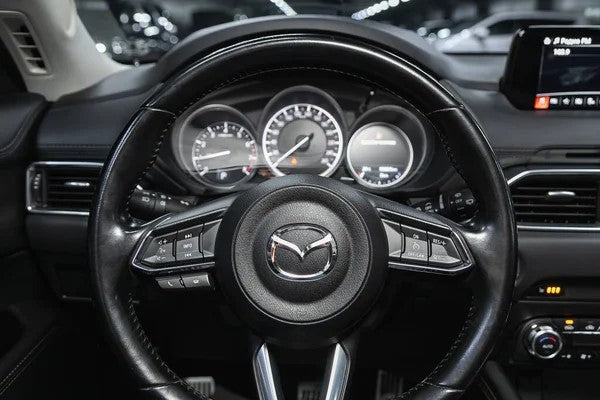
Quick Answer: How Do You Connect Apple CarPlay to a Mazda?
First, confirm that your exact Mazda model, model year, trim, region, and Mazda Connect system support Apple CarPlay. For wired CarPlay, park the vehicle, start it, make sure Siri is enabled, and connect your iPhone to the Mazda's smartphone-enabled USB port with a data-capable cable. Follow the prompts on the Mazda display and iPhone, then open Apple CarPlay from Mazda Connect if it does not launch automatically.
If your Mazda supports wireless CarPlay, turn on Bluetooth and Wi-Fi on the iPhone, put the vehicle in wireless pairing mode, and select the Mazda under Settings > General > CarPlay. Menu names and available connection methods vary by vehicle and software version, so use the owner's manual for your exact Mazda.
Important: A wireless adapter can convert a compatible factory wired CarPlay connection to wireless. It cannot add CarPlay to a Mazda that does not already have the required factory CarPlay system.

Mazda CarPlay Setup at a Glance
| Your Mazda setup | What to do | What to confirm |
|---|---|---|
| Factory wired CarPlay | Connect the iPhone to the smartphone-enabled USB port and accept the prompts. | Use a data-capable cable and the correct USB port. |
| Factory wireless CarPlay | Enable Bluetooth and Wi-Fi, start pairing from Mazda Connect, and select the Mazda on the iPhone. | Wireless CarPlay must be supported by the exact vehicle and infotainment system. |
| Factory wired CarPlay, but you want wireless | Confirm that wired CarPlay works first, then compare a compatible wired-to-wireless adapter. | The adapter and Mazda must meet the product-page compatibility requirements. |
| No factory CarPlay | Ask Mazda or a qualified installer about an approved retrofit or infotainment upgrade. | A wireless adapter alone will not create missing CarPlay support. |
Before You Start: Check Mazda CarPlay Compatibility
Do not assume Mazda3, Mazda6, CX-5, CX-50, CX-90, and MX-5 configurations share the same CarPlay hardware. Availability can differ by model year, trim, market, options, and Mazda Connect generation. The safest check is the owner's manual or Mazda support information for the exact vehicle.
- Look for Apple CarPlay in the Mazda Connect applications or connectivity menu.
- Identify the USB port marked for smartphone integration, if your vehicle uses wired CarPlay.
- Check whether the vehicle supports wired CarPlay, wireless CarPlay, or neither.
- Update the iPhone and review any available Mazda Connect software guidance before troubleshooting.
- If you are still unsure, contact a Mazda dealer with the VIN and exact trim information.
Apple also maintains a list of vehicle models that support CarPlay, but the exact trim and regional configuration should still be checked with Mazda.
How to Set Up Wired Apple CarPlay in a Mazda
- Park and start the vehicle. Complete setup while parked so the phone and Mazda Connect menus can be handled safely.
- Enable Siri on the iPhone. Apple and Mazda both identify Siri as part of the CarPlay setup and control experience.
- Use the correct USB port and cable. Connect the iPhone to the Mazda's smartphone-enabled USB port with a cable that supports data, not charging only.
- Accept the prompts. Mazda Connect should detect the iPhone. On first use, follow the vehicle prompts and tap Allow on the iPhone when asked.
- Open CarPlay. It may launch automatically. Depending on the Mazda Connect version, you may also be able to hold the Home button, select the Apple CarPlay icon, or choose Apple CarPlay under Applications.
These steps follow the official Mazda Apple CarPlay user guide and Apple's connection guidance. The precise port location, button behavior, and menu labels can differ by Mazda model and software version.

How to Set Up Wireless Apple CarPlay in a Mazda
Use this path only if your exact Mazda is equipped with factory wireless CarPlay.
- Park and start the Mazda, then make sure Siri is enabled.
- Turn on Bluetooth and Wi-Fi on the iPhone.
- Put Mazda Connect into its phone or wireless pairing mode. The exact menu varies by system version.
- On the iPhone, open Settings > General > CarPlay and choose the Mazda if it appears.
- Accept the pairing and CarPlay prompts on both screens.
- If Mazda first asks you to connect by USB, complete the wired setup and then accept the prompt to enable wireless CarPlay.
If the car supports wired CarPlay but not factory wireless CarPlay, the correct path is different: verify the wired connection first, then evaluate a compatible wired-to-wireless adapter.
How to Connect Apple CarPlay to a Mazda CX-5
The Mazda CX-5 follows the same compatibility-first rule. Some configurations use wired CarPlay, some may offer wireless functionality, and older configurations may not include CarPlay without an approved upgrade. Do not use the model name alone to decide.
- Check the owner's manual for the exact CX-5 model year, trim, and market.
- Confirm whether Apple CarPlay appears in Mazda Connect and identify the smartphone-enabled USB port.
- For wired CarPlay, connect a compatible iPhone with a data-capable cable and accept the prompts.
- For factory wireless CarPlay, enable Bluetooth and Wi-Fi and follow the Mazda Connect pairing flow.
- If the interface does not open automatically, select Apple CarPlay from Mazda Connect or use the relevant Home/Commander control method described in the manual.
The Mazda CX-5 owner's manual confirms that available functions and control paths depend on equipment. Always adjust Mazda Connect while the vehicle is stopped.

Troubleshooting: Mazda Apple CarPlay Not Connecting
Test CarPlay after each step so you know which change solved the problem.
- Confirm compatibility again. Make sure the exact Mazda supports CarPlay and that you are using the supported wired or wireless method.
- Restart the iPhone and Mazda. Turn both systems off and back on before changing more settings.
- Check the cable and USB port. For wired CarPlay, try another data-capable cable and the smartphone-enabled USB port. A charging-only connection will not launch CarPlay.
- Check Siri and CarPlay settings. Make sure Siri is enabled and the Mazda is listed under Settings > General > CarPlay if it has already been paired.
- Check Bluetooth and Wi-Fi. Both generally need to be on for factory wireless CarPlay. Bluetooth alone is not the full wireless CarPlay connection.
- Remove and pair again. If the Mazda is saved but will not reconnect, forget the vehicle on the iPhone and remove the phone from Mazda Connect, then repeat setup.
- Review software updates. Use the latest supported iOS version and check Mazda's guidance for vehicle software updates.
- Return to a direct cable test. If a wireless adapter is involved, remove it and confirm that factory wired CarPlay still works.
For more detail, follow Apple's official CarPlay troubleshooting steps. If the vehicle does not show any CarPlay option after compatibility and connection checks, contact Mazda or a qualified installer rather than assuming a dongle will solve a missing factory feature.
Can You Add Apple CarPlay to an Older Mazda?
Possibly, but there are two very different upgrade paths:
| Current vehicle state | Appropriate next step |
|---|---|
| The Mazda already has working factory wired CarPlay | A compatible wireless adapter may convert the daily connection from wired to wireless. |
| The Mazda does not have CarPlay | Ask Mazda or a qualified installer whether an approved hardware, USB hub, firmware, or infotainment retrofit is available for the exact vehicle. |
| CarPlay used to work but now fails | Troubleshoot the phone, cable, USB port, Mazda Connect settings, and software before buying an adapter. |
A wireless CarPlay adapter is a convenience upgrade, not a repair tool or a substitute for missing factory CarPlay hardware.

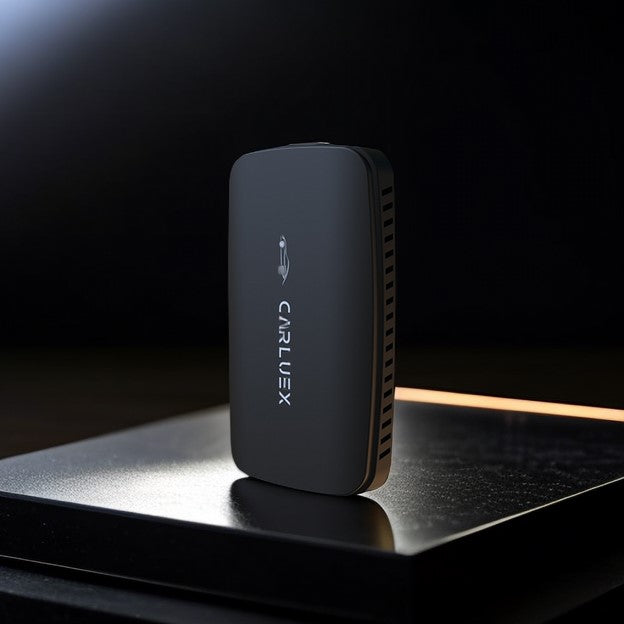
When a CARLUEX Wireless Adapter Makes Sense
Consider a CARLUEX adapter only after factory wired CarPlay works reliably. Compatibility depends on the exact adapter model and the Mazda's factory infotainment system.
- CARLUEX LINK Wireless CarPlay and Android Auto Adapter is the simpler wired-to-wireless category to compare. Wireless CarPlay requires factory wired CarPlay; its Android Auto path has a separate factory wired Android Auto requirement.
- CARLUEX GO Wireless CarPlay/Android Auto Adapter is another current CARLUEX option, but its Mazda fit and feature set must be checked on the live product page before purchase.
Before ordering, use the CARLUEX compatibility page and confirm the exact Mazda model year, trim, region, USB connection, and factory CarPlay behavior. If wired CarPlay does not work, solve that issue first.

Mazda CarPlay Setup Checklist
- Exact Mazda model year, trim, region, and Mazda Connect version confirmed.
- Wired, factory wireless, or no factory CarPlay status confirmed.
- Siri enabled and iPhone software updated.
- Correct smartphone-enabled USB port and data-capable cable used for wired setup.
- Bluetooth and Wi-Fi enabled for factory wireless setup.
- All pairing and permission prompts accepted while parked.
- Factory wired CarPlay tested successfully before adding a wireless adapter.
Frequently Asked Questions
Does Mazda have Apple CarPlay?
Many Mazda vehicles support Apple CarPlay, but availability varies by model year, trim, region, options, and Mazda Connect generation. Check the exact owner's manual or ask Mazda with the VIN before relying on a model-wide claim.
How do I connect Apple CarPlay to a Mazda CX-5?
First confirm whether the exact CX-5 uses wired or wireless CarPlay. For wired setup, connect the iPhone to the smartphone-enabled USB port with a data-capable cable and accept the prompts. For factory wireless setup, enable Bluetooth and Wi-Fi, then pair through Mazda Connect and the iPhone's CarPlay settings.
Why is Apple CarPlay not showing on my Mazda screen?
Common checks include vehicle compatibility, the correct USB port, a data-capable cable, Siri, Bluetooth and Wi-Fi for wireless setup, saved CarPlay permissions, and current phone or vehicle software. If no CarPlay option exists, contact Mazda to confirm whether the vehicle needs a supported retrofit.
Can I make wired Mazda CarPlay wireless?
Often, a compatible adapter can convert working factory wired CarPlay to a wireless daily connection. Confirm the exact Mazda and adapter requirements first. The adapter will not add CarPlay to a vehicle that lacks factory CarPlay support.
Can a wireless CarPlay adapter fix a broken Mazda USB port?
No. The adapter still relies on a working compatible vehicle connection. A damaged port, unsupported infotainment system, blocked phone setting, or vehicle software problem must be diagnosed separately.
Should I set up CarPlay while driving?
No. Complete pairing, cable changes, menu adjustments, and troubleshooting while the vehicle is parked. Once connected, use supported controls and voice features without taking attention away from the road.


Leave a comment
Ezt a webhelyet a hCaptcha rendszer védi, és a hCaptcha adatvédelmi szabályzata, valamint szolgáltatási feltételei vonatkoznak rá.