PRO PLUS

How Can I Change the Wallpaper?

Changing the wallpaper on your CARLUEX PRO+ is a simple process. Follow these steps:

1. Access the settings menu on your CARLUEX PRO+and navigate to the "Wallpaper" option and select it.

2. Browse through your files and choose the image you want to set as your wallpaper. You can select images stored on your TF (microSD) card.
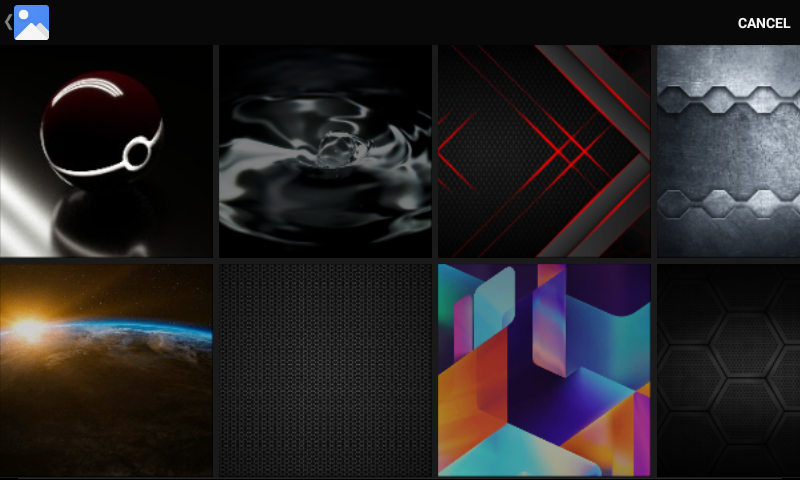
3. Once you've selected the image you want, click on "Set Wallpaper" to confirm and set the new wallpaper.

Your wallpaper will now be updated with the chosen image, allowing you to personalize your CARLUEX PRO+ display to your liking.

📺 You can also check out the tutorial video here:
https://www.youtube.com/shorts/NrjwcHJHPMg

Ανάγνωση επόμενου

Αφήστε ένα σχόλιο

Αυτή η τοποθεσία προστατεύεται από το hCAPTCHA και ισχύουν η Πολιτική απορρήτου και οι Όροι Παροχής Υπηρεσιών του hCaptcha.

Recommended CARLUEX products

CARLUEX PRO PLUS 2.0 Black Friday 2026

CARLUEX® PRO+ 2.0 Multimedia AI Box

A multimedia AI box that adds wireless CarPlay and Android Auto, 4K playback, app installation, and OTA updates to compatible vehicles.

Τιμή πώλησηςΑπό $174.85 USD Κανονική τιμή$339.00 USD
View product
CARLUEX for BMW Black Friday 2026

CARLUEX Multimedia Streaming Box for BMW

A BMW-focused multimedia box with wireless CarPlay and Android Auto, streaming apps, voice commands, and steering-wheel control.

Τιμή πώλησηςΑπό $247.20 USD Κανονική τιμή$369.00 USD
View product
CARLUEX MORPH Black Friday 2026

CARLUEX MORPH Digital Car Emblem for Select BMW Models

An app-controlled digital BMW emblem that lets you switch designs, images, animations, or text on supported models.

Τιμή πώλησης$239.00 USD Κανονική τιμή$299.00 USD
View product
CARLUEX AIR Black Friday 2026

CARLUEX AIR Wireless CarPlay/Android Auto Adapter

A plug-and-play entertainment adapter that adds wireless CarPlay, Android Auto, built-in apps, and USB media playback to compatible vehicles.

Τιμή πώλησηςΑπό $62.55 USD Κανονική τιμή$139.00 USD
View product