

What Is Apple CarPlay? A Complete Guide for 2024 and 2025
Apple CarPlay is Apple smartphone mirroring system that connects your iPhone to your car infotainment screen, letting you access your favorite apps and features through a familiar interface while keeping your focus on the road. If you own an iPhone and a relatively recent vehicle, CarPlay is likely already available to you.
How Apple CarPlay Works
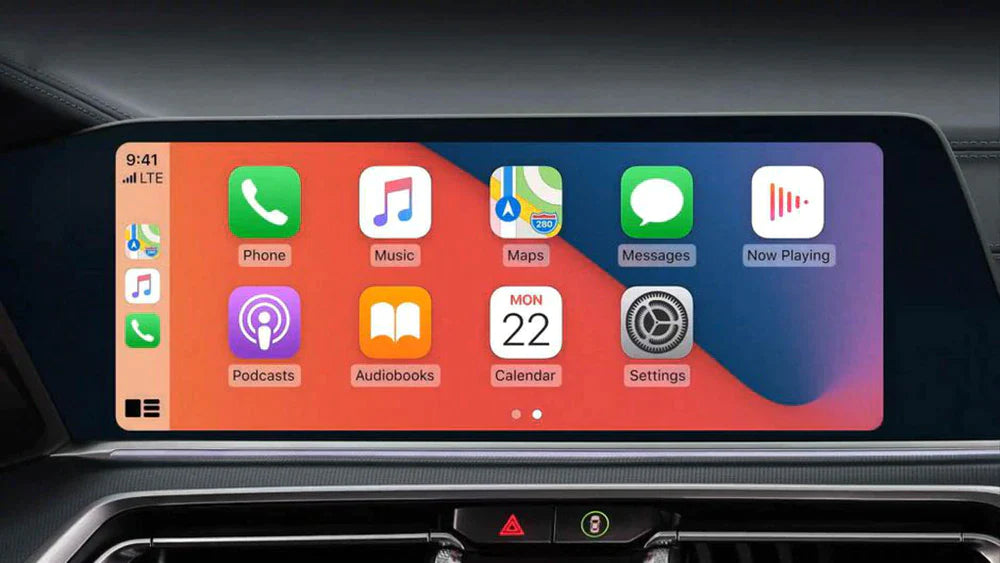
CarPlay essentially turns your car display into an iPhone-optimized interface. Once connected — via USB cable or wirelessly — your car touchscreen shows a simplified version of your iPhone key apps: Maps, Phone, Messages, Music, and a growing list of third-party apps including Spotify, Waze, and WhatsApp.
Because it is designed specifically for driving, CarPlay uses large icons, minimal text, and a heavily voice-controlled interaction model. The goal is to give you access to the information you need without requiring you to look away from the road for more than a split second.
Core Features of Apple CarPlay
- Apple Maps and third-party navigation: Get turn-by-turn directions on your car screen with real-time traffic, automatic rerouting, and estimated arrival times. Google Maps and Waze are also fully supported on CarPlay.
- Hands-free phone calls and messaging: Siri reads your incoming messages aloud and lets you dictate replies, keeping your hands on the wheel where they belong.
- Apple Music and audio streaming: Access your entire music library, playlists, and podcasts through your car speakers. Third-party apps like Spotify, Amazon Music, and Audible are also supported.
- Siri voice control: Apple voice assistant handles navigation, messaging, music, and phone calls through simple voice commands, reducing the need to touch the screen.
- Calendar integration: See your upcoming appointments on the CarPlay home screen and get directions to your next meeting with one tap.
Apple CarPlay vs. Android Auto: Key Differences
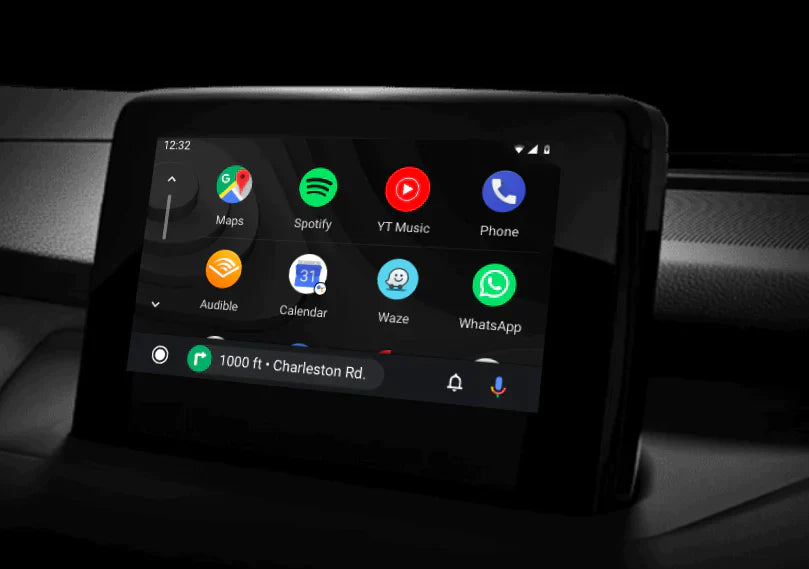
CarPlay and Android Auto serve the same fundamental purpose but are designed for different smartphone ecosystems. CarPlay works exclusively with iPhone (iOS 12 and later), while Android Auto works with Android phones (Android 9 and later).
In terms of user experience, CarPlay uses a consistent, iOS-style interface that iPhone users find immediately familiar. The app selection on CarPlay is curated by Apple, which some users appreciate for its simplicity and focus.
What Is New in iOS 17 and iOS 18: CarPlay Updates
Apple most recent iOS updates have brought significant improvements to CarPlay:
- iOS 17 (2023): Enhanced Siri interactions — Siri now appears as a floating indicator instead of taking over the entire screen, letting you keep your navigation visible while issuing voice commands. Lock Screen widgets integration allows certain CarPlay apps to display key information on your dashboard even when the phone is locked.
- iOS 18 (2024): The most significant CarPlay update in years, iOS 18 introduces CarPlay Performance scores that show how well apps run on your vehicle specific hardware. Additional third-party app categories were added, including EV charging apps for electric vehicles and enhanced parking integration with services like ParkMobile. Voice Memo apps and new podcast platforms are now supported.
Which iPhones Support CarPlay?
CarPlay is available on iPhone 5 and later models running iOS 7.1 or higher. However, for the best experience with the latest features, iPhone 8 or newer is recommended. iOS 17 and iOS 18 features require an iPhone running the corresponding OS version.
Wireless vs. Wired CarPlay
Early CarPlay implementations required a Lightning cable connection. Starting with iOS 9, Apple introduced wireless CarPlay on select vehicles — your iPhone connects via Bluetooth and WiFi instead of a physical cable.
Wireless CarPlay is now available on most vehicles manufactured from 2019 onwards. For vehicles with wired-only CarPlay, a wireless CarPlay adapter (like our product) provides the same wireless experience, eliminating the need to plug in your phone every time you start the car.
Which Cars Support Apple CarPlay?
CarPlay is available on virtually every major car brand. As of 2024, more than 800 car models worldwide support CarPlay, including all models from:
- BMW, Mercedes-Benz, Audi, Volkswagen, Porsche (Europe)
- Toyota, Honda, Ford, Chevrolet, Nissan, Hyundai, Kia (North America)
- Most electric vehicles including Rivian and Lucid
The fastest way to confirm your car supports CarPlay is to look for a USB port labeled with a smartphone or CarPlay icon, or to check the manufacturer website for your specific model year.
Frequently Asked Questions
Is Apple CarPlay free to use?
Yes. CarPlay itself is a free feature built into iOS. You do not pay any subscription or additional fees to use CarPlay. Data usage for navigation and streaming apps applies as normal.
Does CarPlay work without a data connection?
Navigation with Apple Maps requires a data connection for real-time traffic. However, you can download offline maps in Apple Maps for areas with no coverage. Spotify and Apple Music offline downloads also work without data.
Can I use CarPlay with my iPad?
No. CarPlay is designed exclusively for iPhone. iPads do not support CarPlay.
What happens if my car does not have CarPlay?
If your vehicle was manufactured before approximately 2016 and does not have CarPlay, aftermarket CarPlay stereos are available for most vehicles. Our wireless CarPlay adapter is designed for vehicles that already have factory CarPlay but only via cable — it converts wired CarPlay to wireless.



Αφήστε ένα σχόλιο
Όλα τα σχόλια ελέγχονται πριν δημοσιευθούν.
Αυτή η τοποθεσία προστατεύεται από το hCAPTCHA και ισχύουν η Πολιτική απορρήτου και οι Όροι Παροχής Υπηρεσιών του hCaptcha.