

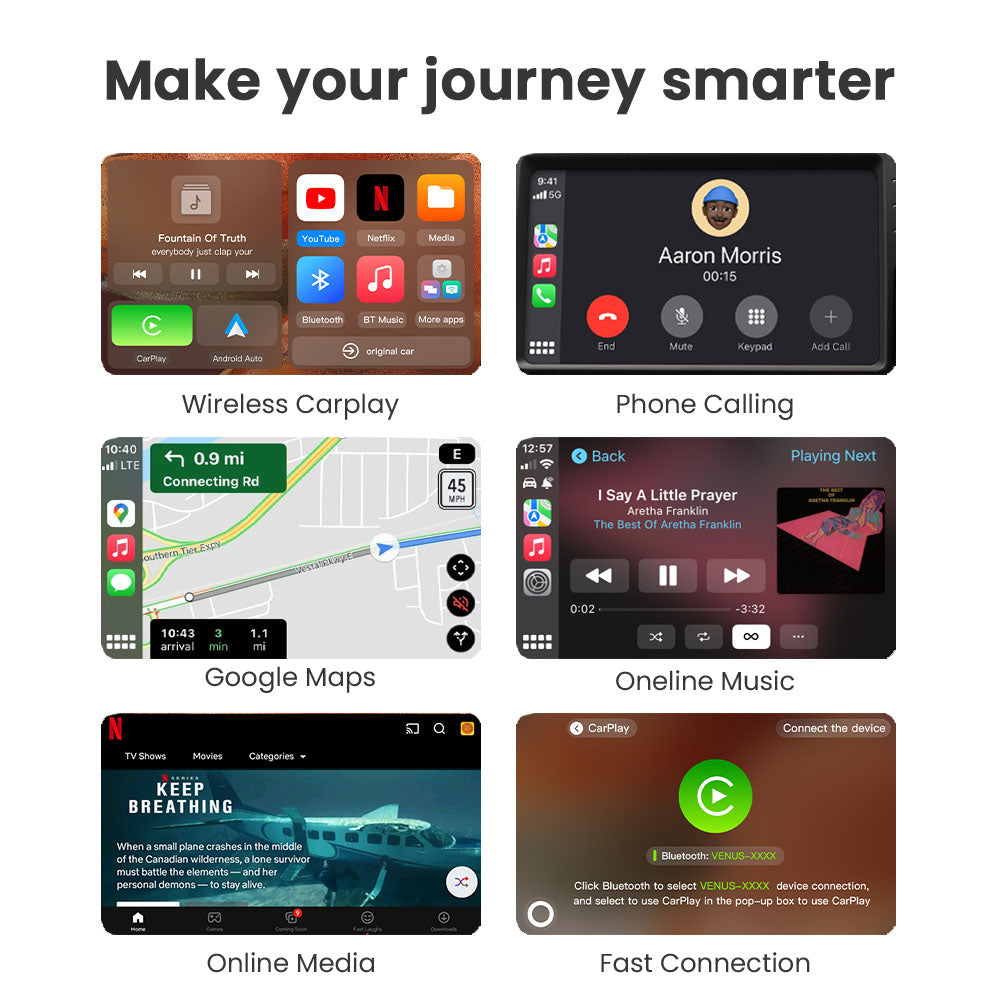
Ford's current US pages give a clear short answer for the 2026 Ford Mustang Mach-E infotainment system: the SUV includes SYNC 4A with a 15.5-inch center display, and Ford says standard wireless Apple CarPlay and Android Auto compatibility is included. The exact vehicle still matters because a web page is a model reference, not a substitute for the window sticker, owner's documentation, or the vehicle in front of you.
This guide separates what Ford explicitly states from what still needs checking. It does not claim Google built-in, Gemini, universal phone behavior, or CARLUEX compatibility. Because Ford lists factory wireless projection, this article includes no product CTA.

What the 2026 Mustang Mach-E infotainment system includes
Ford's official 2026 Mustang Mach-E vehicle page names SYNC 4A and a 15.5-inch center display. The same page says the 2026 Mustang Mach-E has standard wireless Apple CarPlay and Android Auto compatibility. Those are the useful headline facts for a shopper asking whether the factory system can project a phone without a USB cable.
Ford's separate Mustang Mach-E specifications page gives a more concrete trim example: the Select card lists a 10.2-inch cluster display, a 15.5-inch center display, and wireless Apple CarPlay and Android Auto compatibility. That is stronger than assuming a feature from a forum post, but it is still best read together with the exact model year, market, build and equipment record.

Wireless CarPlay and Android Auto by trim: what Ford shows
The safest trim-level reading is precise rather than absolute. Ford's vehicle page makes a model-level statement about standard wireless compatibility, while the specifications page visibly spells out the Select configuration. The same captured specifications page also presents Premium, GT and Rally model cards, but it does not repeat the wireless projection bullet under every card in the text we can verify here.
That omission is not proof that Premium, GT or Rally lacks wireless CarPlay or Android Auto. It is simply a reason to verify the exact build instead of copying a single trim line into every configuration. When an equipment question affects a purchase, compare the VIN-specific equipment record, window sticker or dealer-provided documentation with the current Ford page.

What factory wireless projection does and does not mean
Phone projection is not the same as Google built-in
Apple CarPlay and Android Auto project supported phone functions onto a compatible vehicle display. They are not automatically the same thing as a car with Google built-in. Google's official explanation keeps those experiences distinct, so the Ford wording here should not be expanded into a claim about Google built-in or Gemini.
Wireless still has phone and vehicle requirements
Google's Android Auto Help describes compatible-car or stereo and compatible-phone requirements, with additional requirements for wireless use. In practical terms, “wireless” describes the connection method supported by the factory system; it does not guarantee that every phone, software version, account state or regional configuration will behave identically.
Why an aftermarket adapter is not assumed here
If the vehicle already has factory wireless CarPlay and Android Auto, an adapter is not what makes that factory feature wireless. This article therefore does not recommend an adapter, promise an upgrade, or claim that any third-party hardware adds SYNC 4A, Ford vehicle controls, Google built-in or Gemini. Use the exact compatibility requirements before considering any hardware change.

A parked-only Mustang Mach-E infotainment checklist
Before relying on the setup, check the following while parked. The list is intentionally conservative because a model page cannot answer every VIN- or phone-specific question.
- Record the exact vehicle. Note the model year, trim, market and VIN context rather than relying on “Mach-E” alone.
- Confirm the screen and system wording. Look for SYNC 4A and the 15.5-inch center display in the current Ford documentation for that vehicle.
- Check the phone. Confirm that the phone and its operating-system version meet the relevant Apple or Google requirements.
- Test the connection while stationary. Pair or project the phone only when parked, then verify audio, calls, navigation and the controls you actually use.
- Separate factory features from accessories. Do not assume an adapter changes vehicle software, factory controls or the official equipment list.

Frequently asked questions
Does every 2026 Mustang Mach-E have wireless CarPlay?
Ford's official US vehicle page says standard wireless Apple CarPlay and Android Auto compatibility is included for the 2026 Mustang Mach-E. The specifications page explicitly shows that wording on the Select card. For a specific vehicle, verify the current equipment record and market before treating the statement as a purchase guarantee.
What screen does the 2026 Mustang Mach-E use?
Ford identifies a 15.5-inch center display with SYNC 4A. The Select specification also lists a 10.2-inch cluster display. These are separate display areas, so do not describe the 10.2-inch cluster as the center infotainment screen.
Does Ford's page confirm Google built-in or Gemini?
No. The Ford pages used for this article confirm SYNC 4A, the center display and wireless Apple CarPlay and Android Auto compatibility. They do not establish Google built-in or Gemini support.
Do I need an aftermarket adapter for a factory-wireless Mach-E?
Not to make the factory-listed wireless CarPlay or Android Auto feature wireless. An accessory should only be evaluated against an exact, verified compatibility case; this article makes no CARLUEX product claim for the Mustang Mach-E. The product reference below is not a recommendation; only evaluate it after exact eligibility is confirmed.
Can I change infotainment settings while driving?
No. Complete pairing, troubleshooting and settings changes while parked, and follow local laws and Ford's safety guidance.
Related CARLUEX reading
For adjacent context, read the wired-versus-wireless CarPlay guide and the Ford Apple CarPlay article. They provide broader platform context; they do not replace the exact Mustang Mach-E build check. The CARLUEX compatible vehicles reference, CARLUEX Help Center and CARLUEX PRO+ 2.0 product reference are conditional eligibility, support and product references only; they are not proof that a product is needed or compatible here.



Efterlad en kommentar
Denne side er beskyttet af hCaptcha, og hCaptchas Politik om beskyttelse af persondata og Servicevilkår er gældende.