To set the language on your CARLUEX PRO+, follow these steps:
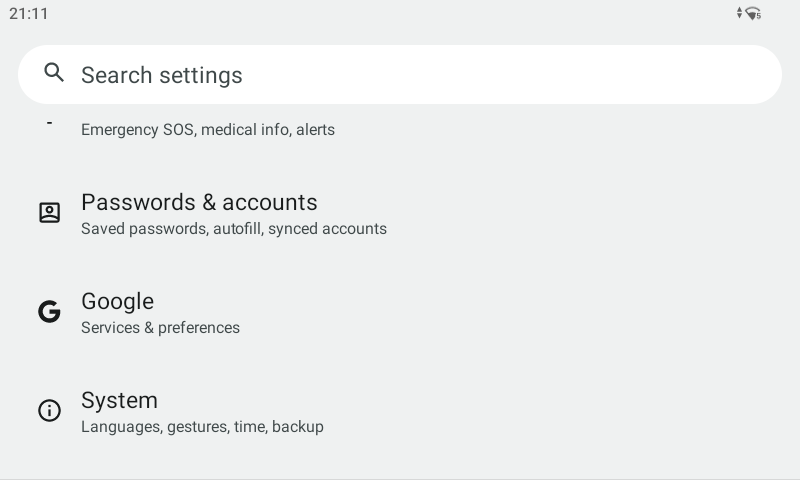
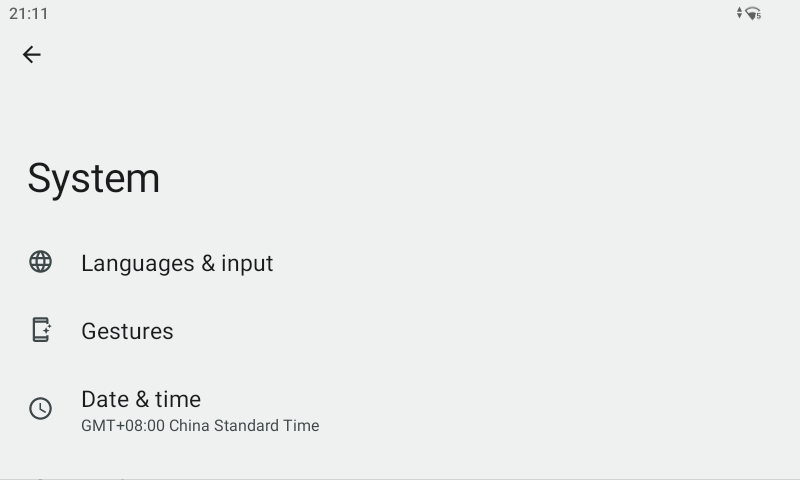
1. Access the settings menu. You can either search for "language" or swipe up navigate to the "System" section.
2. Go into "Language & Input."
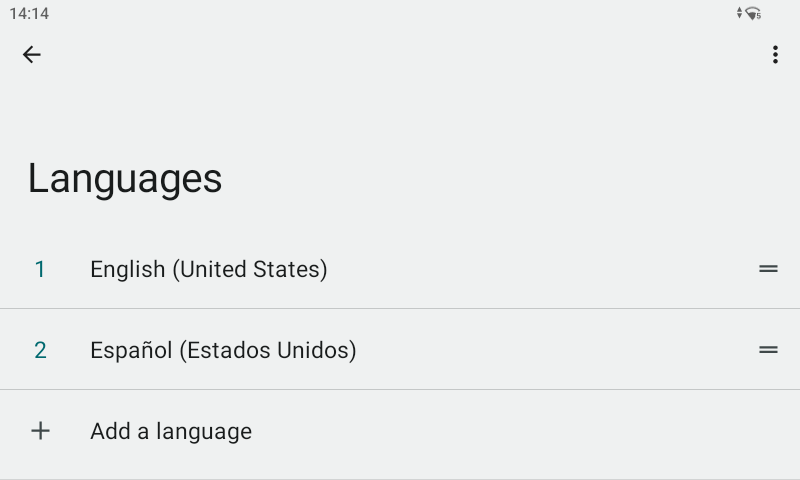
3. To add a new language, click on "Add a language." You can also rearrange the order of languages by dragging them, which will change the system language.
In addition to this, CARLUEX PRO+ provides further language customization options:
Set different languages for supported apps using "App Languages."
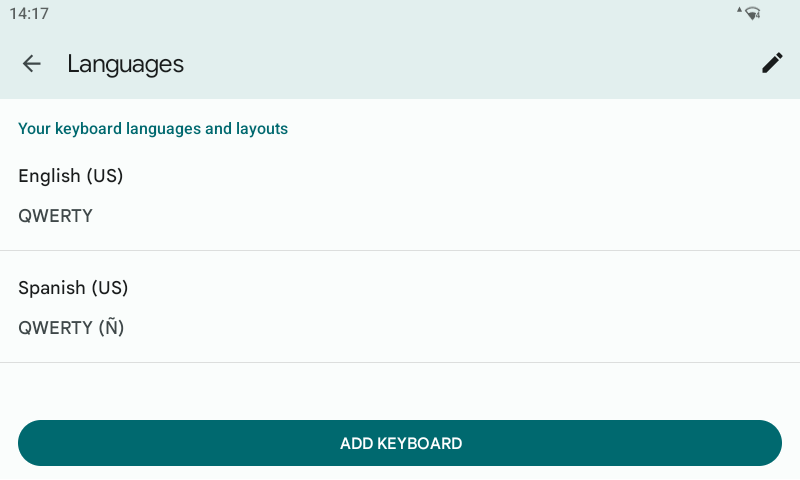
Configure your preferred keyboard language layout.
Explore other language-related settings to customize your language preferences to your liking.
CARLUEX PRO+ offers flexibility in language customization to enhance your user experience.
Step 1: Choose message placement
Click the button below and then hover over your page to select a placement.
Step 2: Paste and save
You have copied the placement for the Product Page.
Go back to the App Embeds section, and in the Paypal Advanced Settings, paste the copied value into the
Product Page field and click the 'Save' button in the top right corner.




Napsat komentář
Tento web je chráněn službou hCaptcha a vztahují se na něj Zásady ochrany osobních údajů a Podmínky služby společnosti hCaptcha.