
BMW

How Can I Connect My CARLUEX BMW?

To connect your CARLUEX BMW, follow these four steps: Source: Apple CarPlay Developer Documentation. CARLUEX PRO works out of the box — no wiring or tools needed. CARLUEX PRO+ 2.0 adds wireless CarPlay and Android Auto to How-equipped vehicles. Browse CARLUEX wireless adapters to find the right fit for your car.

1. Access the Apple CarPlay connection interface in your car.
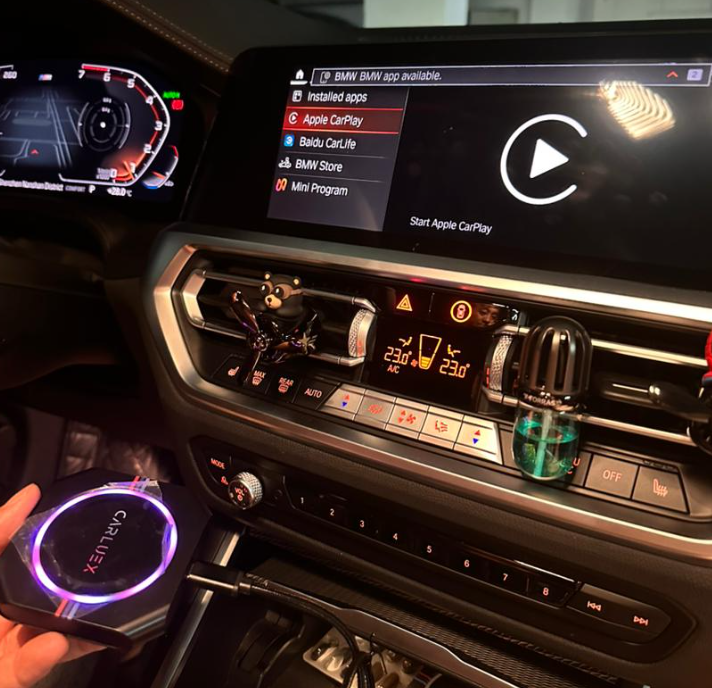
2. Wait for your car to detect the device; it will appear as "BMW-XXXX" (your product number).
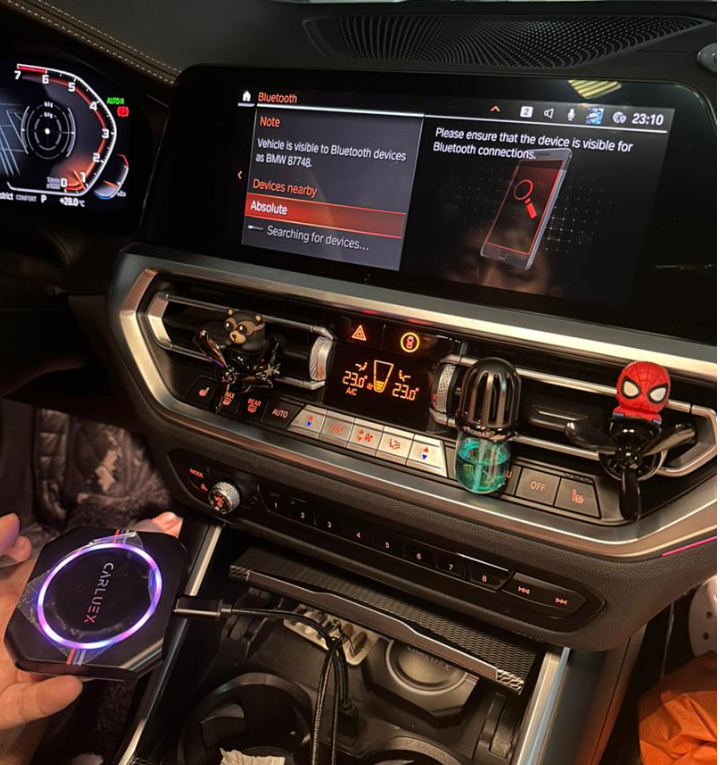
3. Click to confirm the connection.

4. Wait a moment, and the connection will be established successfully.


This straightforward process allows you to connect your CARLUEX BMW and enjoy its features seamlessly with your car's infotainment system.


قراءة التالي

اترك تعليقًا

This site is protected by hCaptcha and the hCaptcha Privacy Policy and Terms of Service apply.

Recommended CARLUEX products

CARLUEX PRO PLUS 2.0 Black Friday 2026

CARLUEX® PRO+ 2.0 Multimedia AI Box

A multimedia AI box that adds wireless CarPlay and Android Auto, 4K playback, app installation, and OTA updates to compatible vehicles.

السعر بعد الخصمالسعر من Dhs. 652.00 AED السعر قبل الخصمDhs. 1,264.00 AED
View product
CARLUEX for BMW Black Friday 2026

CARLUEX Multimedia Streaming Box for BMW

A BMW-focused multimedia box with wireless CarPlay and Android Auto, streaming apps, voice commands, and steering-wheel control.

السعر بعد الخصمالسعر من Dhs. 922.00 AED السعر قبل الخصمDhs. 1,376.00 AED
View product
CARLUEX MORPH Black Friday 2026

CARLUEX MORPH Digital Car Emblem for Select BMW Models

An app-controlled digital BMW emblem that lets you switch designs, images, animations, or text on supported models.

السعر بعد الخصمDhs. 891.00 AED السعر قبل الخصمDhs. 1,115.00 AED
View product

